

Coinbaseアカウントで2FAを有効にする方法
更新日:2026年8月4日
2要素認証(2FA)を設定すると、パスワードが漏えいした場合でもCoinbaseアカウントを保護できます。以下の手順に沿って、iPhone、iPad、MacのAuthenticator AppでCoinbaseの認証コードを生成してください。
2FA 設定を見つける
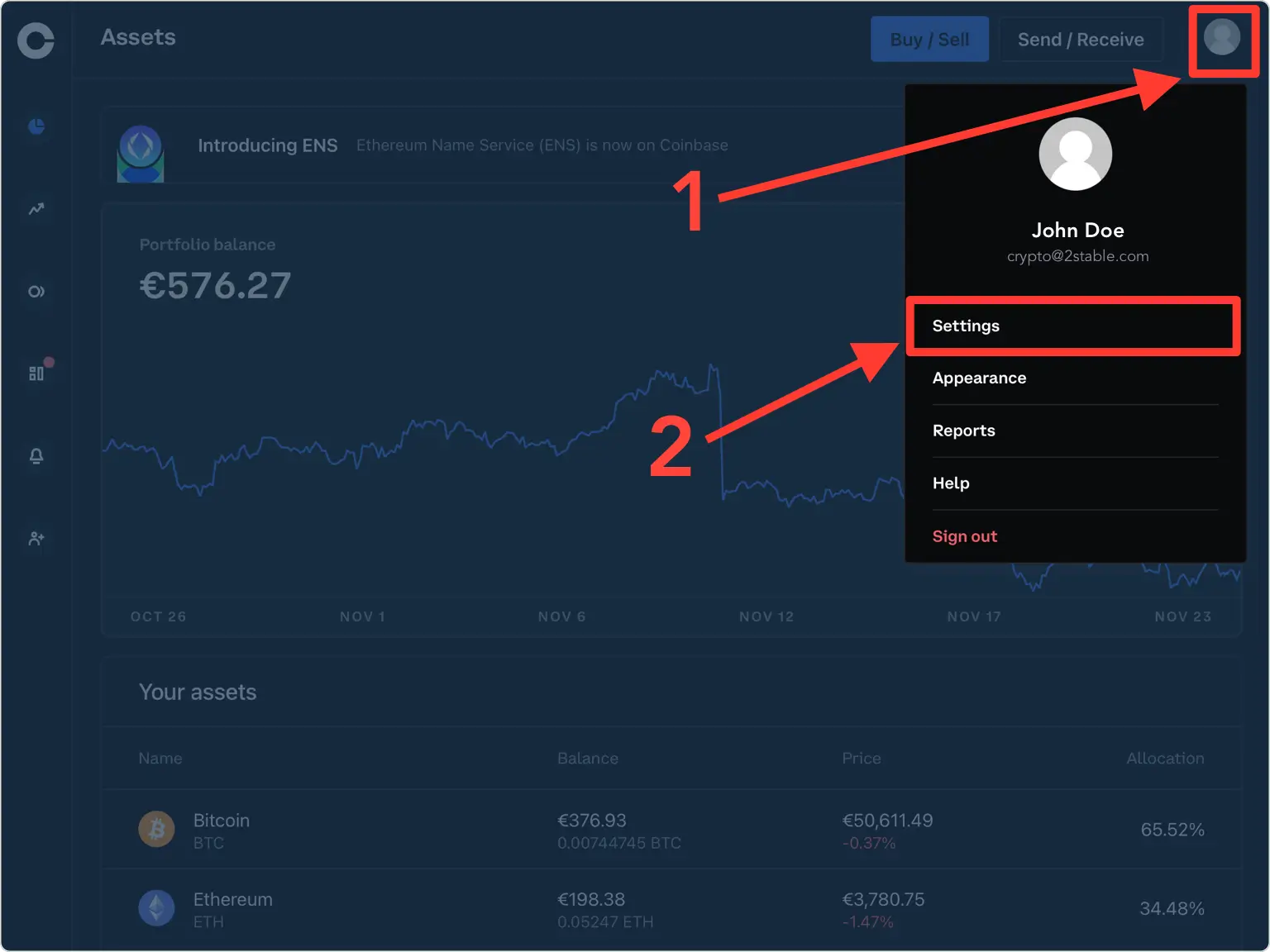
Web ブラウザで Coinbase アカウントにサインインします。右上隅の「アカウント」をクリックし、「設定」を選択します。
セキュリティセクションを開きます
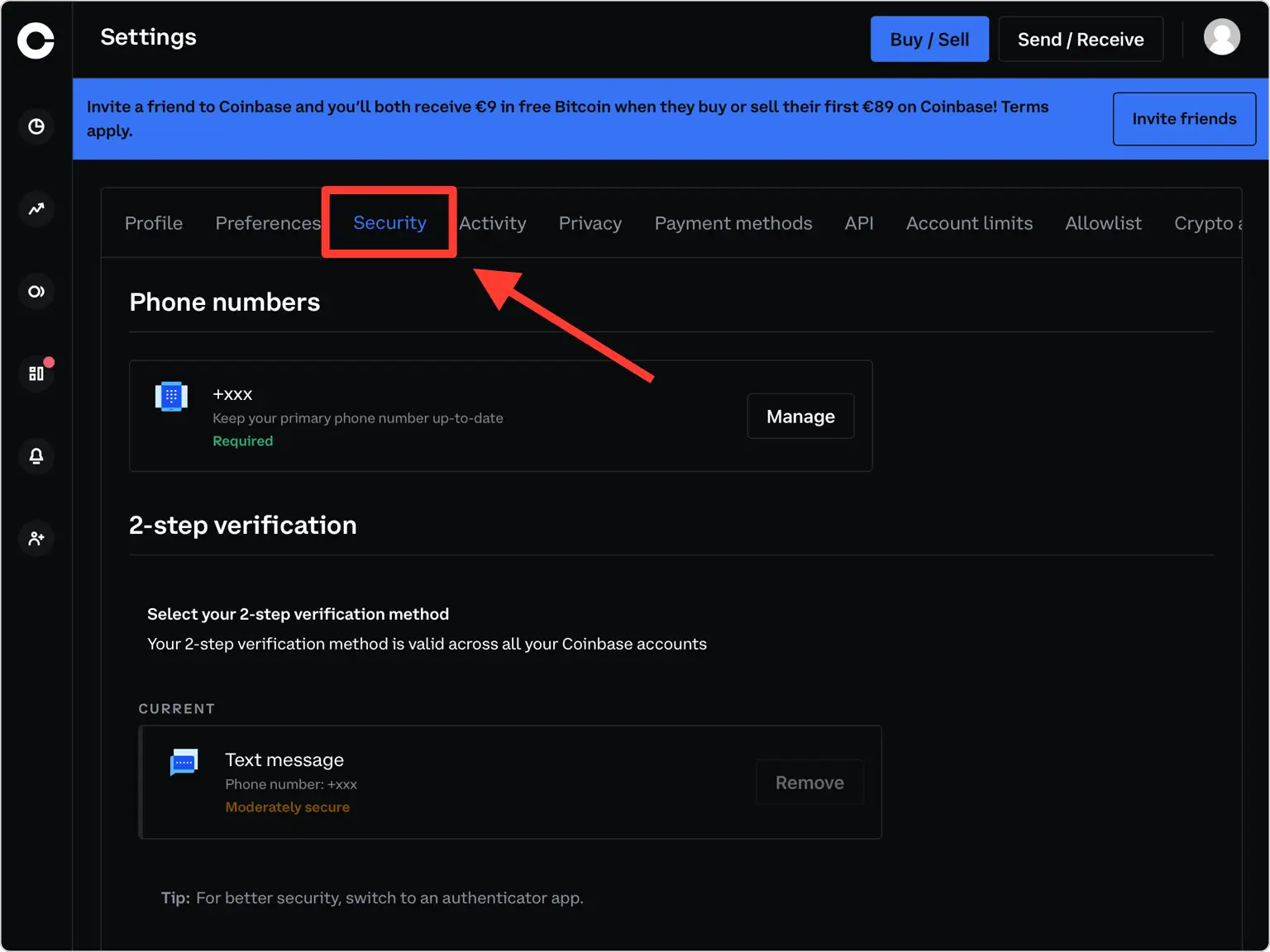
設定メニューから「セキュリティ」をクリックして、2 段階認証オプションにアクセスします。
認証アプリのオプションを選択します
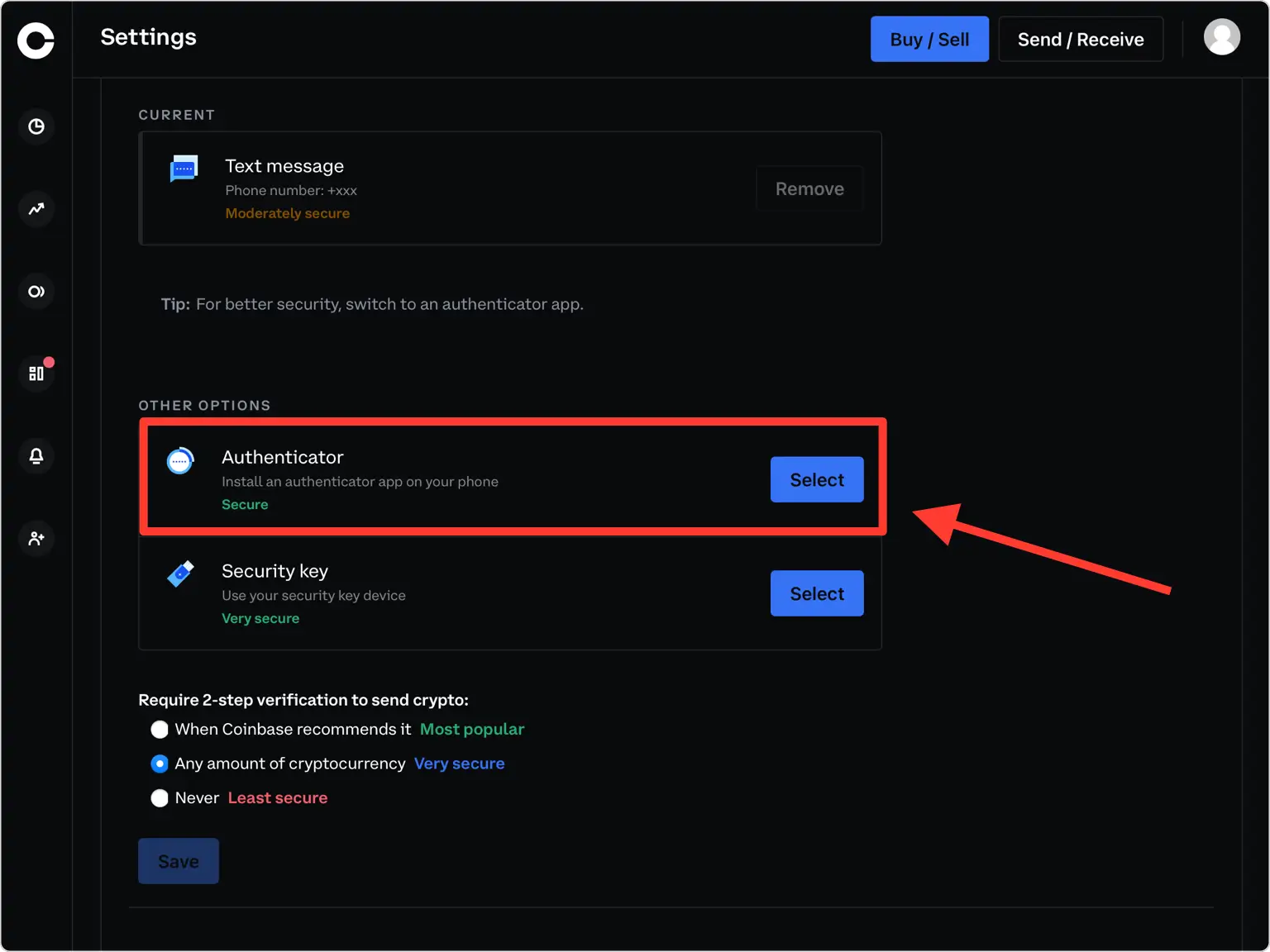
[その他のオプション] まで下にスクロールし、[認証システム] を選択して認証アプリのセットアップを開始します。 Coinbase はあらゆる TOTP アプリで動作します。
電話番号を確認してください
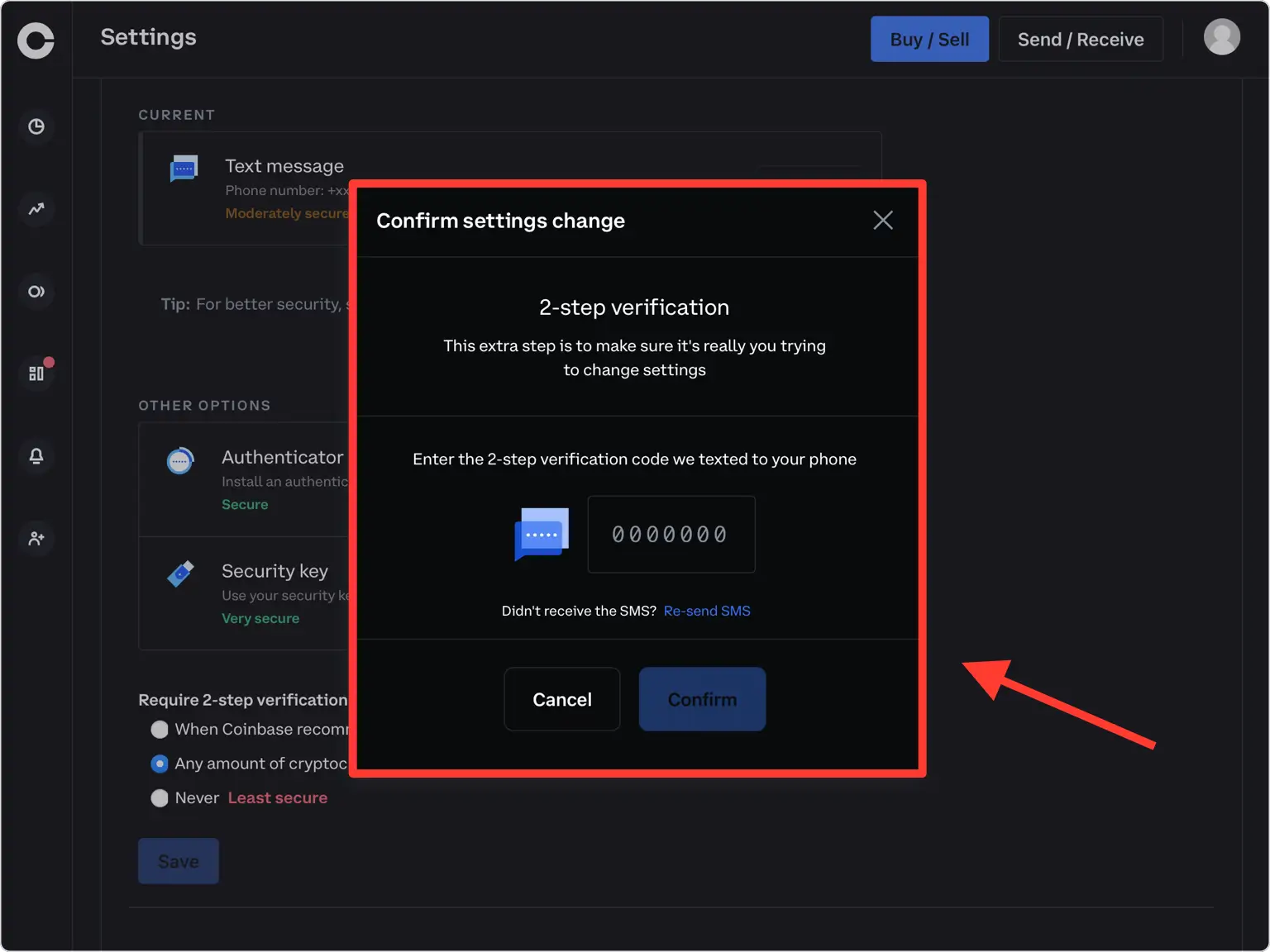
Coinbase は 7 桁のセキュリティ コードを携帯電話に送信します。そのコードを確認フィールドに入力し、確認を押して続行します。
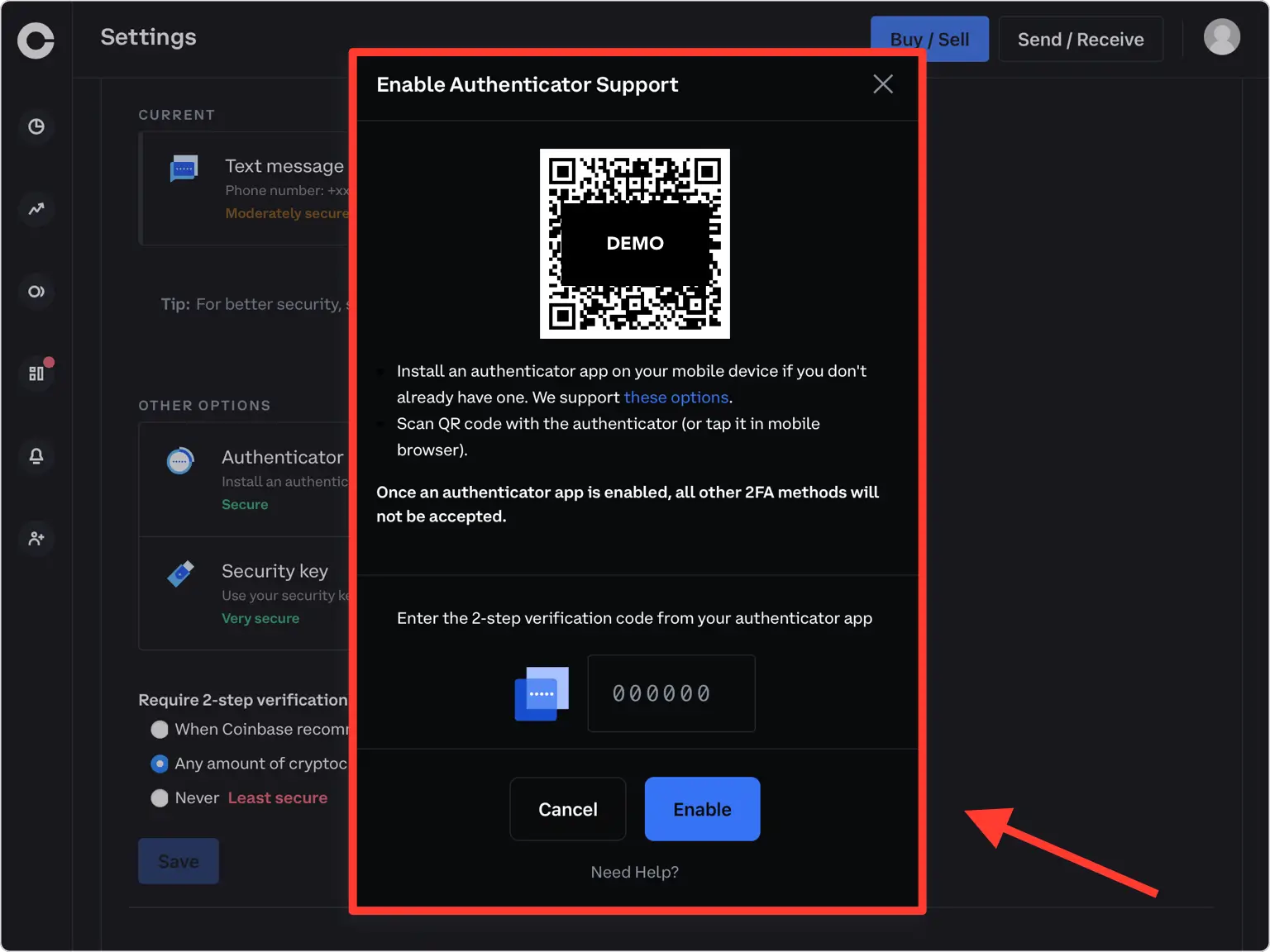
QRコードを表示する
秘密キーをエンコードする QR コードを含むポップアップ ウィンドウが表示されます。 iPhone を手に取る間、コンピュータ上でこのウィンドウを開いたままにしておきます。
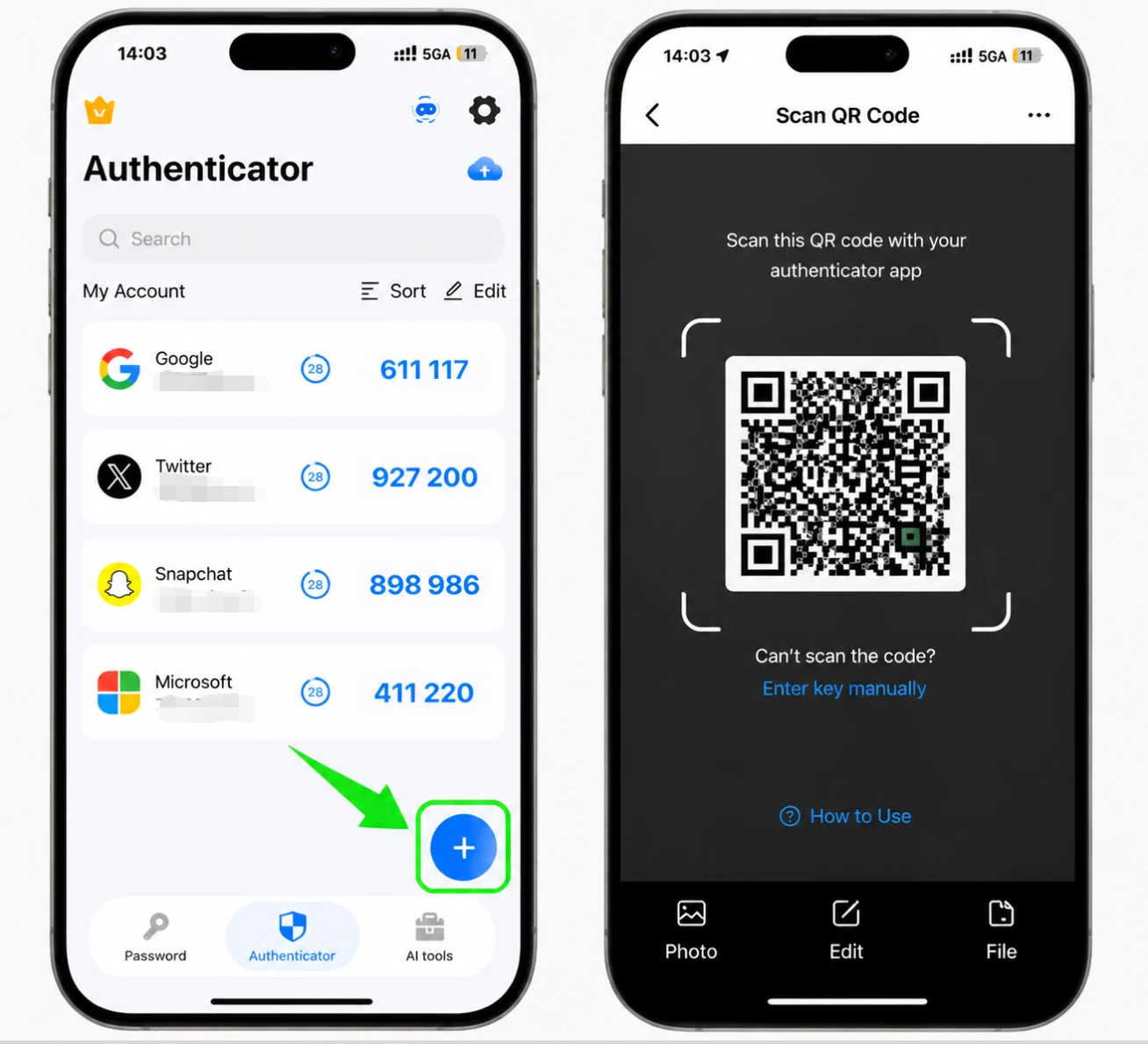
Authenticator App で QR コードをスキャンします
iPhone で Authenticator App を開き、下部にある + ボタンをタップし、画面上の QR コードにカメラを向けます。スキャンできない場合は、ファイルからアカウントを追加するか、秘密キーを手動で入力してください。
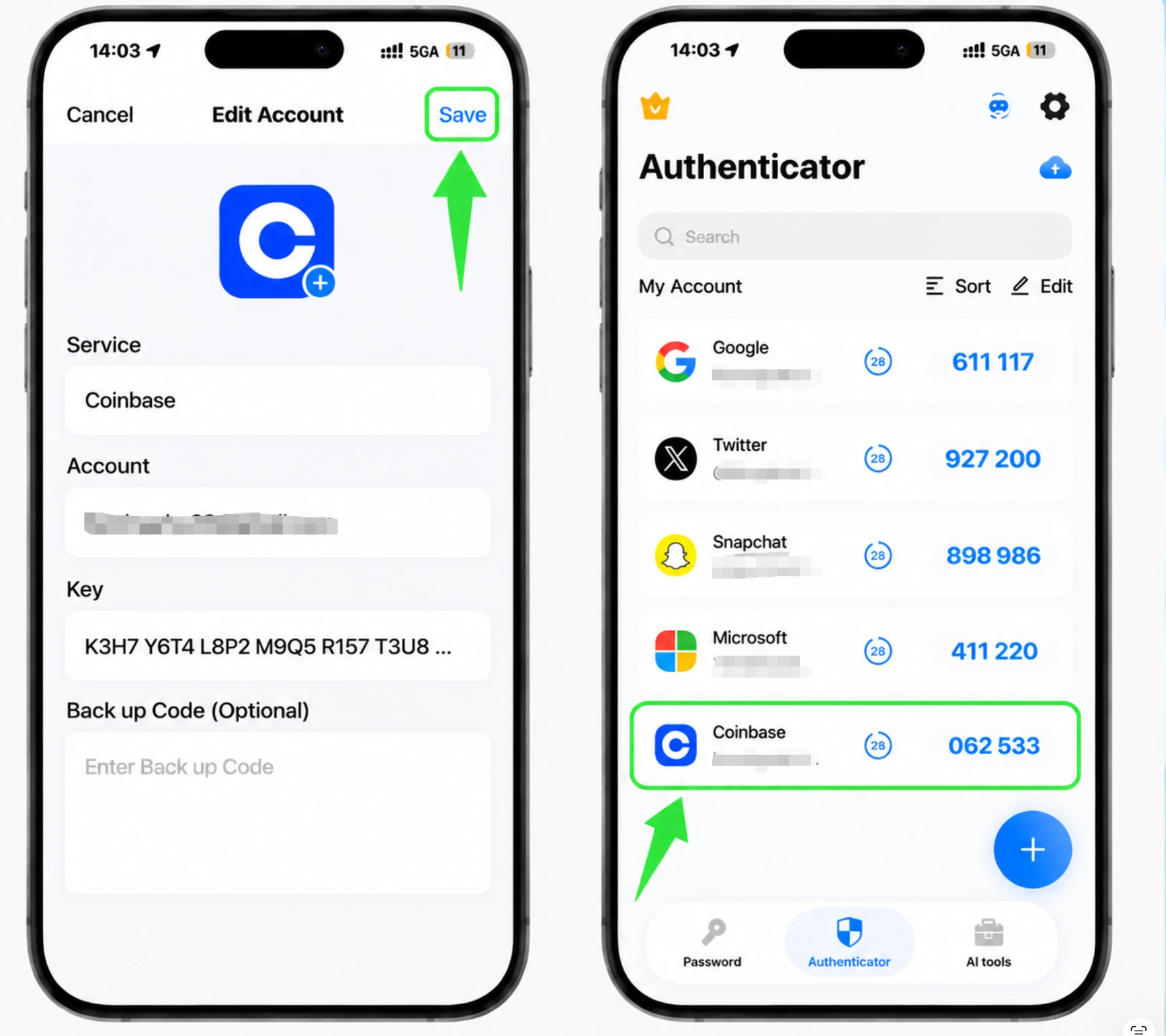
新しいアカウントをアプリに保存します
スキャン後、Authenticator App によって Coinbase のロゴ、アカウント名、秘密キーが入力されます。必要に応じて名前やアイコンを調整し、「保存」をタップします。
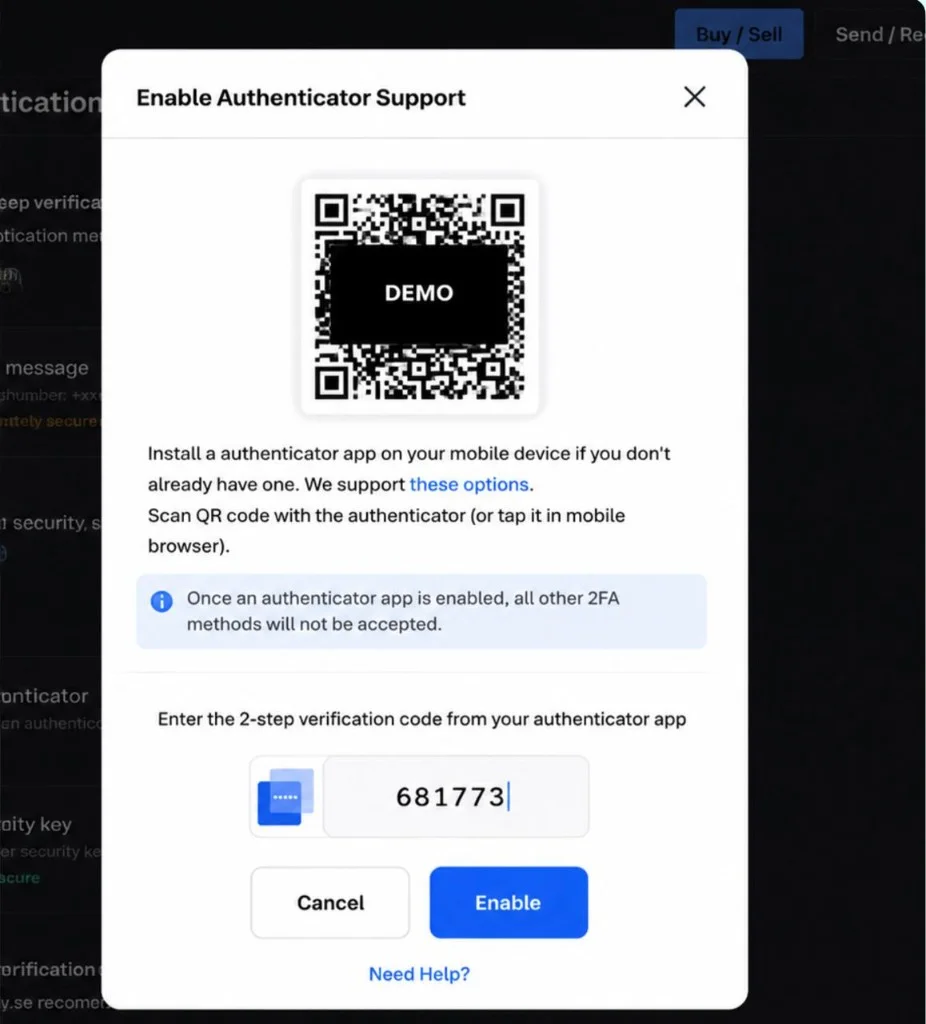
6桁のコードを入力して有効にします
Authenticator App に表示されている 6 桁のコードをコピーし、Coinbase に再度入力して、[有効にする] をクリックします。コードは 30 秒ごとに更新されるので、現在のコードを入力します。
回復のために秘密キーを保存します
Coinbase は 1 回限りのバックアップ コードを提供しないため、セットアップ中に表示される秘密キーが回復メカニズムとなります。書き留めるかオフラインで保存し、暗号化されていないクラウド ストレージには決して保管しないでください。
セットアップを完了する
Coinbase アカウントで 2 要素認証が有効になりました。今後は、サインインするたびに Authenticator App からコードを入力することになります。


バックアップと復旧
Coinbase は 1 回限りのバックアップ コードを提供しないため、セットアップ中に表示される秘密キーが回復メカニズムとなります。書き留めるかオフラインで保存し、暗号化されていないクラウド ストレージには決して保管しないでください。
以上で完了です。Coinbaseアカウントは2要素認証で保護されました。復旧情報は安全に保管し、画面が変更された場合はサービスの公式ドキュメントをご確認ください。


