

X (Twitter)アカウントで2FAを有効にする方法
更新日:2026年8月4日
2要素認証(2FA)を設定すると、パスワードが漏えいした場合でもX (Twitter)アカウントを保護できます。以下の手順に沿って、iPhone、iPad、MacのAuthenticator AppでX (Twitter)の認証コードを生成してください。
X アプリを開き、[設定] に移動します
X アカウントにサインインし、プロフィール写真をタップしてサイドバーを開きます。 「設定とプライバシー」をタップして、アカウント設定にアクセスします。
![X アプリを開き、[設定] に移動します](/_next/image?url=%2Fimages%2Fguides%2Fx-com%2Fstep-2.png&w=3840&q=75)
セキュリティ設定に移動します
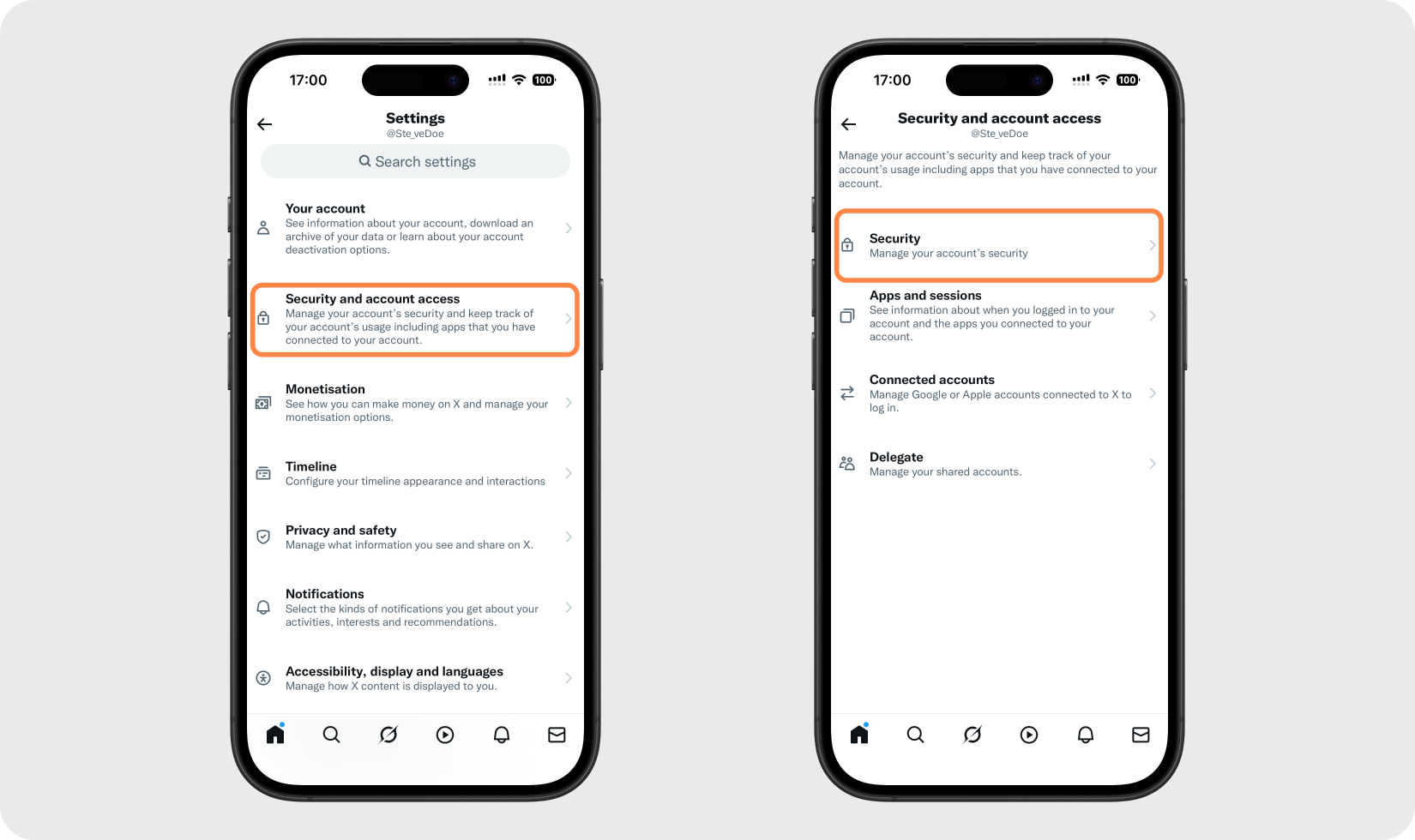
[設定] メニューで、[セキュリティとアカウント アクセス] をタップし、[セキュリティ] を選択します。
認証アプリの方法を選択します
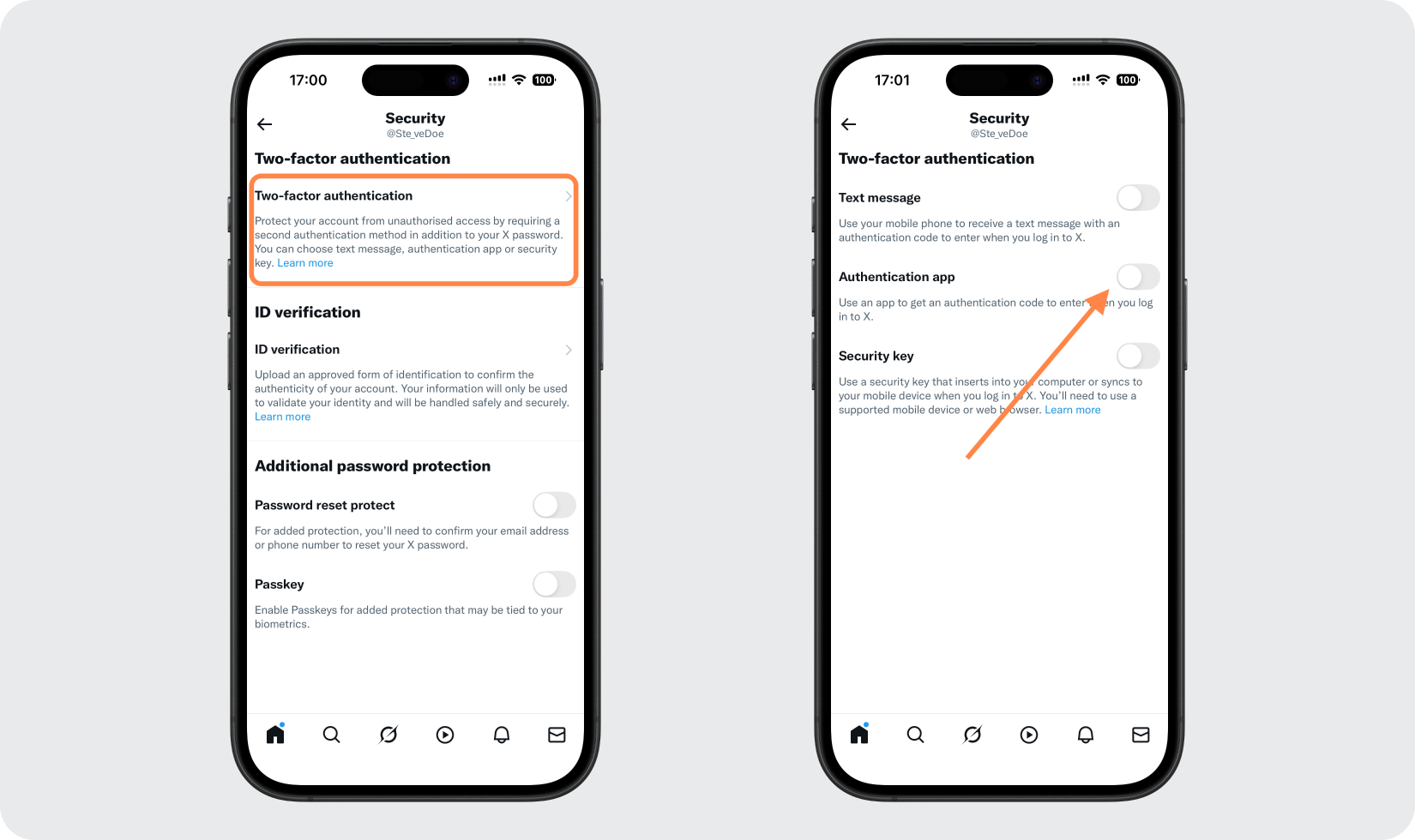
[2 要素認証] をタップすると、利用可能な方法 (テキスト メッセージ、認証アプリ、セキュリティ キー) が表示されます。認証アプリのオプションをオンにします。
本人確認をしてセットアップを開始する
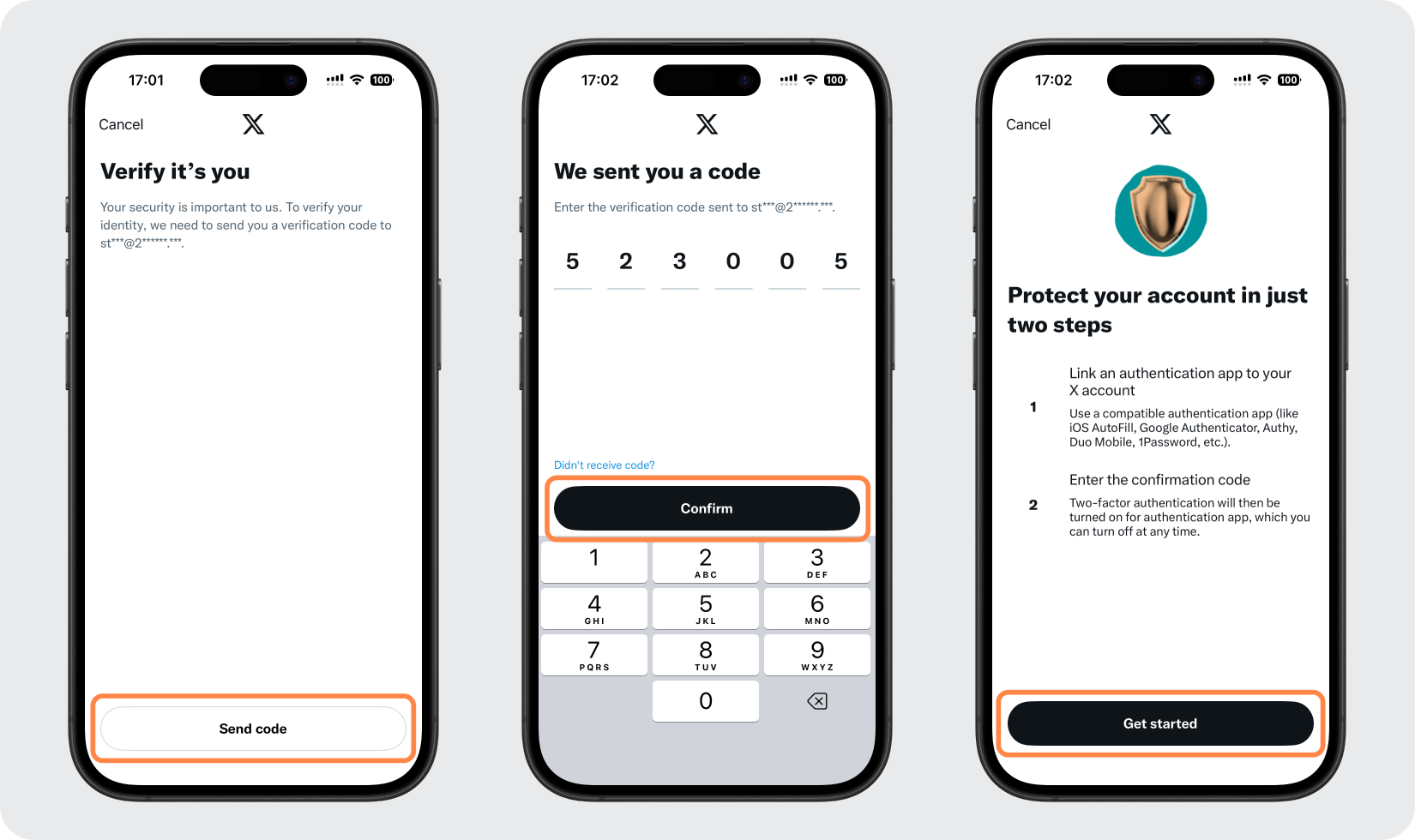
X パスワードを入力するか、X から電子メールで送信されるコードを入力して、本人であることを確認してください。次に、「開始」をタップしてアプリのリンクを開始します。
Authenticator App を開きます
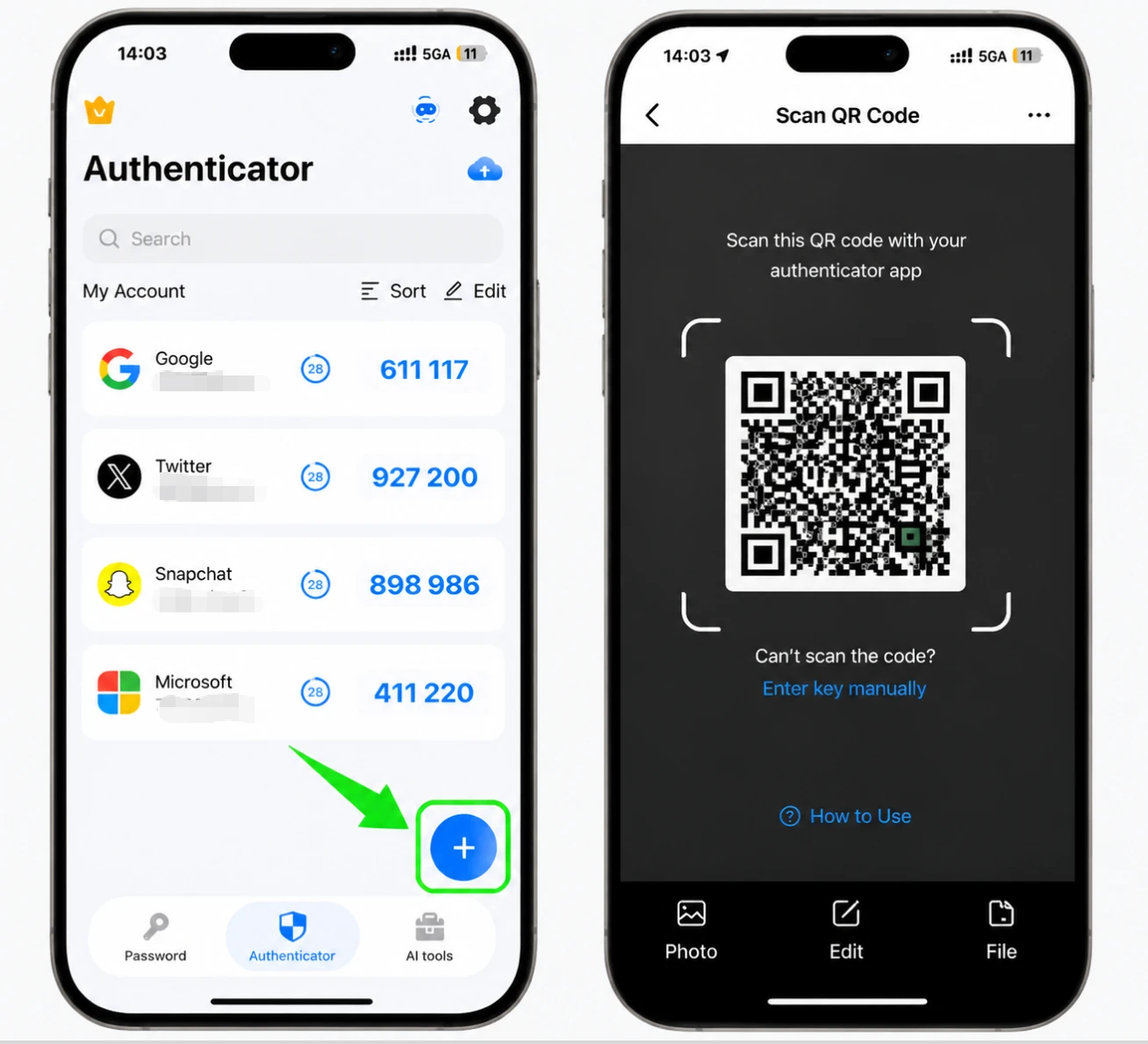
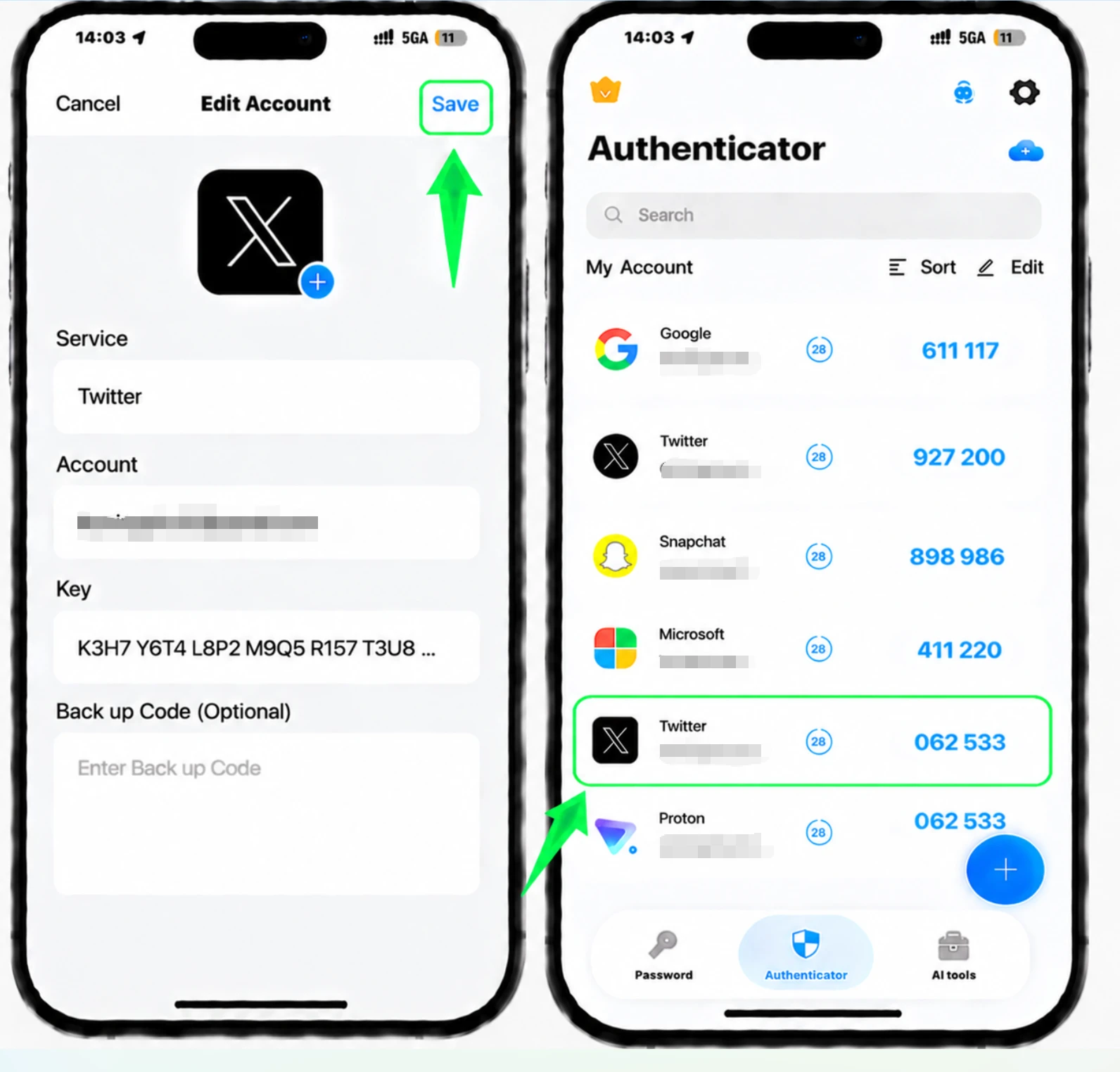
「アプリをリンク」をタップします。 X により、アカウントの詳細がすでに入力された状態で iPhone 上で Authenticator App が開きます。「保存」をタップしてアカウントを追加します。
確認のためコードを入力してください
Authenticator App に X の 6 桁のコードが表示されます。それをコピーして X のフィールドに貼り付け、[確認] をタップして 2 要素認証の有効化を完了します。
X バックアップ コードを保存します
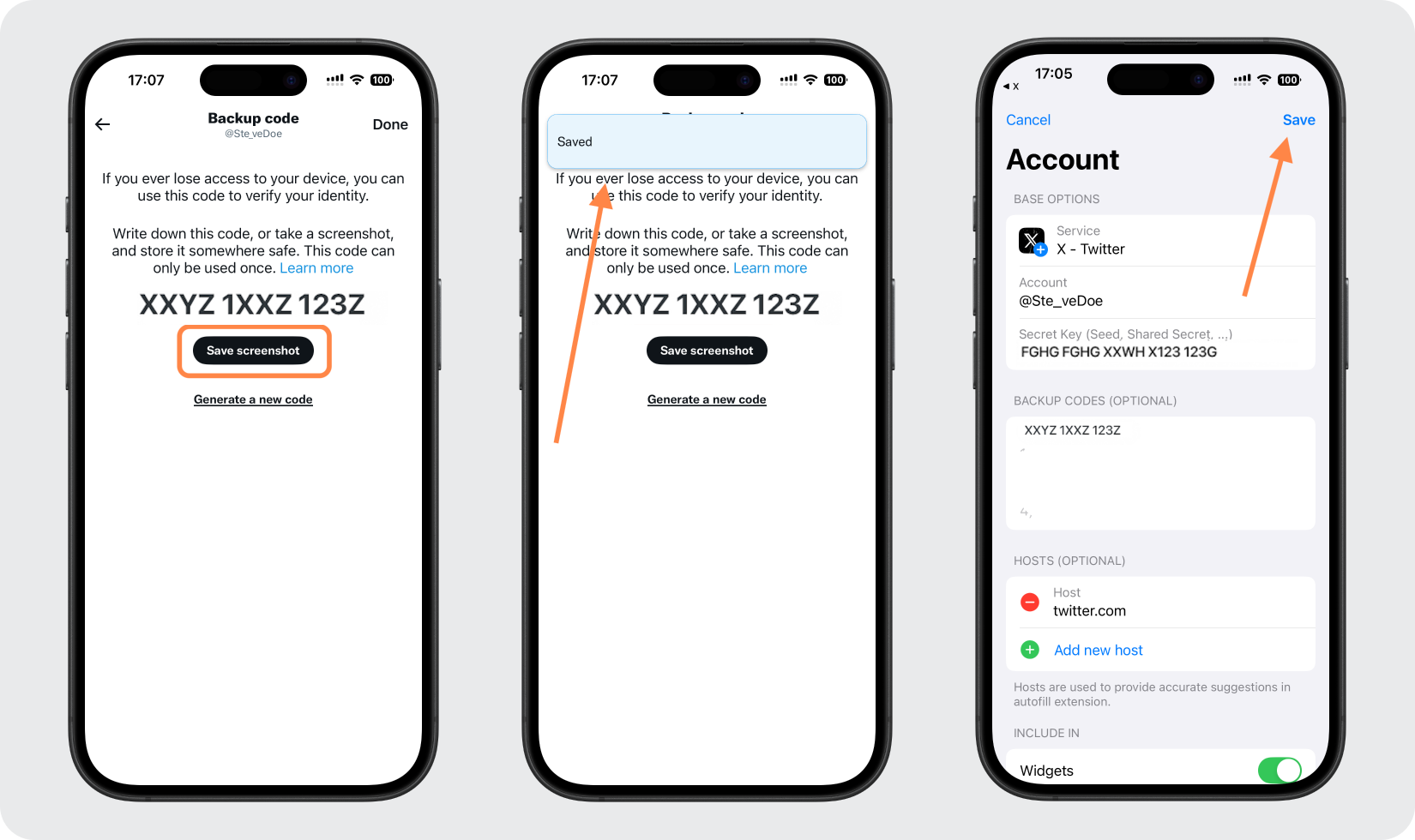
セットアップ後、「バックアップ コードの取得」をタップし、(たとえば「スクリーンショットの保存」で) 保存します。 Authenticator App にアクセスできなくなった場合でもサインインできるように、この 1 つのコードを安全な場所に保存してください。後で X 設定のバックアップ コードで表示することもできます。



バックアップと復旧
セットアップ後、「バックアップ コードの取得」をタップし、(たとえば「スクリーンショットの保存」で) 保存します。 Authenticator App にアクセスできなくなった場合でもサインインできるように、この 1 つのコードを安全な場所に保存してください。後で X 設定のバックアップ コードで表示することもできます。
以上で完了です。X (Twitter)アカウントは2要素認証で保護されました。復旧情報は安全に保管し、画面が変更された場合はサービスの公式ドキュメントをご確認ください。
X (Twitter)で利用できるすべての2FA方式を見る →


