

Twitchアカウントで2FAを有効にする方法
更新日:2026年8月4日
2要素認証(2FA)を設定すると、パスワードが漏えいした場合でもTwitchアカウントを保護できます。以下の手順に沿って、iPhone、iPad、MacのAuthenticator AppでTwitchの認証コードを生成してください。
Twitchの設定を開きます
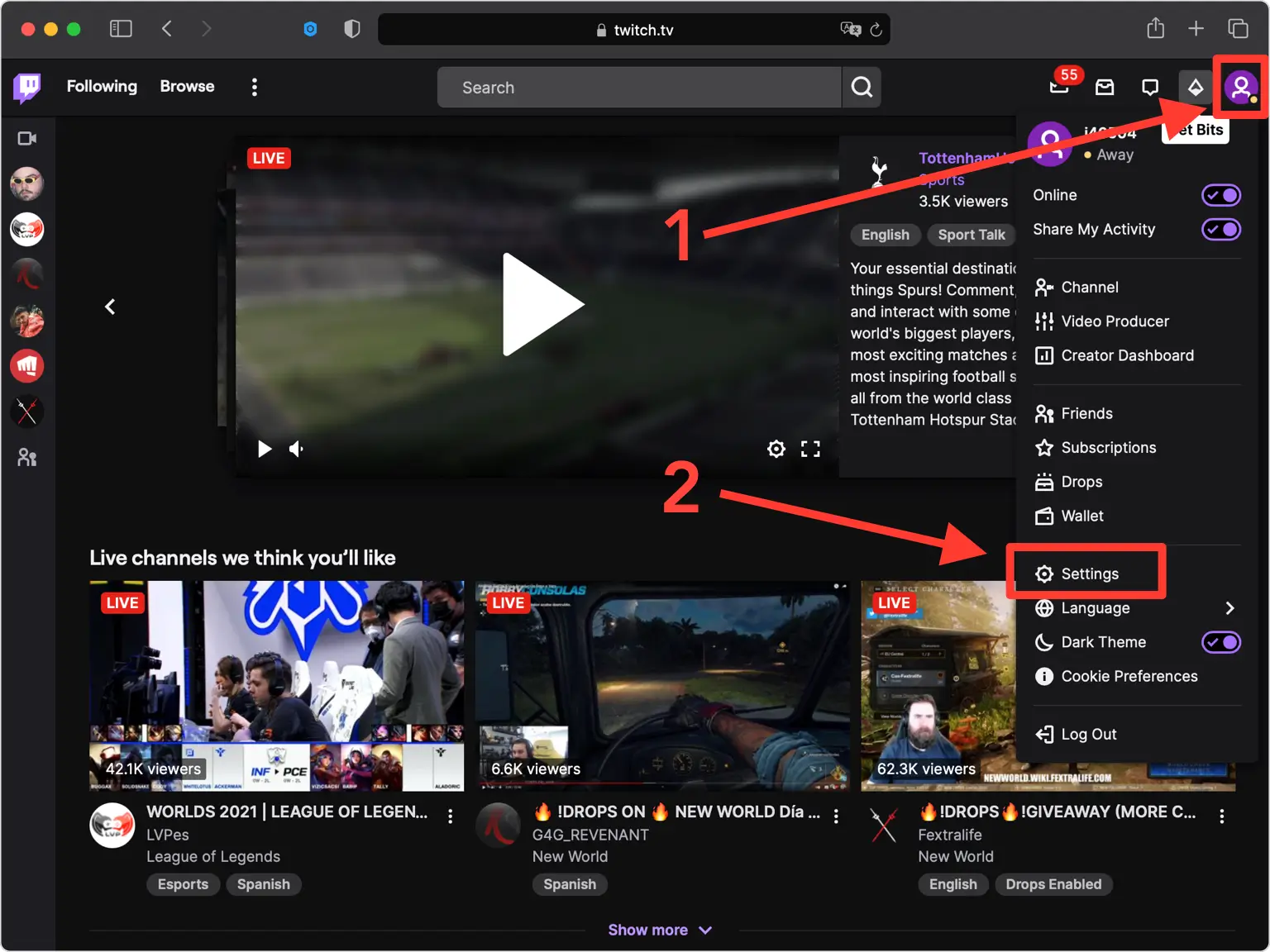
デスクトップのウェブブラウザで twitch.tv にサインインし、右上隅にあるプロフィール写真をクリックして、ドロップダウン メニューから [設定] を選択します。
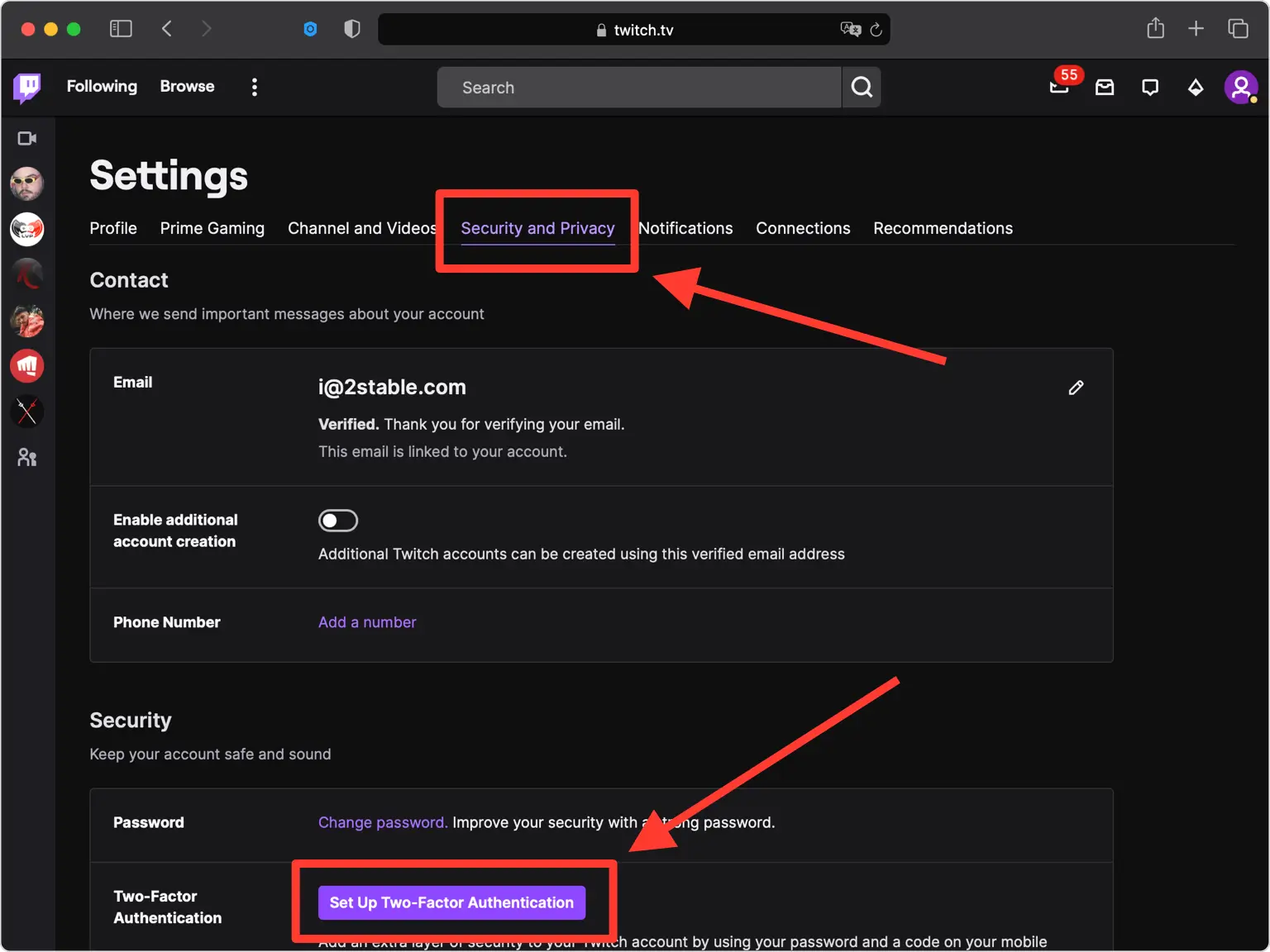
「セキュリティとプライバシー」タブに移動します
[セキュリティとプライバシー] タブを開き、2 要素認証オプションが存在する [セキュリティ] セクションまで下にスクロールします。
二要素認証のセットアップを開始する
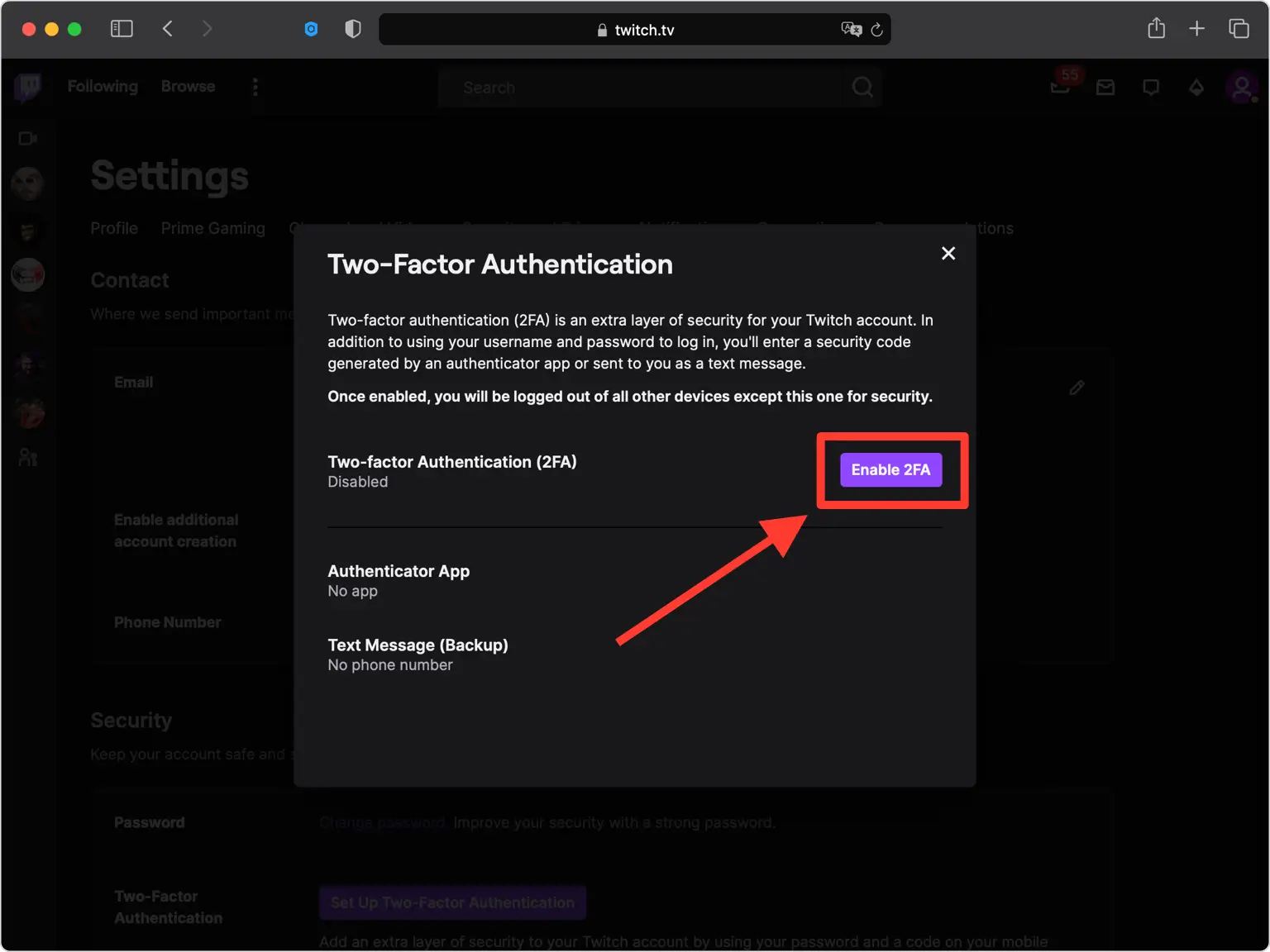
[セキュリティ] セクションで、[2 要素認証のセットアップ] をクリックし、[2FA を有効にする] をクリックして開始します。プロンプトが表示されたら、パスワードを入力します。
携帯電話番号を確認してください
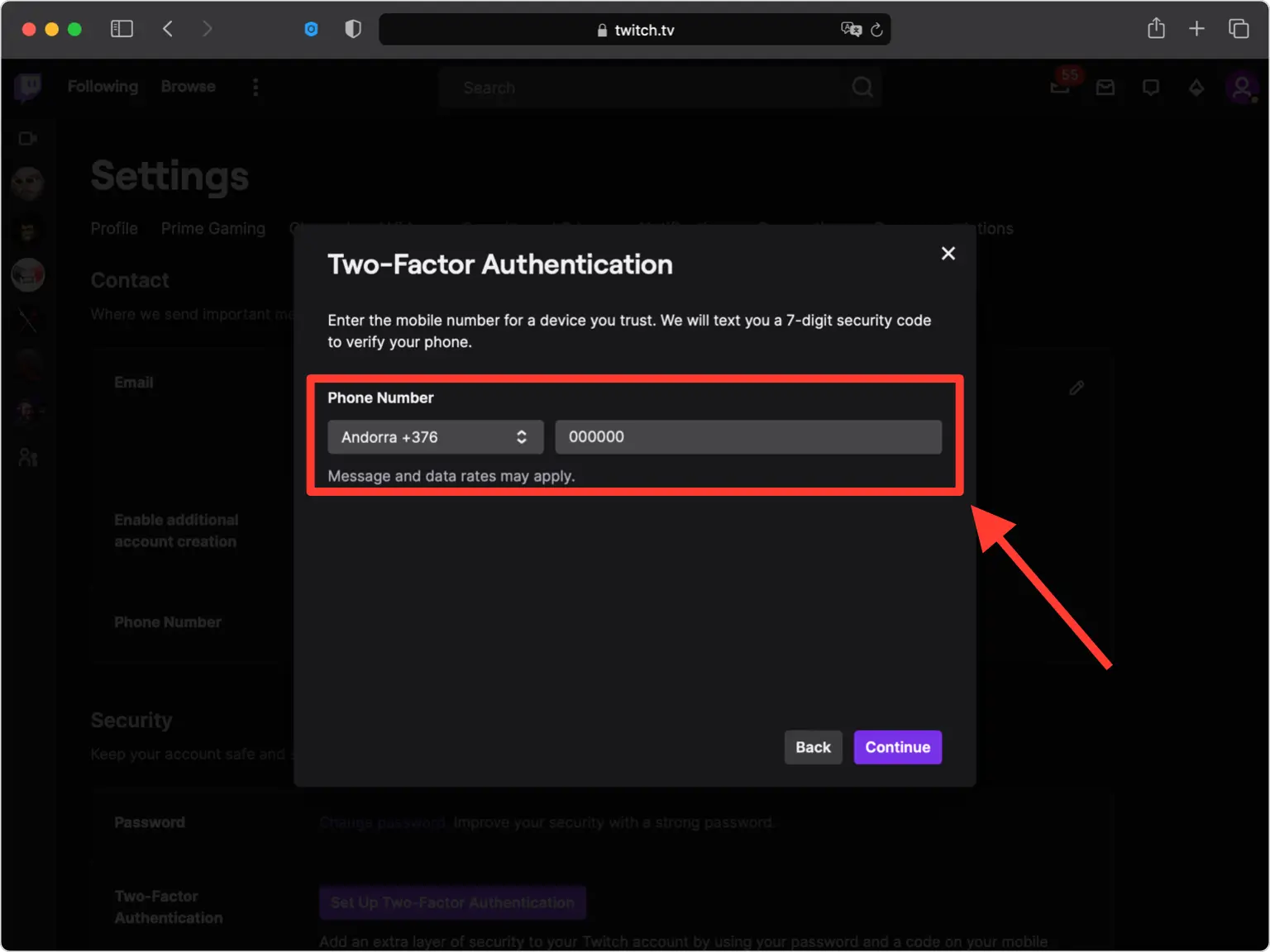
Twitch はあなたの電話番号をアカウント回復アンカーとして使用するため、携帯電話番号を入力して [続行] をクリックします。
携帯電話番号を確認してください
Twitch から 7 桁のセキュリティ コードが SMS で送信されます。そのコードを確認フィールドに入力して電話番号を確認します。
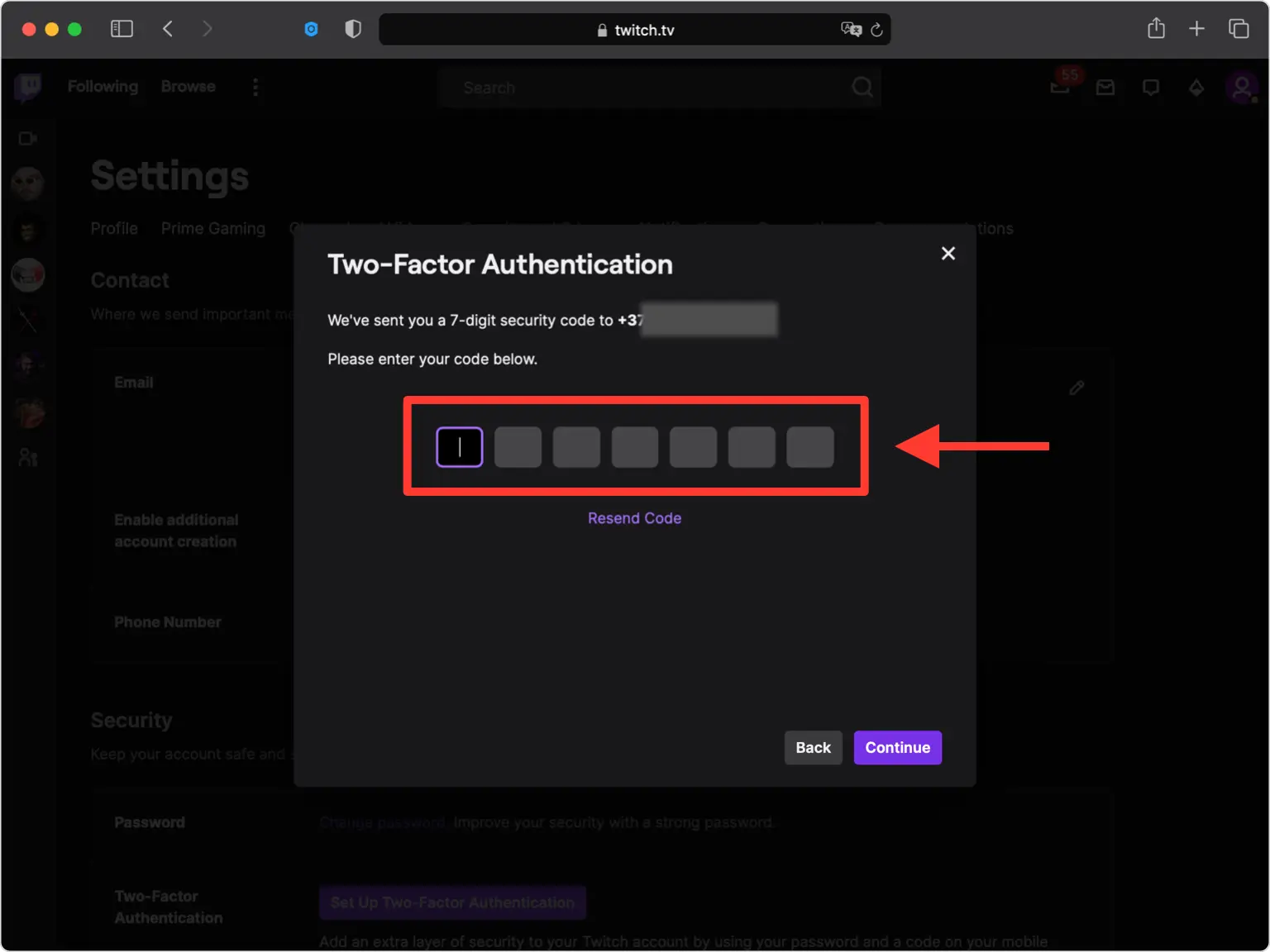
QRコード画面を開く
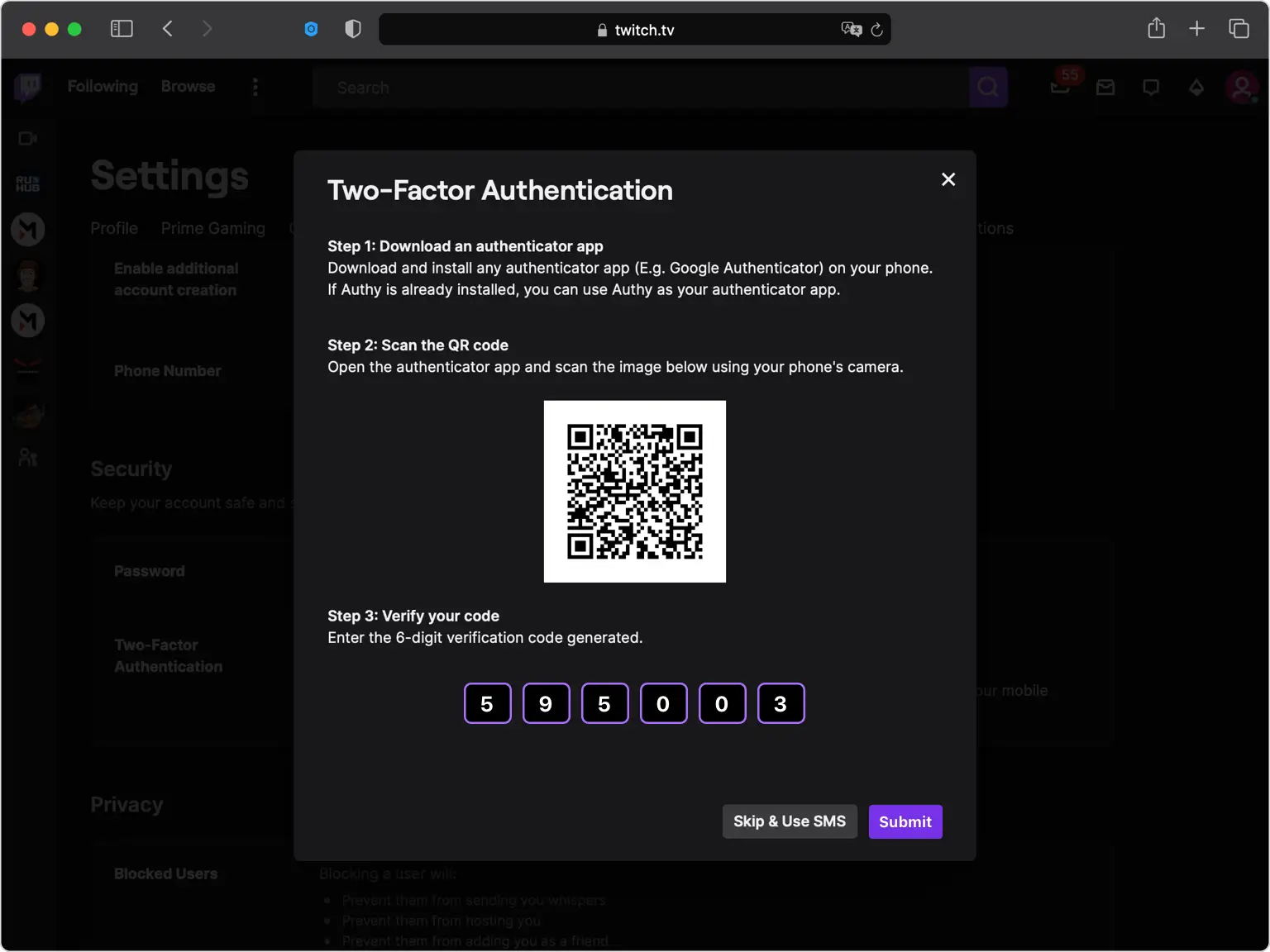
SMS の代わりに認証アプリのオプションを選択すると、QR コード (および秘密キー) を含むウィンドウが表示されます。携帯電話に手を伸ばす間、このウィンドウは開いたままにしてください。
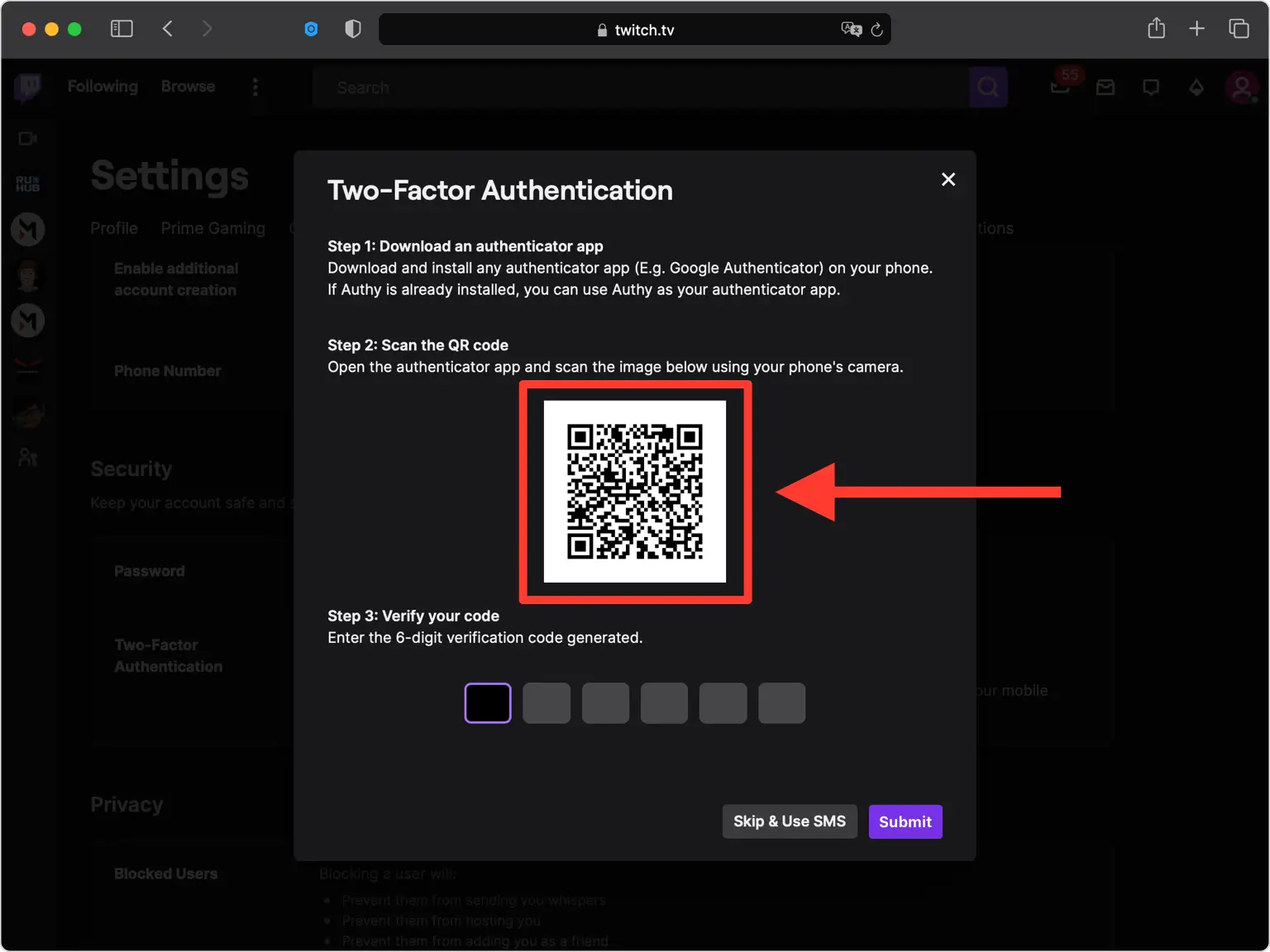
Authenticator App で QR コードをスキャンします
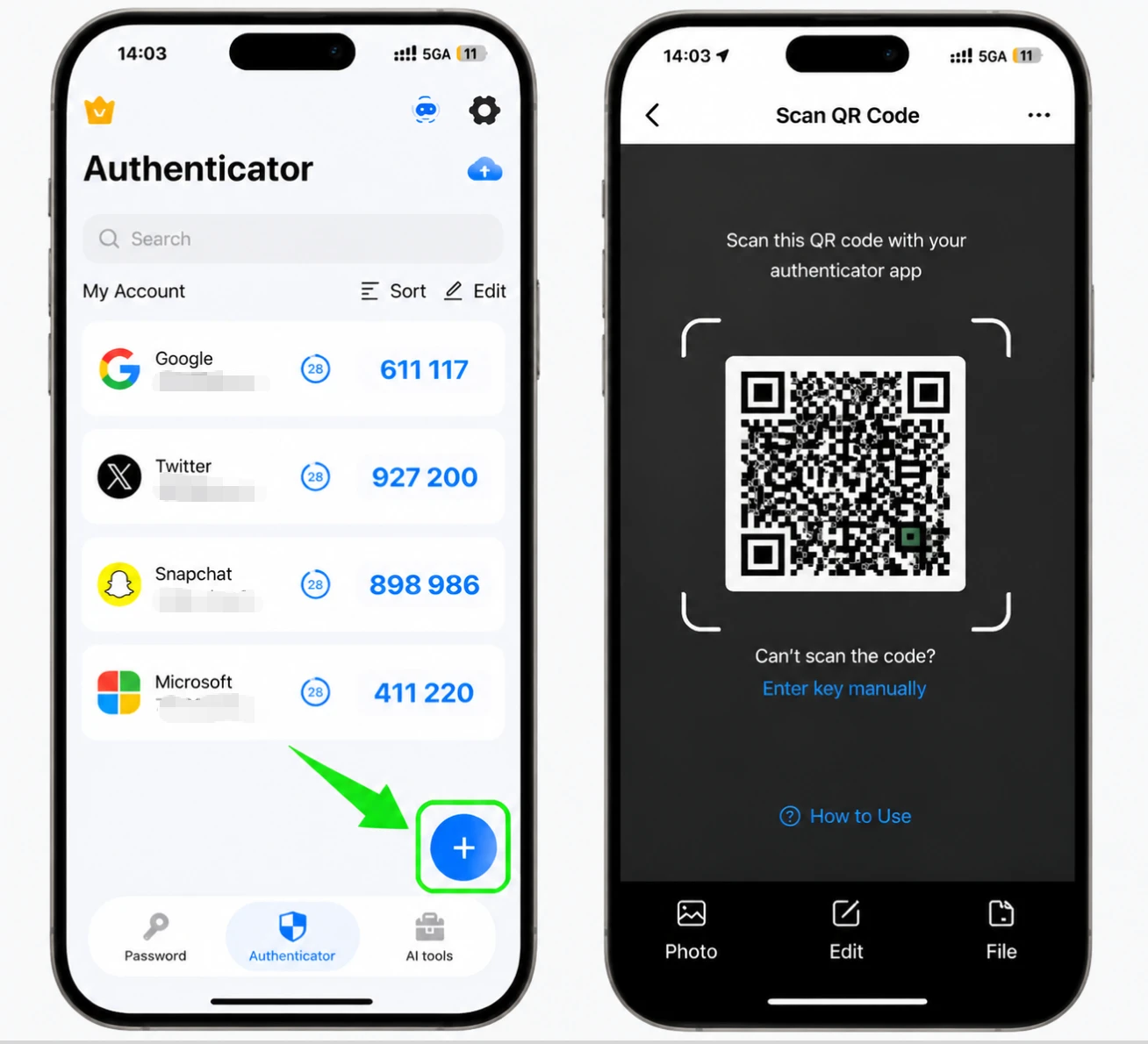
iPhone で Authenticator App を開き、画面の下部にある + ボタンをタップし、携帯電話をかざして Twitch に表示されている QR コードをスキャンします。スキャンできない場合は、手動入力を選択し、代わりに秘密キーを入力してください。
アカウントを Authenticator App に保存します
スキャン後、Authenticator App によって Twitch アカウント名と秘密キーが自動入力されます。詳細が正しいことを確認し、「保存」をタップしてアカウントを追加します。
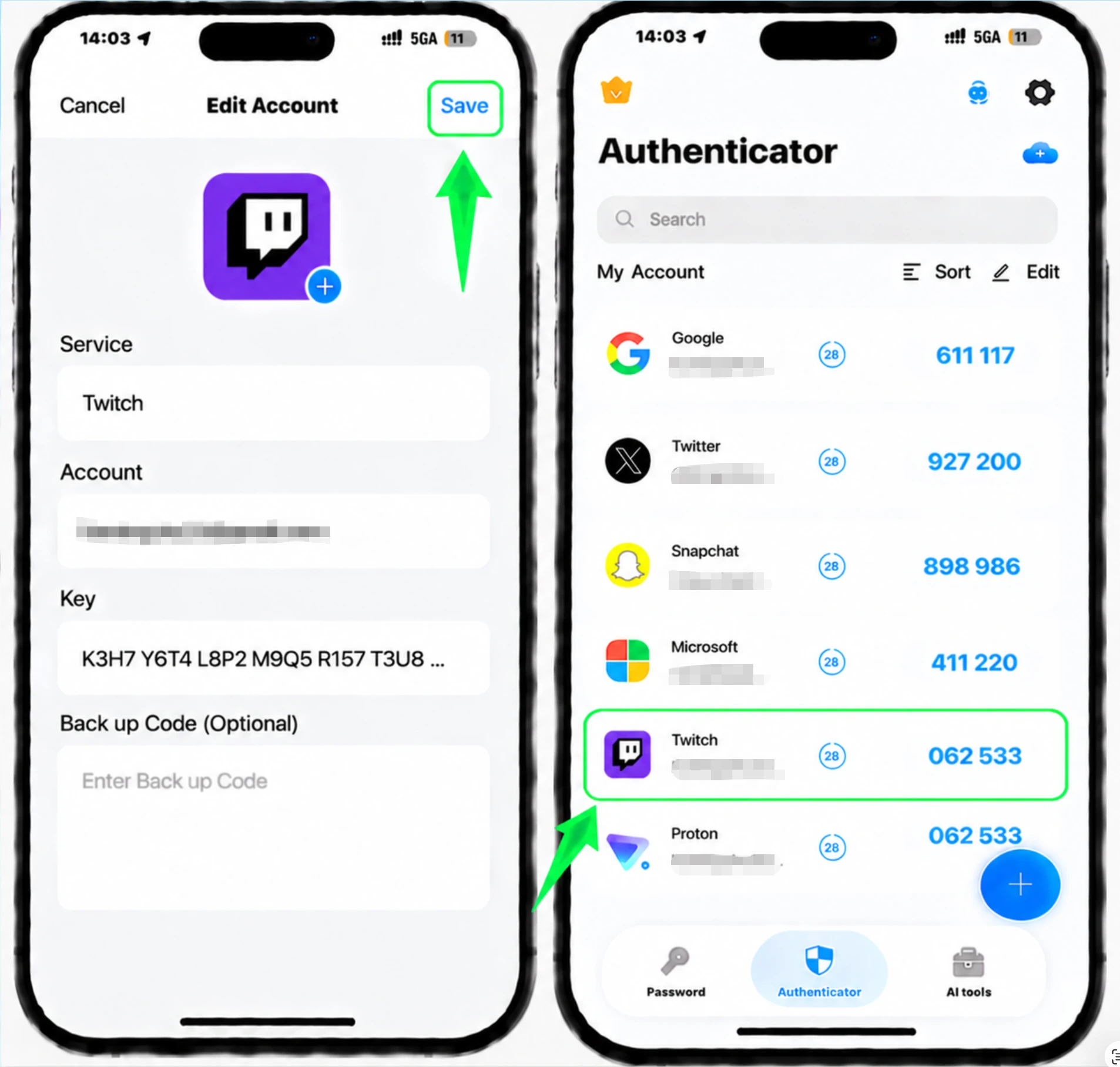
Authenticator App から 6 桁のコードをコピーします。
Authenticator App には、30 秒ごとに更新される Twitch の 6 桁のコードが表示されます。現在のコードをコピーして、Twitch に再度入力できるようにします。
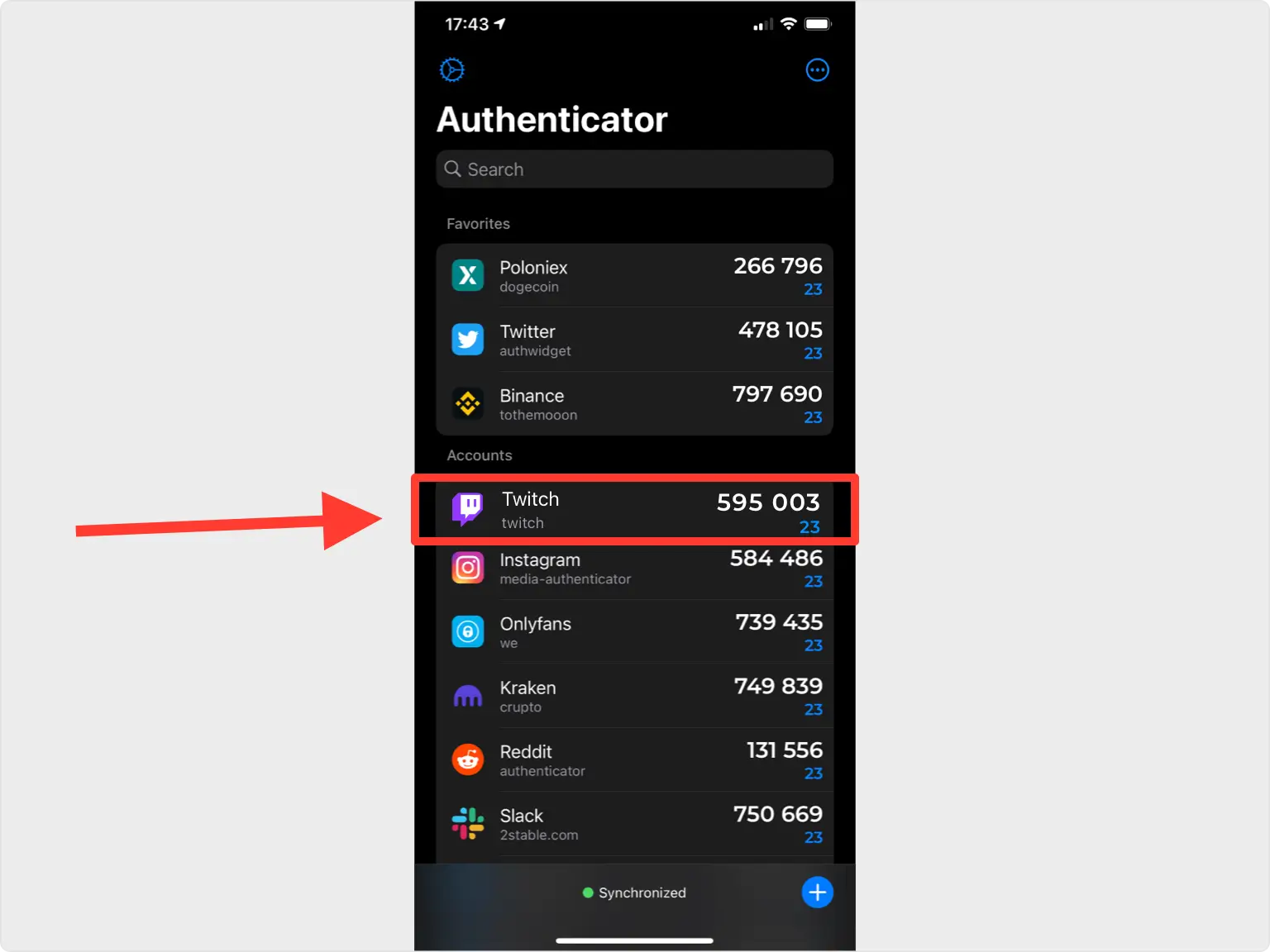
Twitchで確認するコードを入力してください
Twitch Web サイトに戻り、Authenticator App の 6 桁の確認コードをフィールドに入力して送信します。
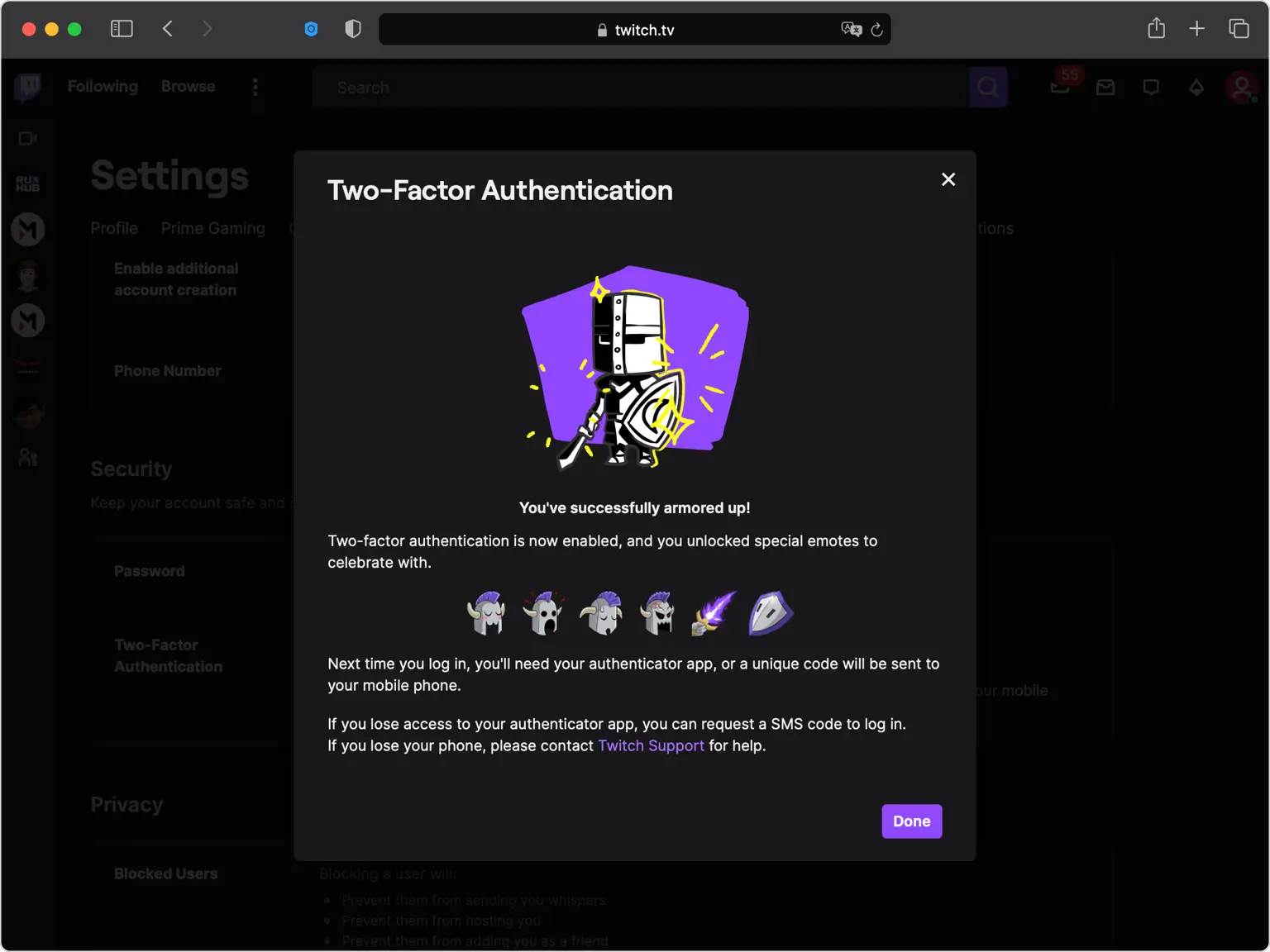
2要素認証の有効化を完了する
Twitch は 2 要素認証が有効になっていることを確認しています。 「完了」をクリックしてセットアップを完了します。次回サインインするときに、Authenticator App のコードを入力します。
回復オプションを最新の状態に保ちます
Twitch にバックアップ コードまたはリカバリ コードが表示された場合は、安全な場所に保存してください。 Authenticator App を失った場合にアクセスを回復する主な方法であるため、アカウントの電話番号を最新の状態に保ってください。


バックアップと復旧
Twitch にバックアップ コードまたはリカバリ コードが表示された場合は、安全な場所に保存してください。 Authenticator App を失った場合にアクセスを回復する主な方法であるため、アカウントの電話番号を最新の状態に保ってください。
以上で完了です。Twitchアカウントは2要素認証で保護されました。復旧情報は安全に保管し、画面が変更された場合はサービスの公式ドキュメントをご確認ください。


