

TikTokアカウントで2FAを有効にする方法
更新日:2026年8月4日
2要素認証(2FA)を設定すると、パスワードが漏えいした場合でもTikTokアカウントを保護できます。以下の手順に沿って、iPhone、iPad、MacのAuthenticator AppでTikTokの認証コードを生成してください。
TikTokを開いてセキュリティ設定を見つけます
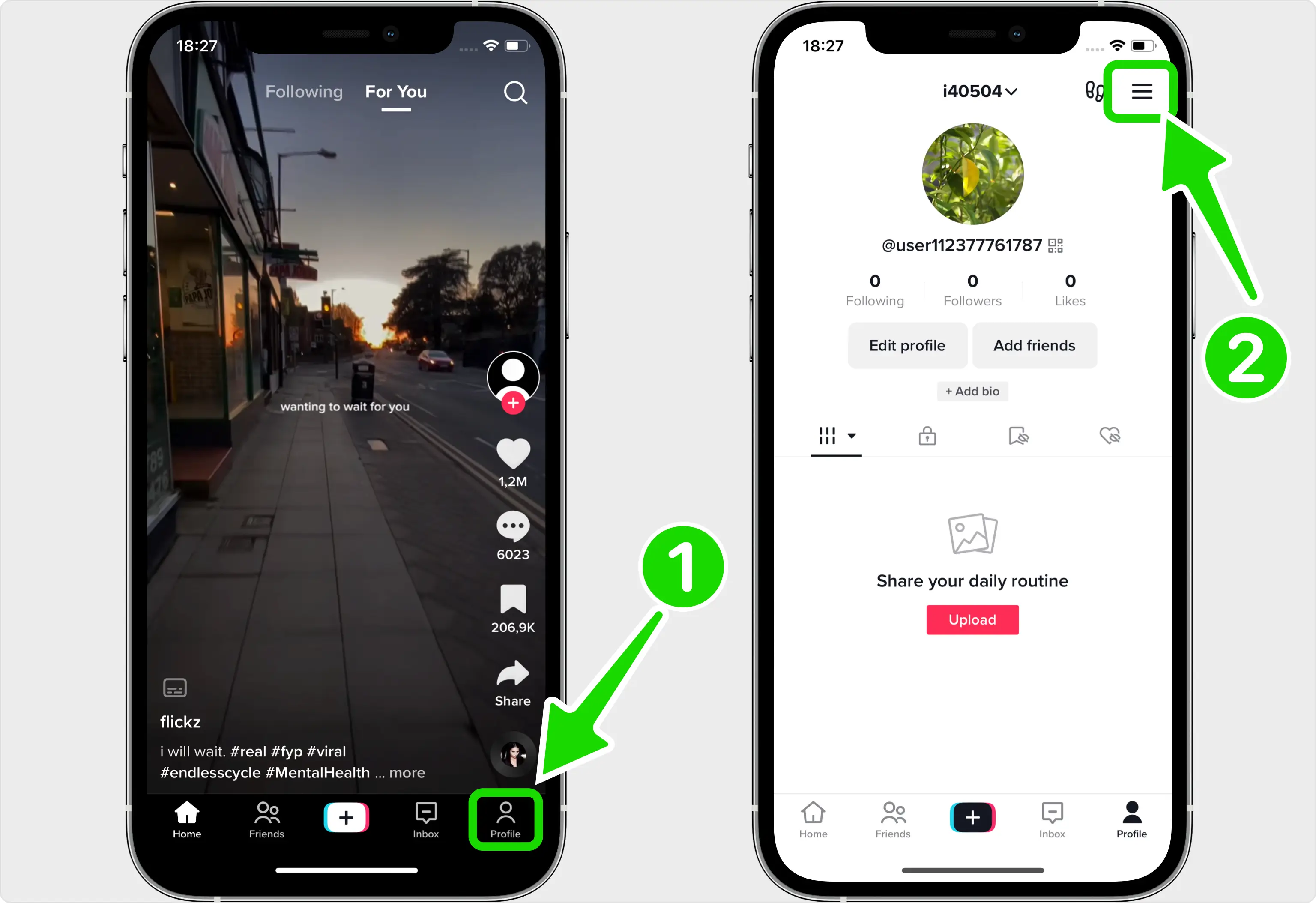
TikTokモバイルアプリでは2段階認証が設定されています。サインイン中にTikTokを開き、右下隅にあるプロフィールをタップし、右上隅にある3本線のメニューアイコンをタップします。
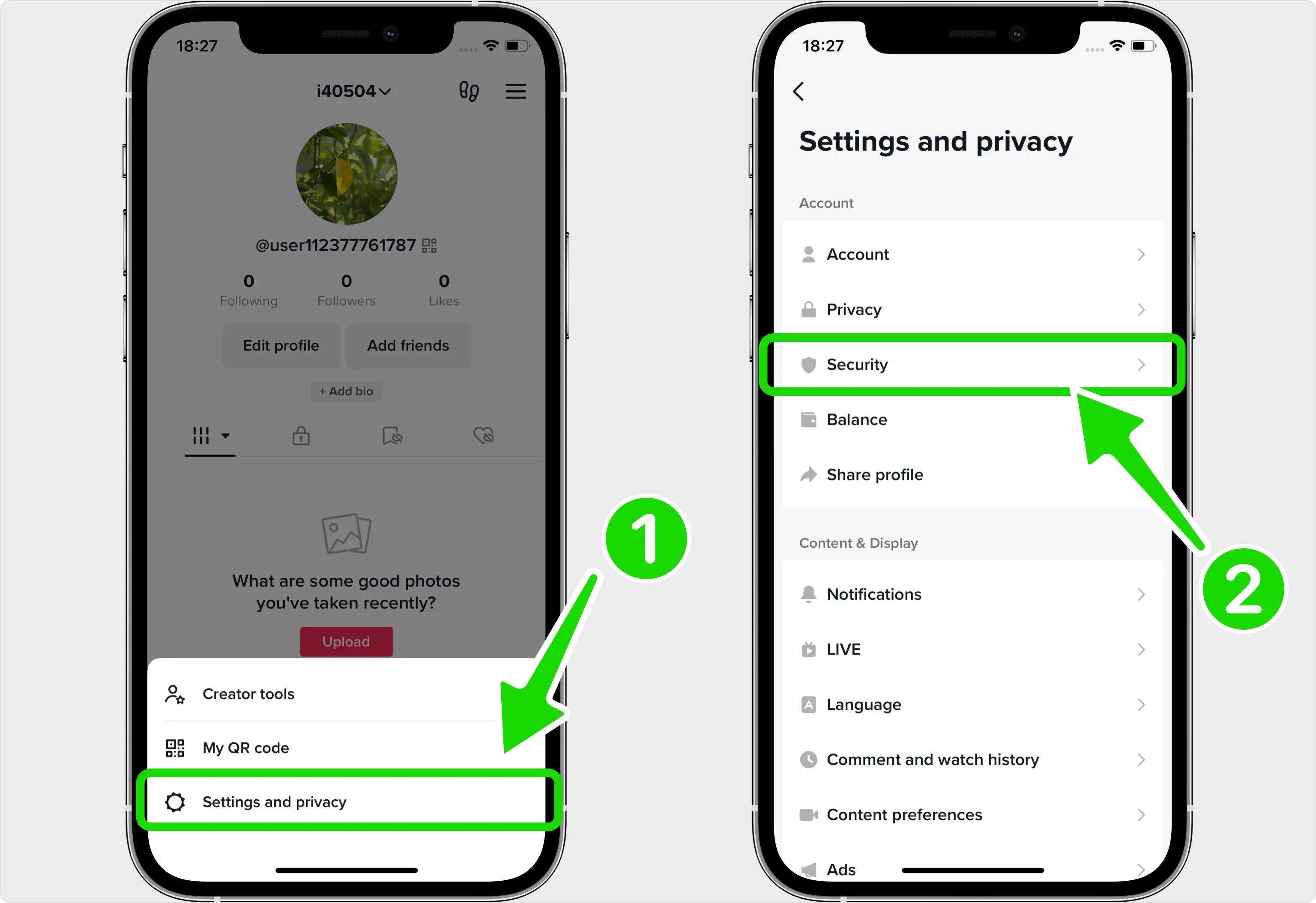
「設定とプライバシー」、「セキュリティ」の順に移動します
歯車アイコンをタップして、「設定とプライバシー」を開きます。次の画面で、「セキュリティ」をタップします (アプリのバージョンによっては、このセクションに「セキュリティと権限」というラベルが付いている場合があります)。
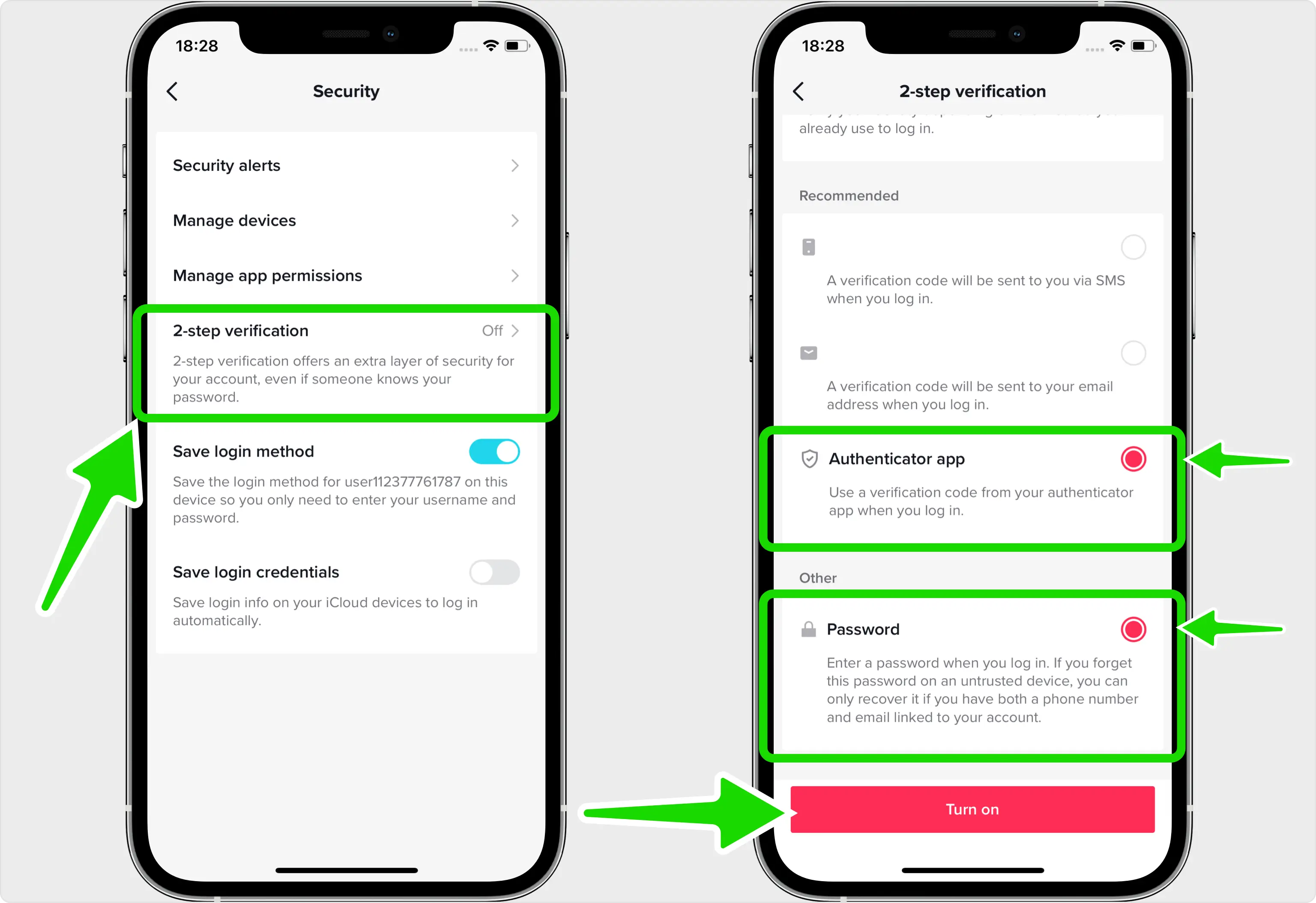
Authenticator アプリの方法を選択します
[2 段階認証] をタップし、認証方法を選択します。 Authenticator アプリを選択し (TikTok には少なくとも 2 つの方法が必要なので、パスワードを選択したままにすることもできます)、[オンにする] をタップしてセットアップを開始します。
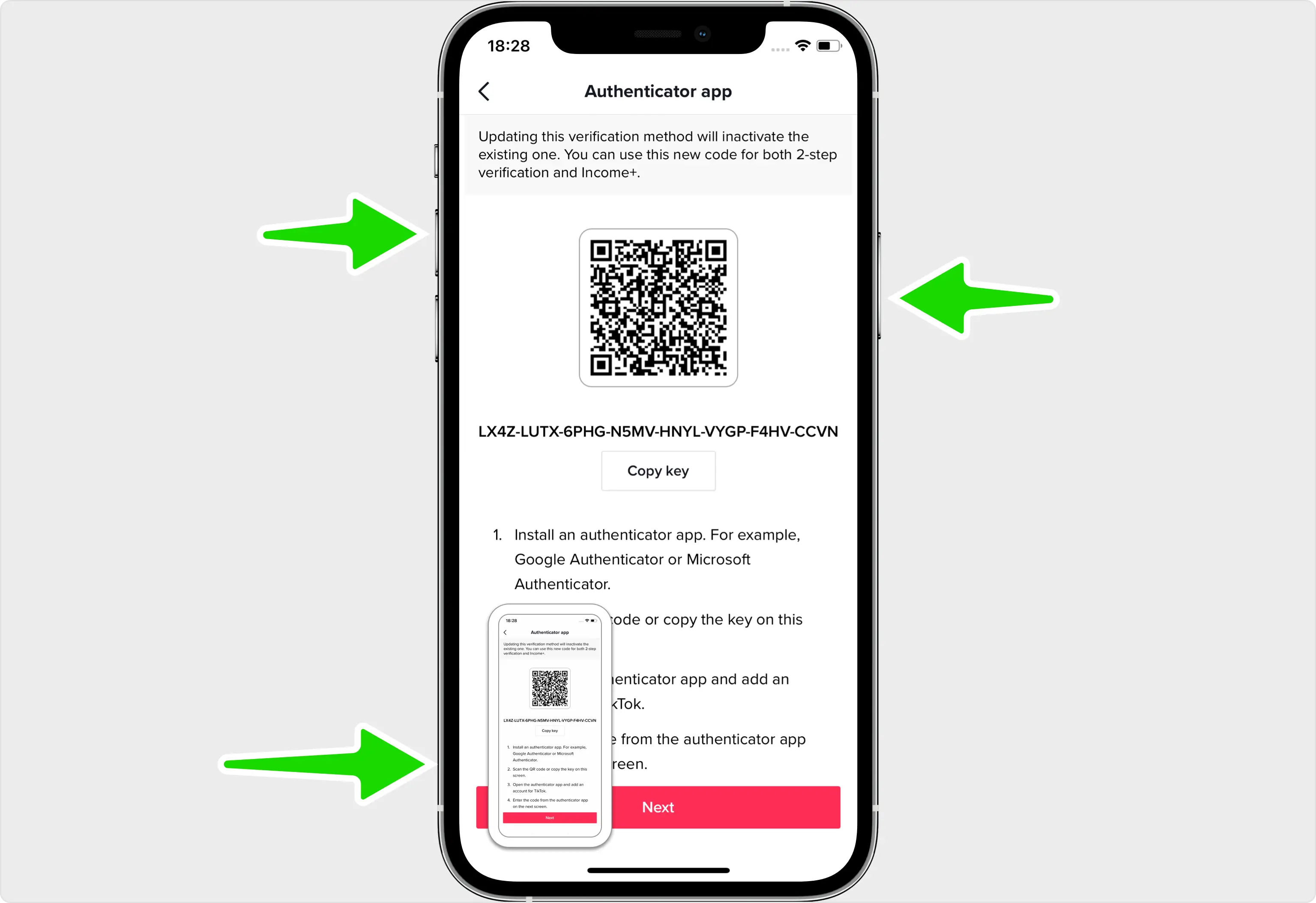
TikTok ショーの QR コードを表示する
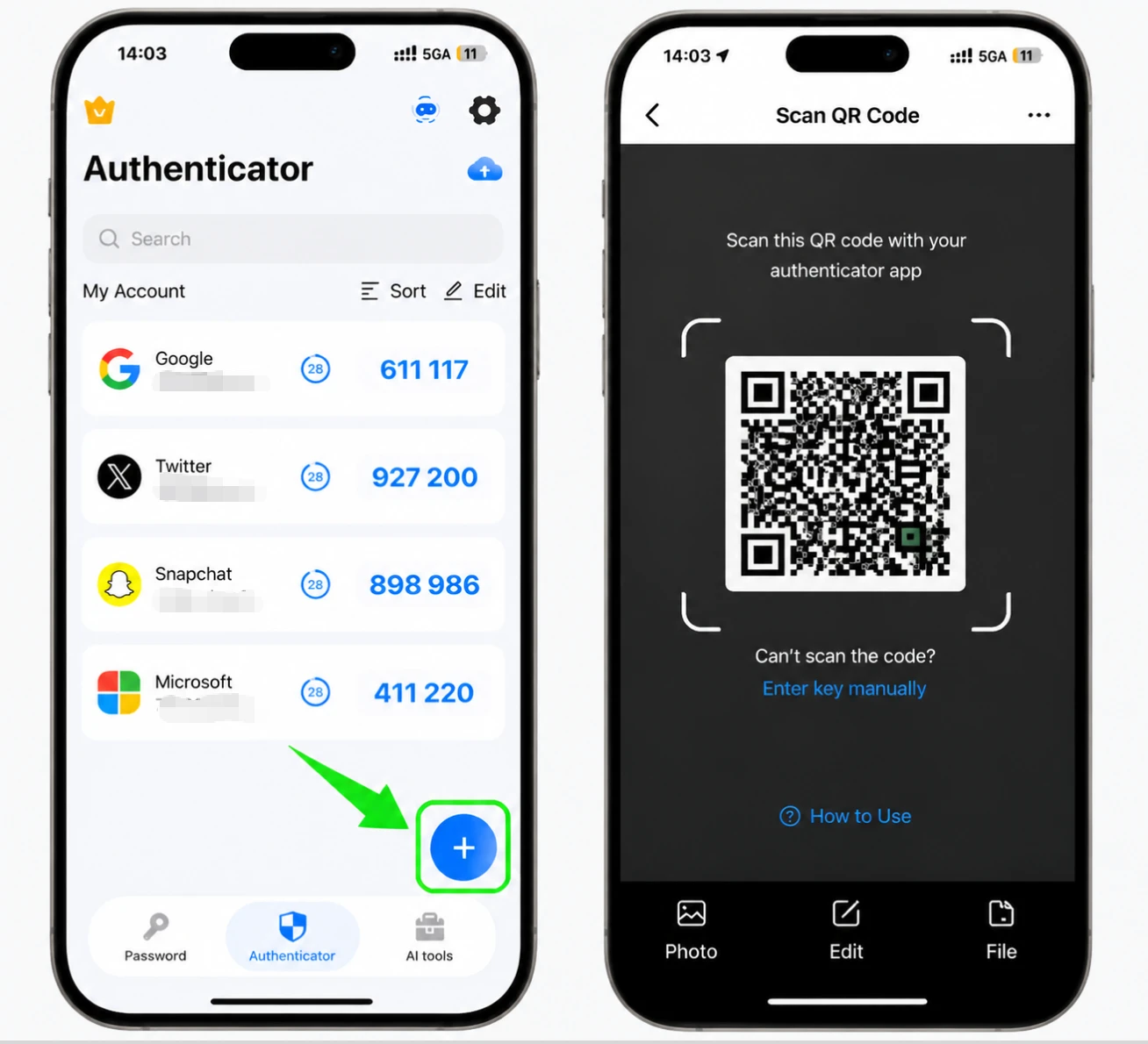
TikTok に秘密キーを含む QR コードが表示されるようになりました。セットアップは同じ電話で行われるため、次の手順でコードを Authenticator App にインポートできるように、この画面のスクリーンショットを撮ってください。
QR コードを Authenticator App にインポートします。
先ほど撮ったスクリーンショットを開き、右上隅にある共有アイコンをタップし、アプリのリストから Authenticator App を選択します。これにより、QR コードがアプリに直接渡されて読み取られます。
TikTok アカウントを Authenticator App に保存します
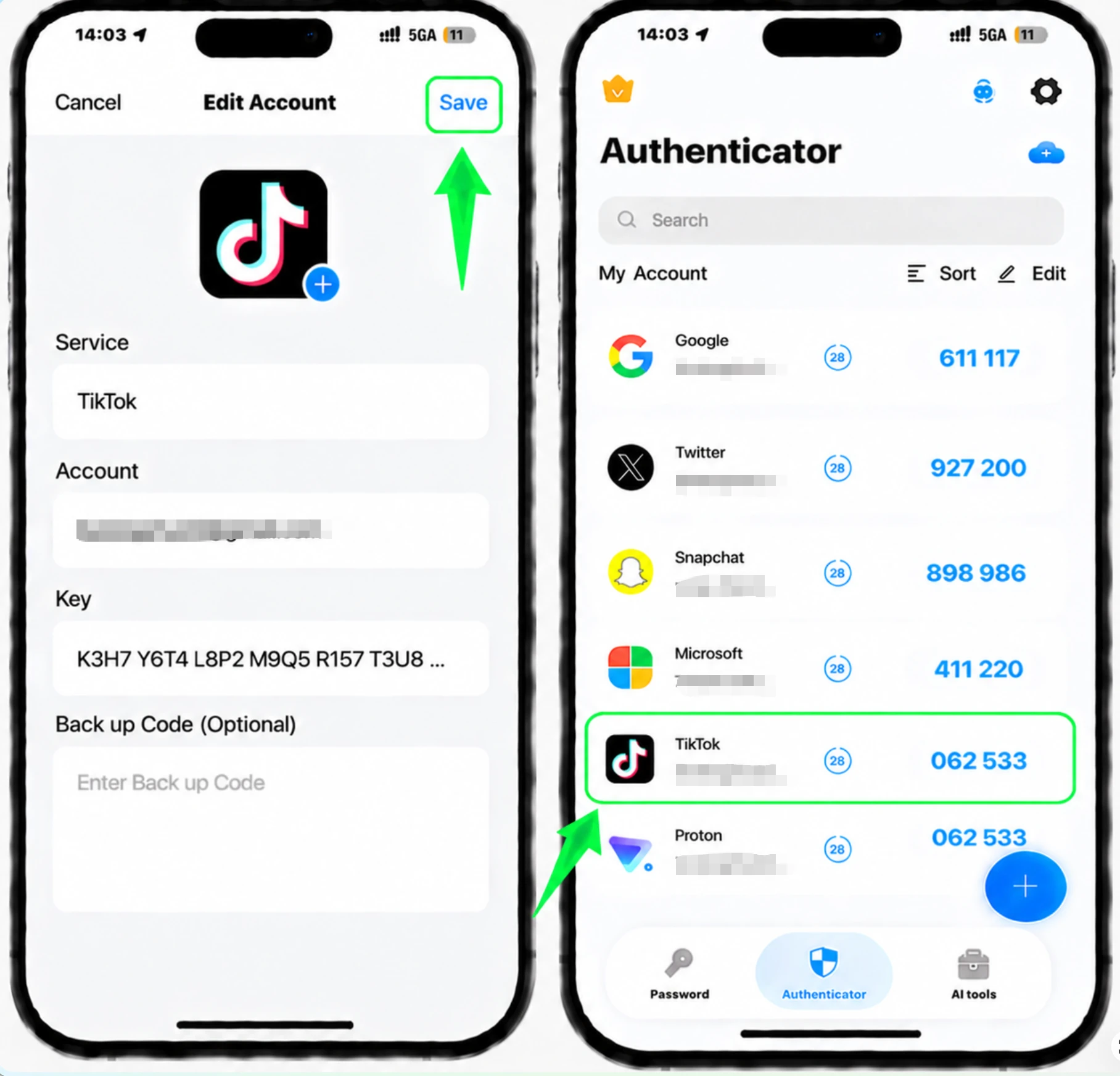
QR コードを読み取ると、Authenticator App によって TikTok アカウント名と秘密キーが自動的に入力されます。 「保存」をタップしてアカウントを追加し、コードの生成を開始します。
確認のため確認コードを入力してください
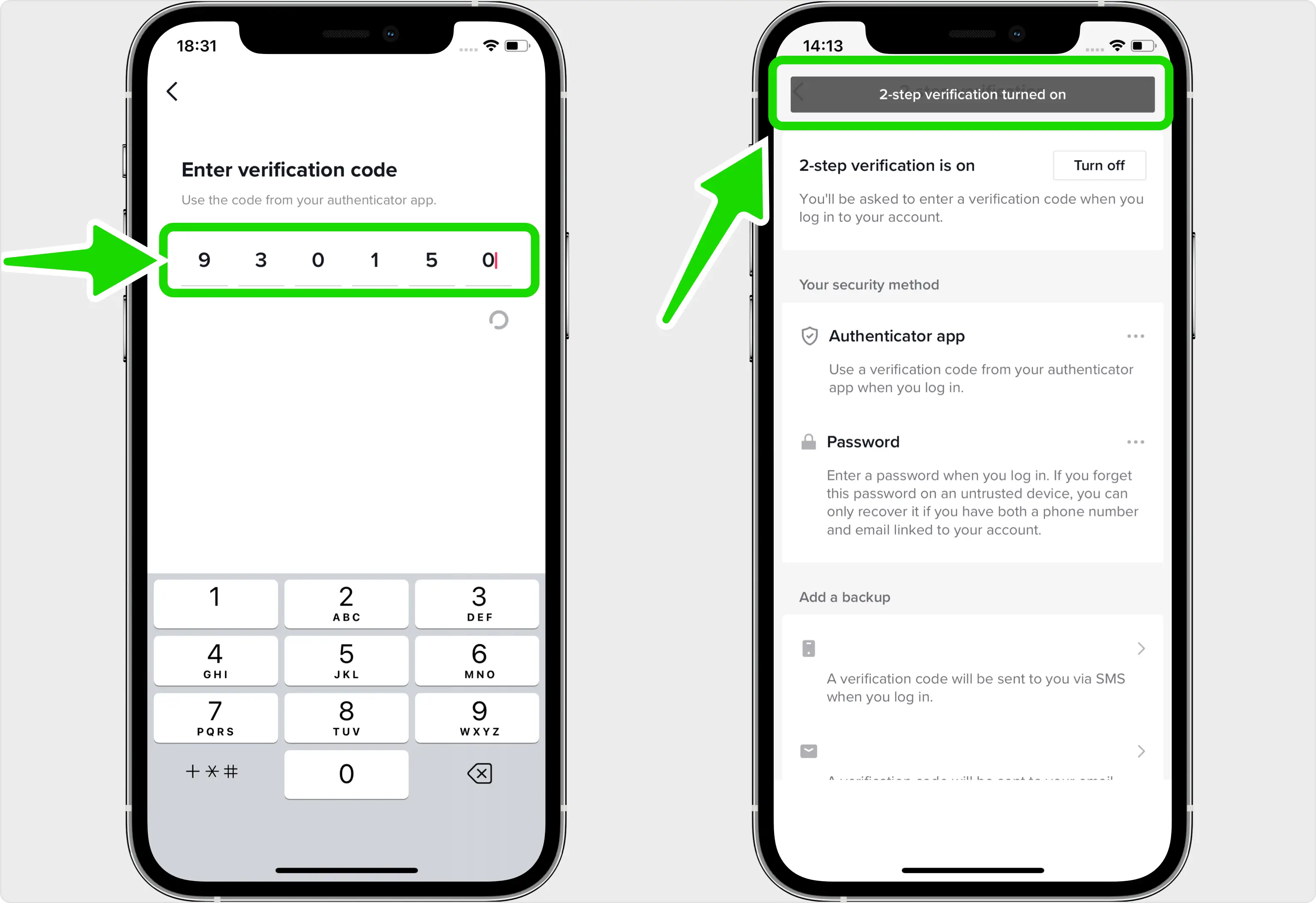
Authenticator App に TikTok に表示されている 6 桁のコードをコピーし、TikTok に戻り、それを [確認コードを入力してください] フィールドに貼り付けて、2 段階認証の有効化が完了したことを確認します。
2 番目のバックアップ方法を追加する
TikTokではダウンロード可能なバックアップコードが提供されないため、テキストメッセージや電子メールなどの追加の認証方法を設定してください。そうすることで、Authenticator App にアクセスできなくなった場合でもサインインできます。


バックアップと復旧
TikTokではダウンロード可能なバックアップコードが提供されないため、テキストメッセージや電子メールなどの追加の認証方法を設定してください。そうすることで、Authenticator App にアクセスできなくなった場合でもサインインできます。
以上で完了です。TikTokアカウントは2要素認証で保護されました。復旧情報は安全に保管し、画面が変更された場合はサービスの公式ドキュメントをご確認ください。


