

Instagramアカウントで2FAを有効にする方法
更新日:2026年8月4日
2要素認証(2FA)を設定すると、パスワードが漏えいした場合でもInstagramアカウントを保護できます。以下の手順に沿って、iPhone、iPad、MacのAuthenticator AppでInstagramの認証コードを生成してください。
ログインしてアカウント センターを開きます
Instagram にサインインし、[設定] を開いて [アカウント センター] をクリックします。 Web サイトで、まず左下のメニューで [その他] をクリックします。アプリで、右上の三本線をタップしてアクセスします。
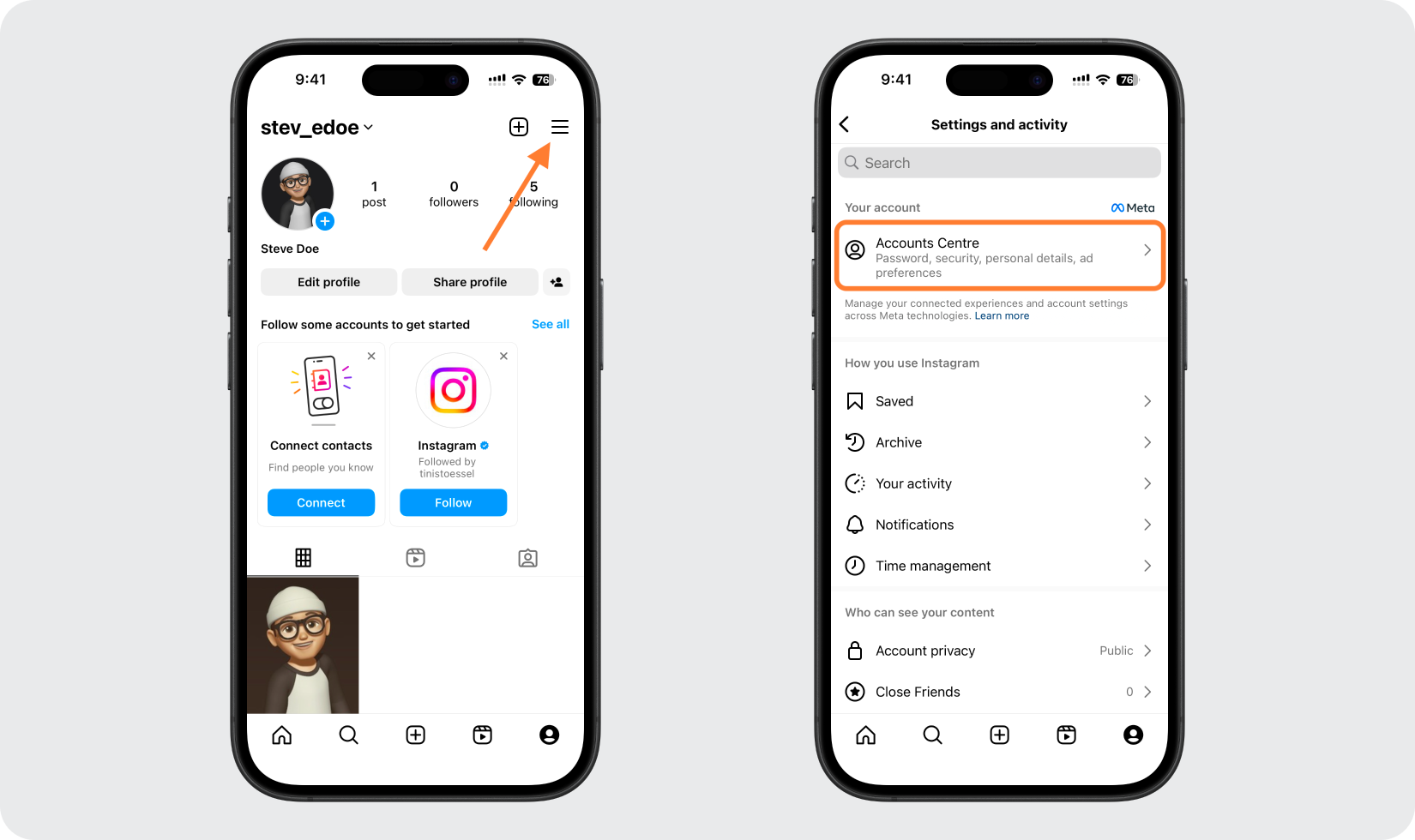
[パスワードとセキュリティ]、[2 要素認証] の順に移動します。
アカウント センターで、[パスワードとセキュリティ] をクリックし、[2 要素認証] をクリックします。
![[パスワードとセキュリティ]、[2 要素認証] の順に移動します。](/_next/image?url=%2Fimages%2Fguides%2Finstagram-com%2Fstep-3.png&w=3840&q=75)
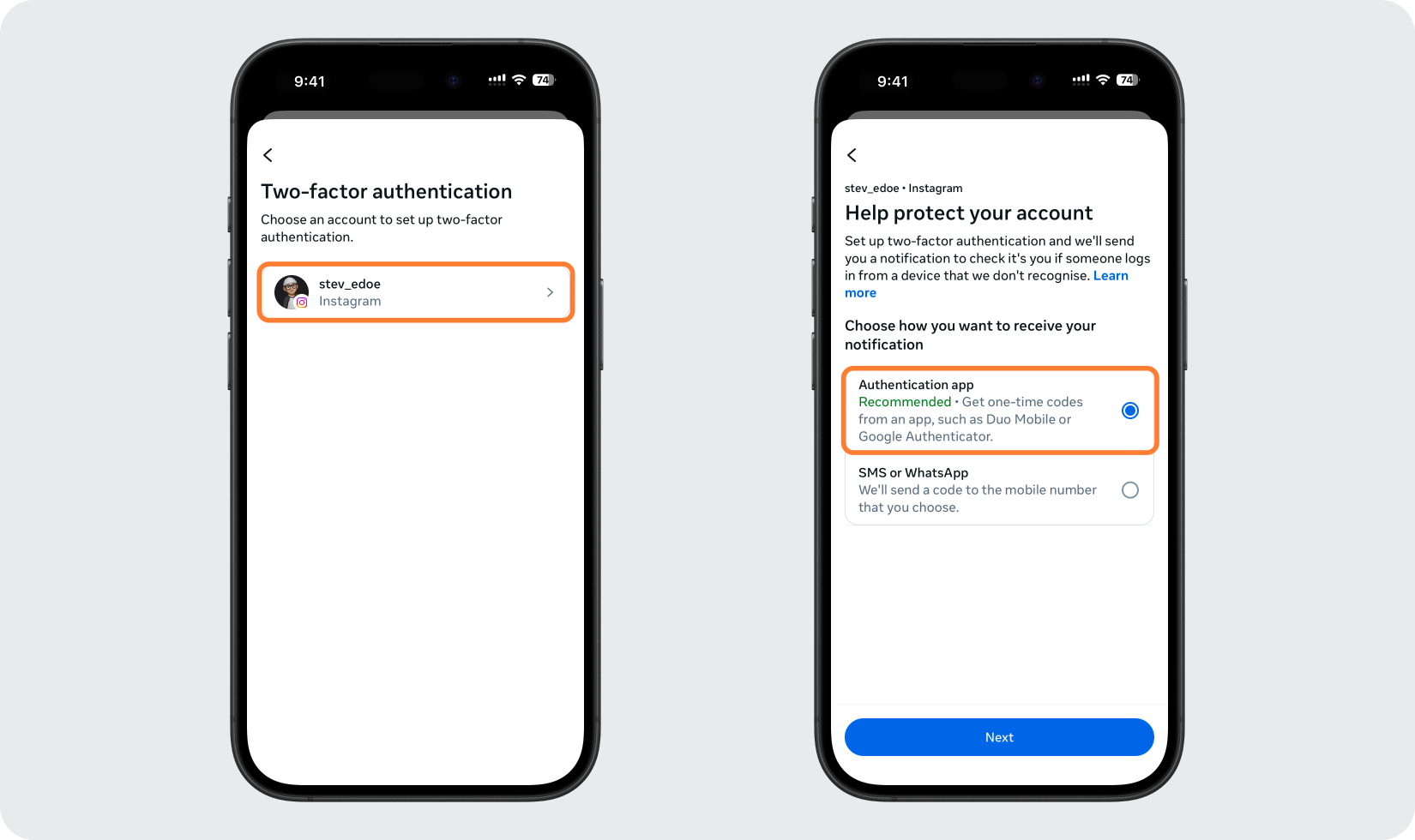
アカウントを選択し、認証アプリを選択します
保護したい Instagram アカウントを選択し、[認証アプリ] オプションを選択して続行します。
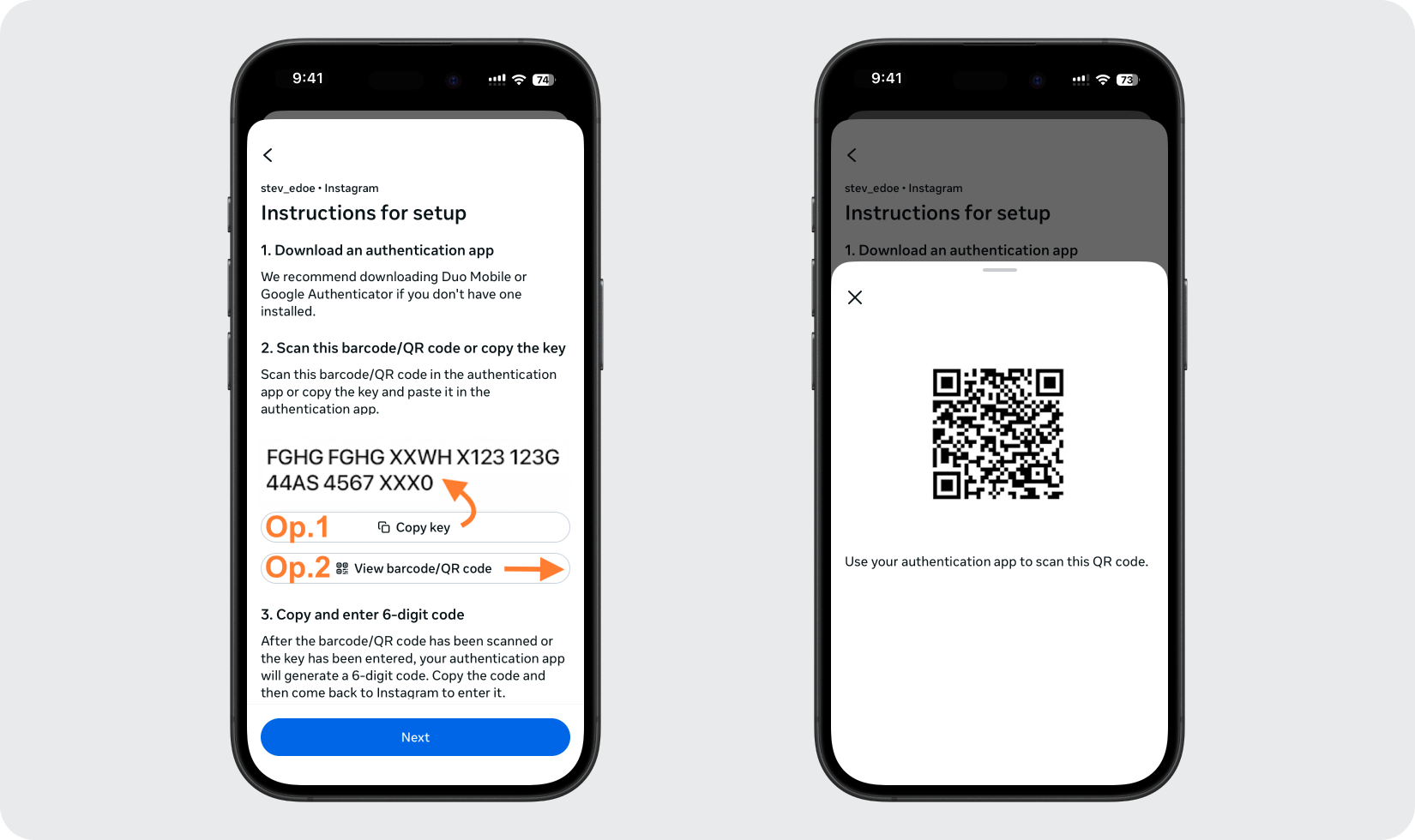
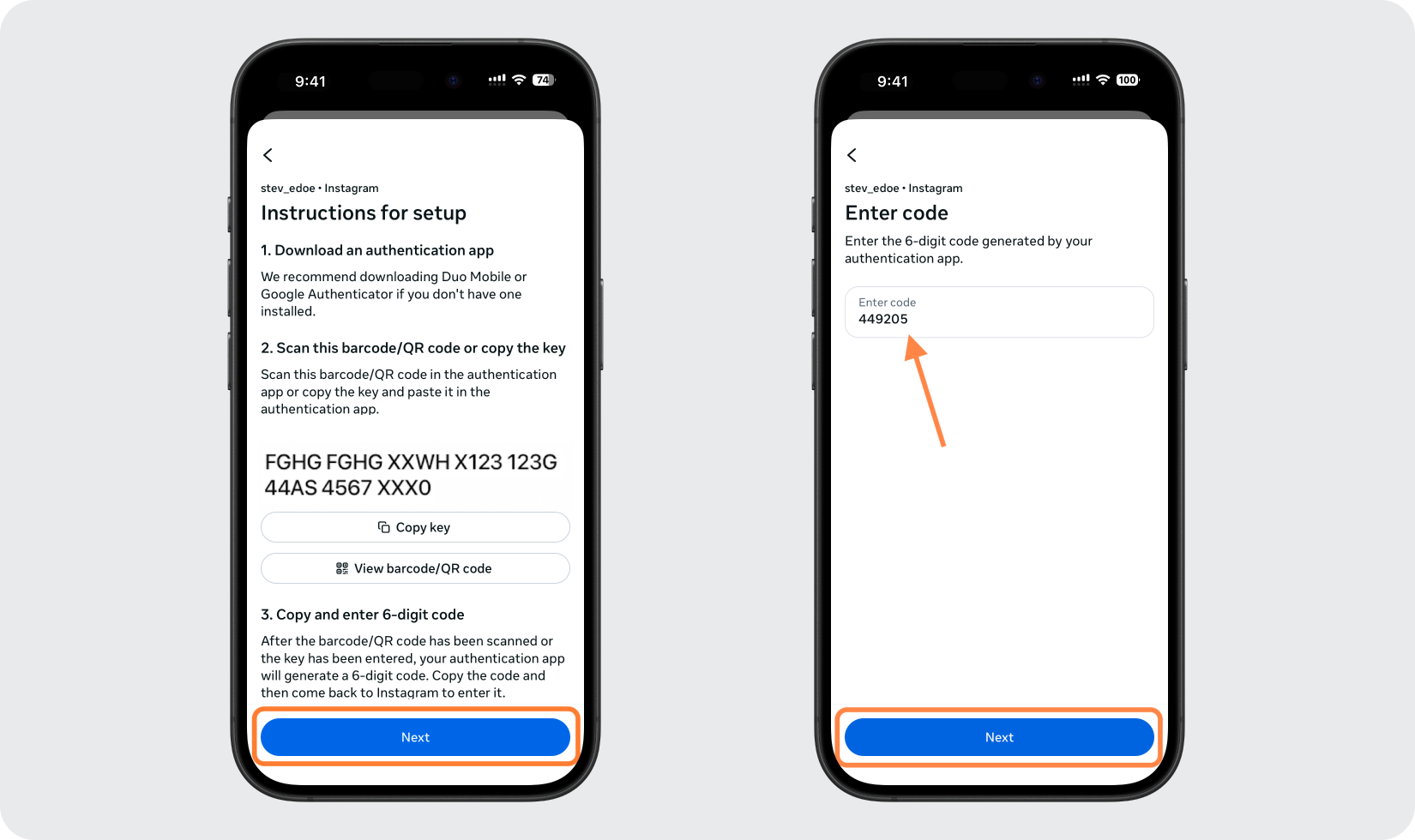
QRコードまたはセットアップキーを表示する
Instagram には、セットアップ キーをコピーするオプションとともに QR コードが表示されます。 Authenticator App にアカウントを追加する間、この画面を開いたままにしてください。
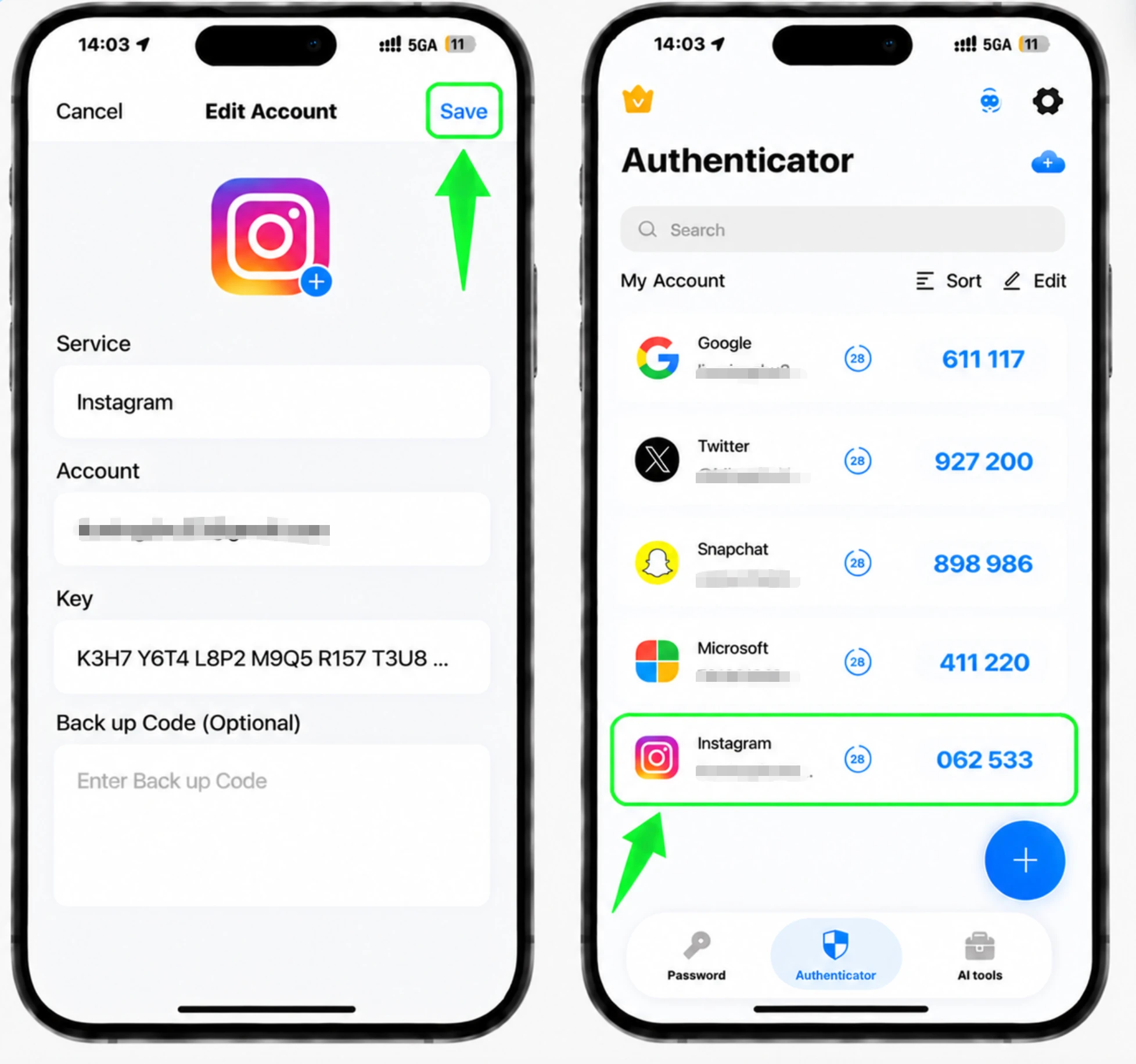
Authenticator App にアカウントを追加します
iPhone で Authenticator App を開き、+ ボタンをタップして Instagram に表示される QR コードをスキャンします。スキャンできない場合は、代わりにセットアップ キーを手動で入力することを選択してください。
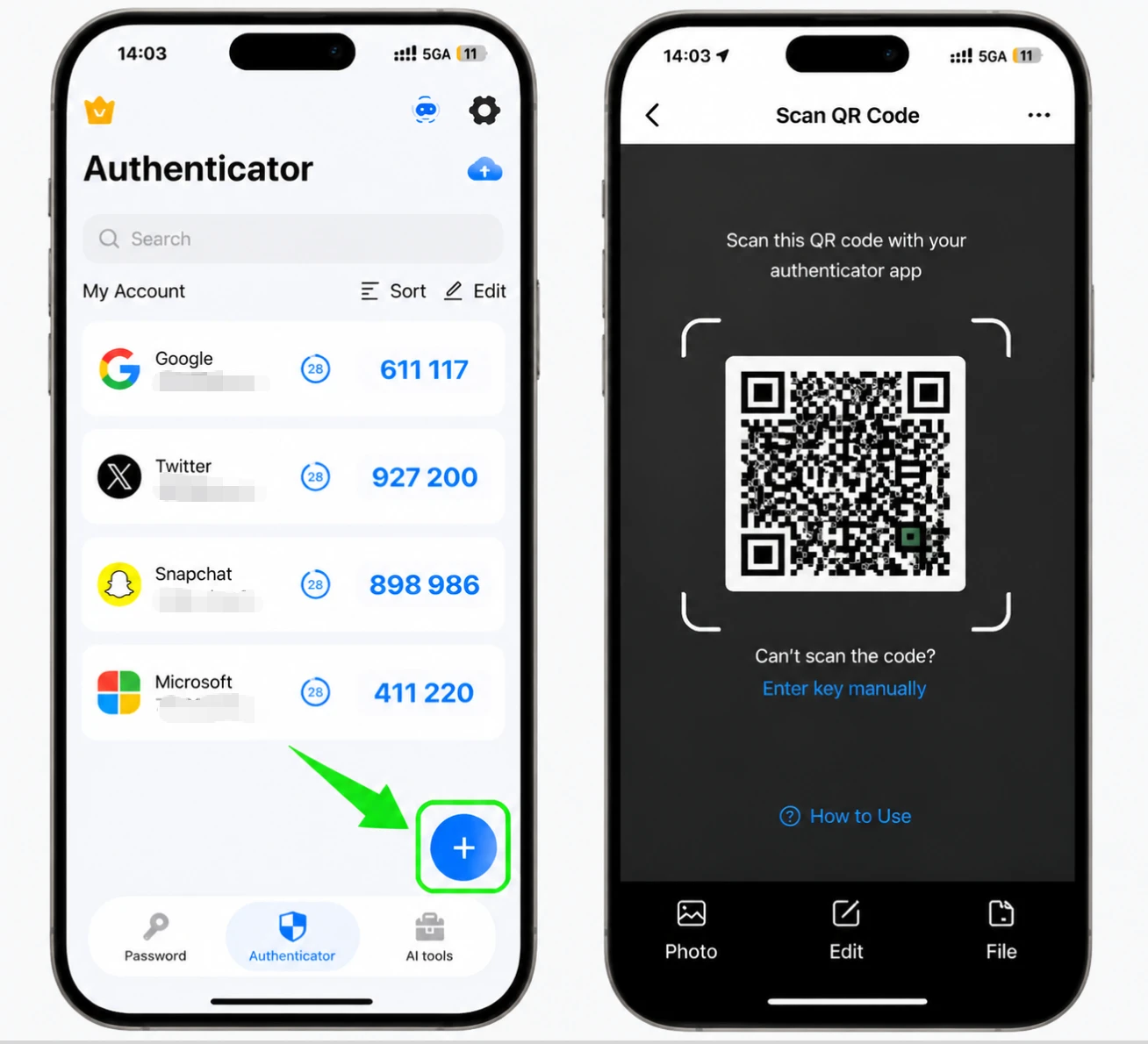
6桁のコードを取得します
アカウントが追加されると、Authenticator App に Instagram の 6 桁のコードが表示され、定期的に更新されます。現在のコードをコピーするかメモします。
確認のためコードを入力してください
Instagram に戻り、Authenticator App の 6 桁のコードを入力し、アプリのリンクの完了を確認します。
バックアップコードを保存してください
二要素認証をオンにすると、Instagram からバックアップ コードが提供されます。これらを安全な場所に保存しておくと、認証アプリにアクセスできなくなった場合でもログインできるようになります。



バックアップと復旧
二要素認証をオンにすると、Instagram からバックアップ コードが提供されます。これらを安全な場所に保存しておくと、認証アプリにアクセスできなくなった場合でもログインできるようになります。
以上で完了です。Instagramアカウントは2要素認証で保護されました。復旧情報は安全に保管し、画面が変更された場合はサービスの公式ドキュメントをご確認ください。


