

How to enable 2FA for your Epic Games account
Updated August 4, 2026
Two-factor authentication (2FA) protects your Epic Games account even if your password leaks. Follow the steps below to generate Epic Games verification codes with the Authenticator App on your iPhone, iPad or Mac.
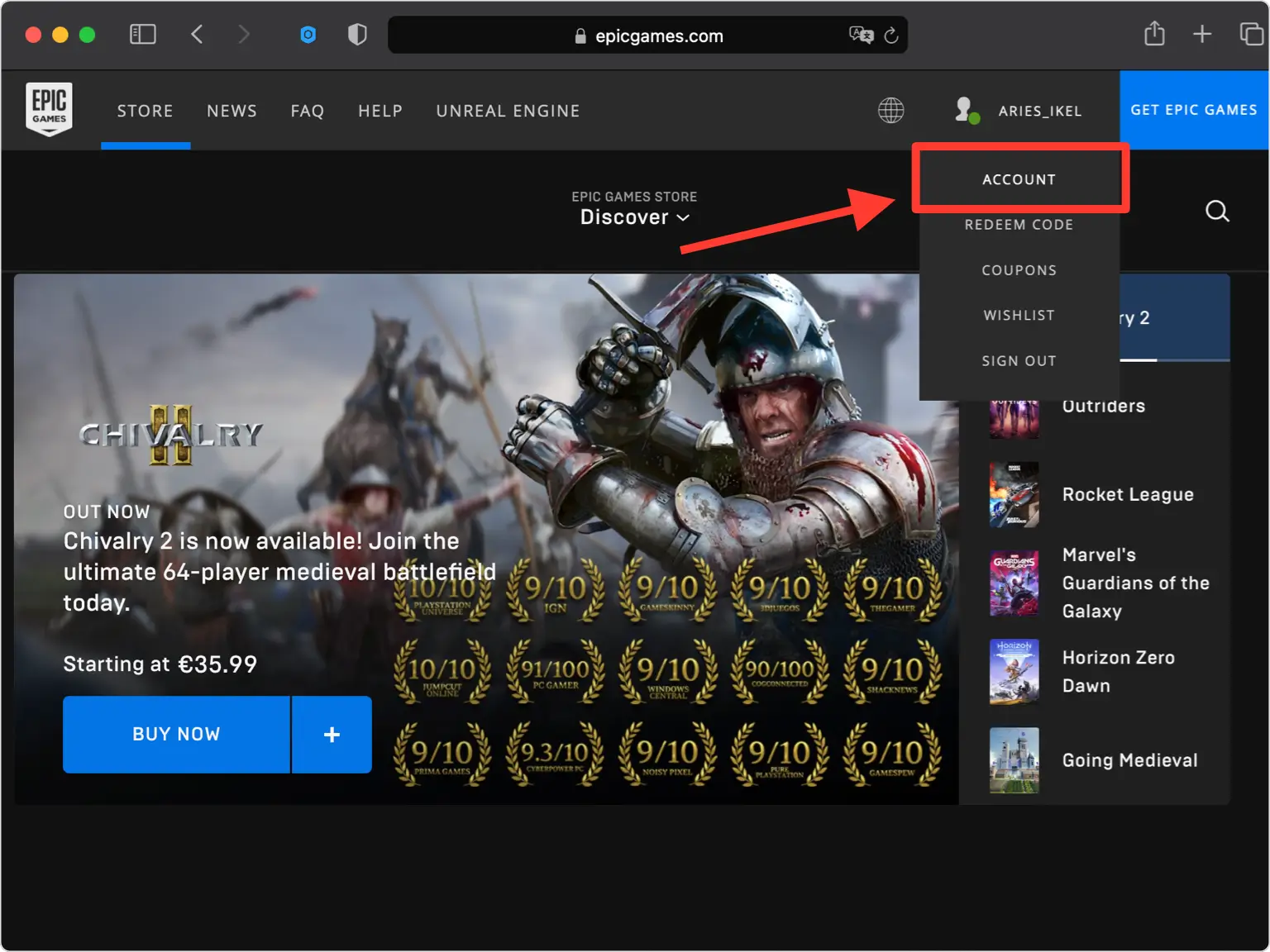
Open your Account settings
Sign in to epicgames.com and open your Account page. This is where all your sign-in and security options are managed.
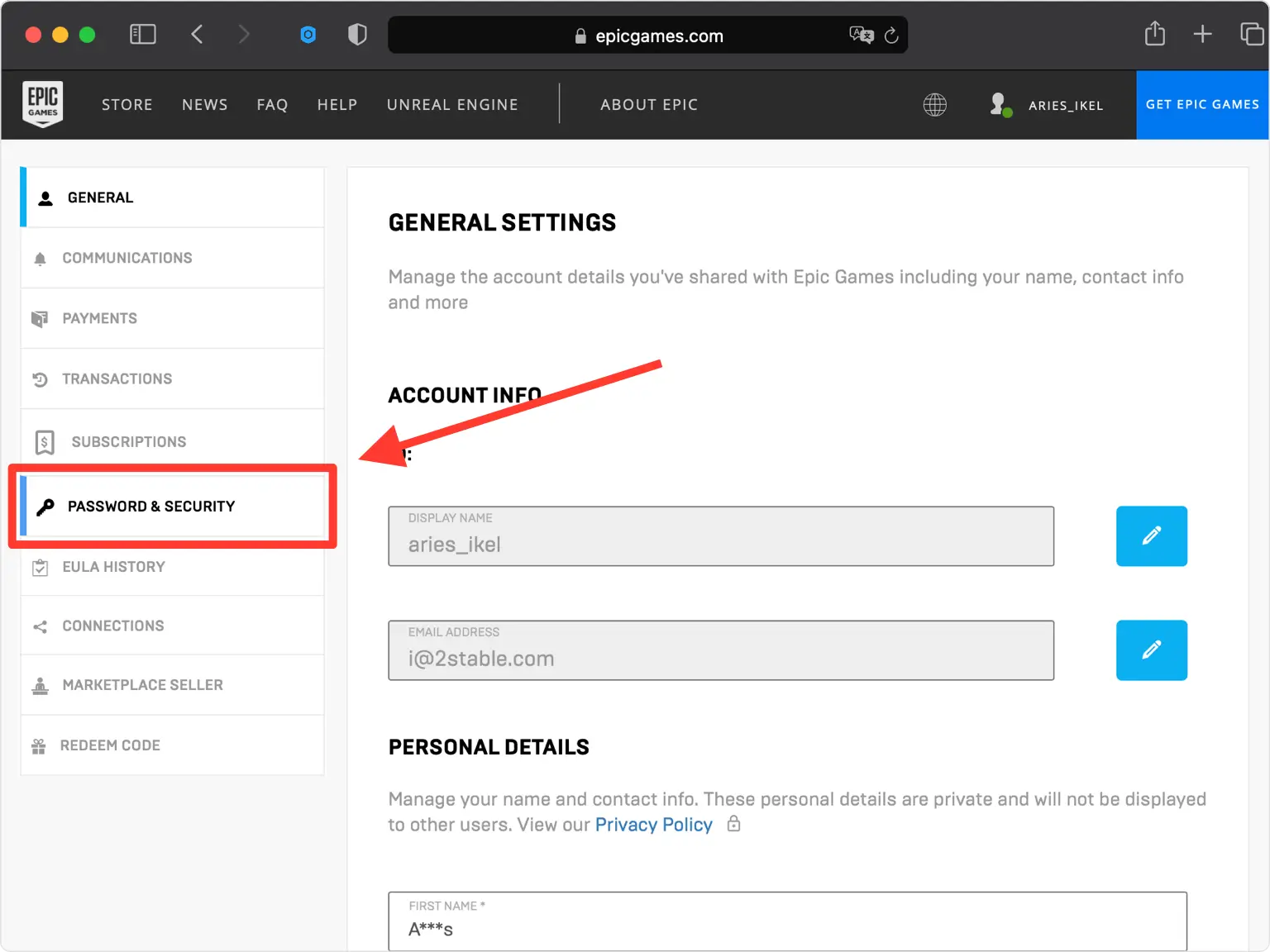
Go to Password & Security
From your account menu, open the Password & Security tab. Epic Games groups its two-factor authentication options here.
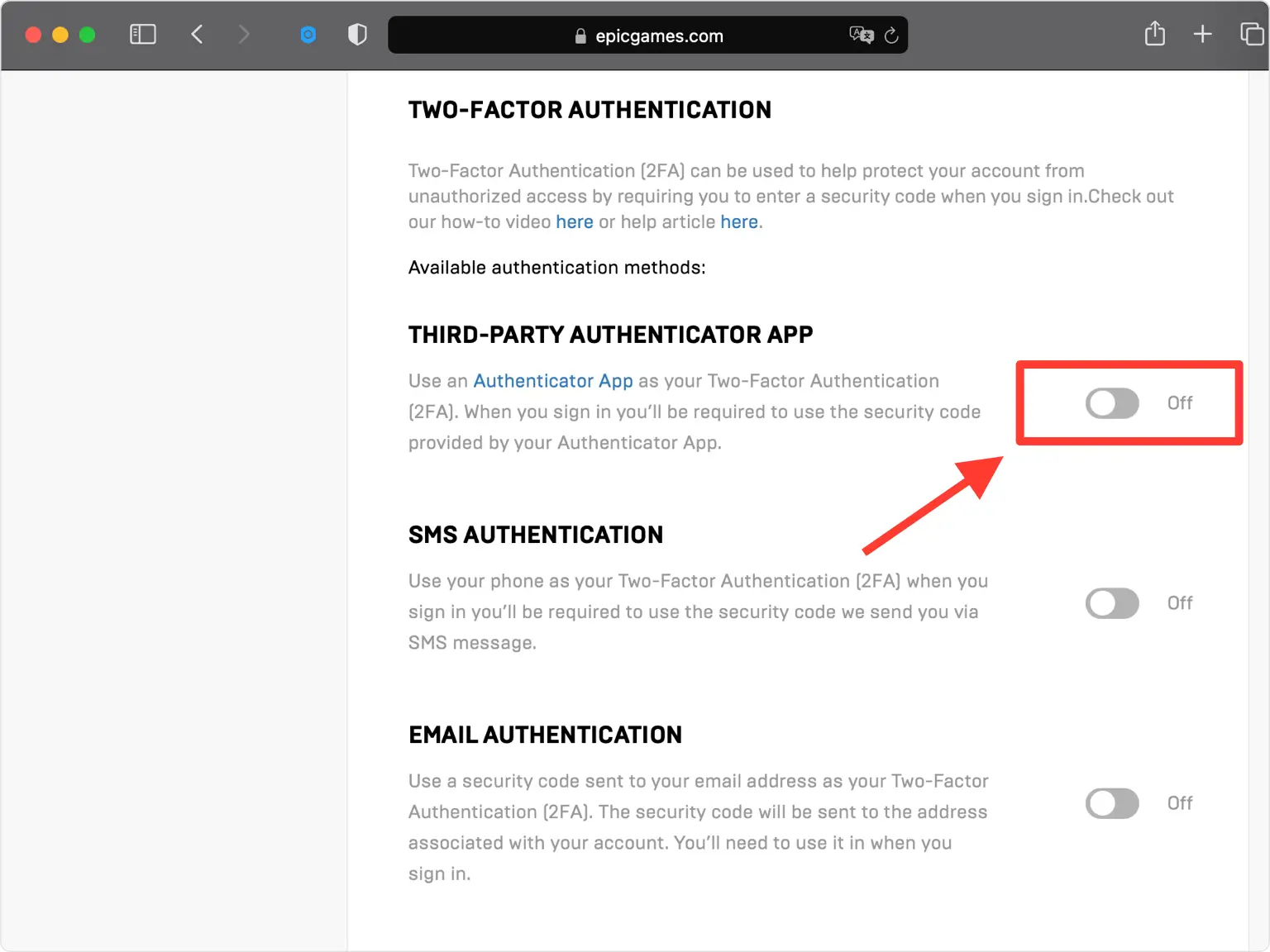
Enable Third-Party Authenticator App
Scroll down to the Two-Factor Authentication section and turn on the Third-Party Authenticator App option to start setup.
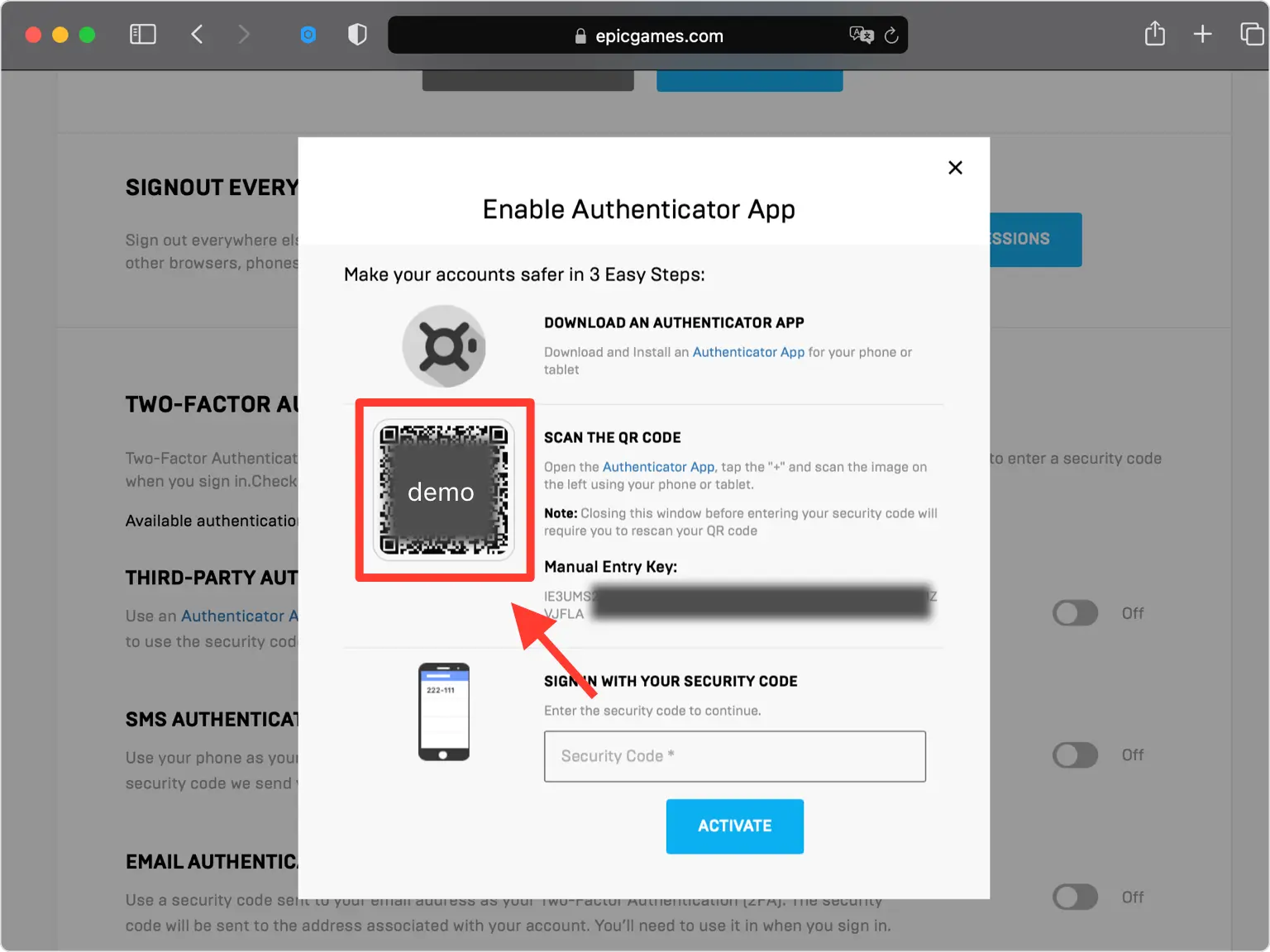
Reveal the QR code
Epic Games opens a pop-up showing a QR code (and a secret key). Leave this window open on your computer while you grab your phone.
Scan the QR code with your Authenticator App
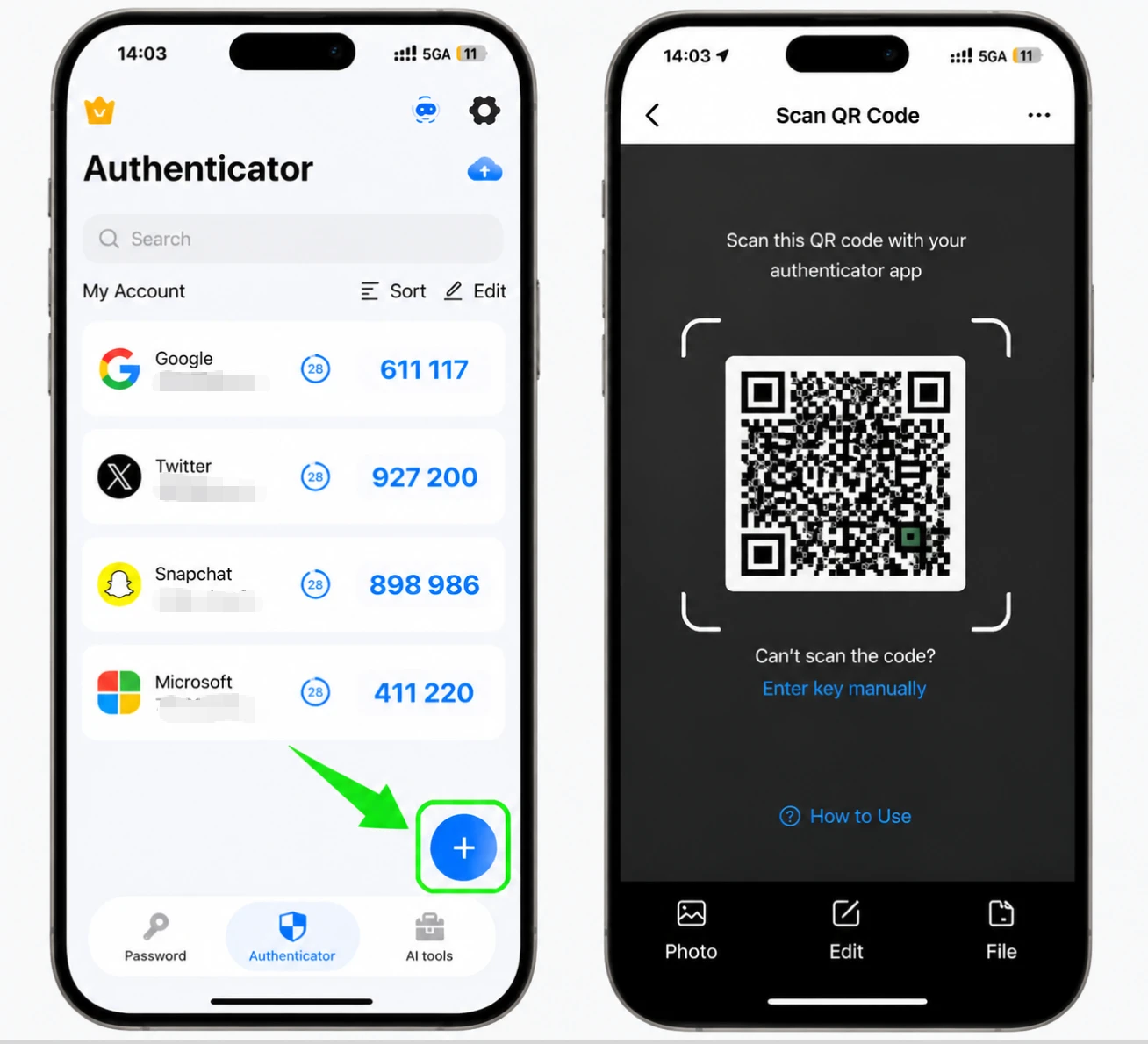
On your iPhone, open the Authenticator App and tap the + button at the bottom to add a new account, then point the camera at the QR code on screen. If you can't scan it, choose manual entry and type in the secret key Epic Games shows instead.
Save the Epic Games entry in the app
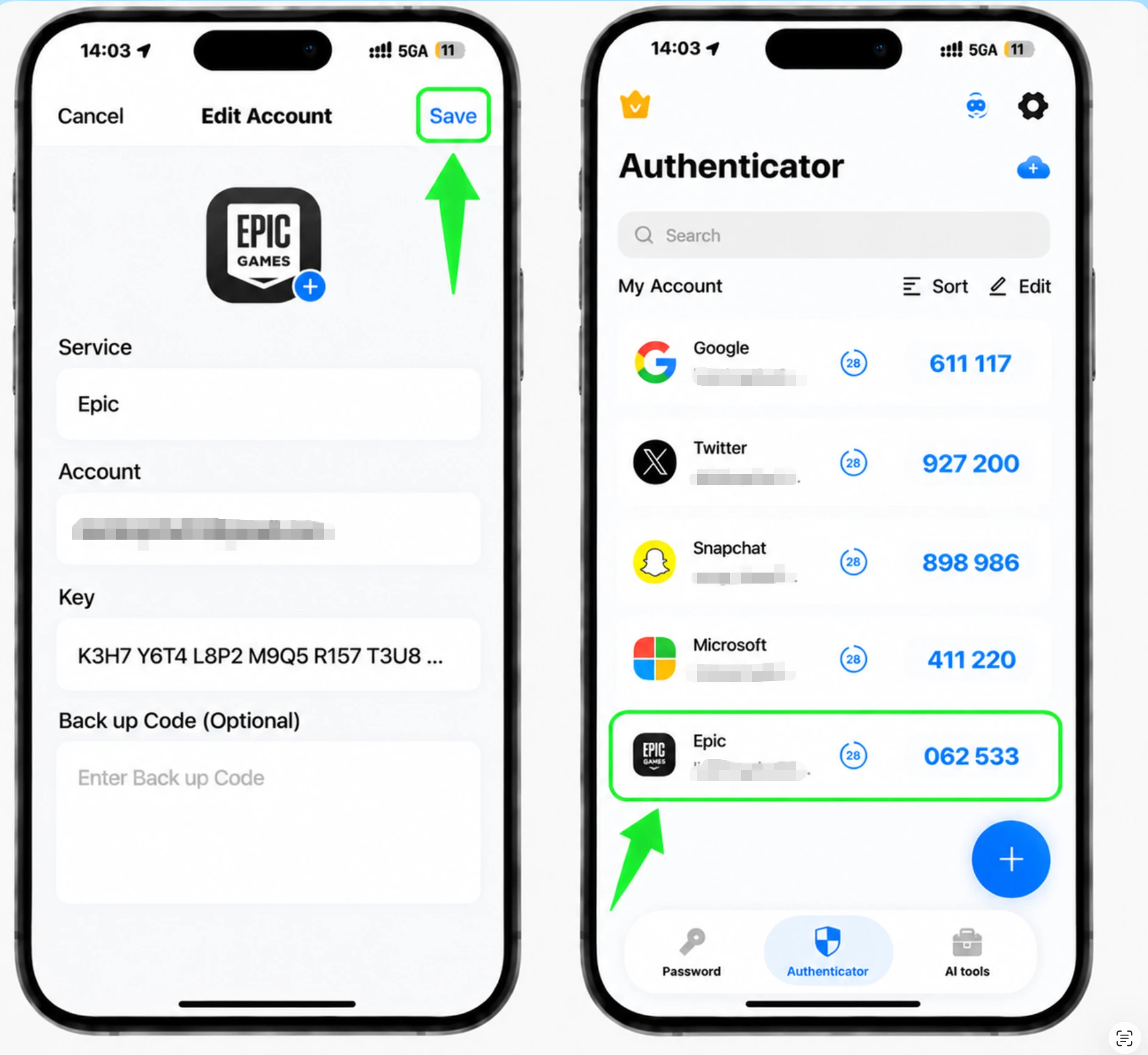
After the scan, the Authenticator App fills in the Epic Games account name and secret key automatically. Confirm the details look right and tap Save to store the entry.
Read the 6-digit code
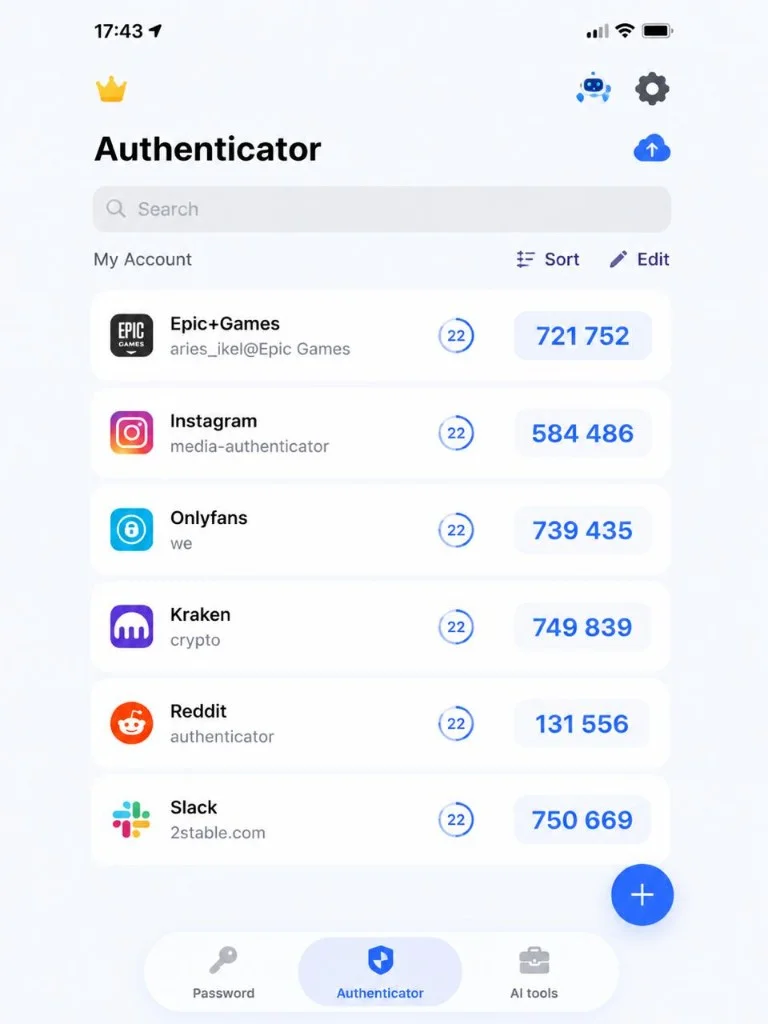
Your Authenticator App now shows a 6-digit verification code for your Epic Games account. The code refreshes every 30 seconds, so note the current one.
Enter the code and activate
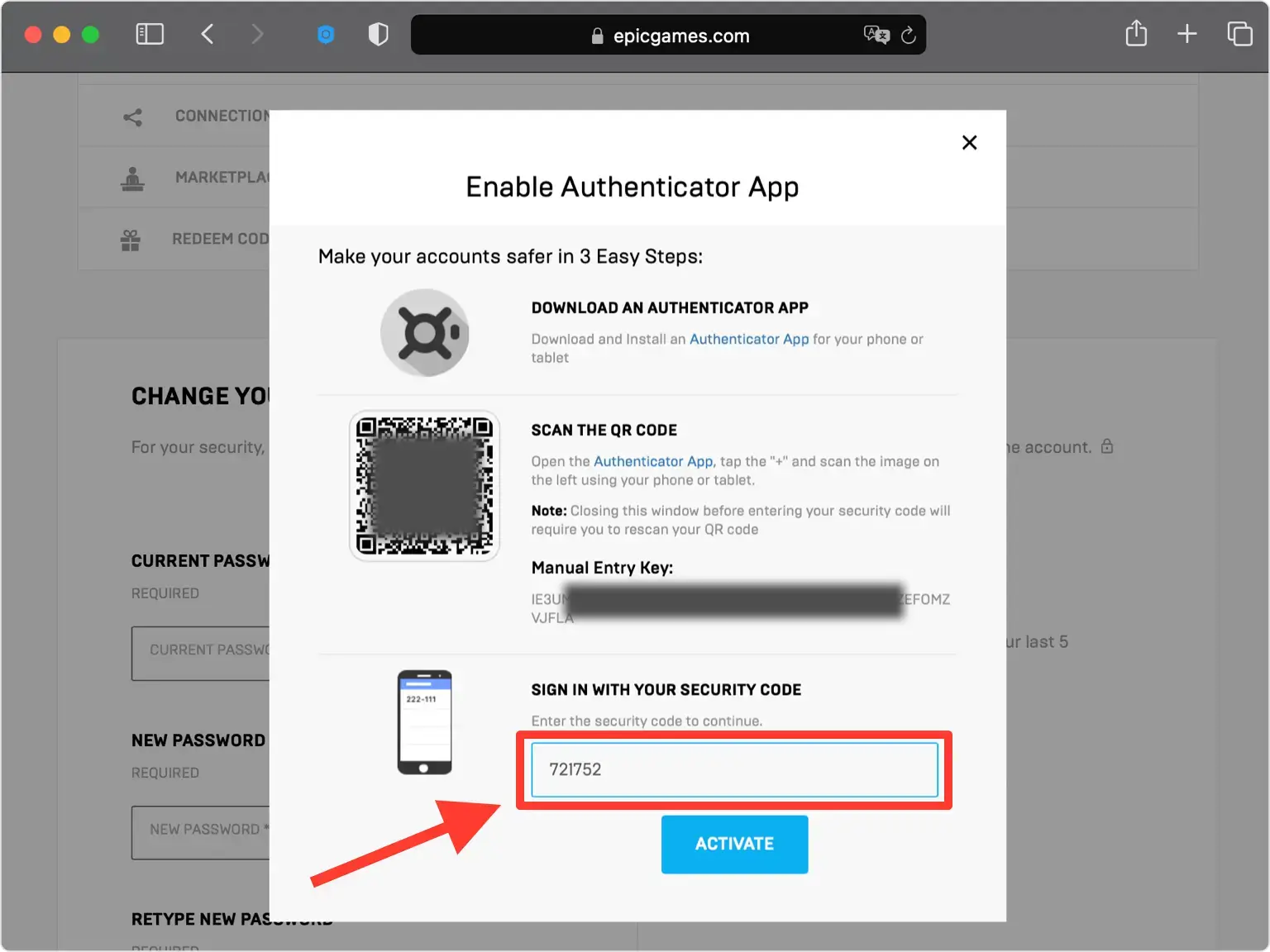
Back on the Epic Games website, type the 6-digit code from your Authenticator App into the field, then click Activate to confirm and turn on two-factor authentication.
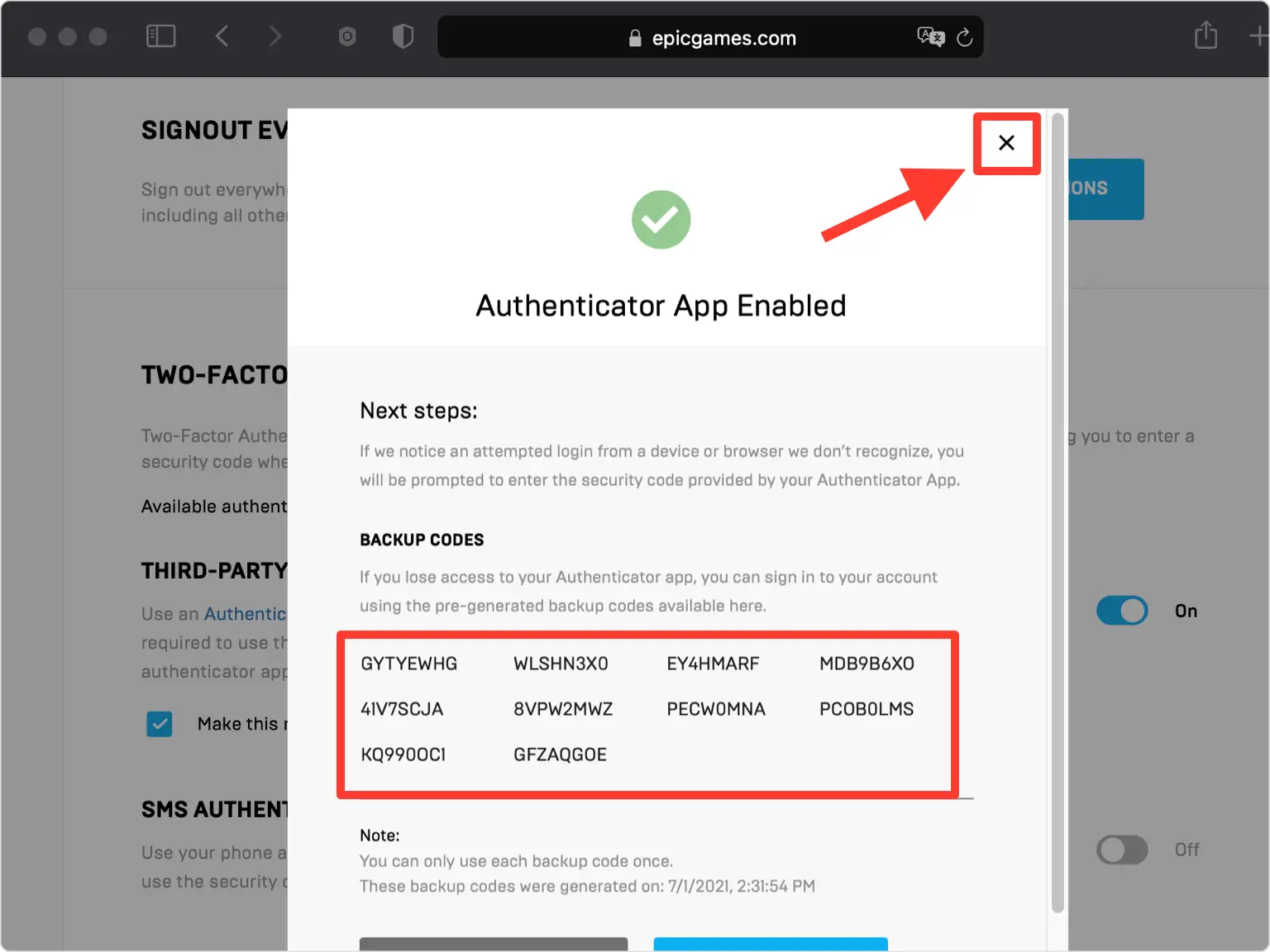
Save your backup codes
Your Epic Games account is now protected. Save the backup codes shown somewhere safe so you can still sign in if you ever lose access to your Authenticator App.



Backup & recovery
Your Epic Games account is now protected. Save the backup codes shown somewhere safe so you can still sign in if you ever lose access to your Authenticator App.
That's it — your Epic Games account is now protected with two-factor authentication. Keep your recovery information safe and follow the service's official documentation if its interface changes.
See all 2FA methods supported by Epic Games →


