

How to enable 2FA for your Facebook account
Updated August 4, 2026
Two-factor authentication (2FA) protects your Facebook account even if your password leaks. Follow the steps below to generate Facebook verification codes with the Authenticator App on your iPhone, iPad or Mac.
Log in to Facebook
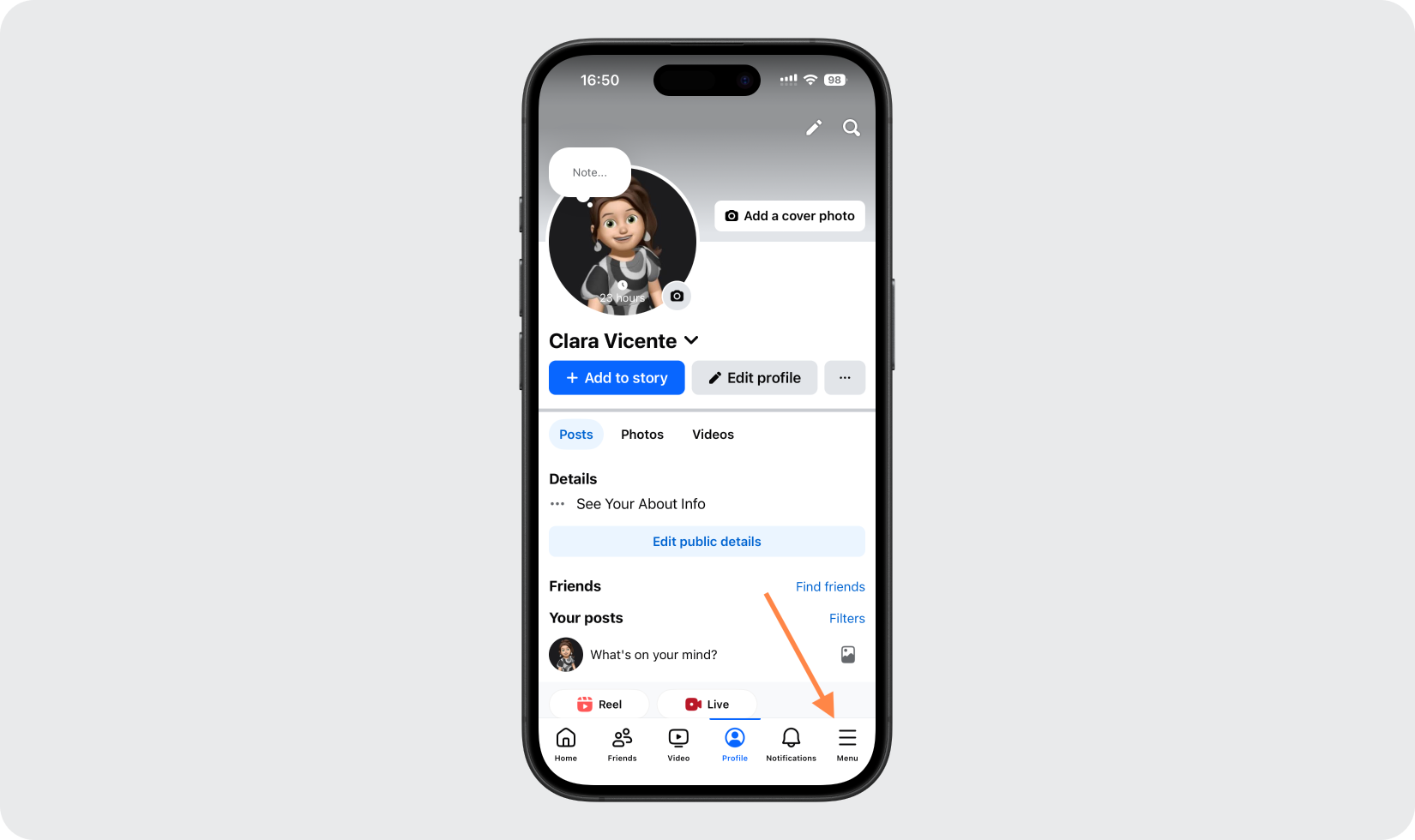
Open the Facebook app while signed in and go to your profile, then tap the three lines (menu) in the bottom-right corner.
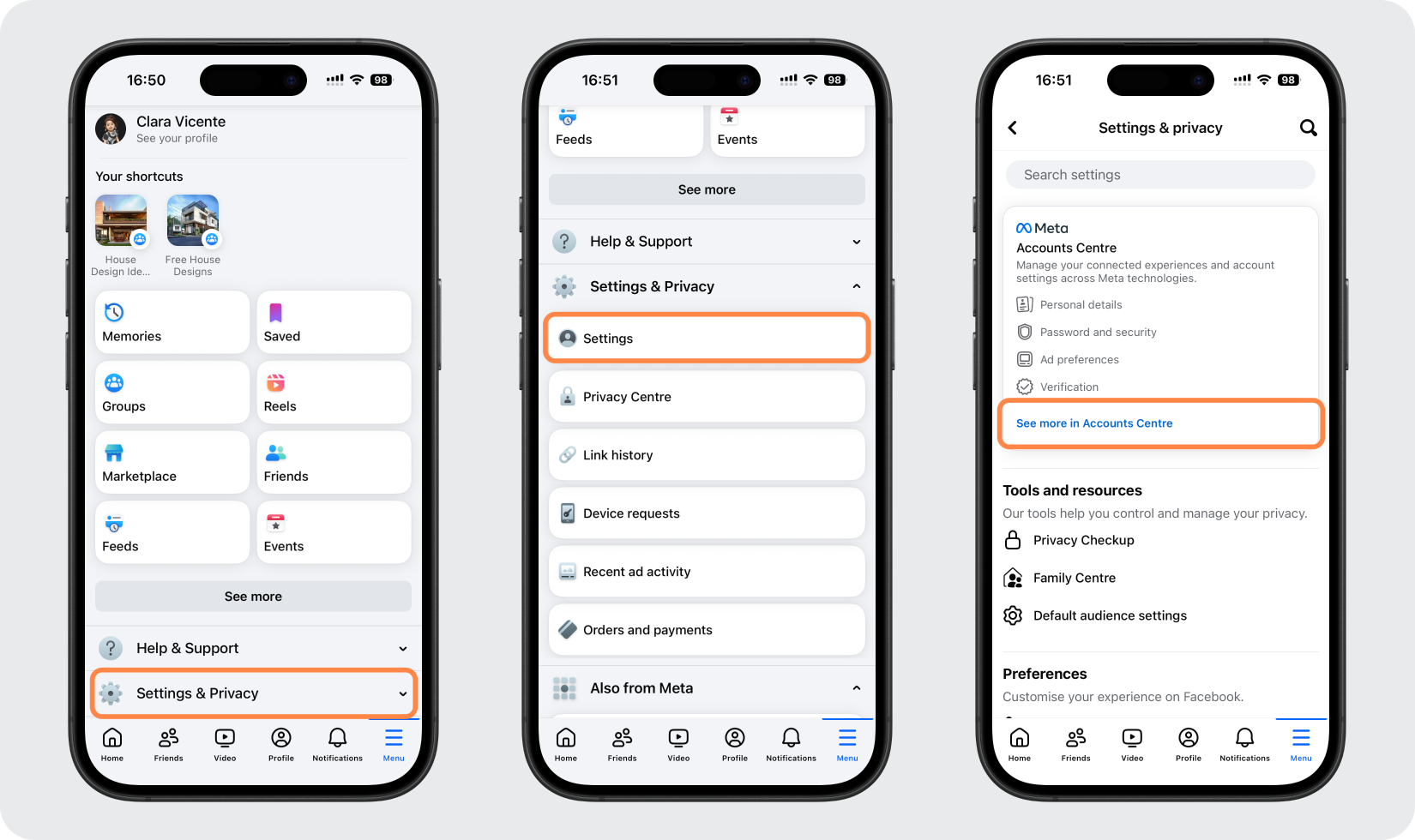
Open Accounts Center
Scroll down and tap Settings & privacy, then Settings, then open Accounts Center (See more in Accounts Center).
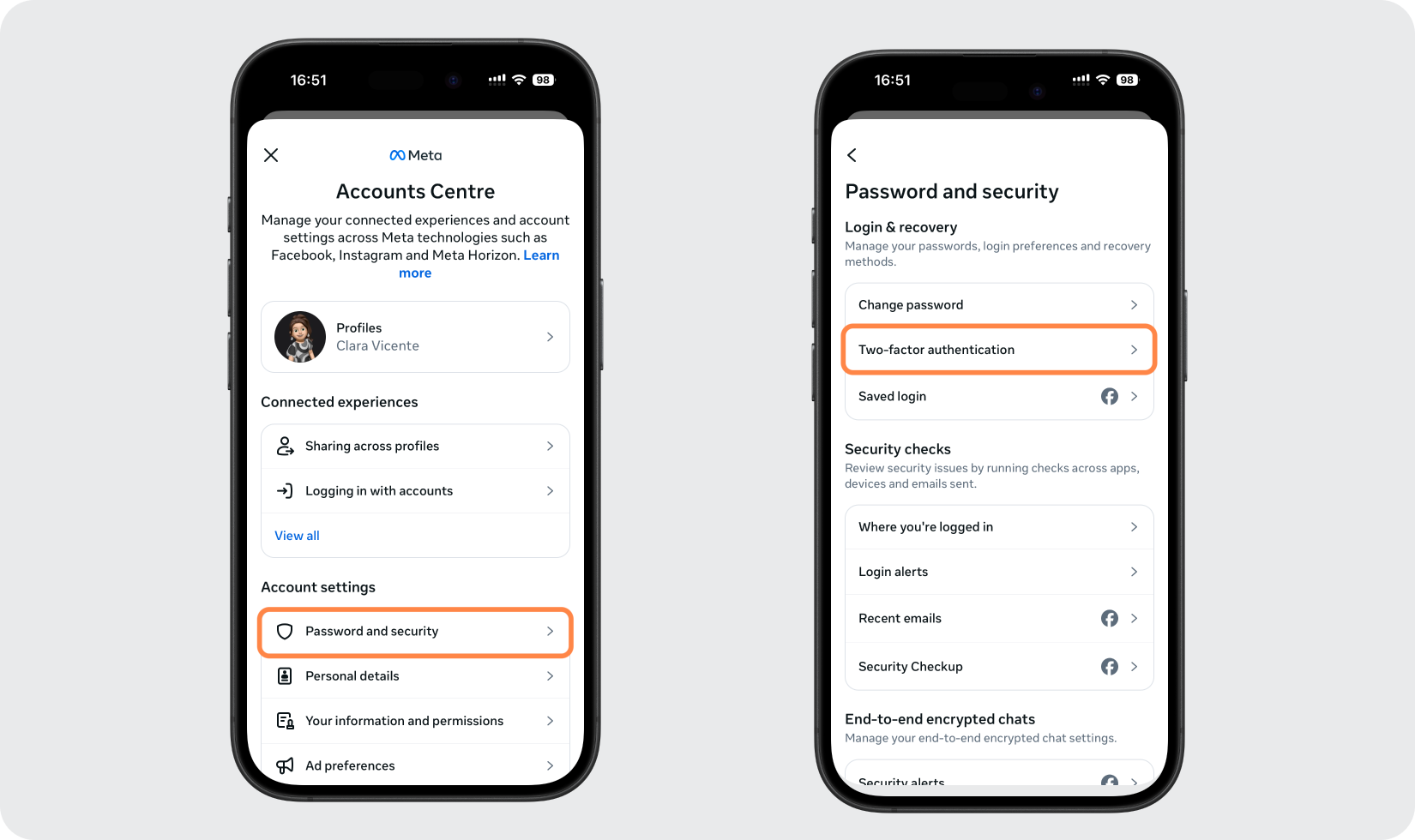
Go to Two-factor authentication
In Accounts Center, tap Password and security, then tap Two-factor authentication.
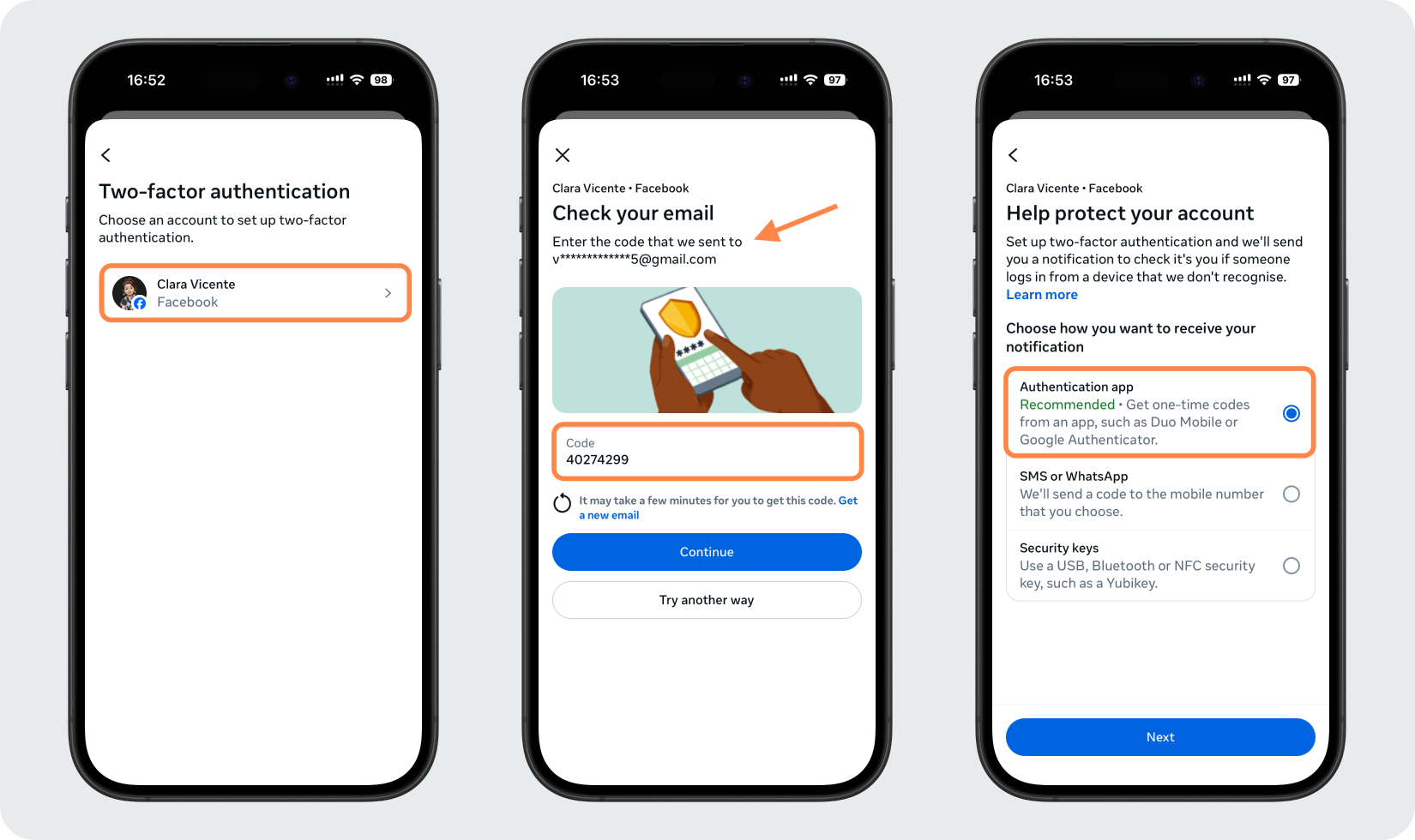
Pick your account and choose Authentication app
Select the Facebook profile you want to protect and verify it if prompted, then choose the Authentication app method and tap Next.
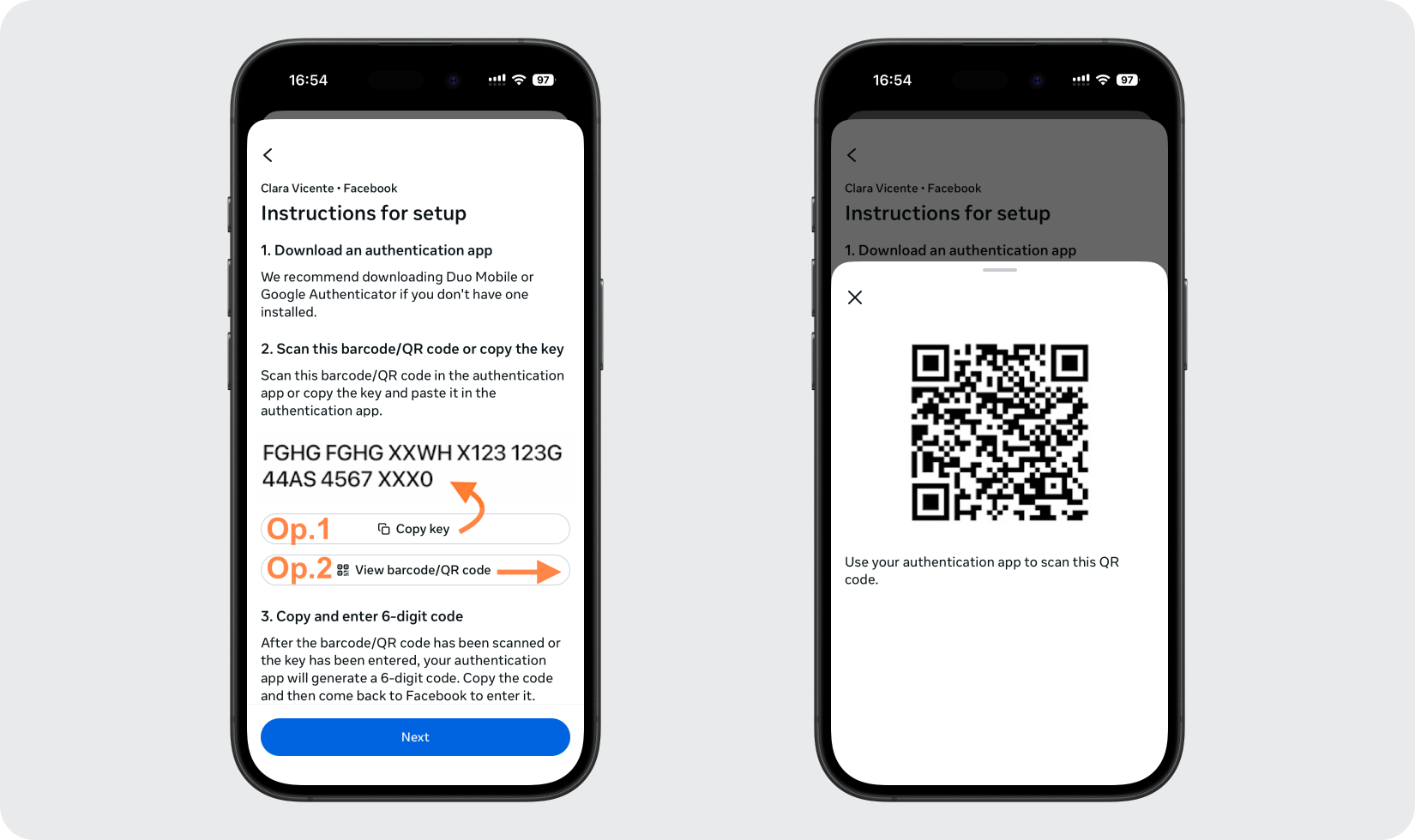
Copy the key or view the QR code
Facebook will show a setup key and a QR code (barcode). Copy the key, or take a screenshot of the QR code, so you can add it to your Authenticator App on the same phone.
Add Facebook to your Authenticator App
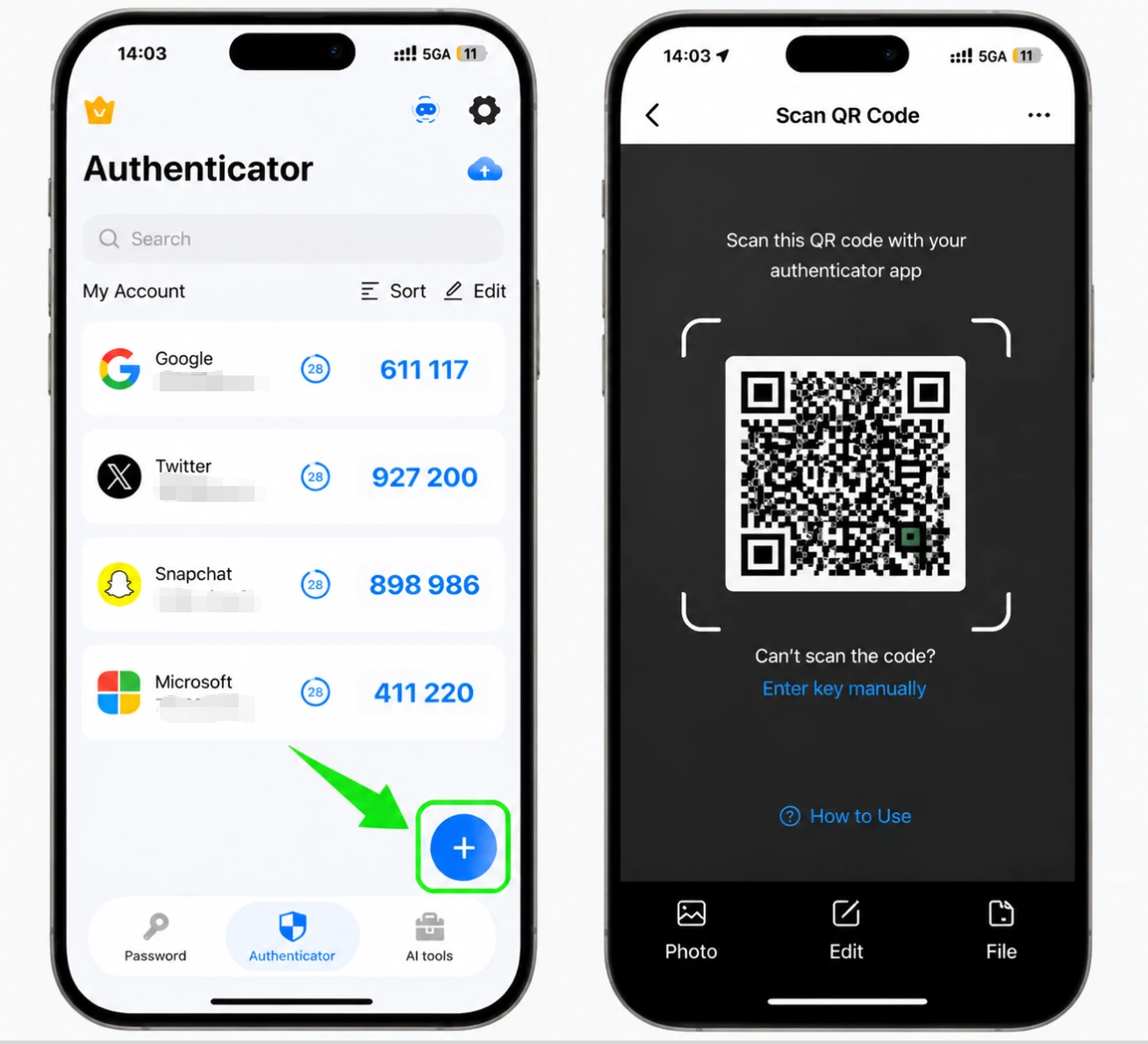
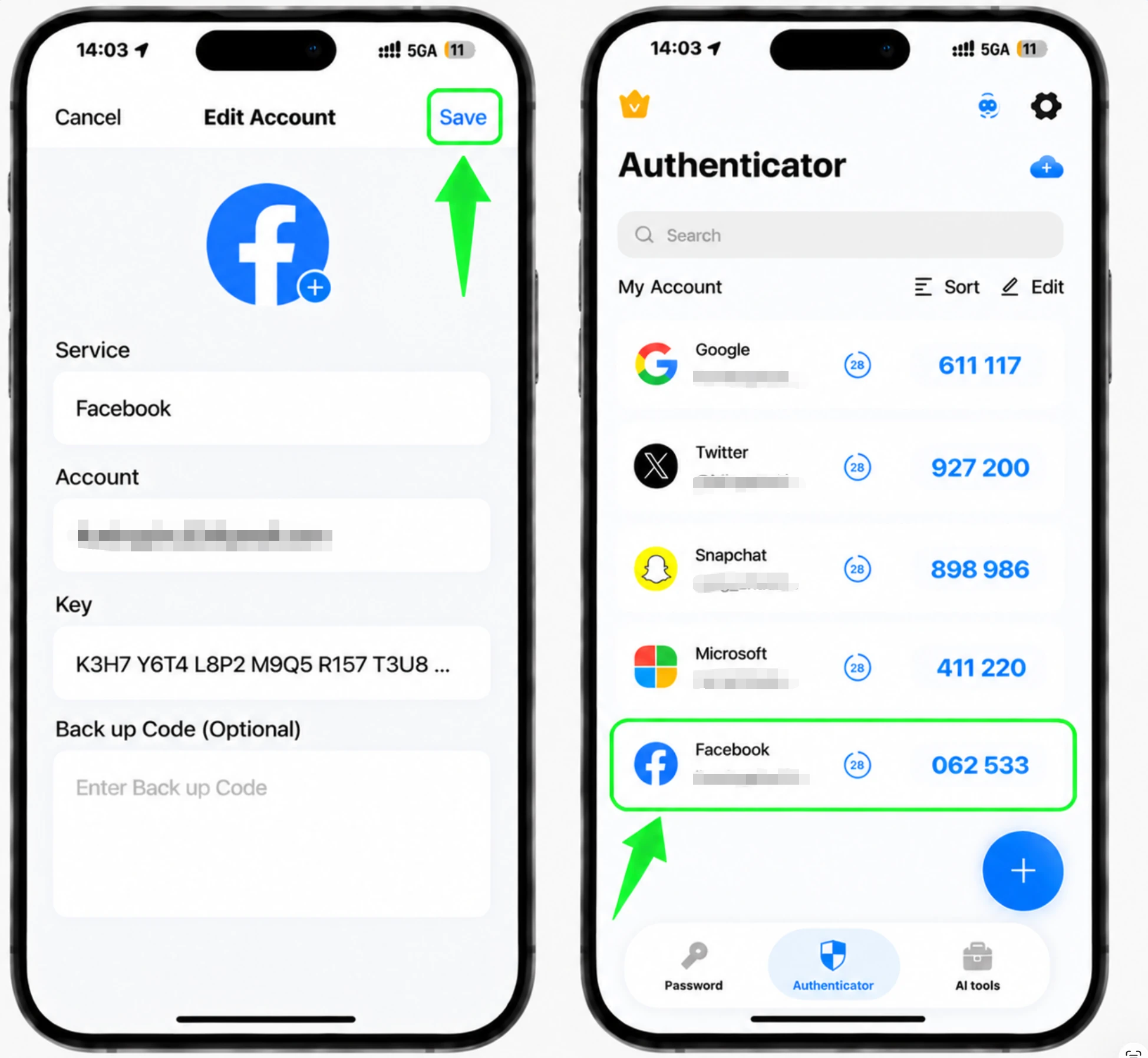
Open the Authenticator App on your iPhone and tap the + button. Either choose manual entry and paste the secret key (filling in the service and account name), or choose Photo/File to scan the screenshot of the QR code and add the account automatically.
Get your 6-digit Facebook code
Once the account is added, the Authenticator App shows a 6-digit code for Facebook that refreshes regularly. Tap the code to copy it.
Confirm the code in Facebook
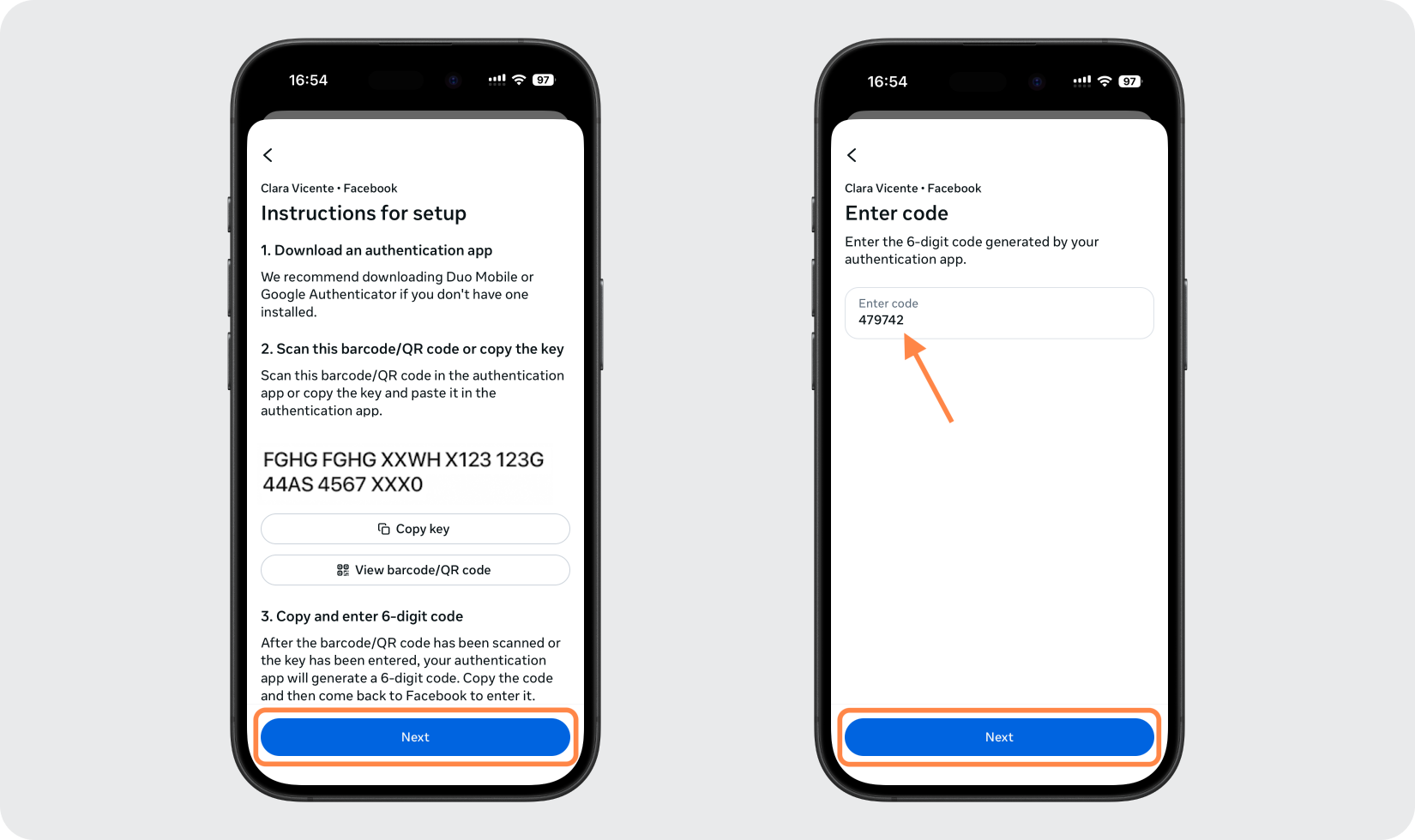
Go back to the Facebook app and tap Next, then paste or type the 6-digit code when prompted and tap Next again to finish turning on two-factor authentication.
Save your recovery codes
After two-factor authentication is on, save the recovery codes Facebook provides somewhere safe. Each works once and lets you log in if you ever lose access to your authenticator app.



Backup & recovery
After two-factor authentication is on, save the recovery codes Facebook provides somewhere safe. Each works once and lets you log in if you ever lose access to your authenticator app.
That's it — your Facebook account is now protected with two-factor authentication. Keep your recovery information safe and follow the service's official documentation if its interface changes.
See all 2FA methods supported by Facebook →


