

How to enable 2FA for your Instagram account
Updated August 4, 2026
Two-factor authentication (2FA) protects your Instagram account even if your password leaks. Follow the steps below to generate Instagram verification codes with the Authenticator App on your iPhone, iPad or Mac.
Log in and open Accounts Center
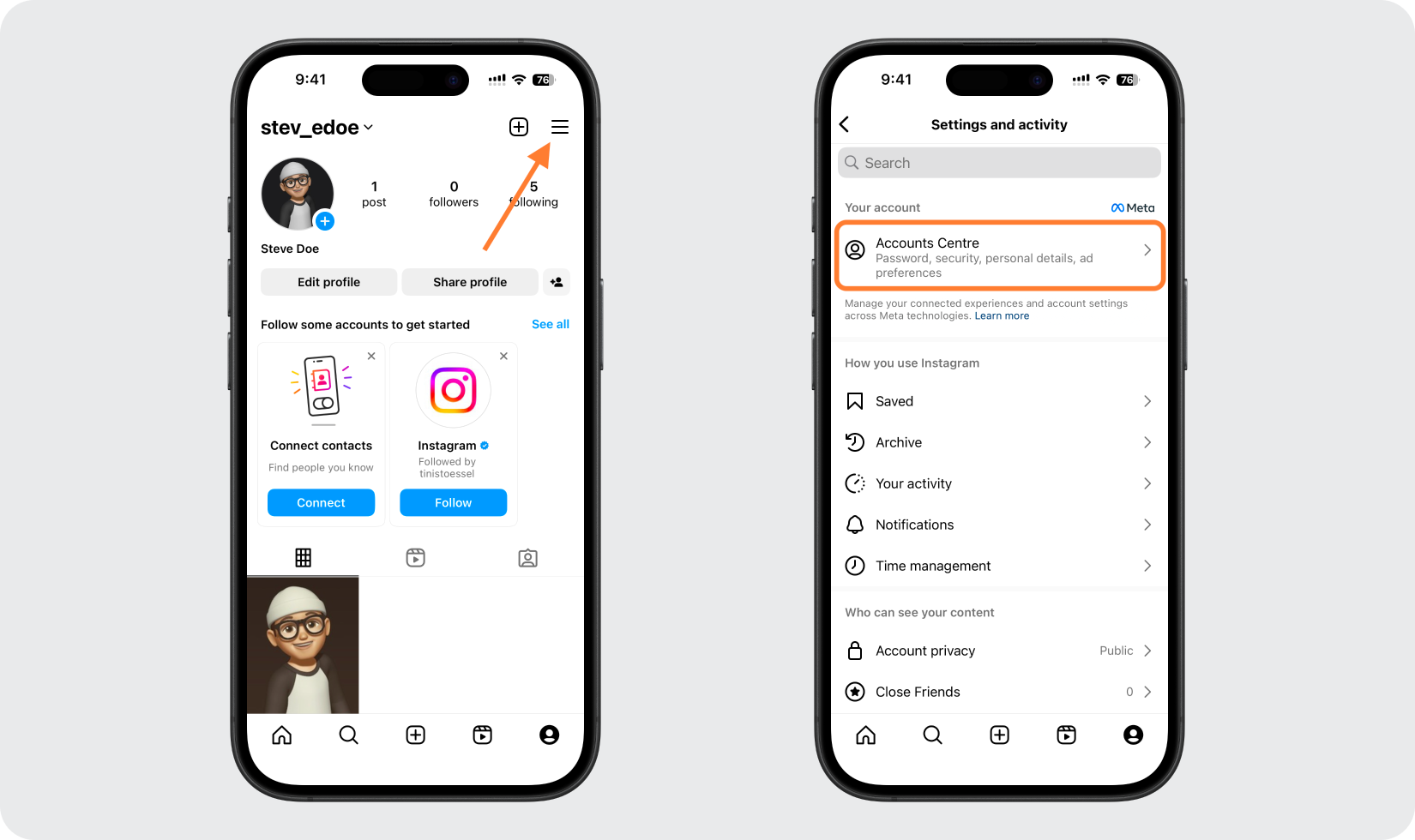
Sign in to Instagram, then open Settings and click Accounts Center. On the website, click More in the bottom-left menu first; in the app, tap the three lines in the top right to reach it.
Go to Password and security, then Two-factor authentication
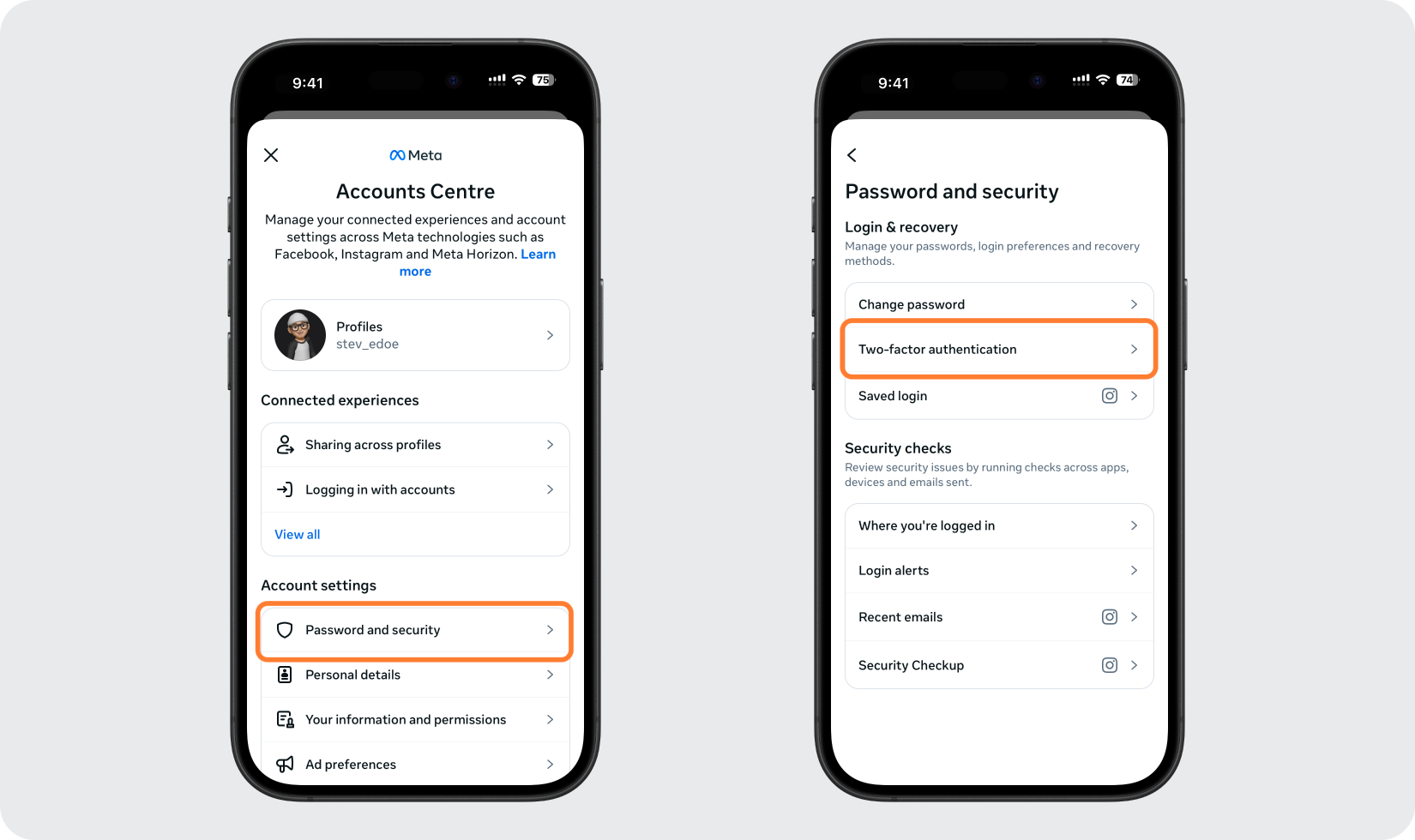
In Accounts Center, click Password and security, then click Two-factor authentication.
Pick your account and choose Authentication app
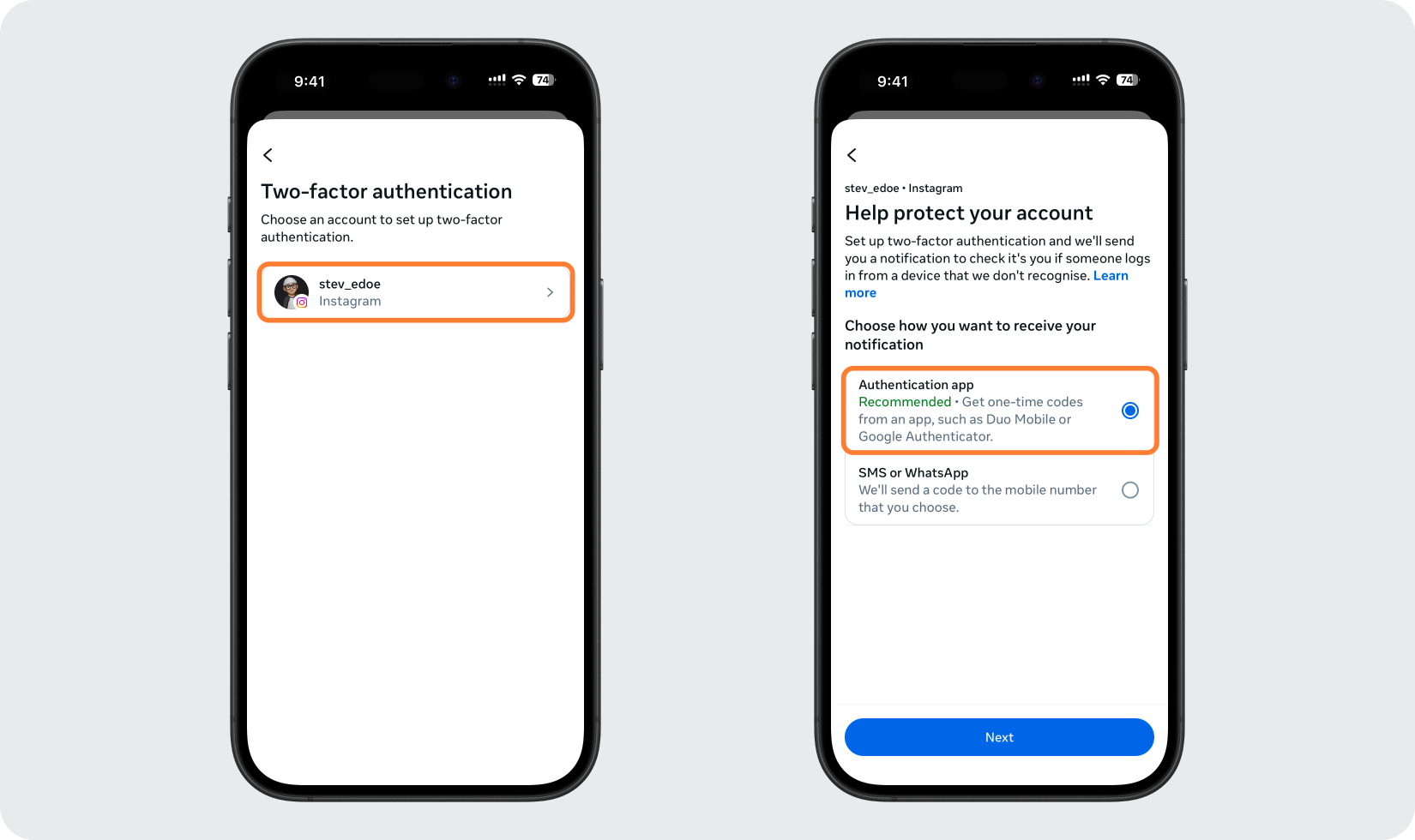
Select the Instagram account you want to protect, then choose the Authentication app option and continue.
View the QR code or setup key
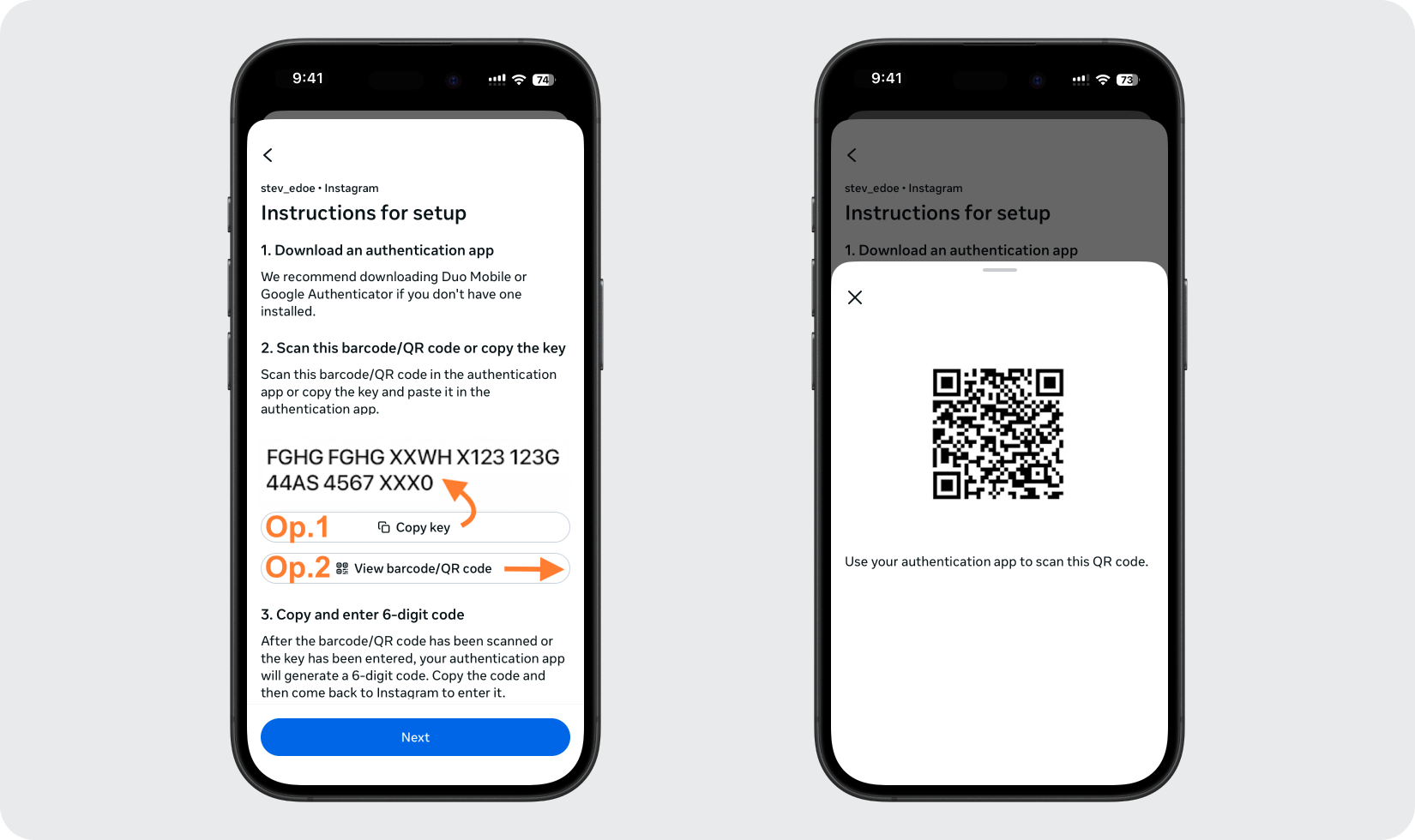
Instagram displays a QR code along with the option to copy a setup key. Keep this screen open while you add the account in your Authenticator App.
Add the account in your Authenticator App
Open the Authenticator App on your iPhone and tap the + button to scan the QR code shown by Instagram. If you can't scan it, choose to enter the setup key manually instead.
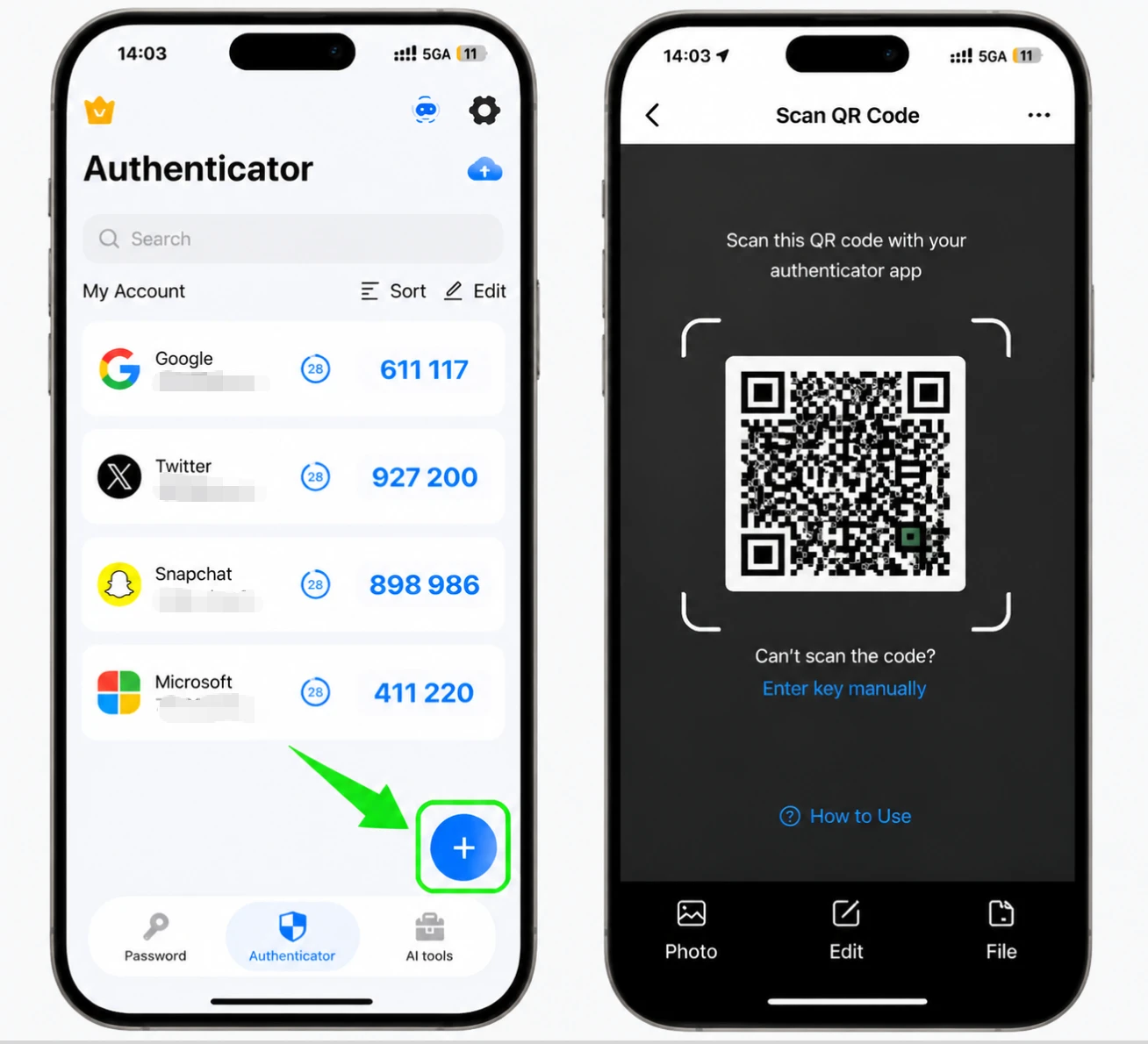
Get your 6-digit code
Once the account is added, the Authenticator App shows a 6-digit code for Instagram that refreshes periodically. Copy or note the current code.
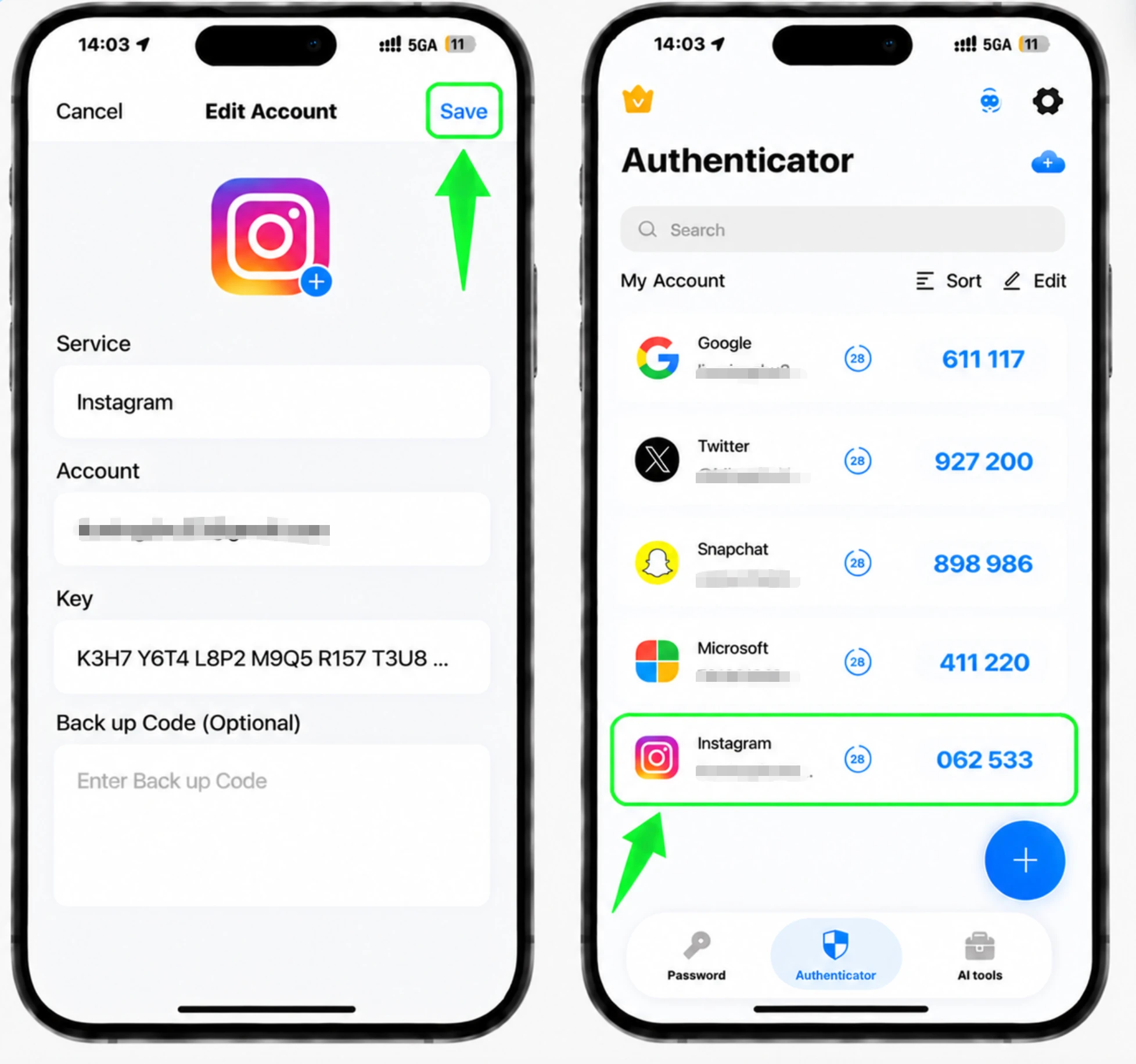
Enter the code to confirm
Return to Instagram, type in the 6-digit code from your Authenticator App, and confirm to finish linking the app.
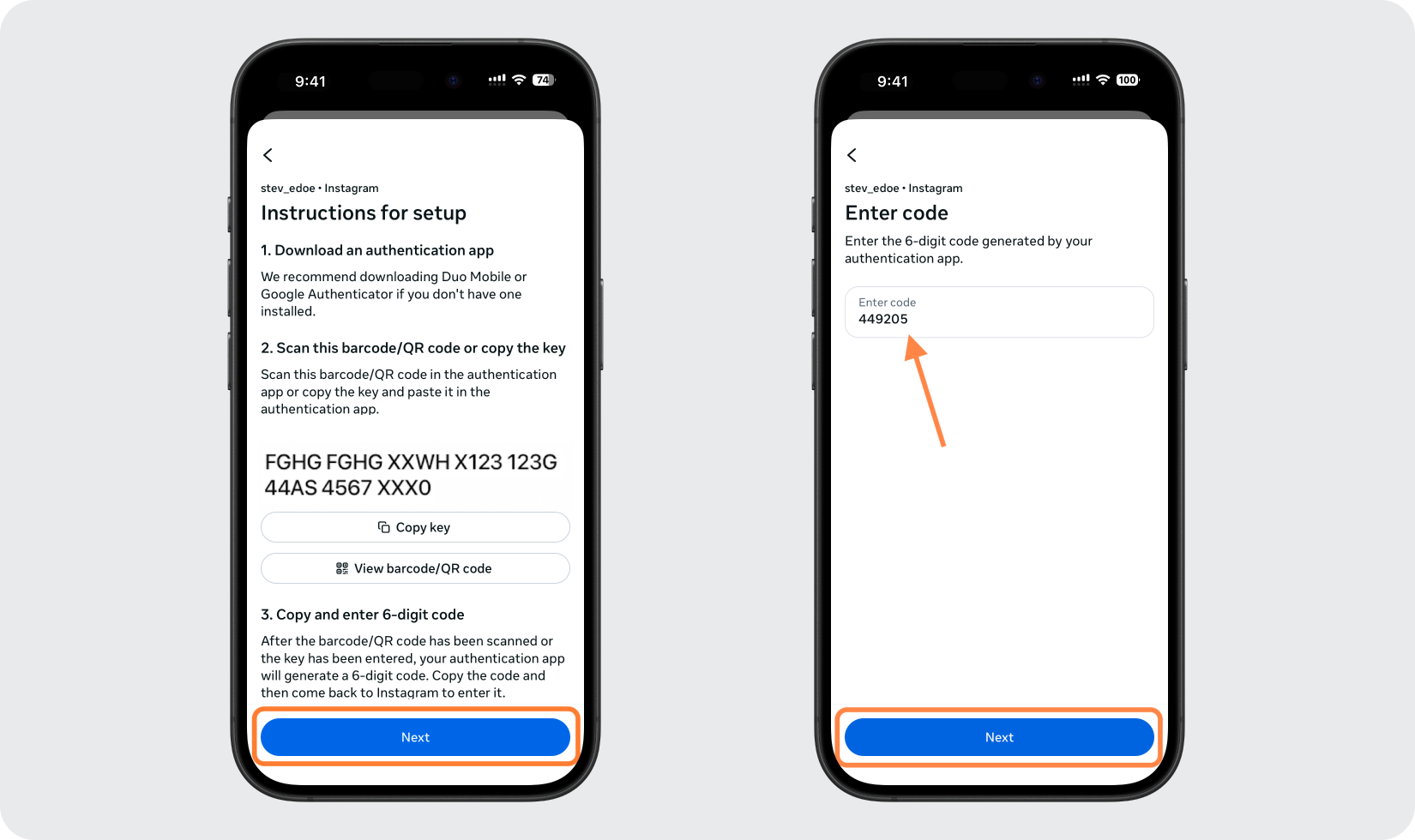
Save your backup codes
After two-factor authentication is turned on, Instagram provides backup codes. Save these somewhere safe so you can still log in if you ever lose access to your authentication app.



Backup & recovery
After two-factor authentication is turned on, Instagram provides backup codes. Save these somewhere safe so you can still log in if you ever lose access to your authentication app.
That's it — your Instagram account is now protected with two-factor authentication. Keep your recovery information safe and follow the service's official documentation if its interface changes.
See all 2FA methods supported by Instagram →


