

Cómo habilitar 2FA para su cuenta GitHub
Actualizado el 4 de agosto de 2026
La autenticación de dos factores (2FA) protege su cuenta GitHub incluso si se filtra su contraseña. Siga los pasos a continuación para generar códigos de verificación GitHub con Authenticator App en su iPhone, iPad o Mac.
Abre tu configuración
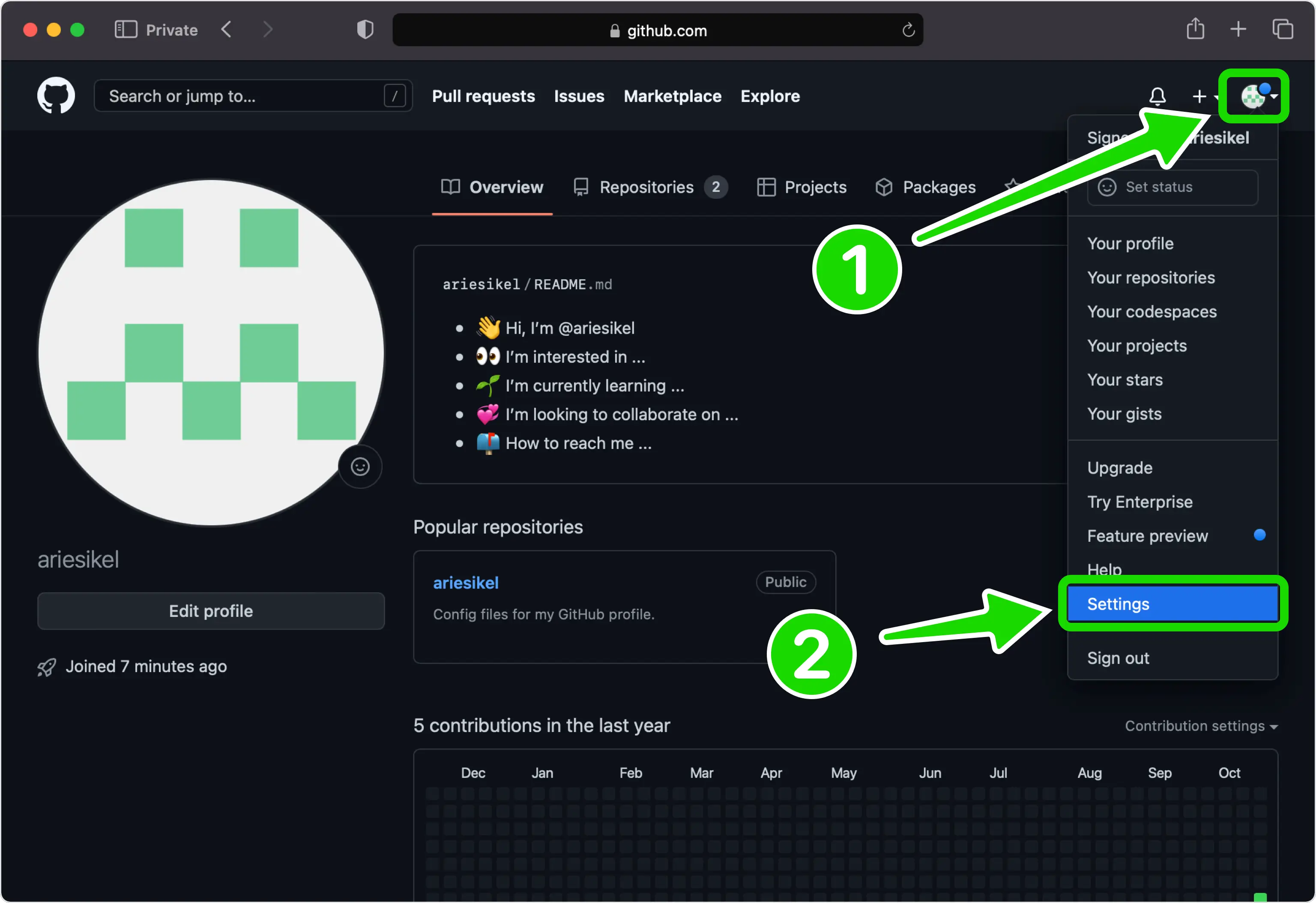
Una vez que haya iniciado sesión en github.com, haga clic en su foto de perfil en la esquina superior derecha de cualquier página y elija Configuración en el menú desplegable.
Habilitar la autenticación de dos factores
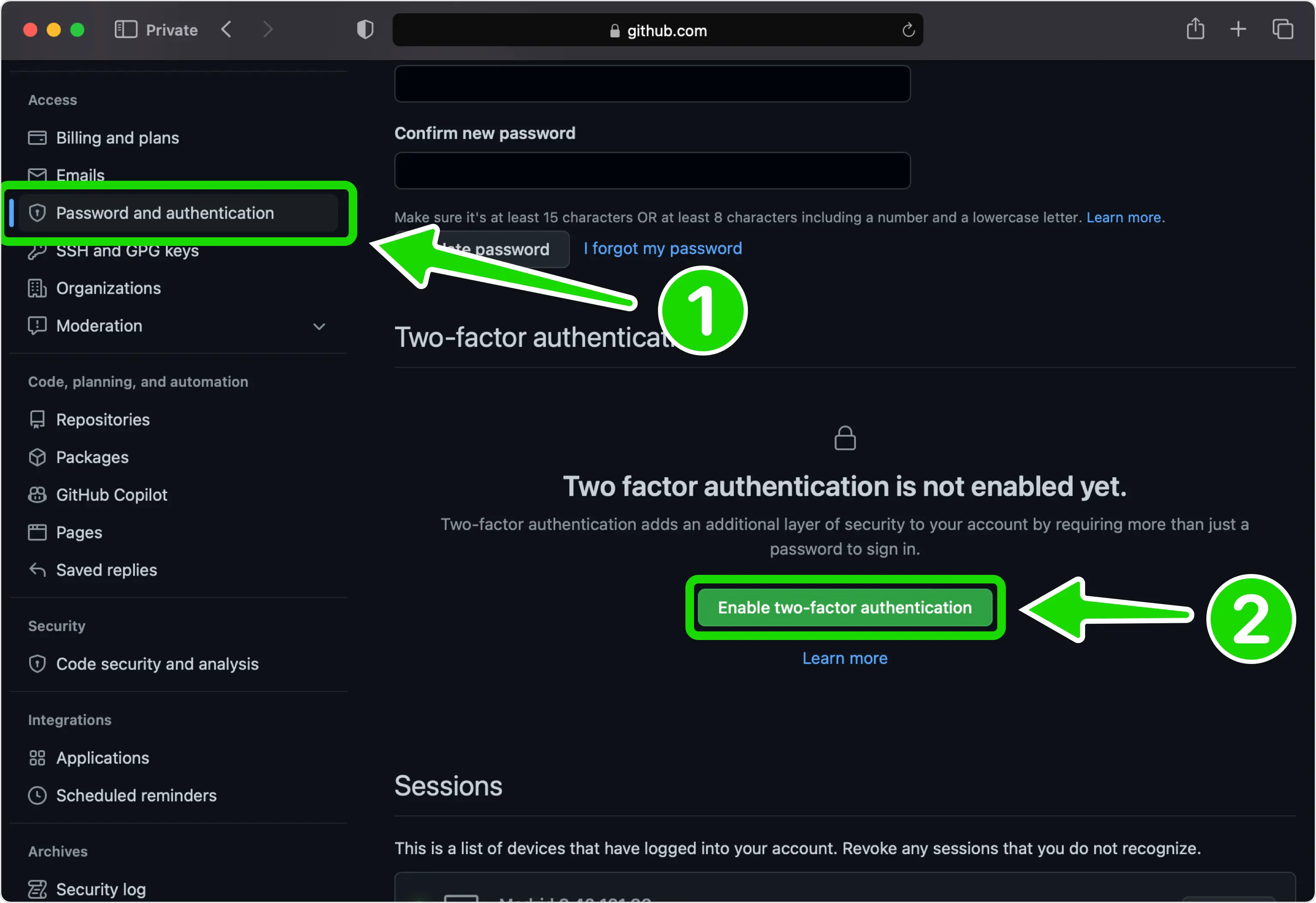
En la barra lateral izquierda, debajo de Acceso, abra Contraseña y autenticación. Desplácese hasta la sección Autenticación de dos factores y haga clic en Habilitar autenticación de dos factores.
Elija configurar usando una aplicación
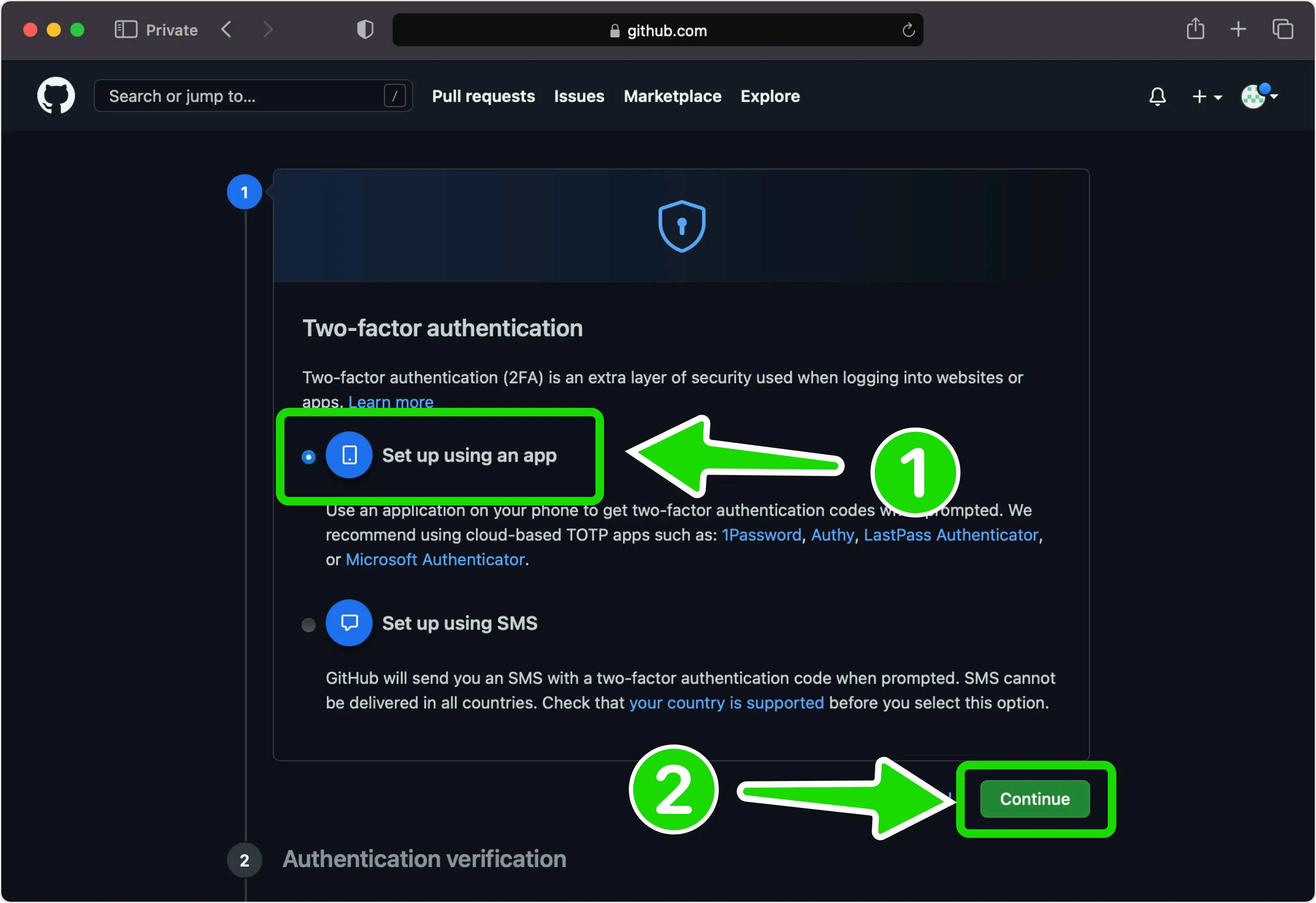
Seleccione Configurar usando una aplicación como método de autenticación, luego haga clic en Continuar para pasar al código QR.
Ver el código QR en GitHub
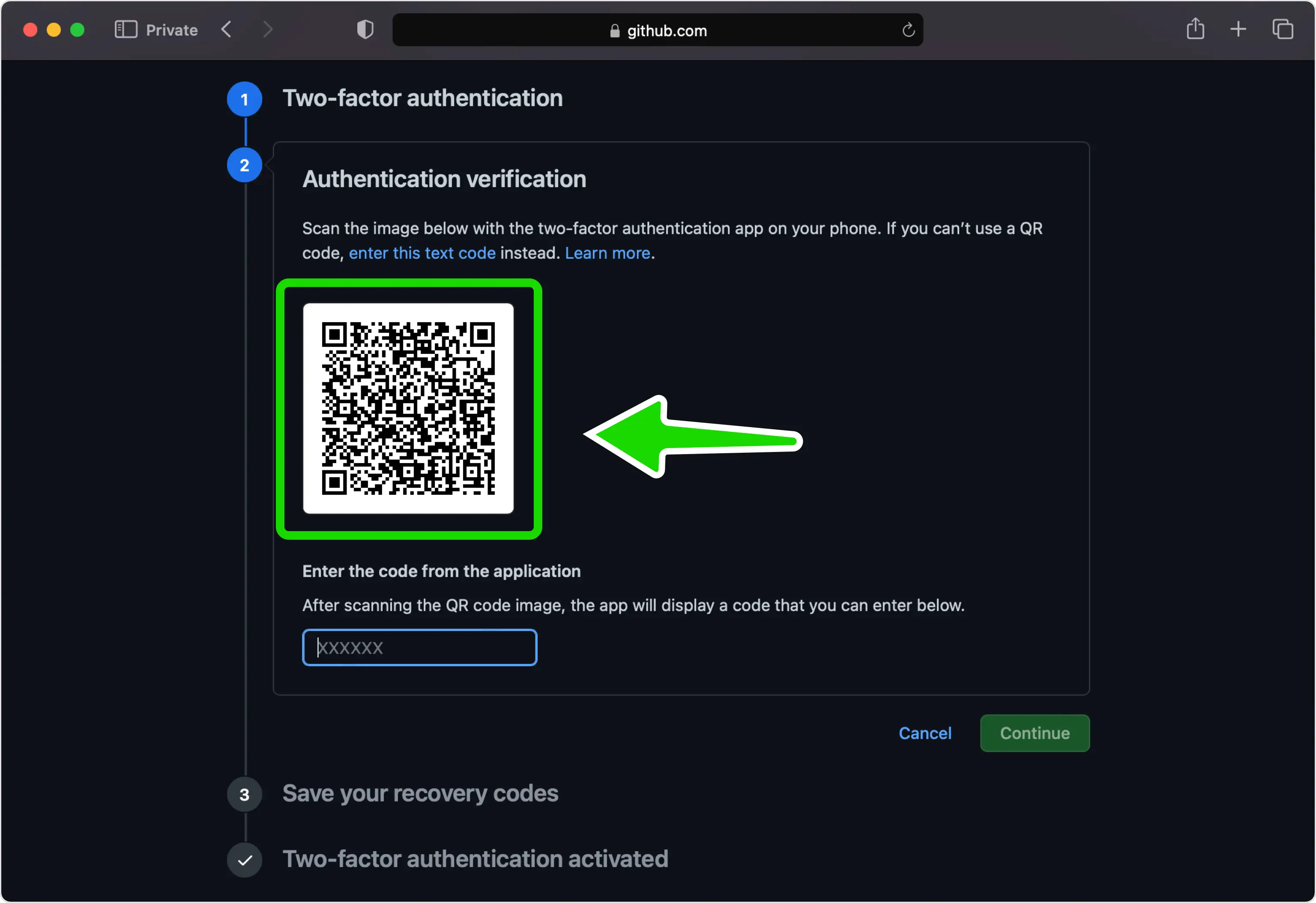
GitHub ahora muestra un código QR que codifica su clave secreta en la pantalla Configurar la aplicación de autenticación. Deje esta página abierta en su computadora mientras busca su iPhone. Si no puede escanearlo, haga clic en la clave de configuración para revelar el código para la entrada manual.
Escanea el código QR con tu Authenticator App
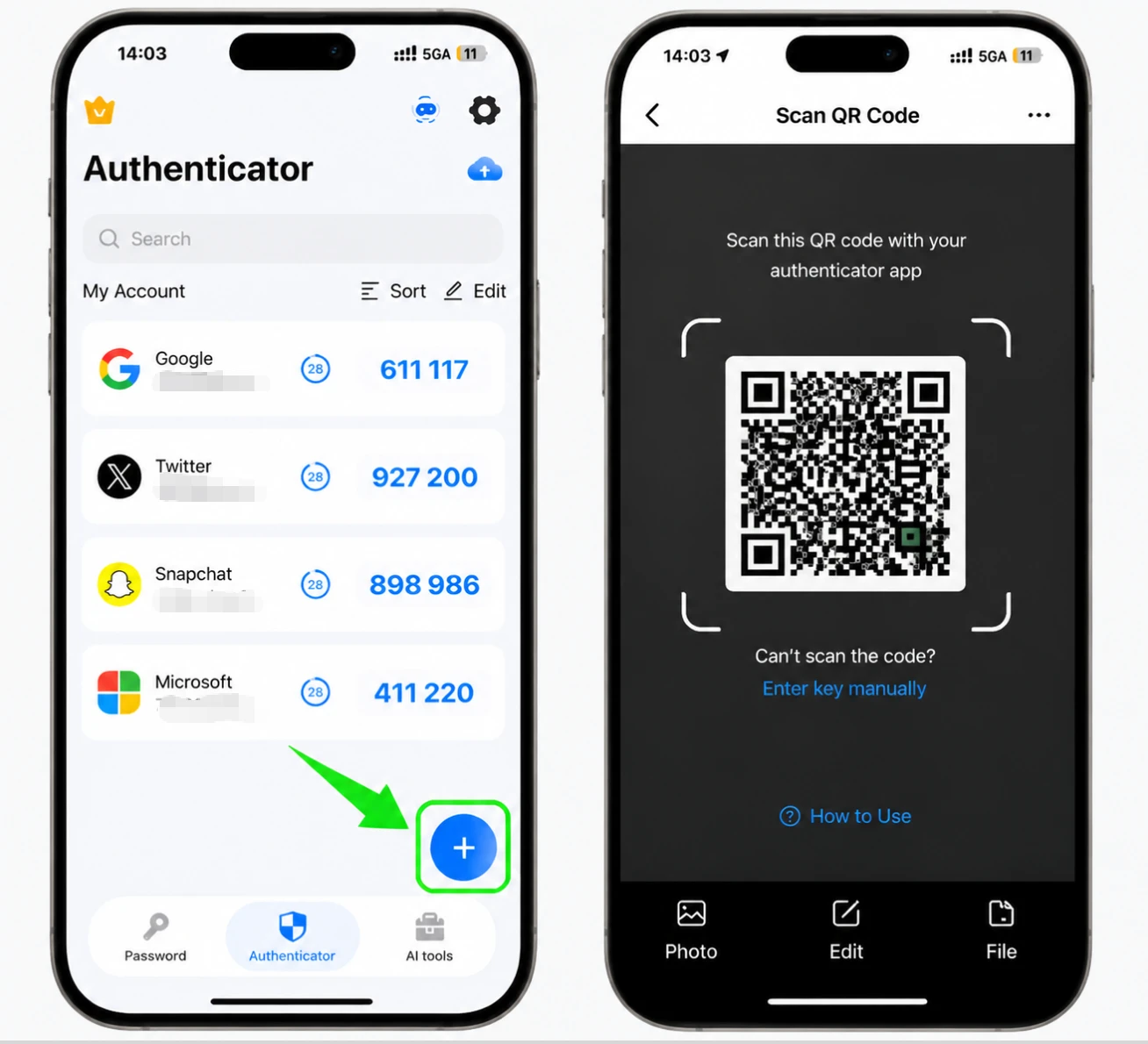
Abra Authenticator App en su iPhone y toque el botón +. Sostenga su teléfono contra la pantalla para escanear el código QR que muestra GitHub.
Guarde la entrada de GitHub en su aplicación
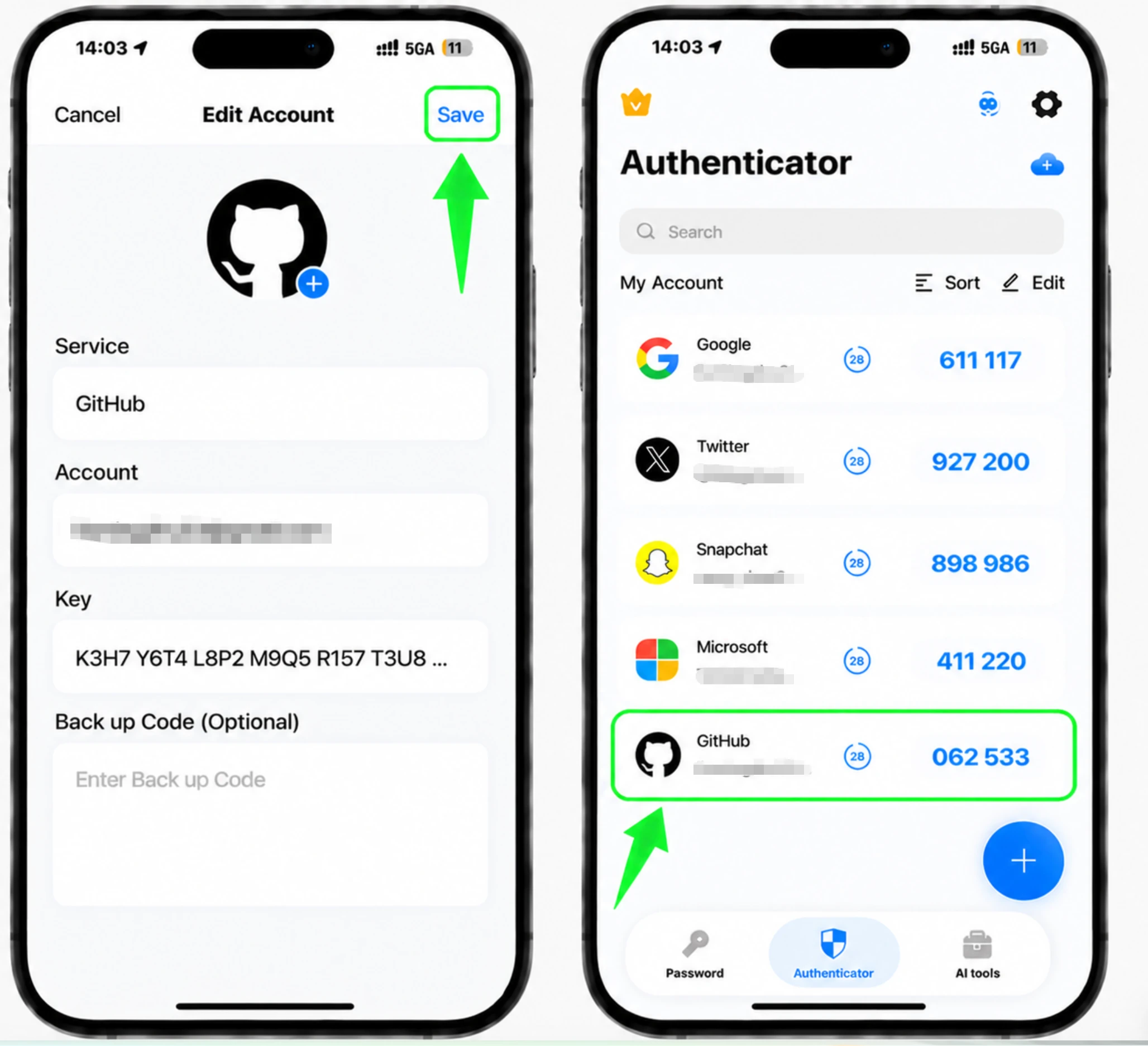
Después del escaneo, Authenticator App selecciona automáticamente el logotipo de GitHub y completa el nombre de la cuenta y la clave secreta. Toque Guardar para agregar la entrada a su aplicación.
Ingresa el código de verificación de 6 dígitos
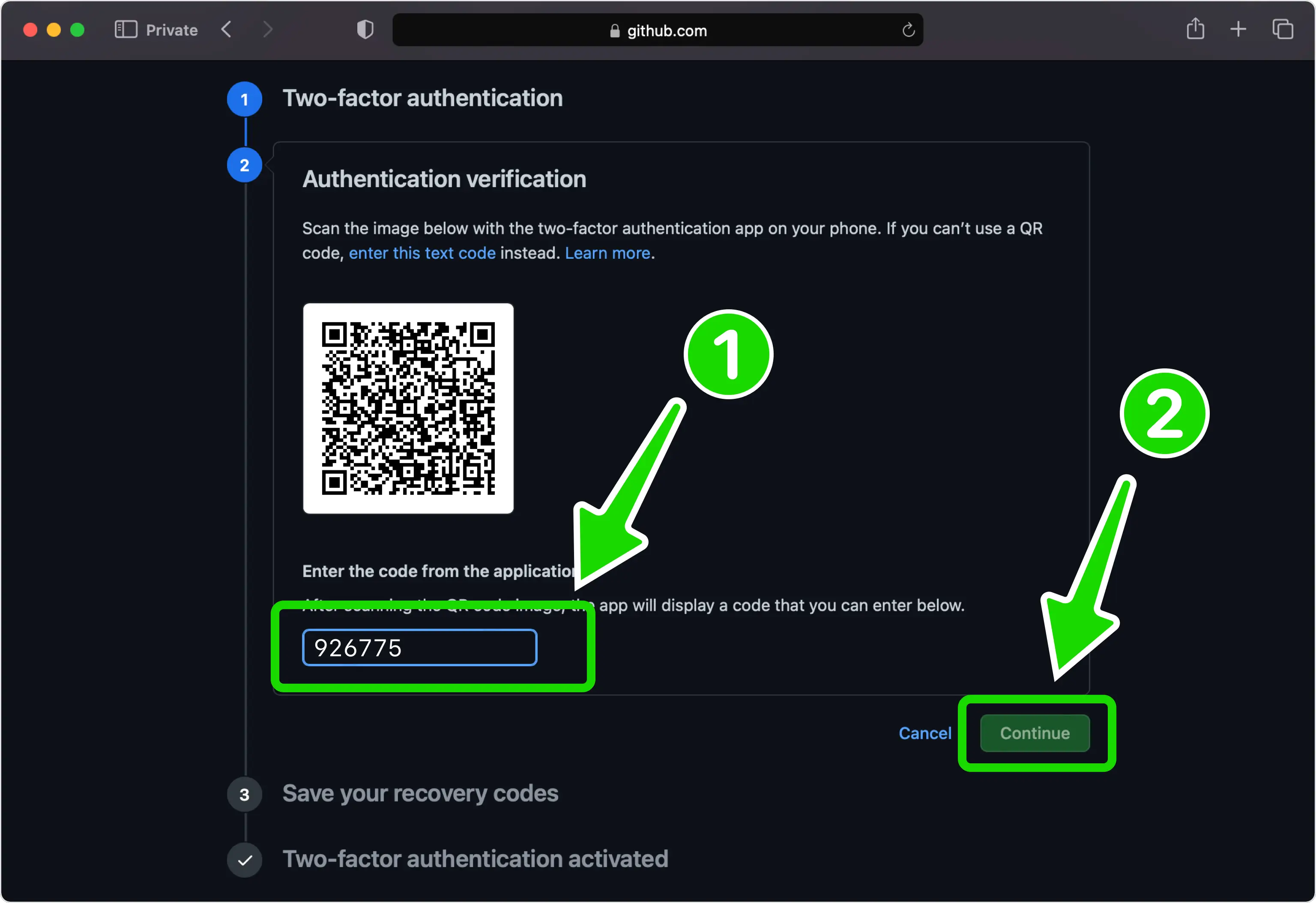
Su Authenticator App ahora genera un código de seis dígitos que se actualiza cada pocos segundos. Escriba el código actual en el campo de GitHub y haga clic en Continuar.
Guarde sus códigos de recuperación
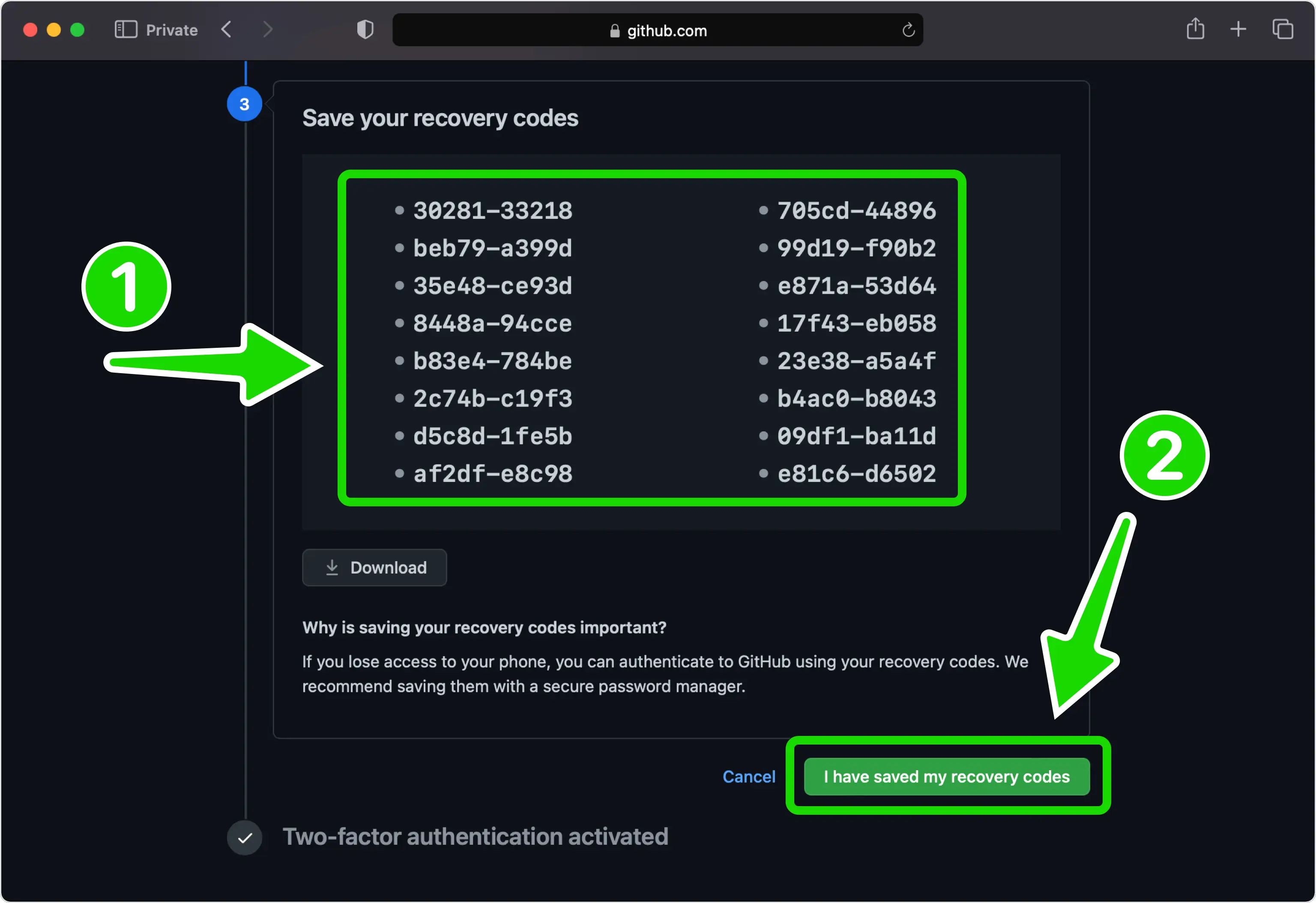
GitHub muestra una lista de códigos de recuperación que le permiten volver a ingresar a su cuenta si pierde su teléfono. Haga clic en Descargar para almacenarlos en un lugar seguro, luego haga clic en He guardado mis códigos de recuperación.
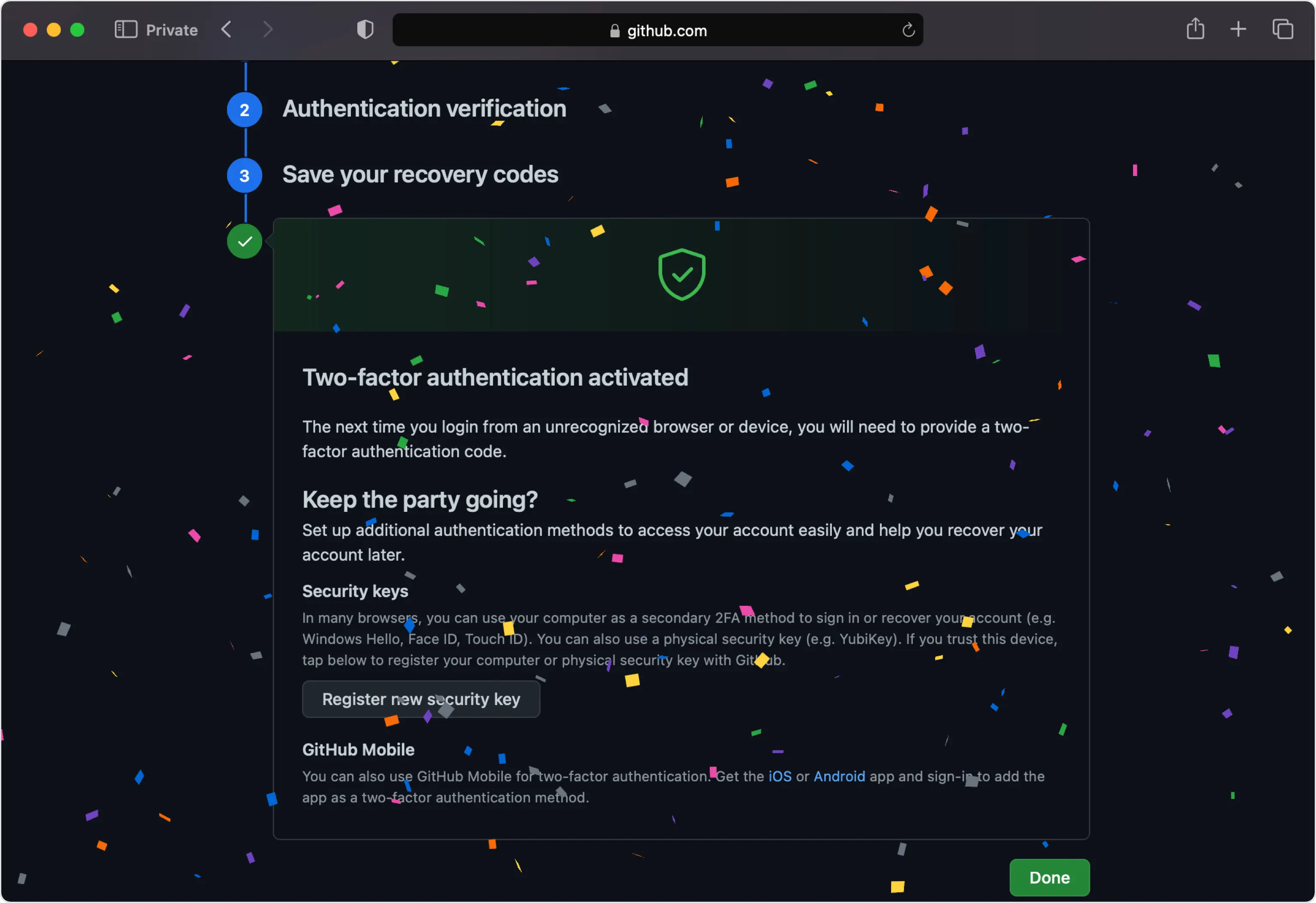
Ya terminaste
La autenticación de dos factores ahora está activa en su cuenta de GitHub, por lo que ingresará un código de su Authenticator App al iniciar sesión. GitHub recomienda probarla cerrando sesión y volviendo a iniciarla.



Copia de seguridad y recuperación
GitHub muestra una lista de códigos de recuperación que le permiten volver a ingresar a su cuenta si pierde su teléfono. Haga clic en Descargar para almacenarlos en un lugar seguro, luego haga clic en He guardado mis códigos de recuperación.
Listo: su cuenta de GitHub ya está protegida con autenticación de dos factores. Guarde la información de recuperación de forma segura y consulte la documentación oficial del servicio si cambia la interfaz.
Ver todos los métodos 2FA soportados por GitHub →


