

How to enable 2FA for your Coinbase account
Updated August 4, 2026
Two-factor authentication (2FA) protects your Coinbase account even if your password leaks. Follow the steps below to generate Coinbase verification codes with the Authenticator App on your iPhone, iPad or Mac.
Locate your 2FA settings
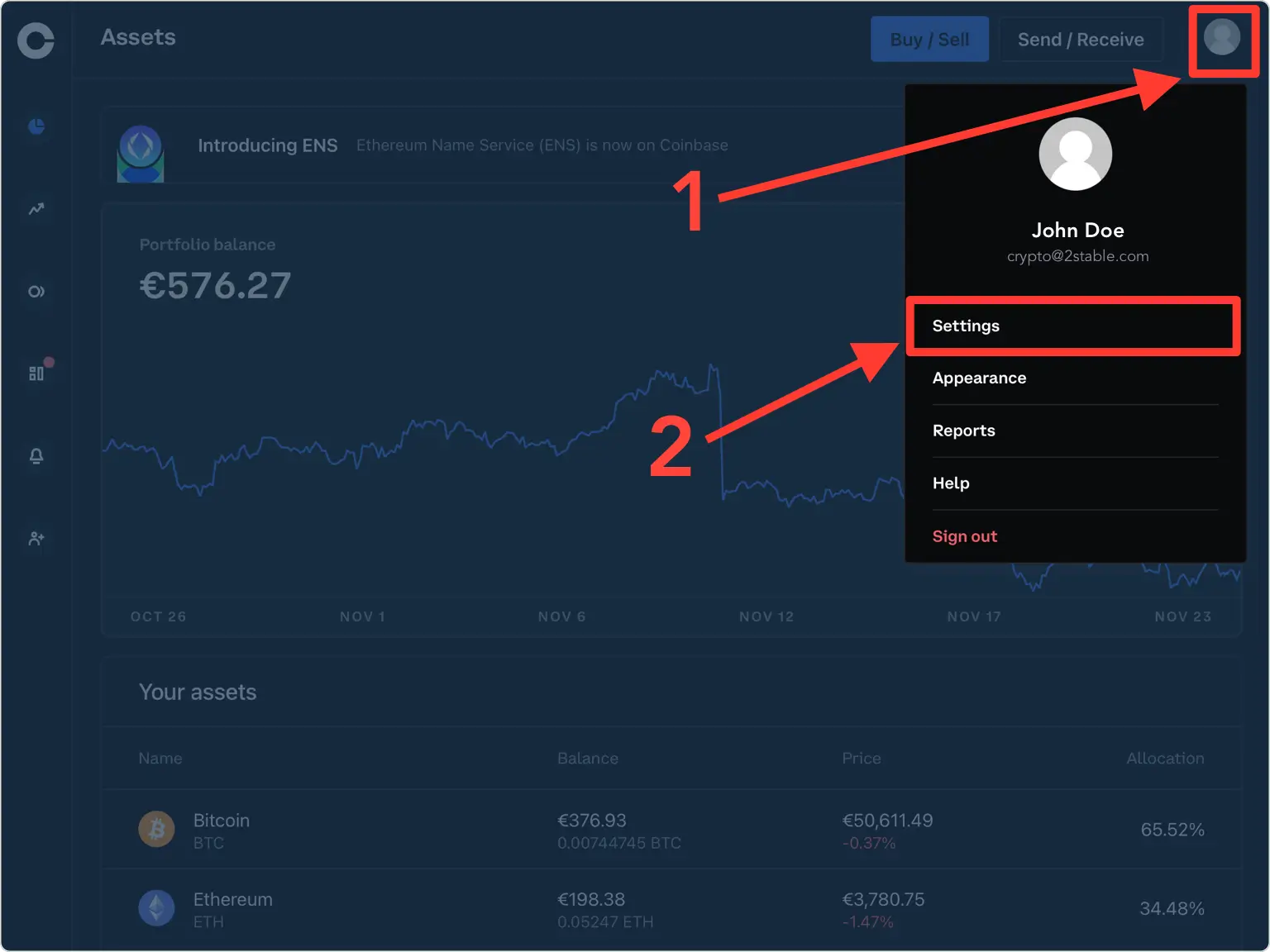
Sign in to your Coinbase account in a web browser. Click Account in the top-right corner and select Settings.
Open the Security section
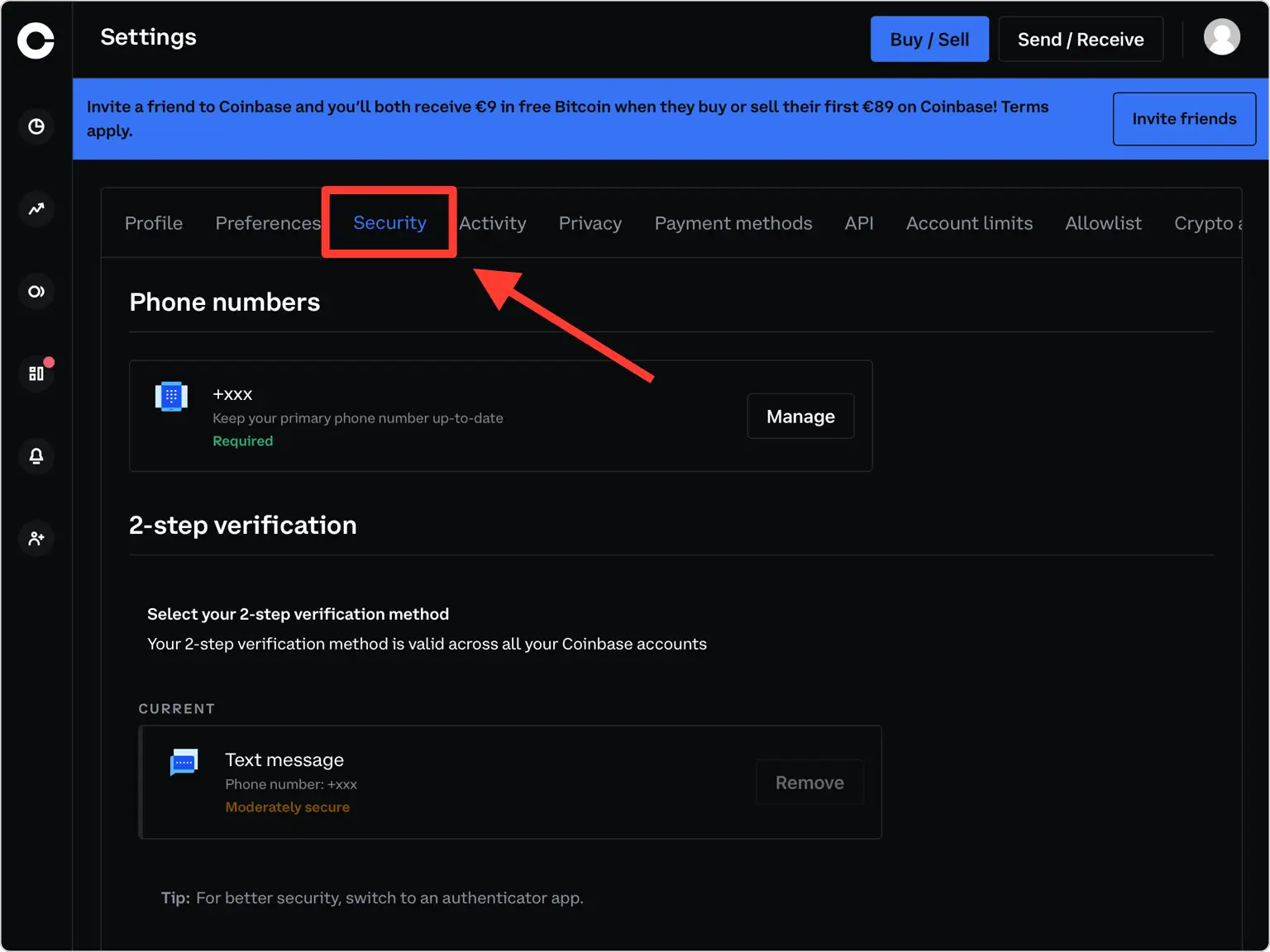
From the settings menu, click Security to reach your two-step verification options.
Choose the Authenticator app option
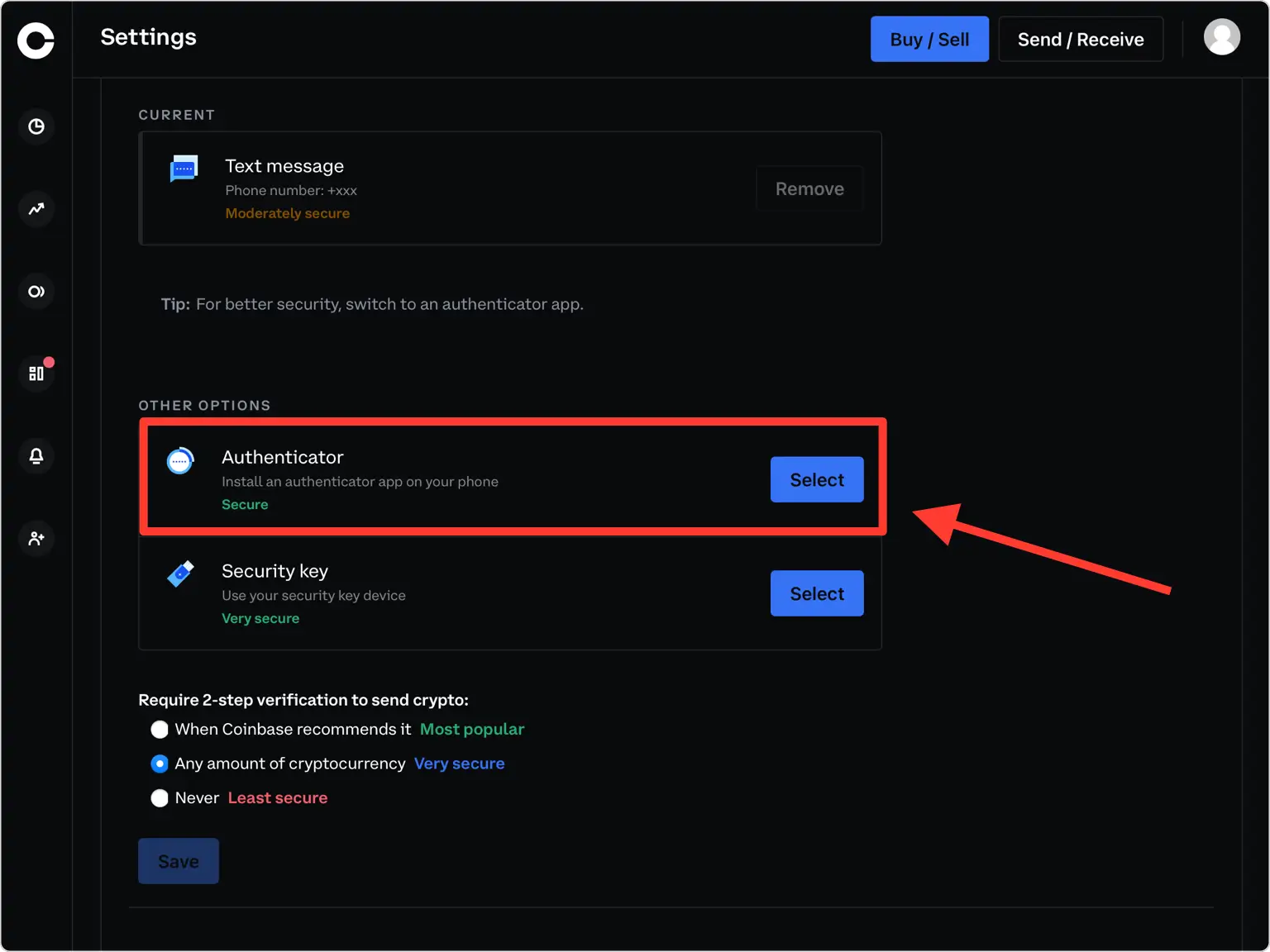
Scroll down to Other Options and select Authenticator to begin setting up an authenticator app. Coinbase works with any TOTP app.
Verify your phone number
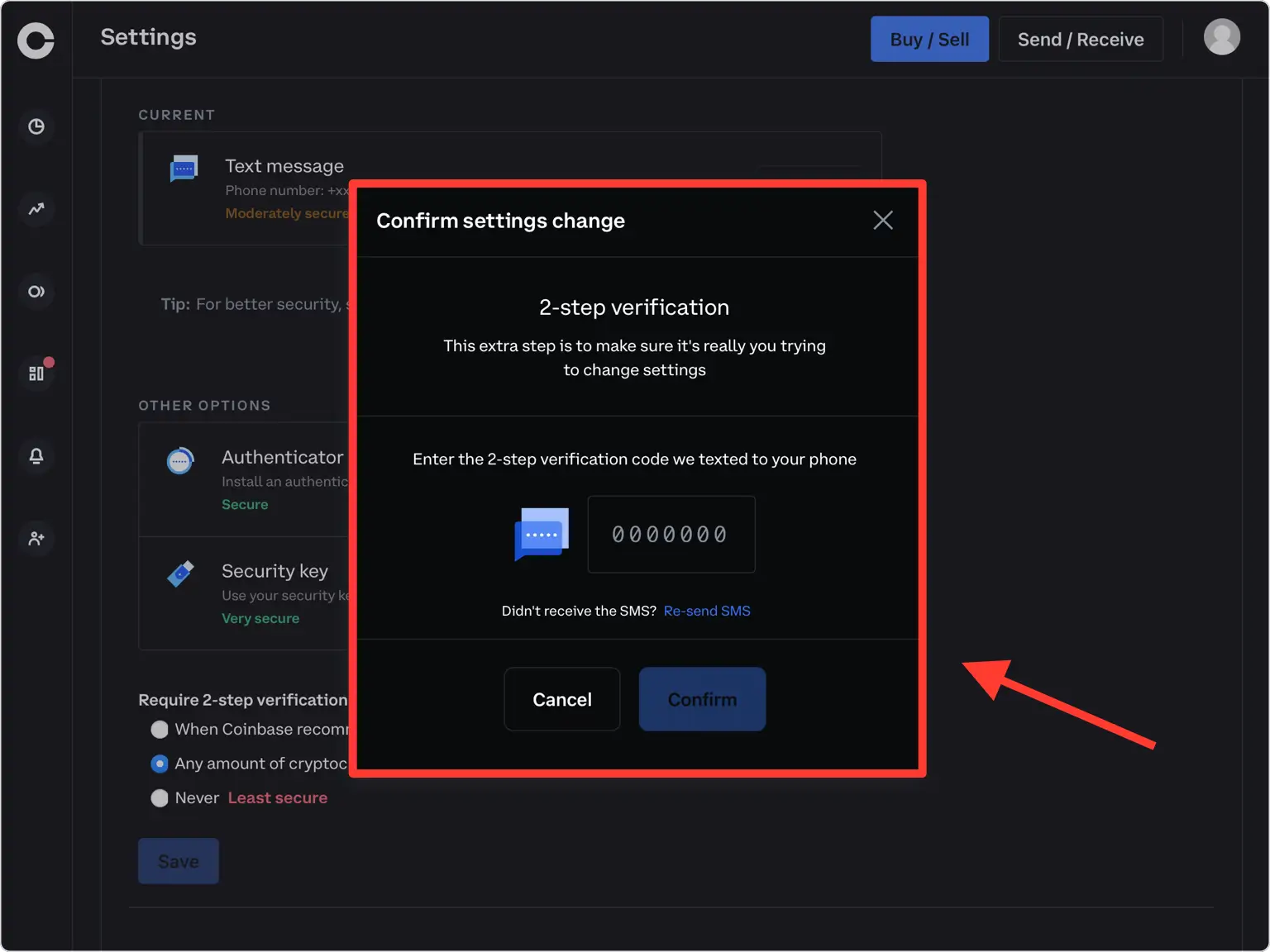
Coinbase sends a 7-digit security code to your phone. Type that code into the verification field and press Confirm to continue.
Display the QR code
A pop-up window appears with a QR code that encodes your secret key. Leave this window open on your computer while you pick up your iPhone.
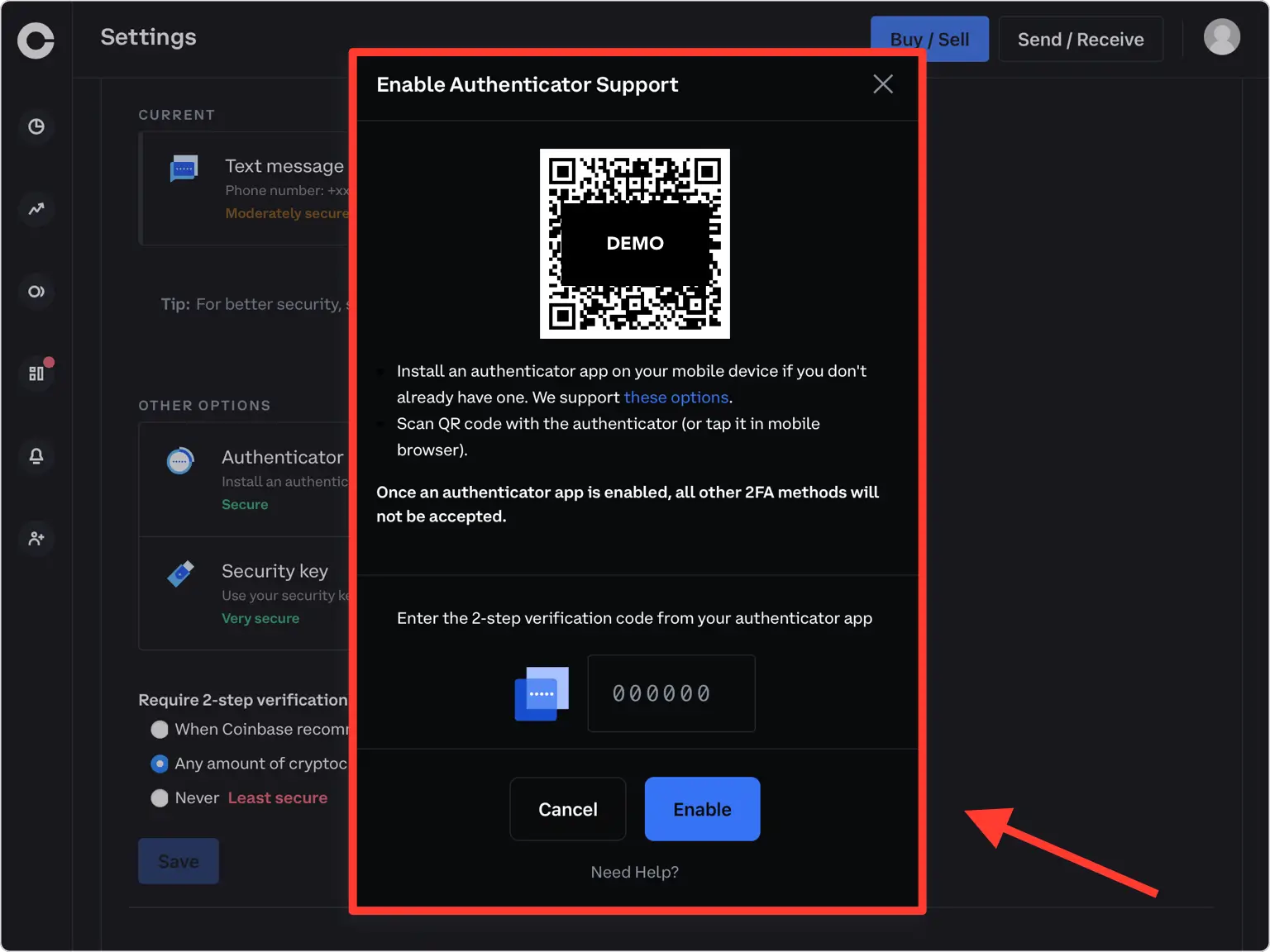
Scan the QR code with your Authenticator App
Open the Authenticator App on your iPhone, tap the + button at the bottom, and point your camera at the QR code on screen. If you can't scan it, add the account from Files or enter the secret key manually instead.
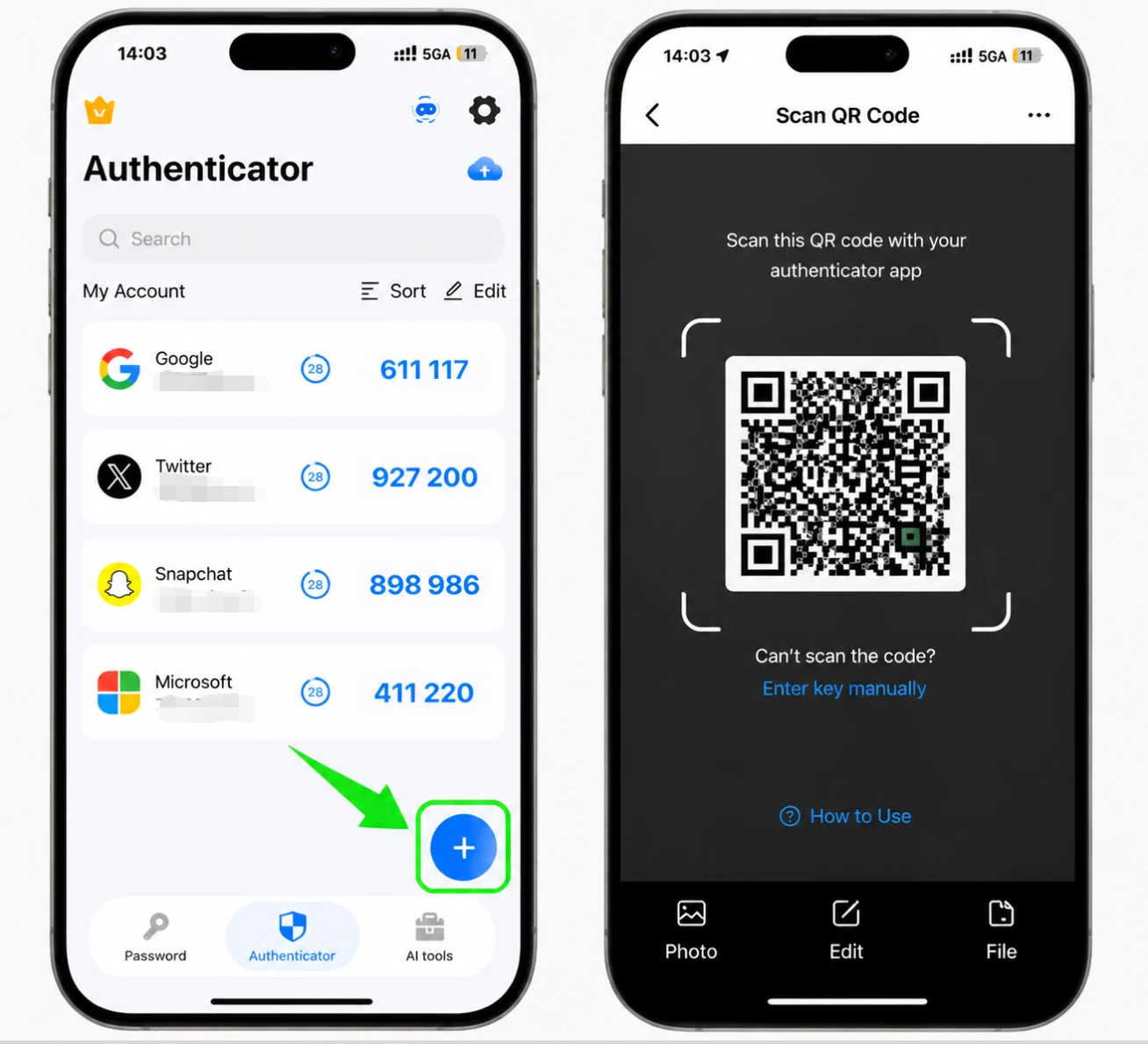
Save the new account in the app
After the scan, the Authenticator App fills in the Coinbase logo, account name, and secret key for you. Adjust the name or icon if you like, then tap Save.
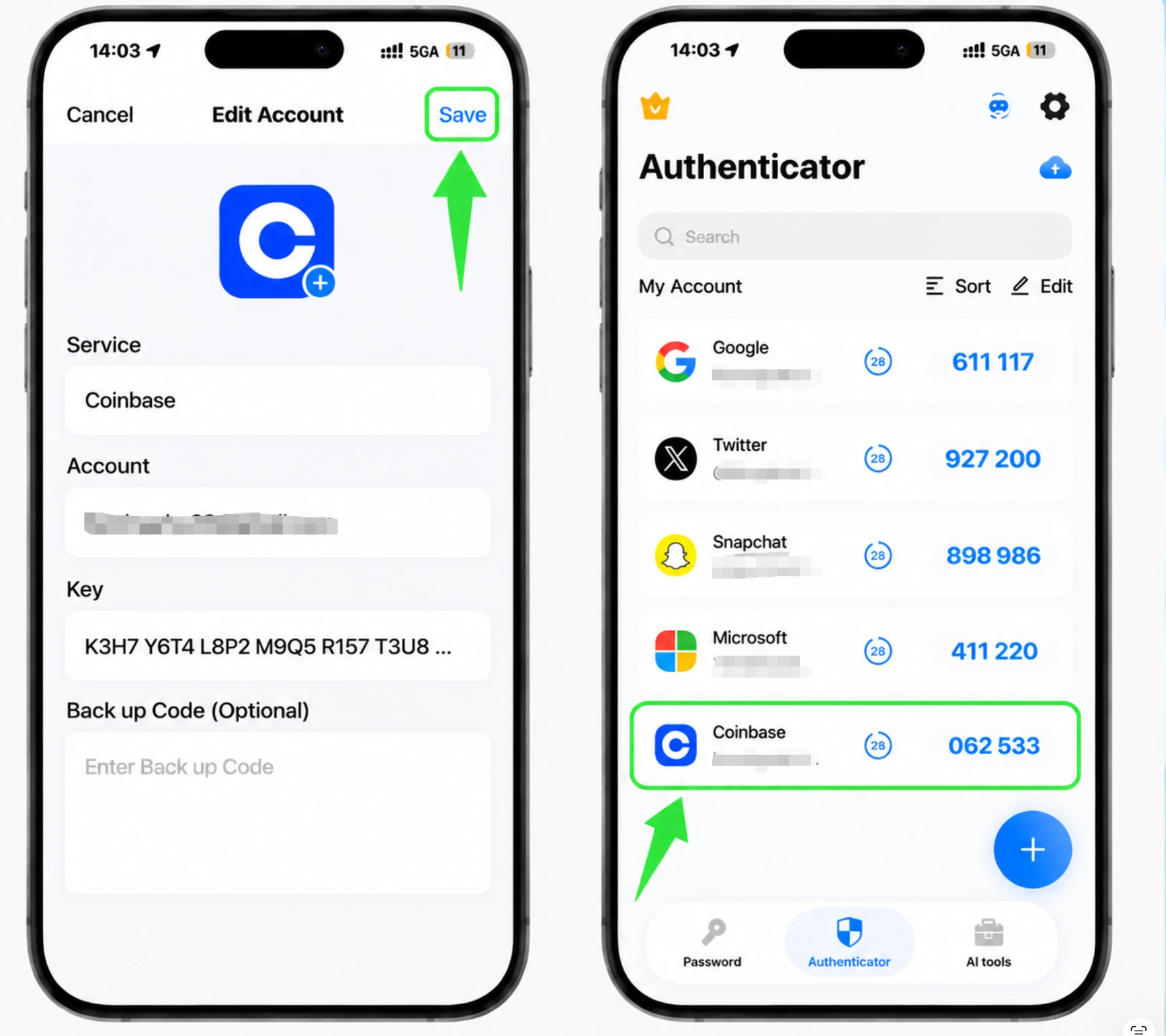
Enter the 6-digit code and enable
Copy the 6-digit code shown in your Authenticator App, type it back into Coinbase, and click Enable. The code refreshes every 30 seconds, so enter the current one.
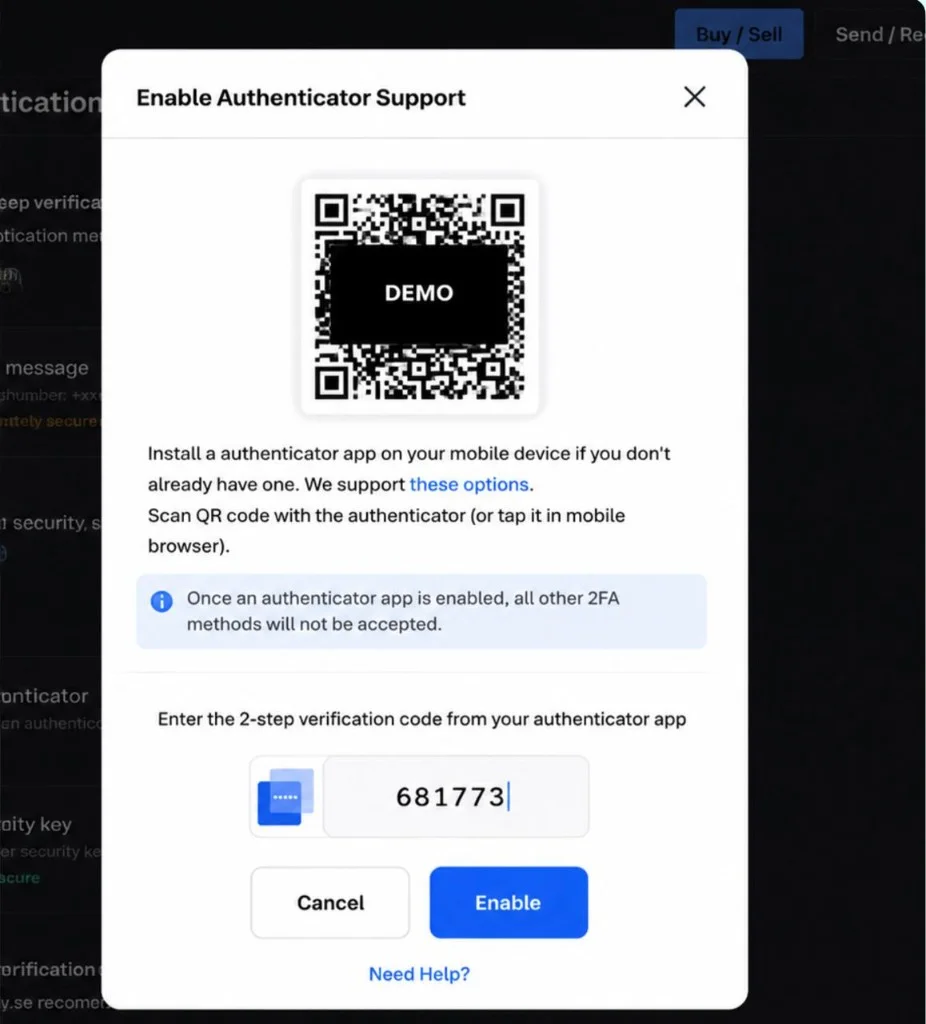
Save your secret key for recovery
Coinbase does not give you one-time backup codes, so the secret key shown during setup is your recovery mechanism. Write it down or store it offline, and never keep it in unencrypted cloud storage.
Finish setup
Two-factor authentication is now active on your Coinbase account. From now on you'll enter a code from your Authenticator App each time you sign in.




Backup & recovery
Coinbase does not give you one-time backup codes, so the secret key shown during setup is your recovery mechanism. Write it down or store it offline, and never keep it in unencrypted cloud storage.
That's it — your Coinbase account is now protected with two-factor authentication. Keep your recovery information safe and follow the service's official documentation if its interface changes.
See all 2FA methods supported by Coinbase →


