

Cómo habilitar 2FA para su cuenta X (Twitter)
Actualizado el 4 de agosto de 2026
La autenticación de dos factores (2FA) protege su cuenta X (Twitter) incluso si se filtra su contraseña. Siga los pasos a continuación para generar códigos de verificación X (Twitter) con Authenticator App en su iPhone, iPad o Mac.
Abre tu aplicación X y ve a Configuración
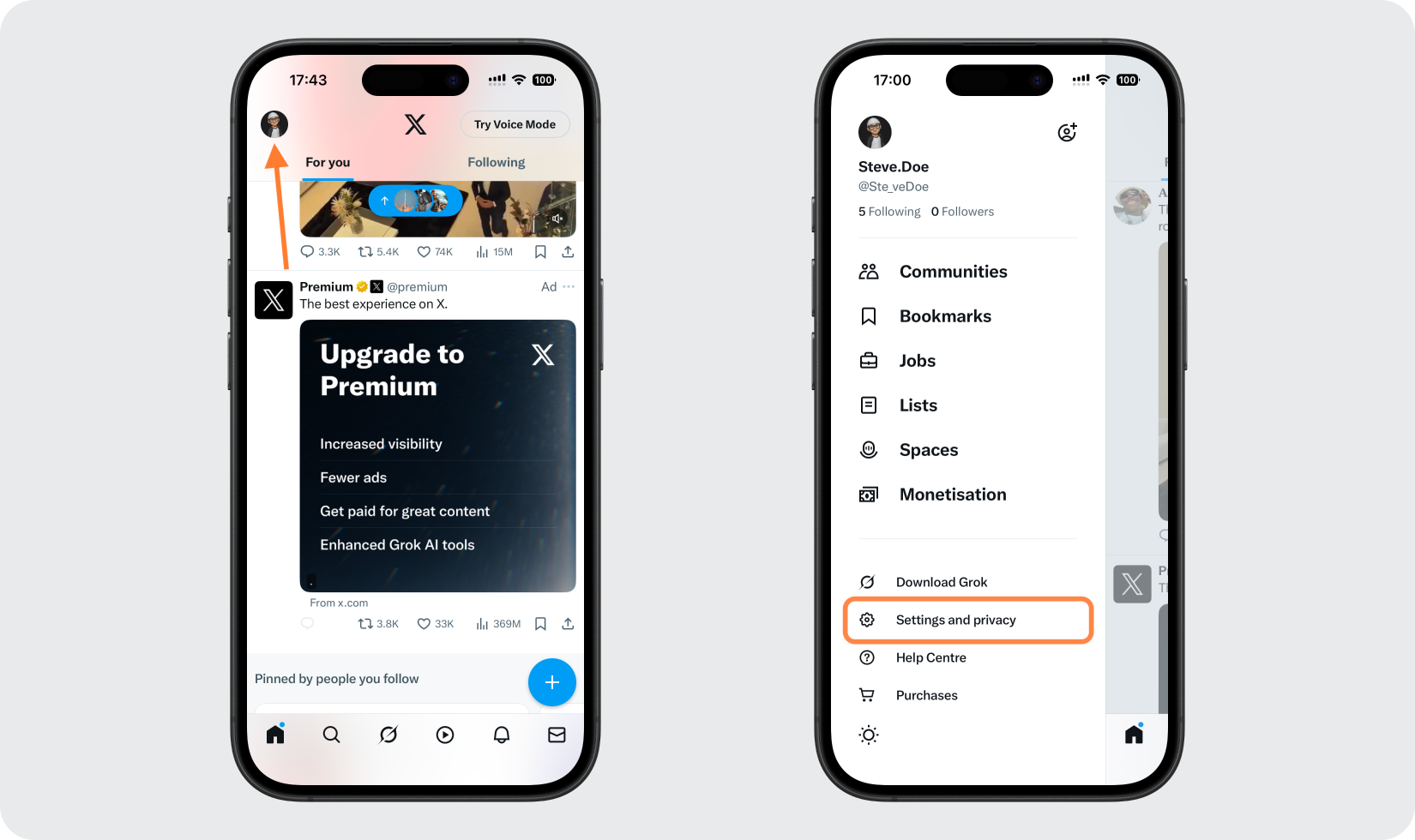
Inicie sesión en su cuenta X, luego toque su foto de perfil para abrir la barra lateral. Toque Configuración y privacidad para acceder a la configuración de su cuenta.
Ir a configuración de seguridad
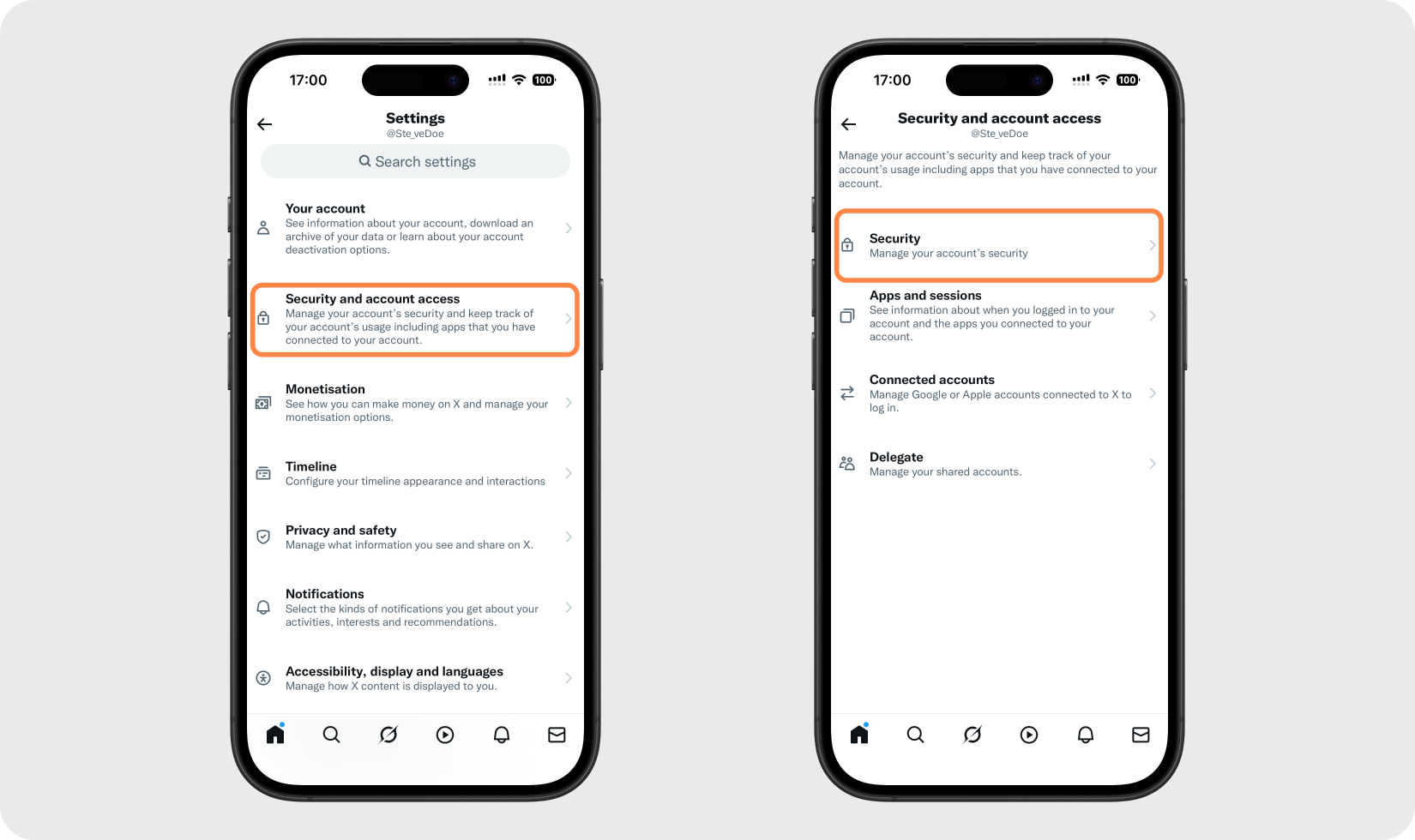
En el menú Configuración, toque Seguridad y acceso a la cuenta, luego elija Seguridad.
Elija el método de la aplicación de autenticación
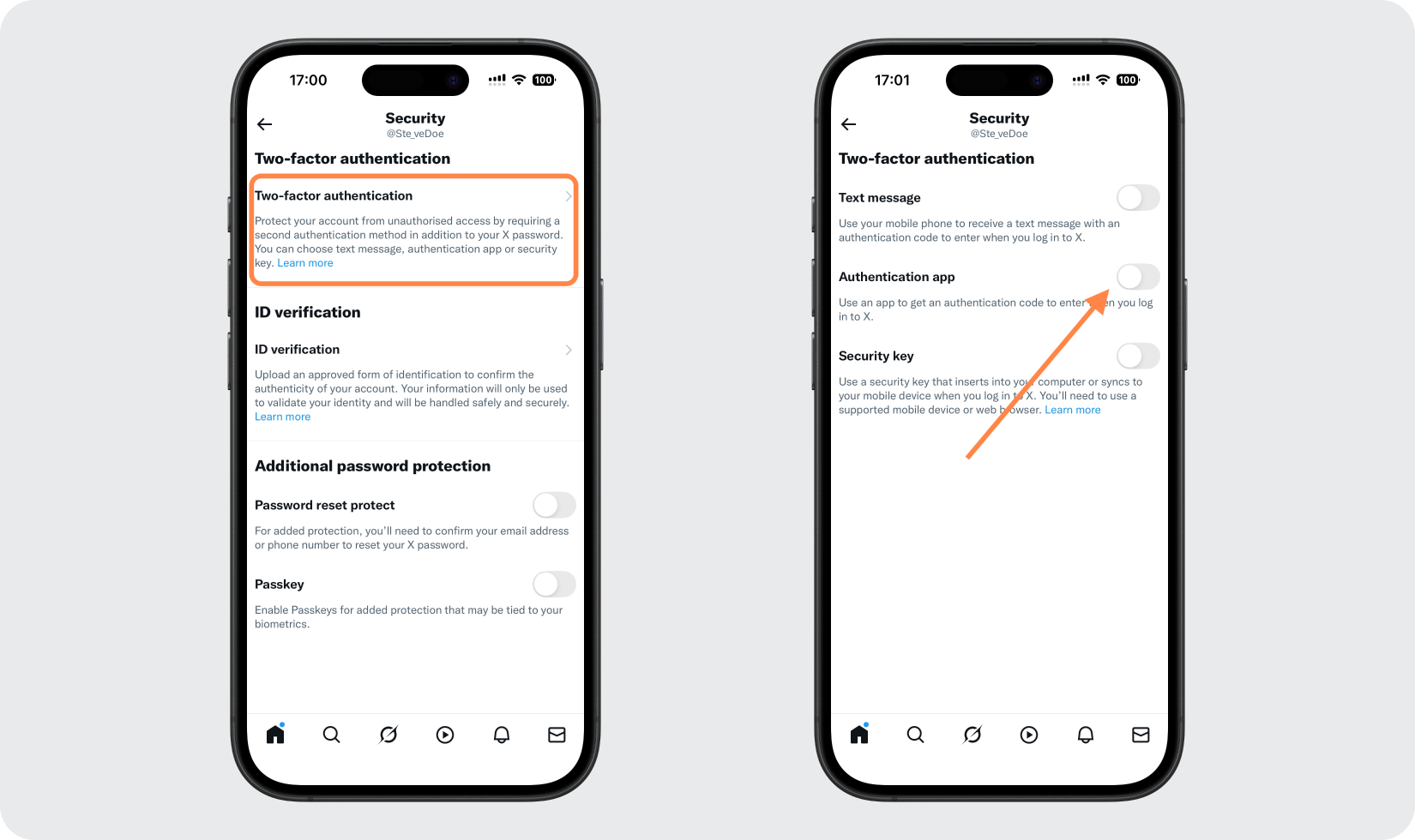
Toque Autenticación de dos factores para ver los métodos disponibles (mensaje de texto, aplicación de autenticación, clave de seguridad). Active la opción de la aplicación Autenticación.
Confirma tu identidad y comienza la configuración.
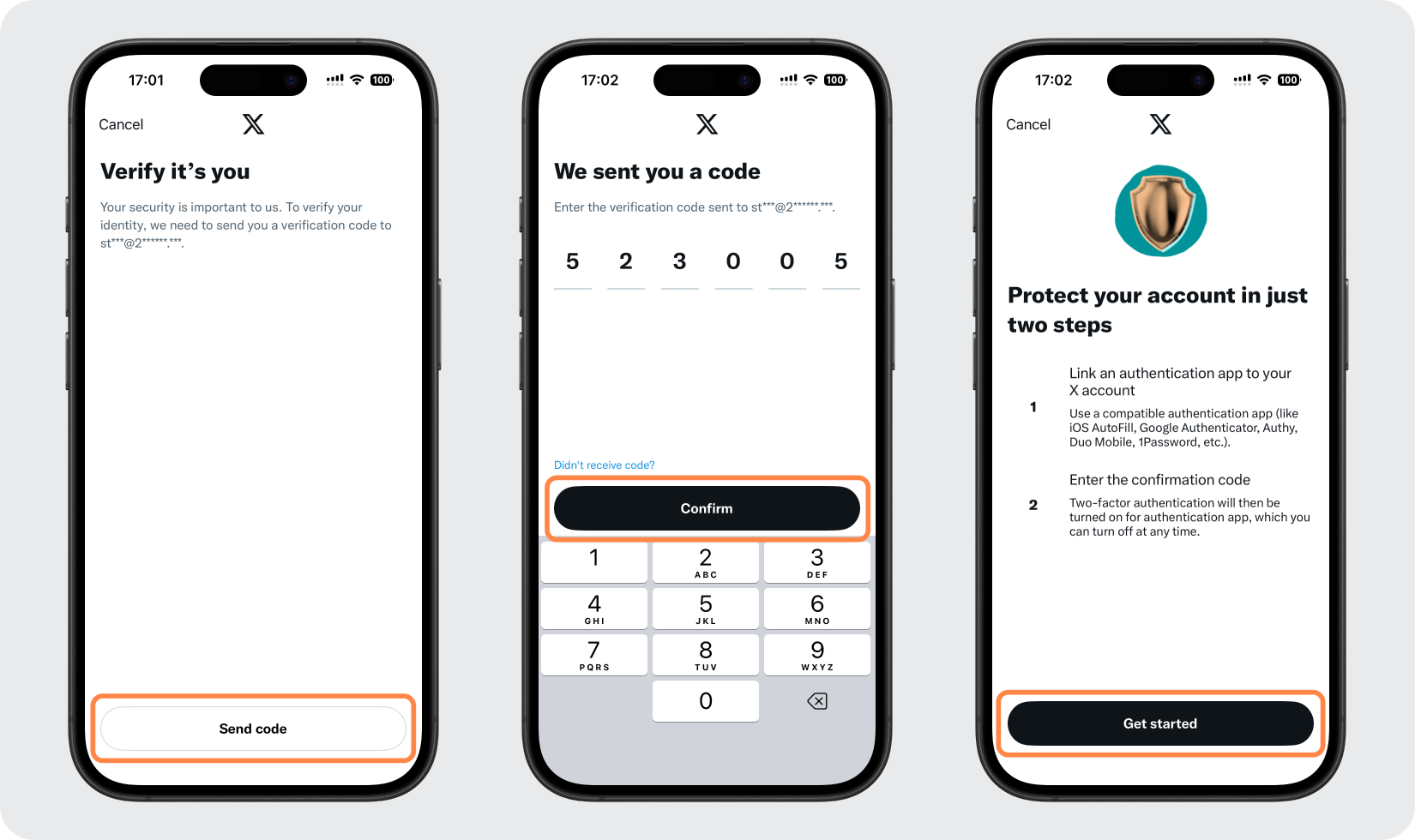
Verifica que eres tú ingresando tu contraseña X o un código que X te enviará por correo electrónico. Luego toque Comenzar para comenzar a vincular la aplicación.
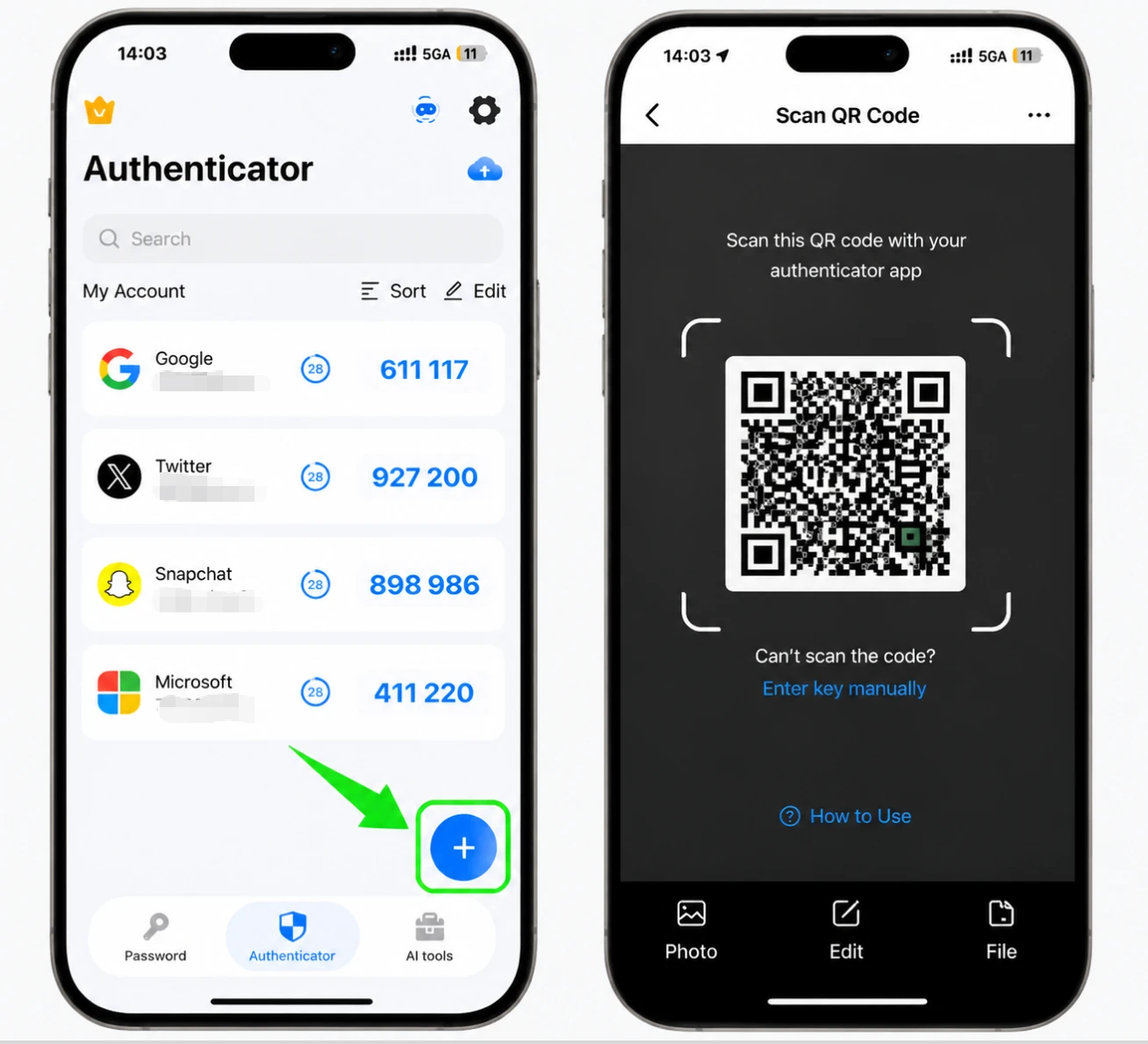
Abra el Authenticator App
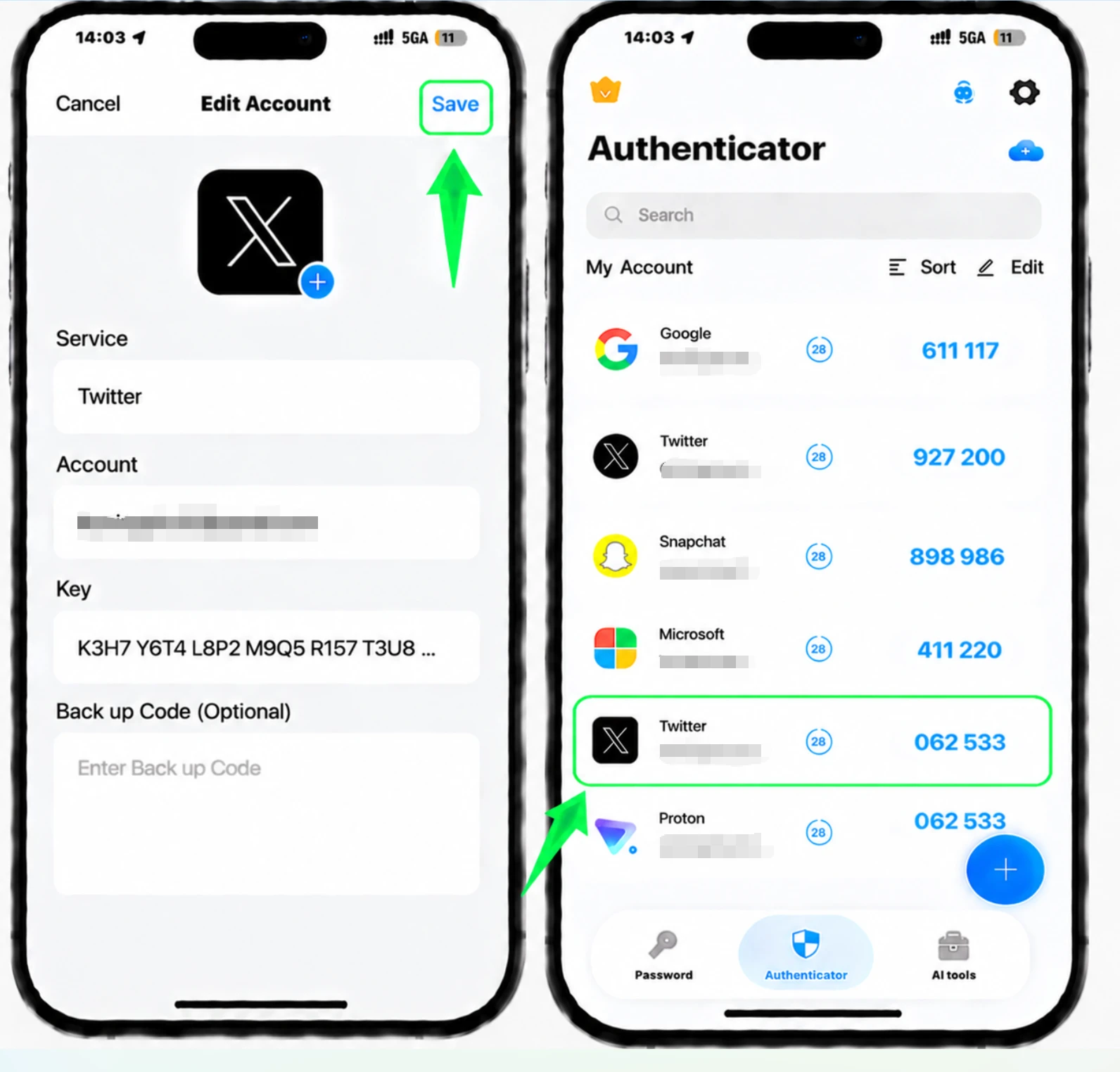
Toca Vincular aplicación. X abre Authenticator App en su iPhone con los detalles de su cuenta ya completados. Toque Guardar para agregar la cuenta.
Introduce el código para confirmar
Su Authenticator App ahora muestra un código de 6 dígitos para X. Cópielo y péguelo en el campo en X, luego toque Confirmar para terminar de habilitar la autenticación de dos factores.
Guarde su código de respaldo X
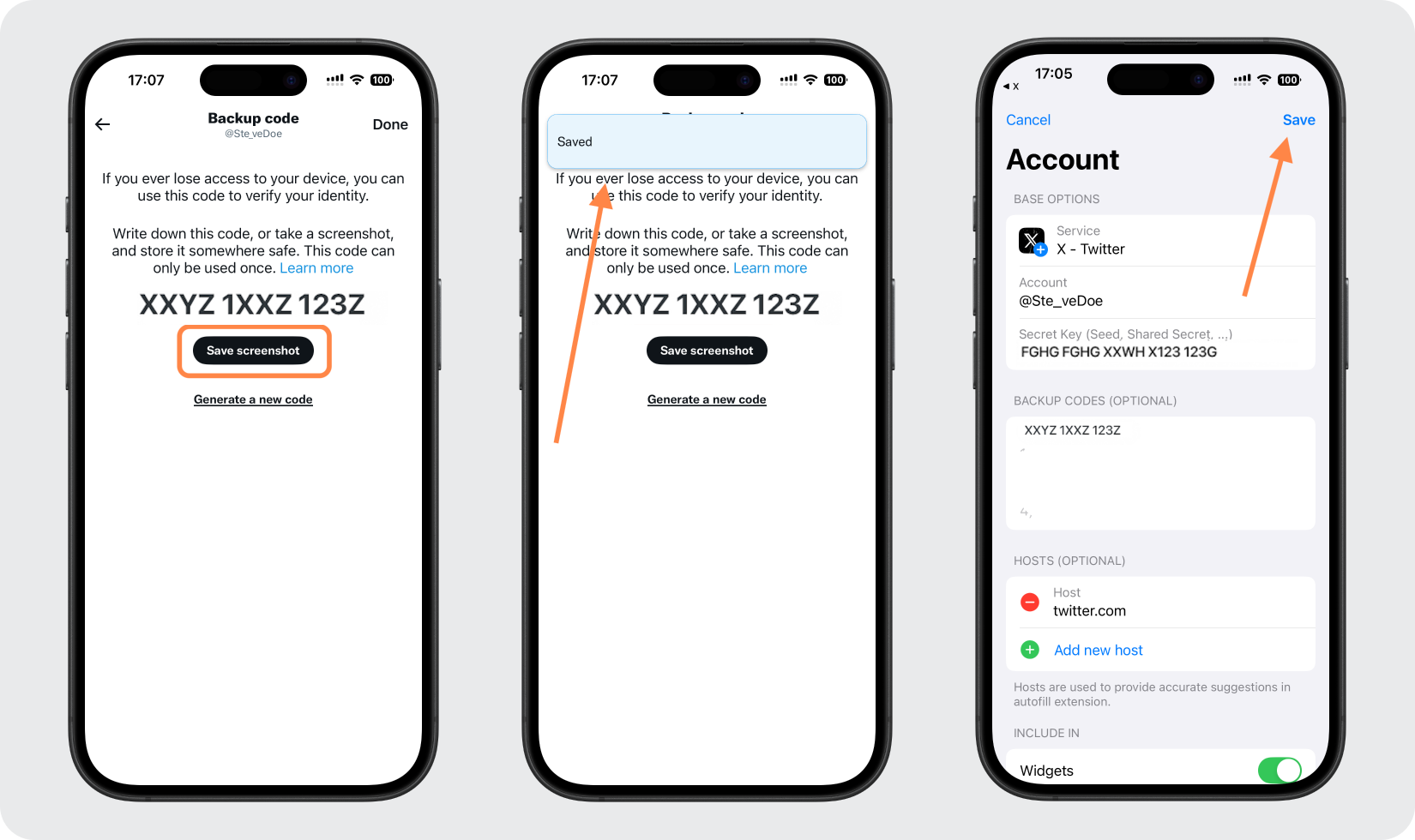
Después de la configuración, toque Obtener código de respaldo y luego guárdelo (por ejemplo, con Guardar captura de pantalla). Guarde este código único en un lugar seguro para que pueda iniciar sesión si alguna vez pierde el acceso a su Authenticator App; También puedes verlo más tarde en Códigos de respaldo en la configuración de tu X.



Copia de seguridad y recuperación
Después de la configuración, toque Obtener código de respaldo y luego guárdelo (por ejemplo, con Guardar captura de pantalla). Guarde este código único en un lugar seguro para que pueda iniciar sesión si alguna vez pierde el acceso a su Authenticator App; También puedes verlo más tarde en Códigos de respaldo en la configuración de tu X.
Listo: su cuenta de X (Twitter) ya está protegida con autenticación de dos factores. Guarde la información de recuperación de forma segura y consulte la documentación oficial del servicio si cambia la interfaz.
Ver todos los métodos 2FA soportados por X (Twitter) →


