

Cómo habilitar 2FA para su cuenta Notion
Actualizado el 4 de agosto de 2026
La autenticación de dos factores (2FA) protege su cuenta Notion incluso si se filtra su contraseña. Siga los pasos a continuación para generar códigos de verificación Notion con Authenticator App en su iPhone, iPad o Mac.
Abre la configuración de Notion
Inicie sesión en Notion en la web y abra Configuración en la barra lateral izquierda, luego seleccione su nombre/cuenta en la parte superior del menú de configuración.
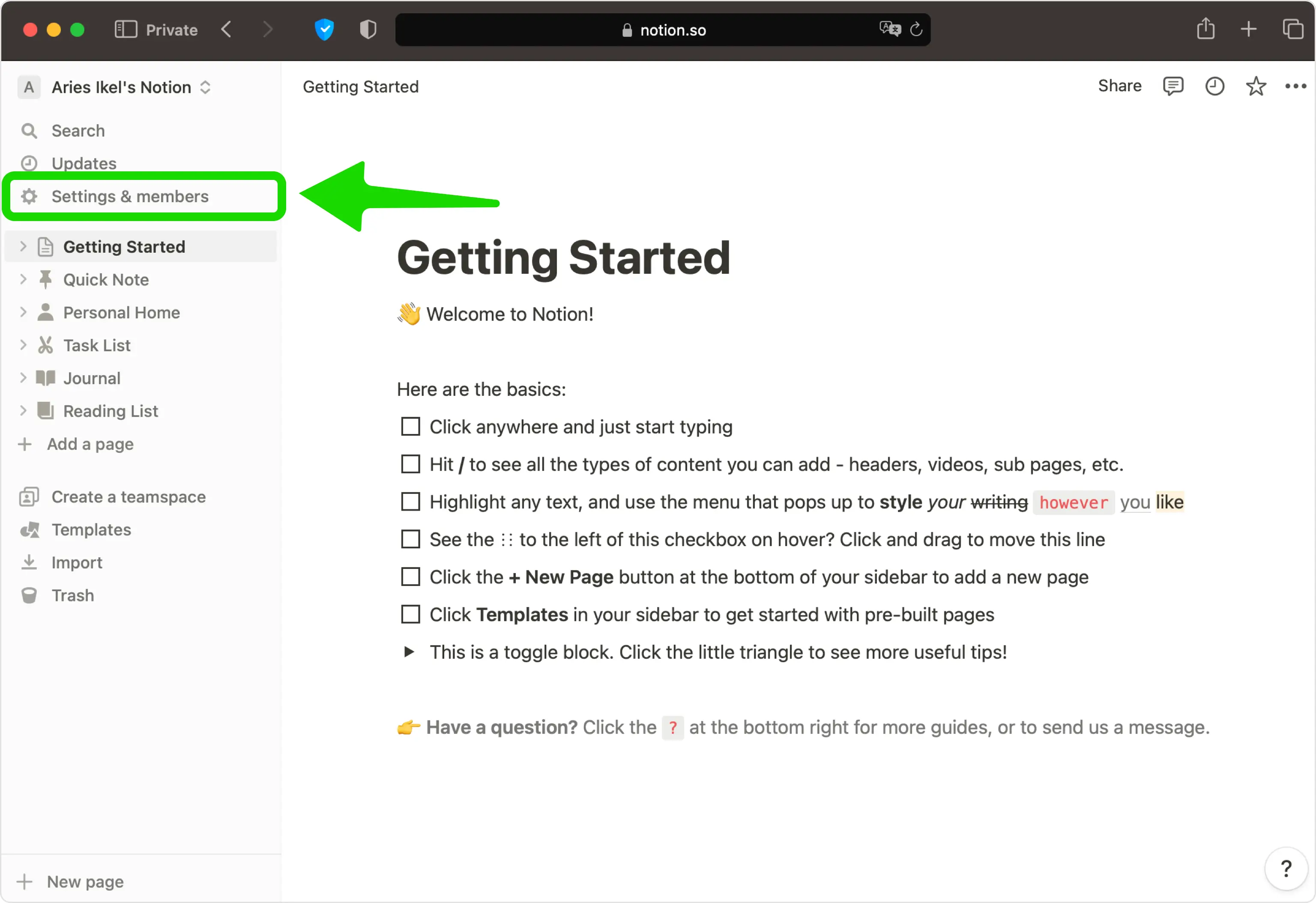
Activar la verificación en dos pasos
En la sección Seguridad de la cuenta, active la verificación en dos pasos (es posible que vea esto como una acción Agregar método de verificación según su versión).
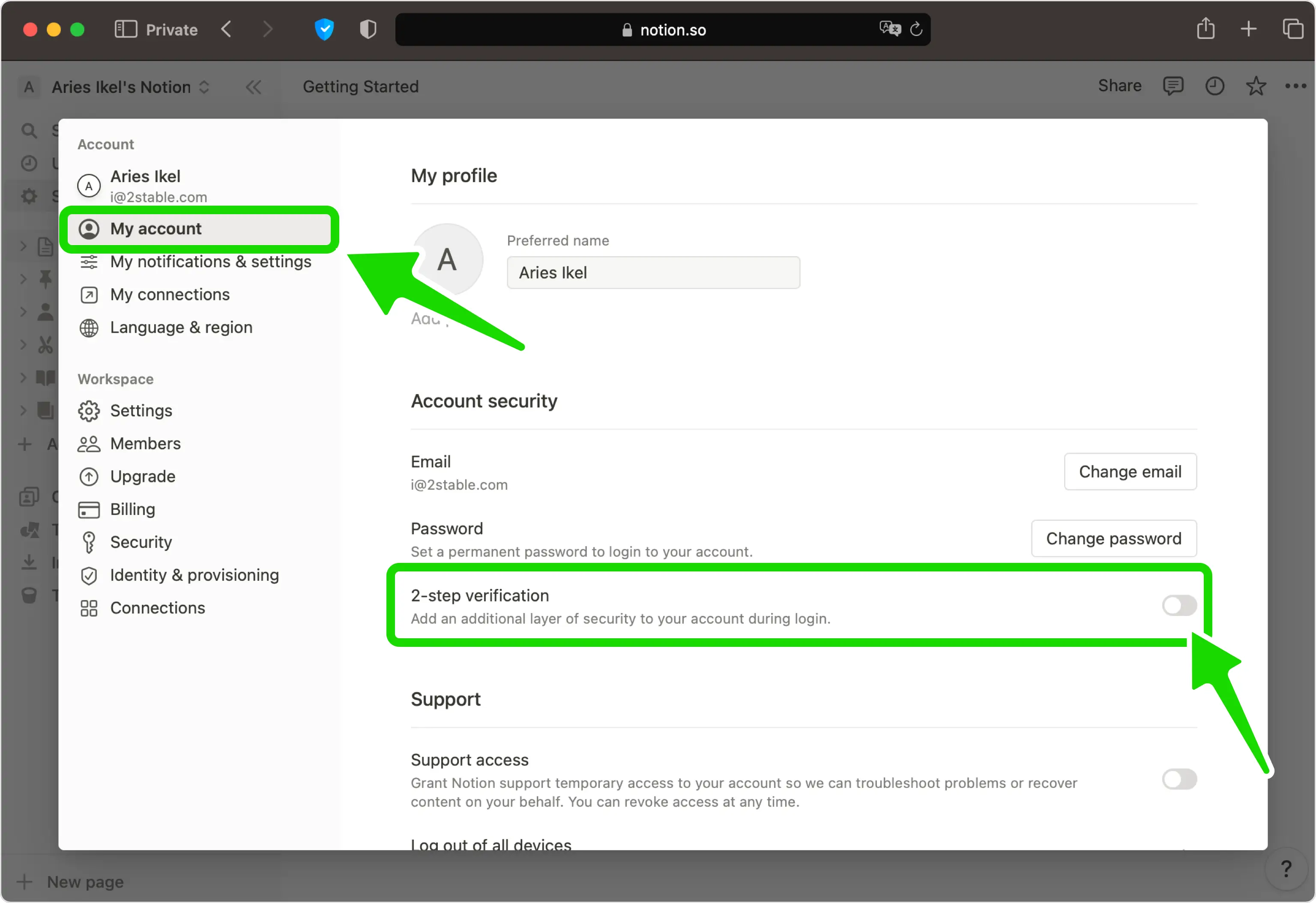
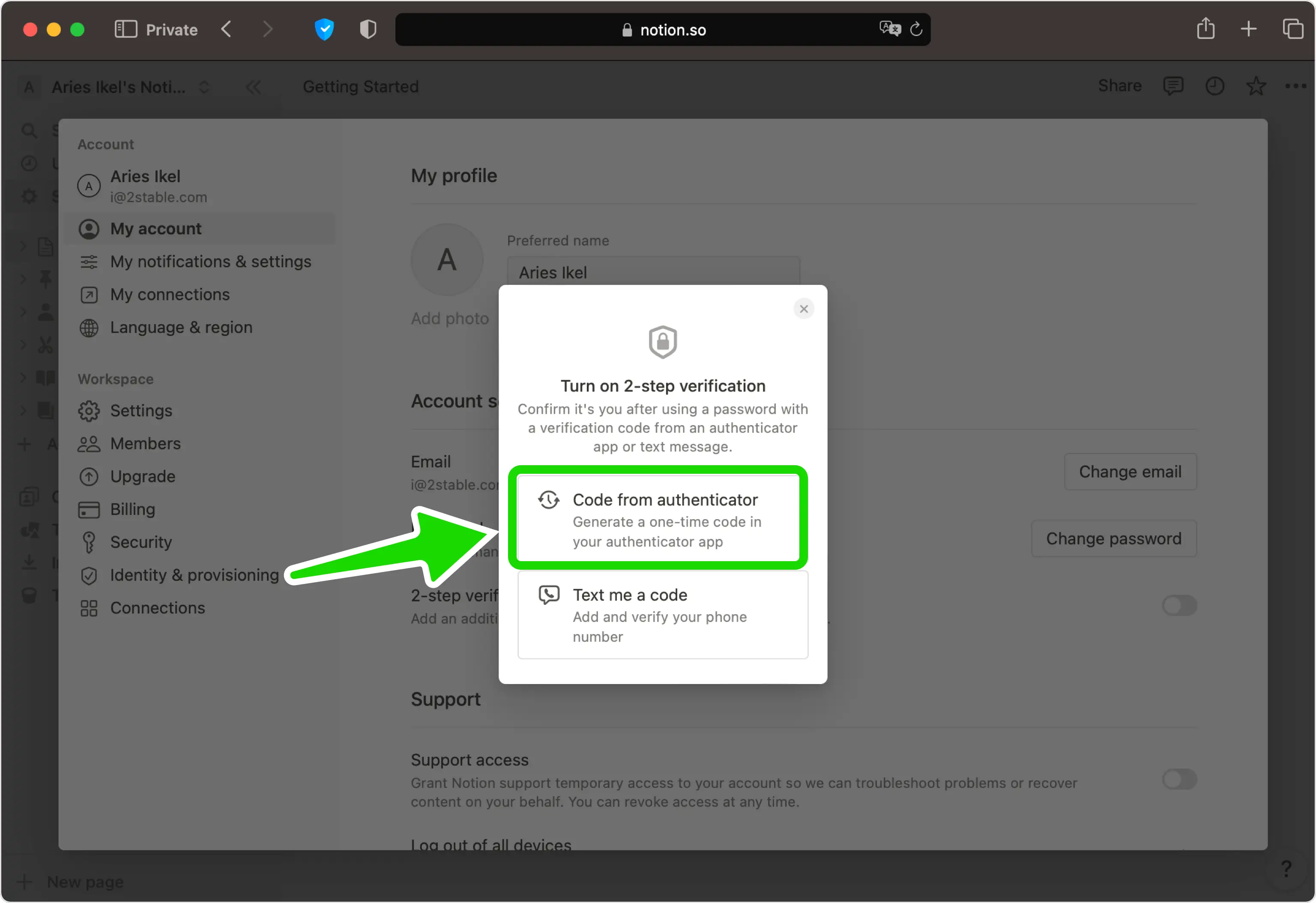
Elija la opción de autenticador
Seleccione Código del autenticador como método de verificación. En algunas regiones esta es la única opción que se ofrece.
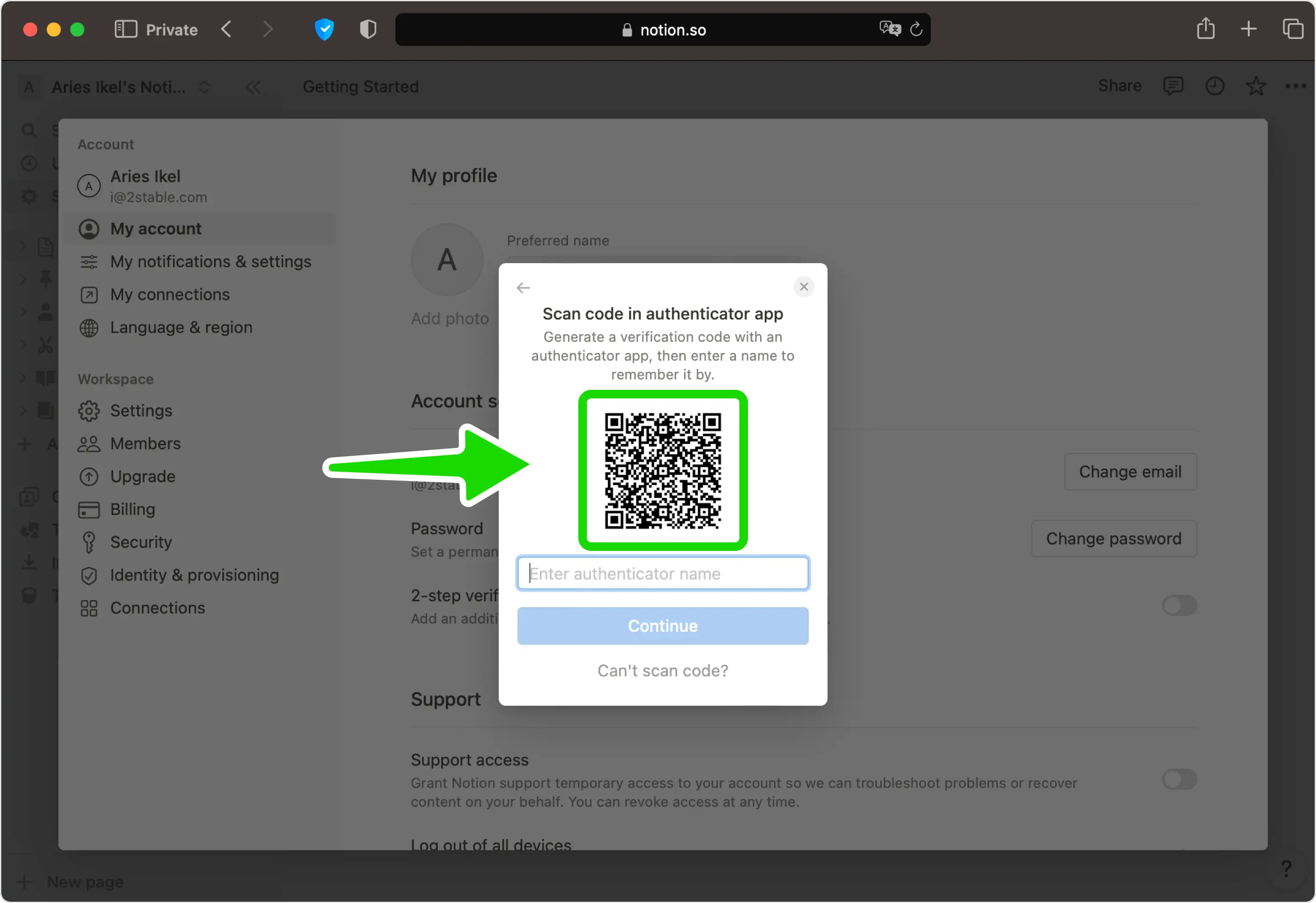
Mostrar el código QR
Notion ahora muestra un código QR que contiene su clave secreta. Deje esta página abierta en la pantalla mientras toma su teléfono.
Escanea el código QR con tu Authenticator App
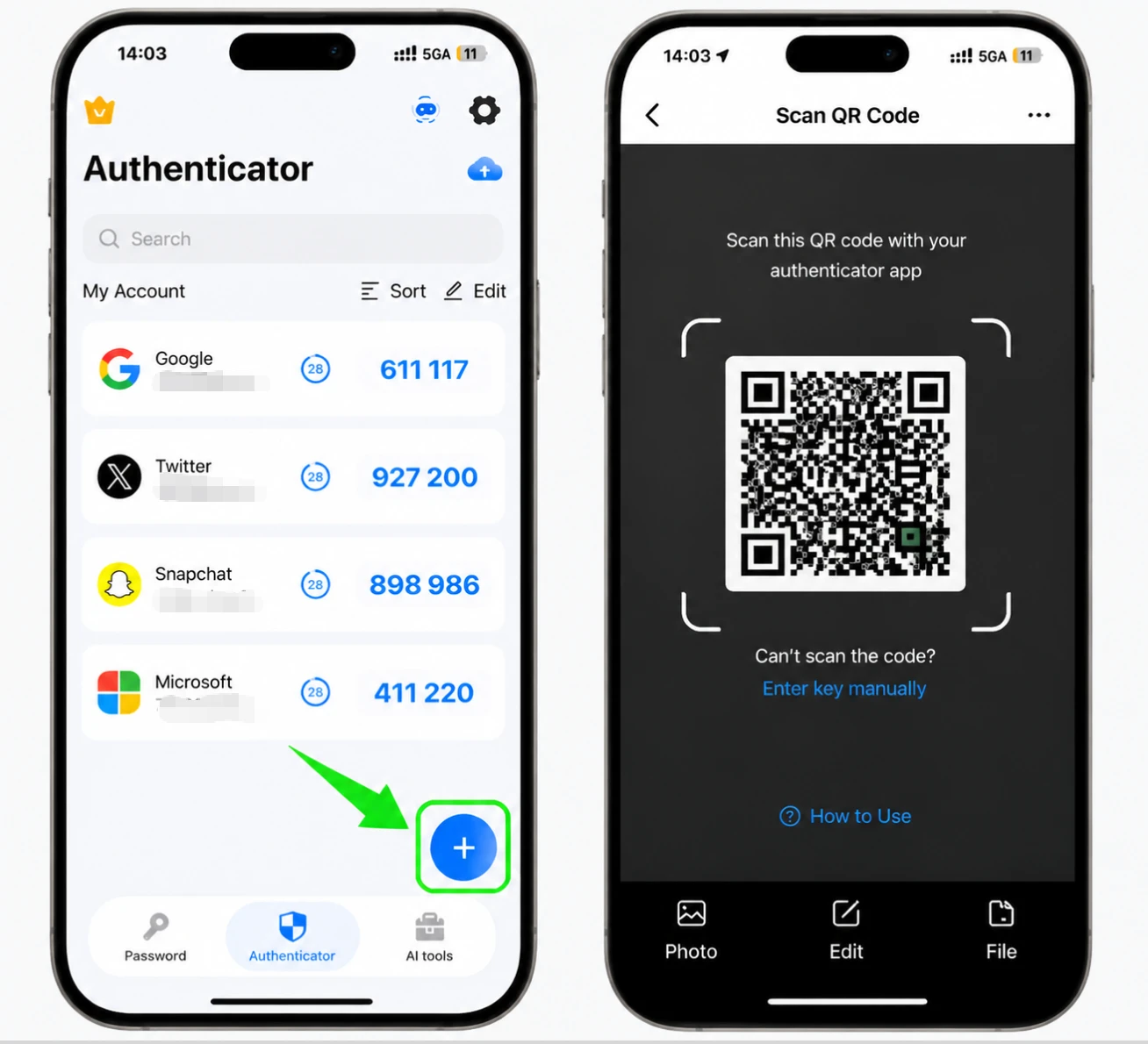
Abra Authenticator App en su iPhone, toque el botón + y sostenga su teléfono para escanear el código QR que muestra Notion. Si no puede escanearlo, ingrese la clave secreta manualmente.
Guarde la cuenta en la aplicación
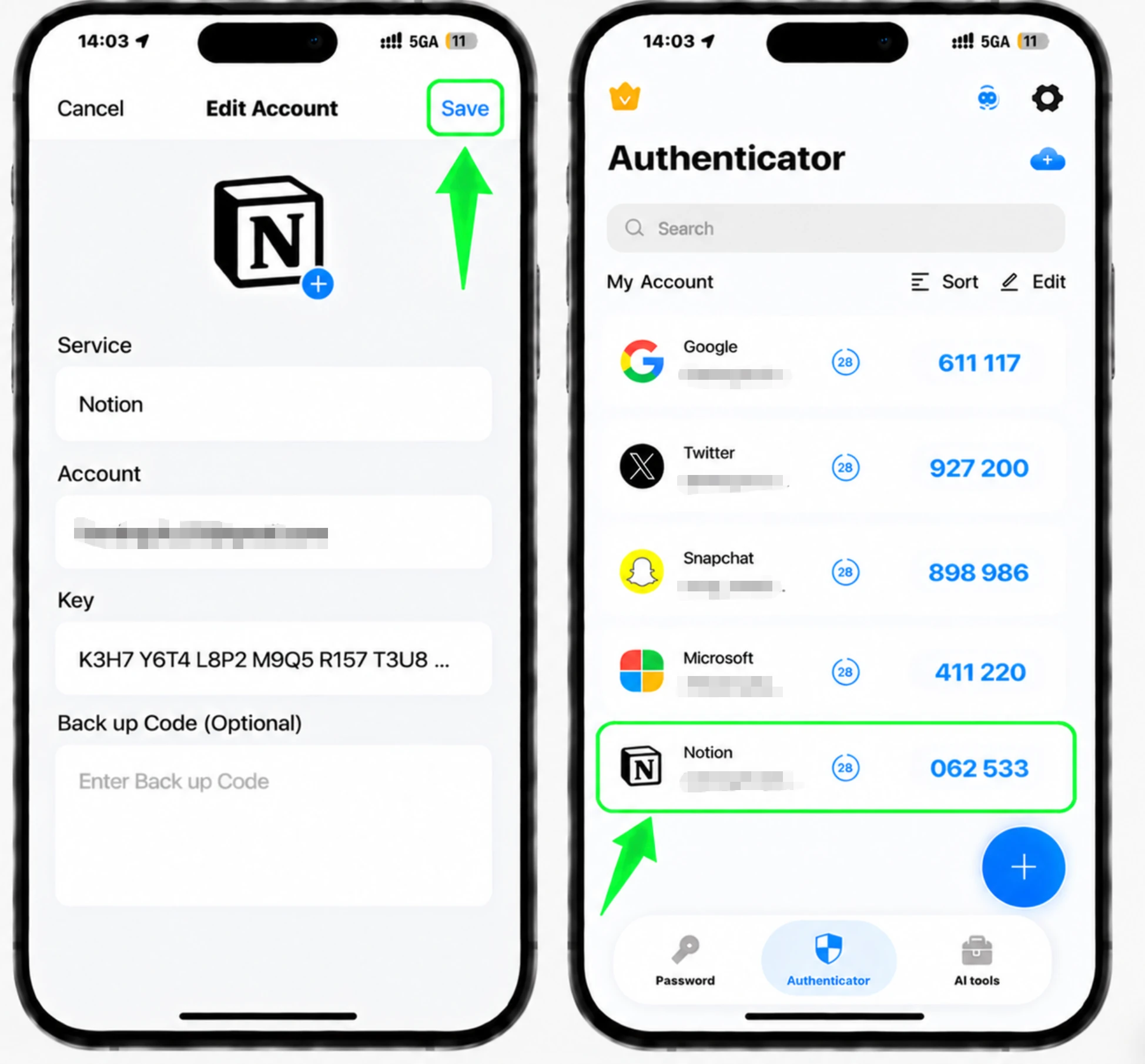
Después del escaneo, Authenticator App completa automáticamente el logotipo de Notion, el nombre de la cuenta y la clave secreta. Toque Guardar en la aplicación para almacenar la nueva entrada.
Nombra el método
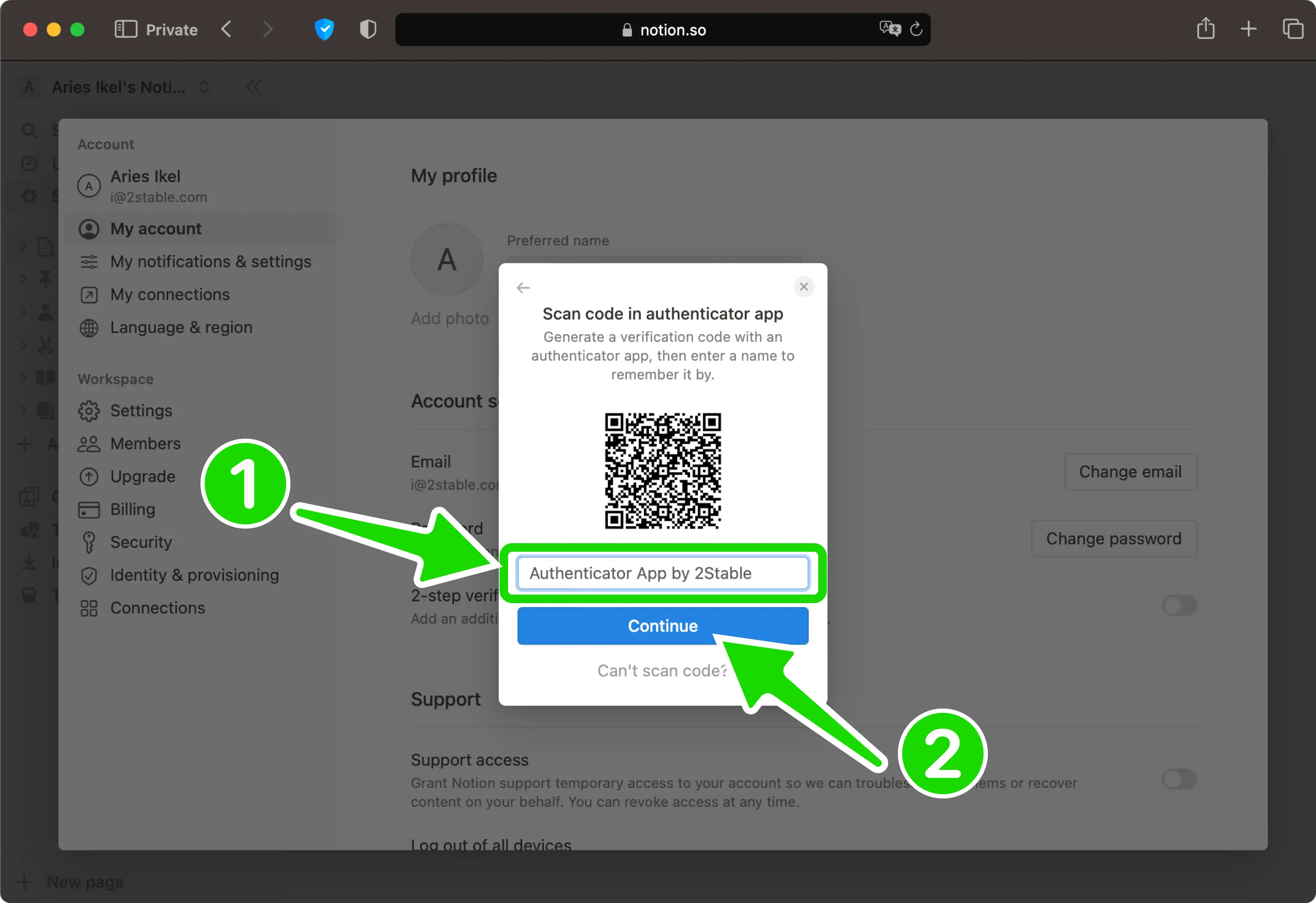
De vuelta en la página web de Notion, escriba un nombre para este método de autenticación para que pueda reconocerlo más tarde, luego haga clic en Continuar.
Ingrese el código de verificación
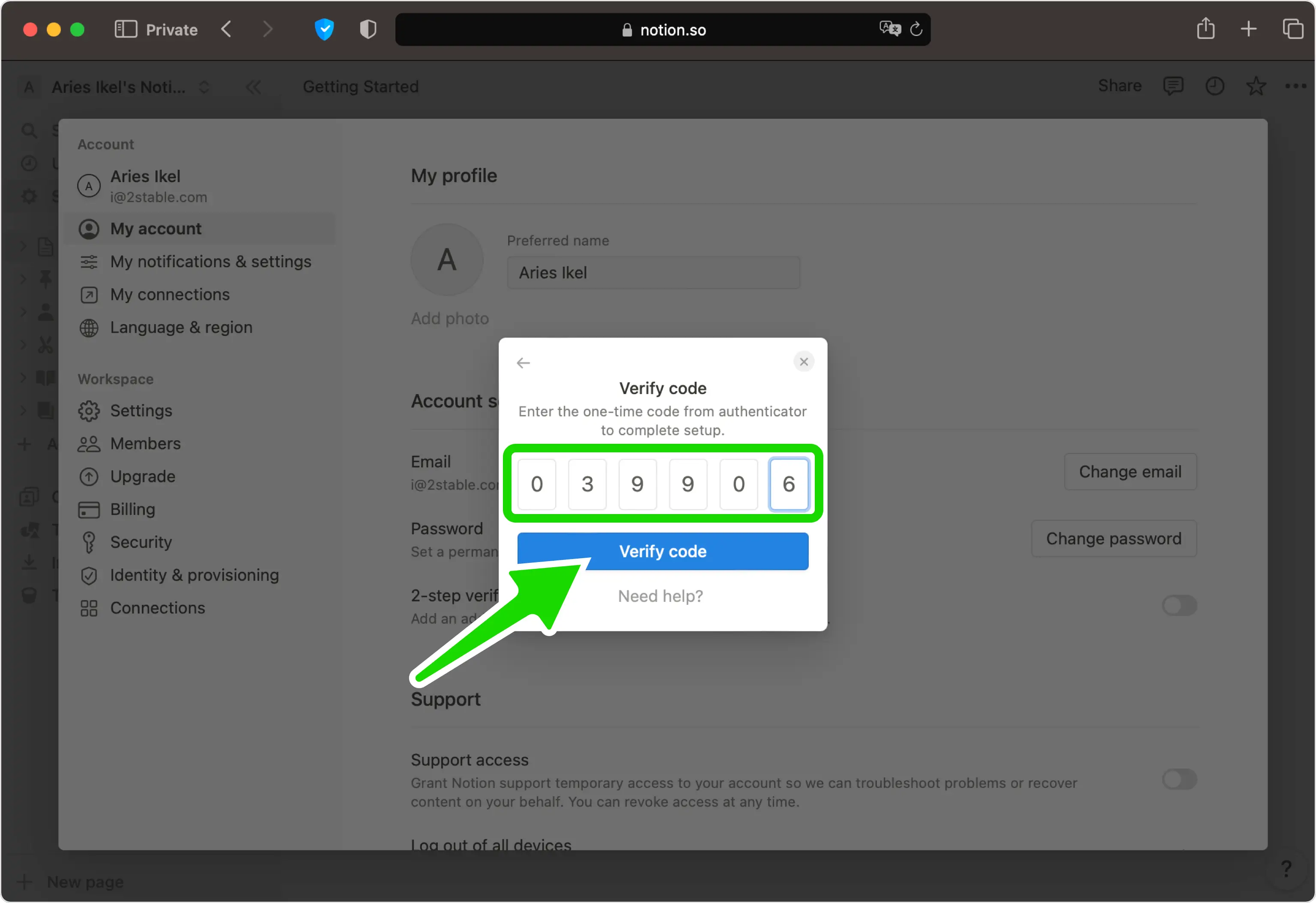
Escriba el código único de 6 dígitos de su Authenticator App en el campo de Notion, luego haga clic en Verificar código para confirmar.
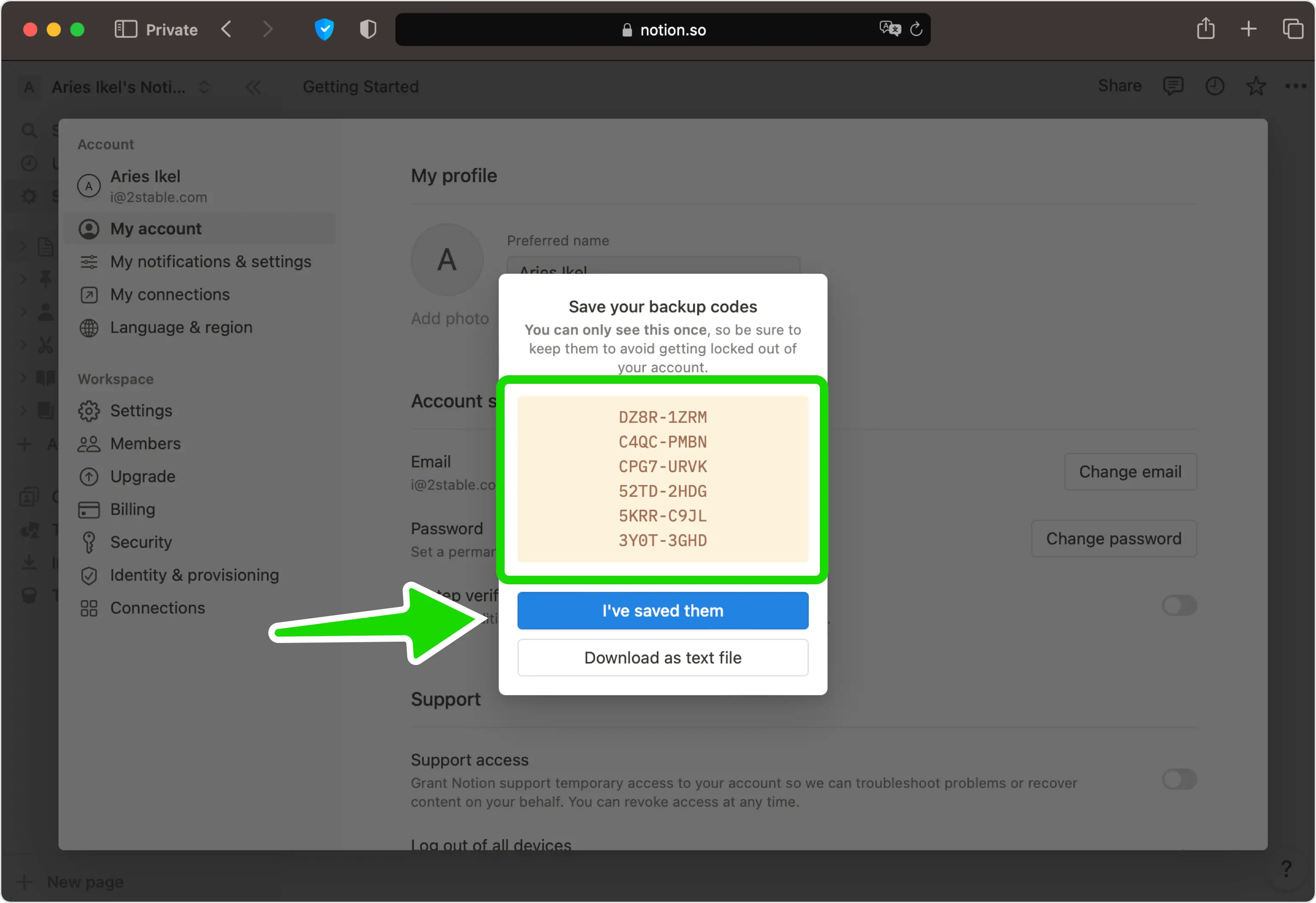
Guarde sus códigos de respaldo
La verificación en dos pasos ya está activada. Si este es su primer método, Notion muestra un conjunto de códigos de respaldo. Guárdelos en un lugar seguro (cada uno funciona solo una vez), luego presione Los he guardado para finalizar.


Copia de seguridad y recuperación
La verificación en dos pasos ya está activada. Si este es su primer método, Notion muestra un conjunto de códigos de respaldo. Guárdelos en un lugar seguro (cada uno funciona solo una vez), luego presione Los he guardado para finalizar.
Listo: su cuenta de Notion ya está protegida con autenticación de dos factores. Guarde la información de recuperación de forma segura y consulte la documentación oficial del servicio si cambia la interfaz.
Ver todos los métodos 2FA soportados por Notion →


