

Cómo habilitar 2FA para su cuenta Facebook
Actualizado el 4 de agosto de 2026
La autenticación de dos factores (2FA) protege su cuenta Facebook incluso si se filtra su contraseña. Siga los pasos a continuación para generar códigos de verificación Facebook con Authenticator App en su iPhone, iPad o Mac.
Inicia sesión en Facebook
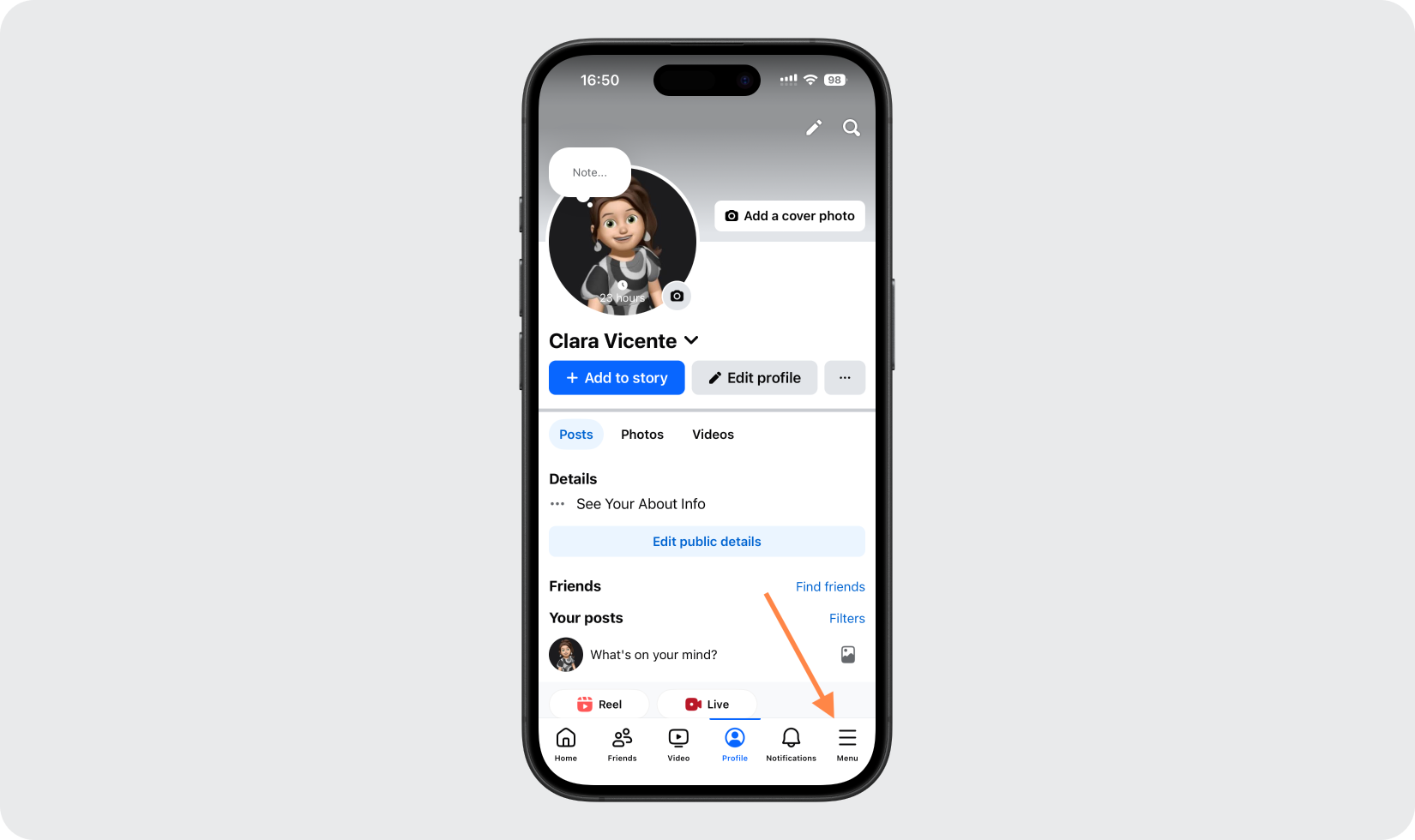
Abra la aplicación de Facebook con la sesión iniciada y vaya a su perfil, luego toque las tres líneas (menú) en la esquina inferior derecha.
Abrir centro de cuentas
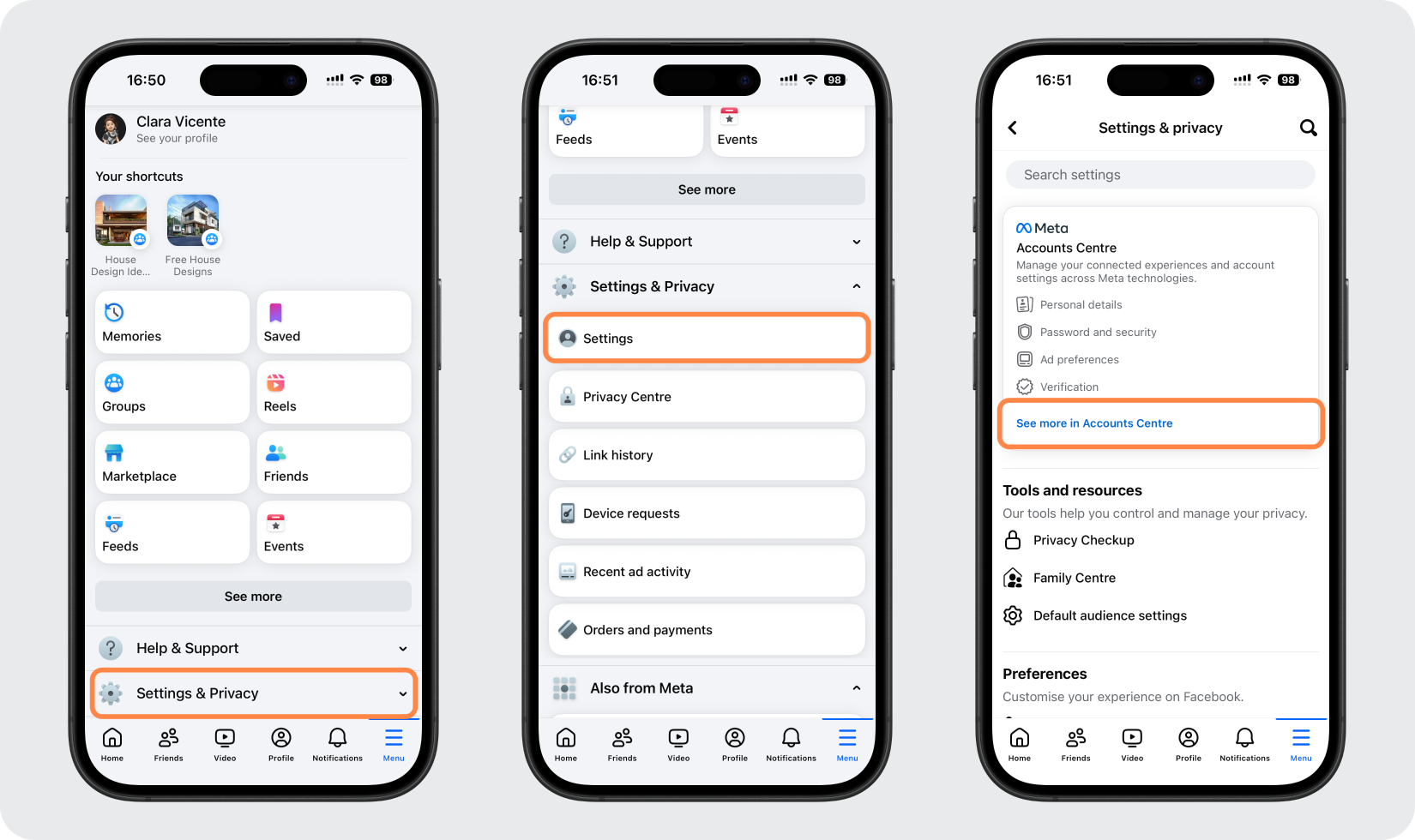
Desplácese hacia abajo y toque Configuración y privacidad, luego Configuración, luego abra Centro de cuentas (Ver más en Centro de cuentas).
Ir a autenticación de dos factores
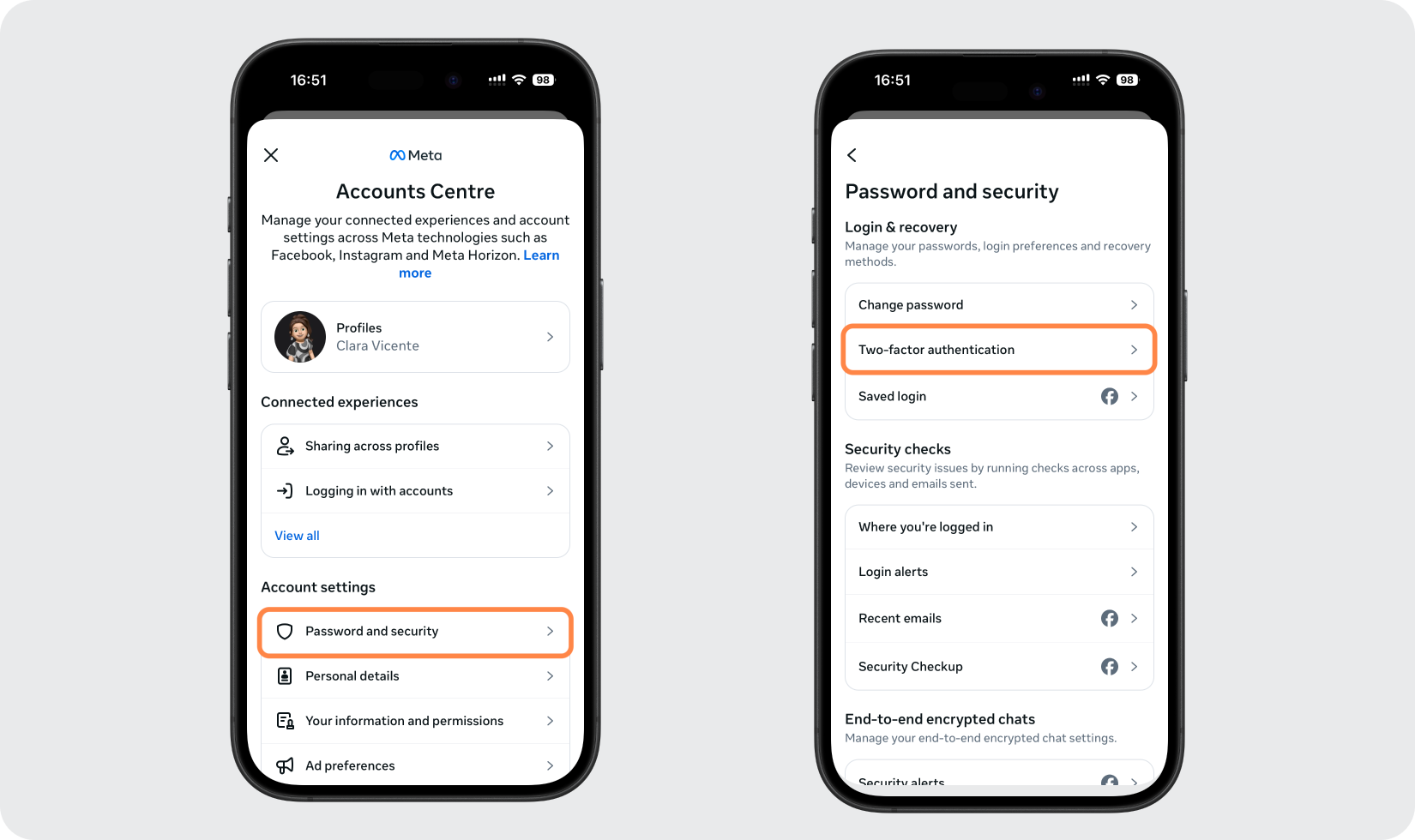
En el Centro de cuentas, toque Contraseña y seguridad, luego toque Autenticación de dos factores.
Elija su cuenta y elija la aplicación de autenticación
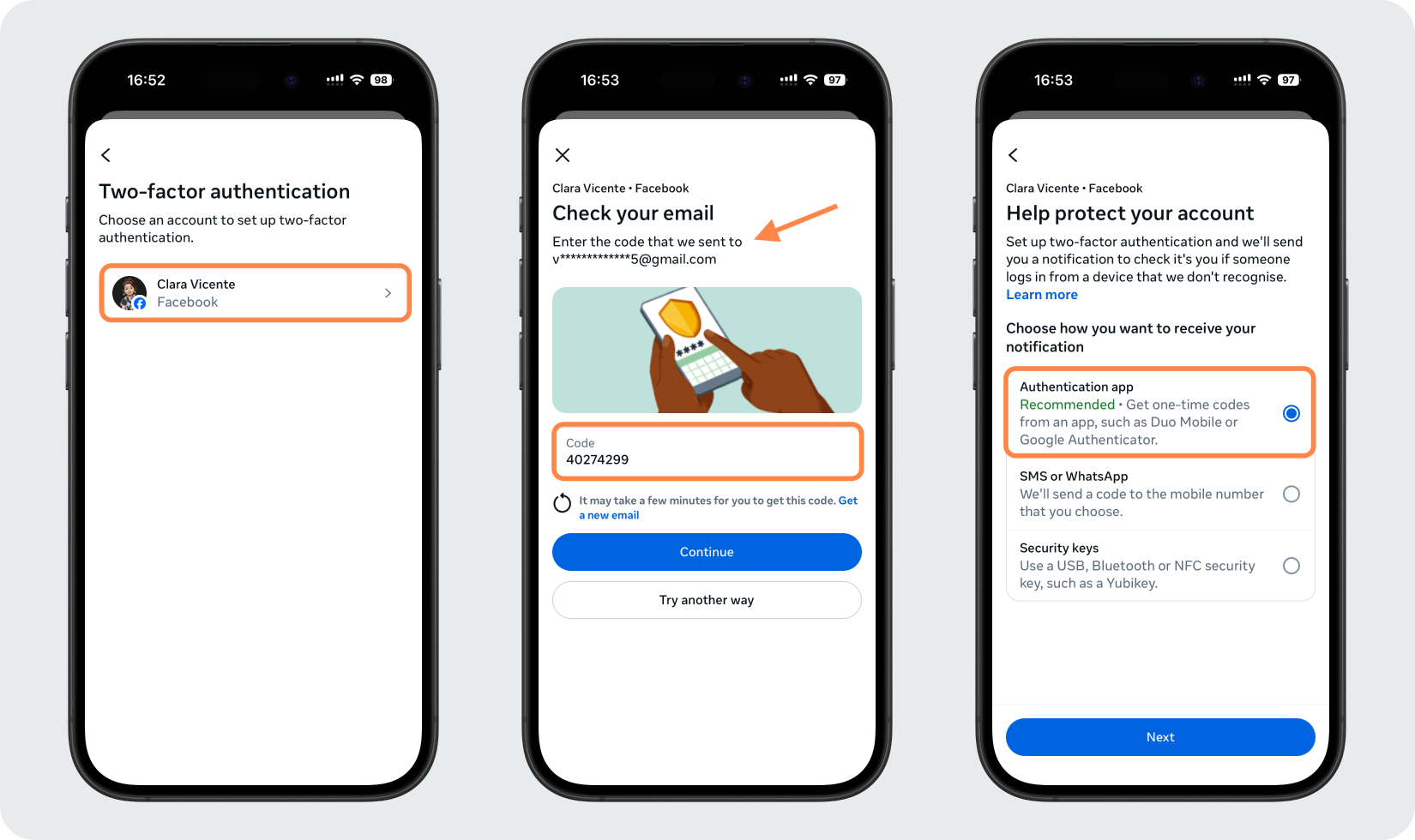
Seleccione el perfil de Facebook que desea proteger y verifíquelo si se le solicita, luego elija el método de la aplicación de autenticación y toque Siguiente.
Copie la clave o vea el código QR
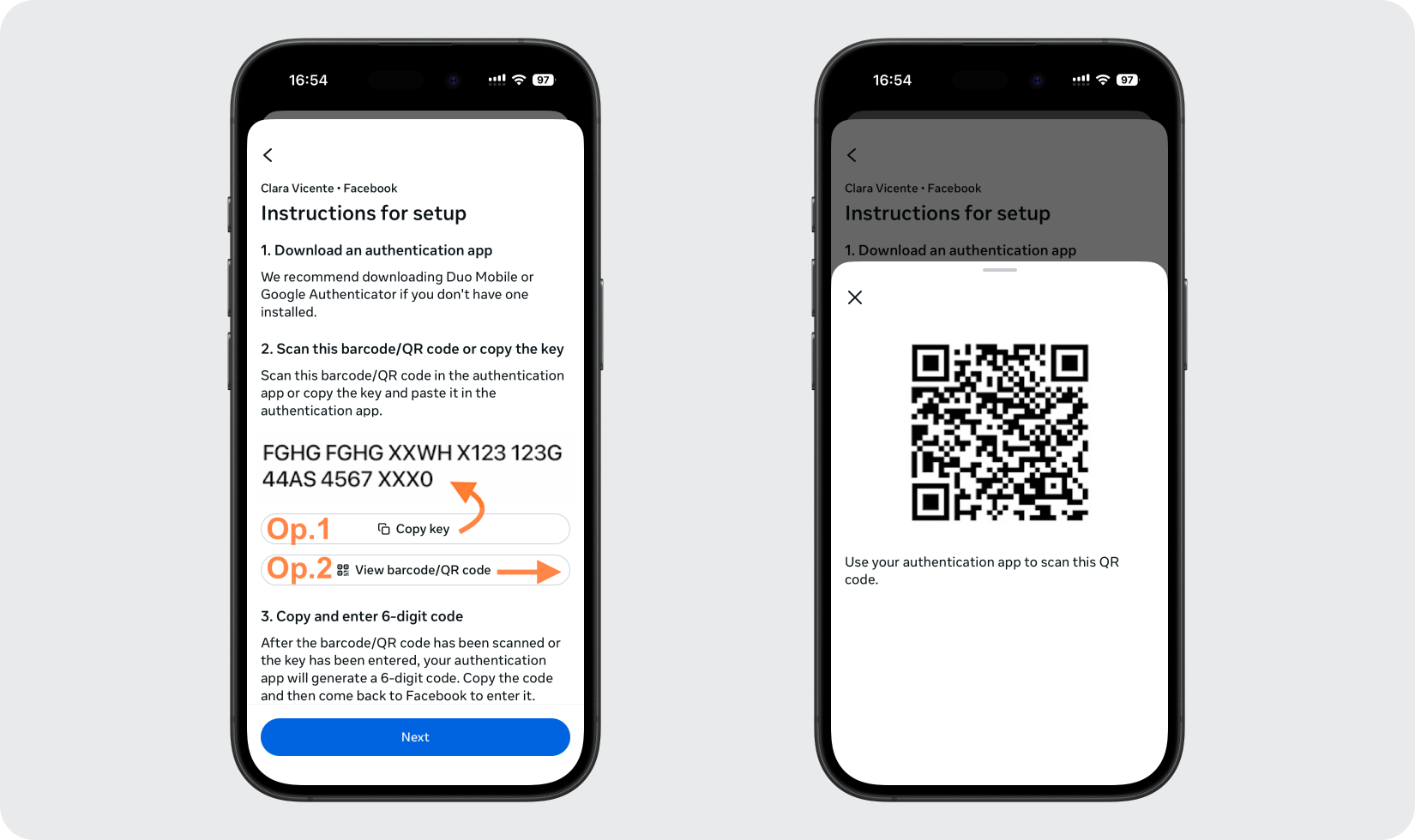
Facebook mostrará una clave de configuración y un código QR (código de barras). Copie la clave o tome una captura de pantalla del código QR para poder agregarlo a su Authenticator App en el mismo teléfono.
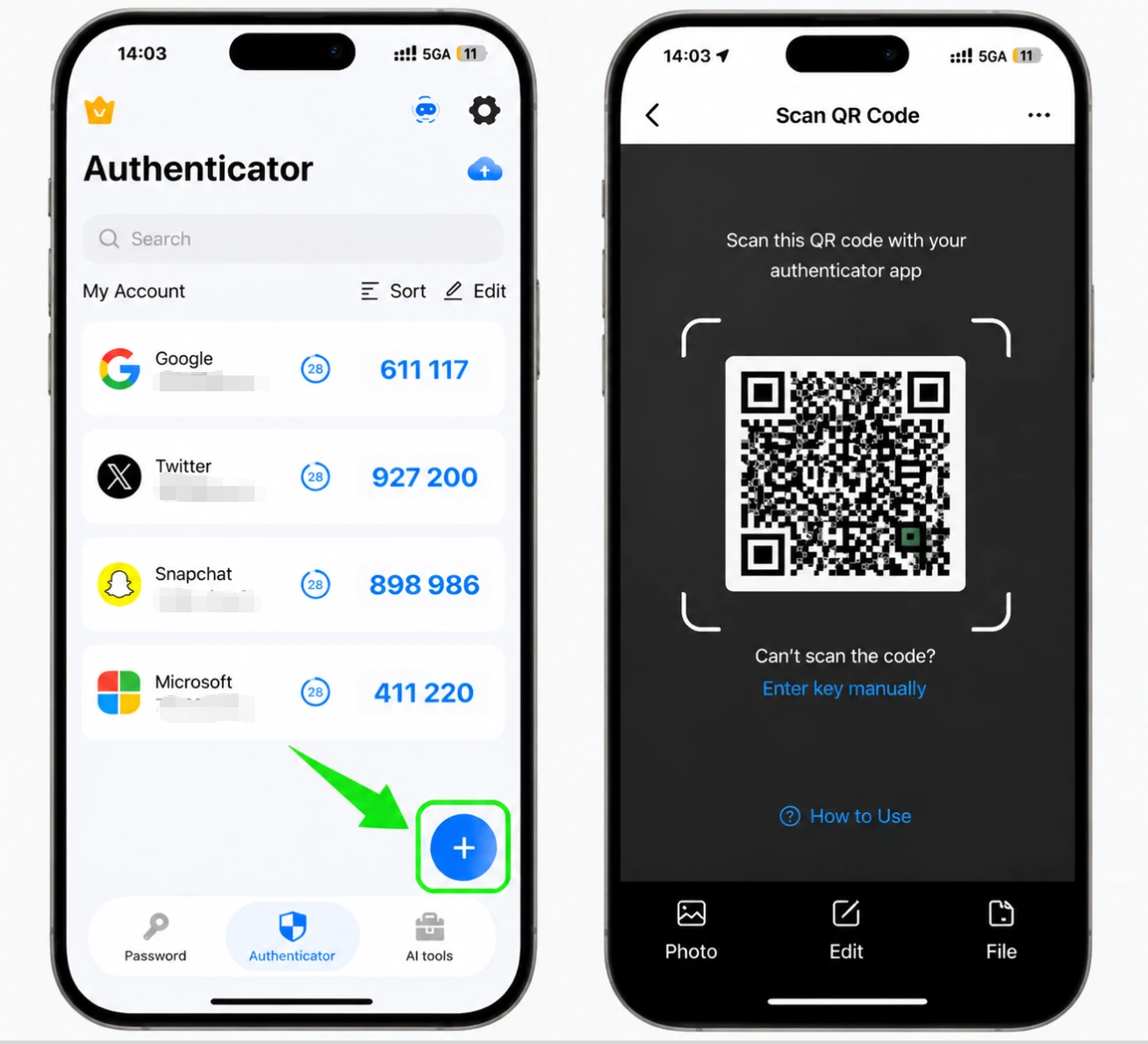
Agrega Facebook a tu Authenticator App
Abra Authenticator App en su iPhone y toque el botón +. Elija la entrada manual y pegue la clave secreta (completando el servicio y el nombre de la cuenta), o elija Foto/Archivo para escanear la captura de pantalla del código QR y agregar la cuenta automáticamente.
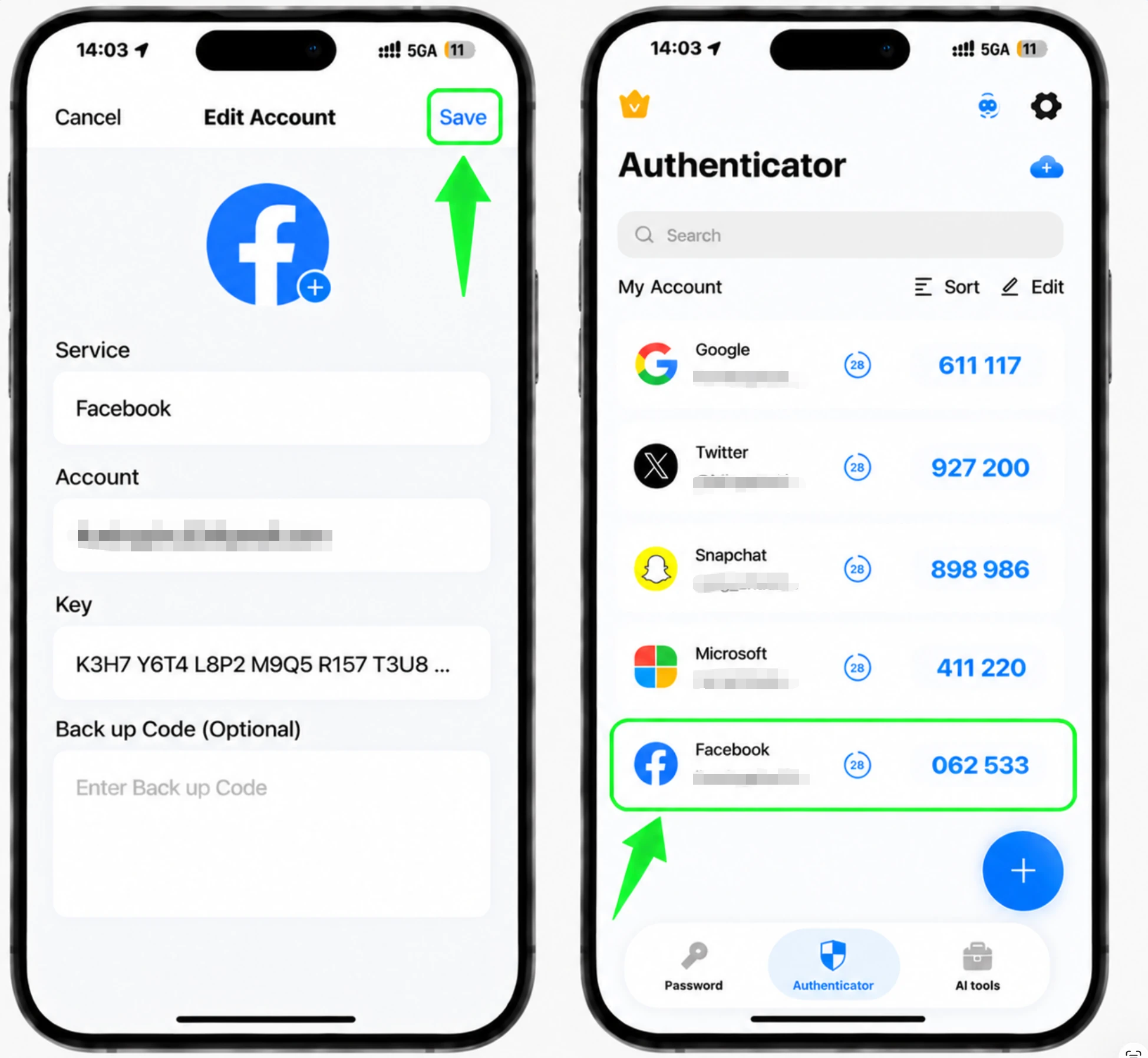
Obtén tu código de Facebook de 6 dígitos
Una vez agregada la cuenta, Authenticator App muestra un código de 6 dígitos para Facebook que se actualiza periódicamente. Toca el código para copiarlo.
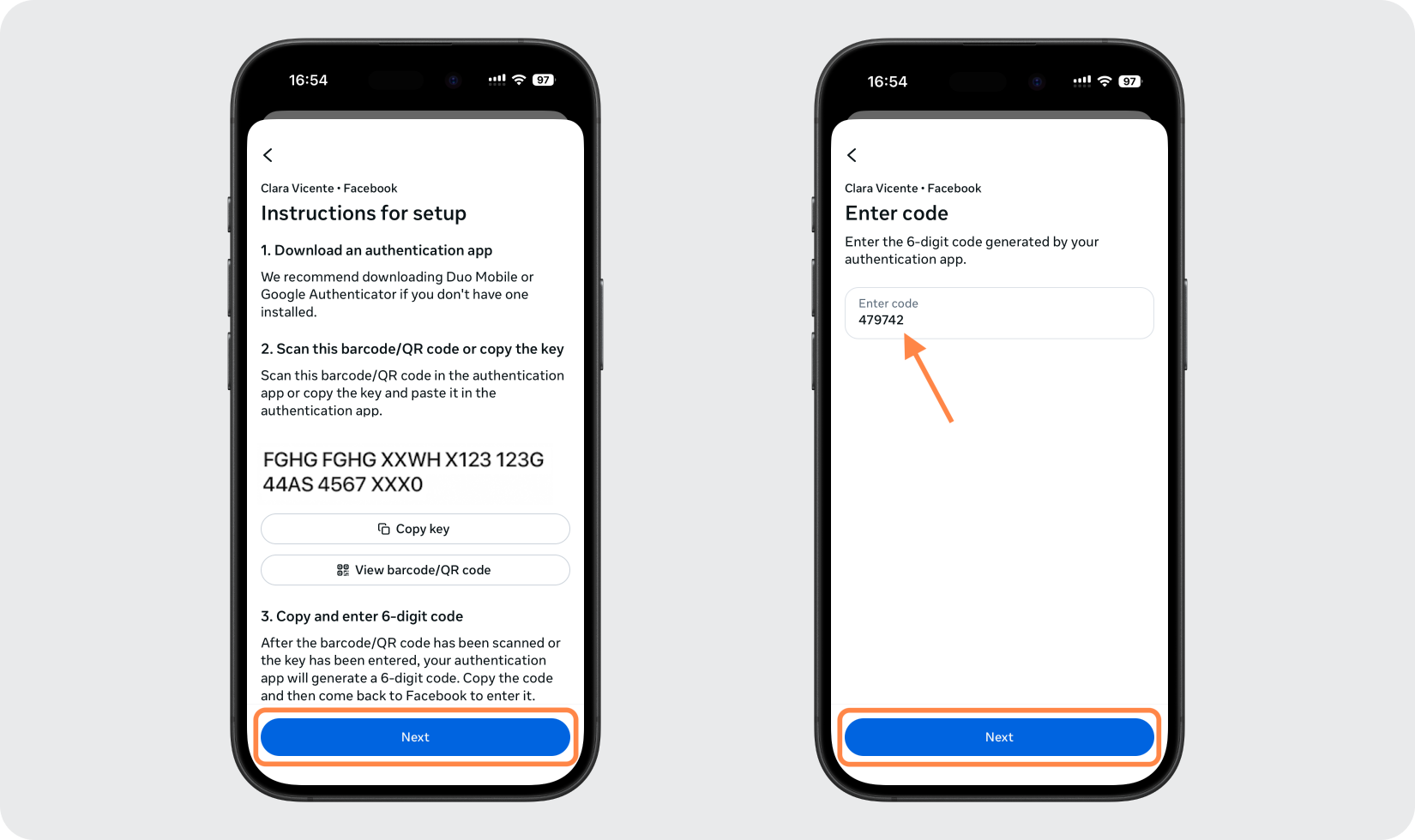
Confirma el código en Facebook
Vuelva a la aplicación de Facebook y toque Siguiente, luego pegue o escriba el código de 6 dígitos cuando se le solicite y toque Siguiente nuevamente para terminar de activar la autenticación de dos factores.
Guarde sus códigos de recuperación
Una vez activada la autenticación de dos factores, guarde los códigos de recuperación que Facebook proporciona en un lugar seguro. Cada uno funciona una vez y le permite iniciar sesión si alguna vez pierde el acceso a su aplicación de autenticación.



Copia de seguridad y recuperación
Una vez activada la autenticación de dos factores, guarde los códigos de recuperación que Facebook proporciona en un lugar seguro. Cada uno funciona una vez y le permite iniciar sesión si alguna vez pierde el acceso a su aplicación de autenticación.
Listo: su cuenta de Facebook ya está protegida con autenticación de dos factores. Guarde la información de recuperación de forma segura y consulte la documentación oficial del servicio si cambia la interfaz.
Ver todos los métodos 2FA soportados por Facebook →


