

Comment activer 2FA pour votre compte TikTok
Mis à jour le 4 août 2026
L’authentification à deux facteurs (2FA) protège votre compte TikTok même en cas de fuite de votre mot de passe. Suivez les étapes ci-dessous pour générer des codes de vérification pour TikTok avec Authenticator App sur votre iPhone, iPad ou Mac.
Ouvrez TikTok et trouvez vos paramètres de sécurité
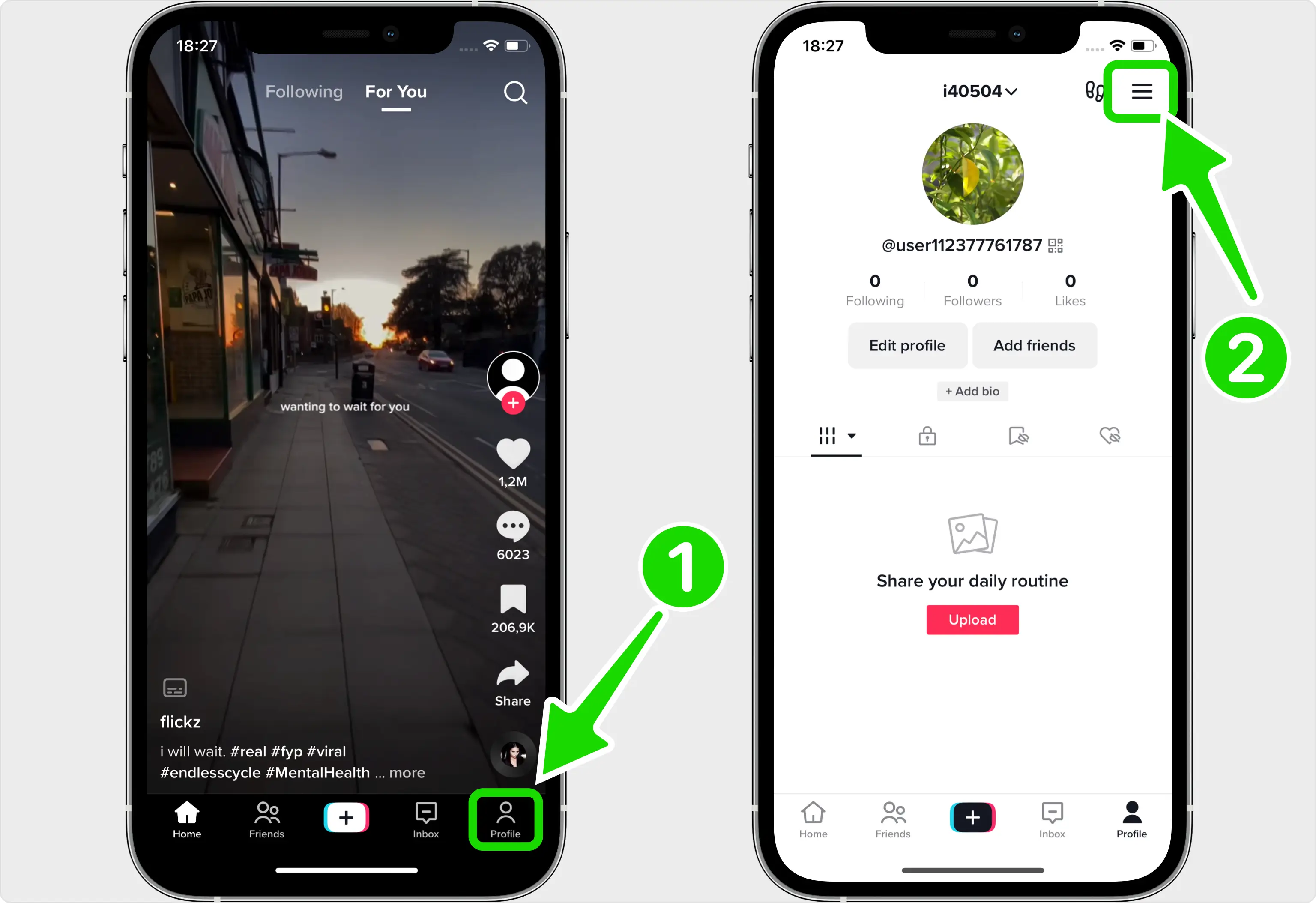
La vérification en deux étapes est configurée dans l'application mobile TikTok. Ouvrez TikTok lorsque vous êtes connecté, appuyez sur Profil dans le coin inférieur droit, puis appuyez sur l'icône de menu à trois lignes dans le coin supérieur droit.
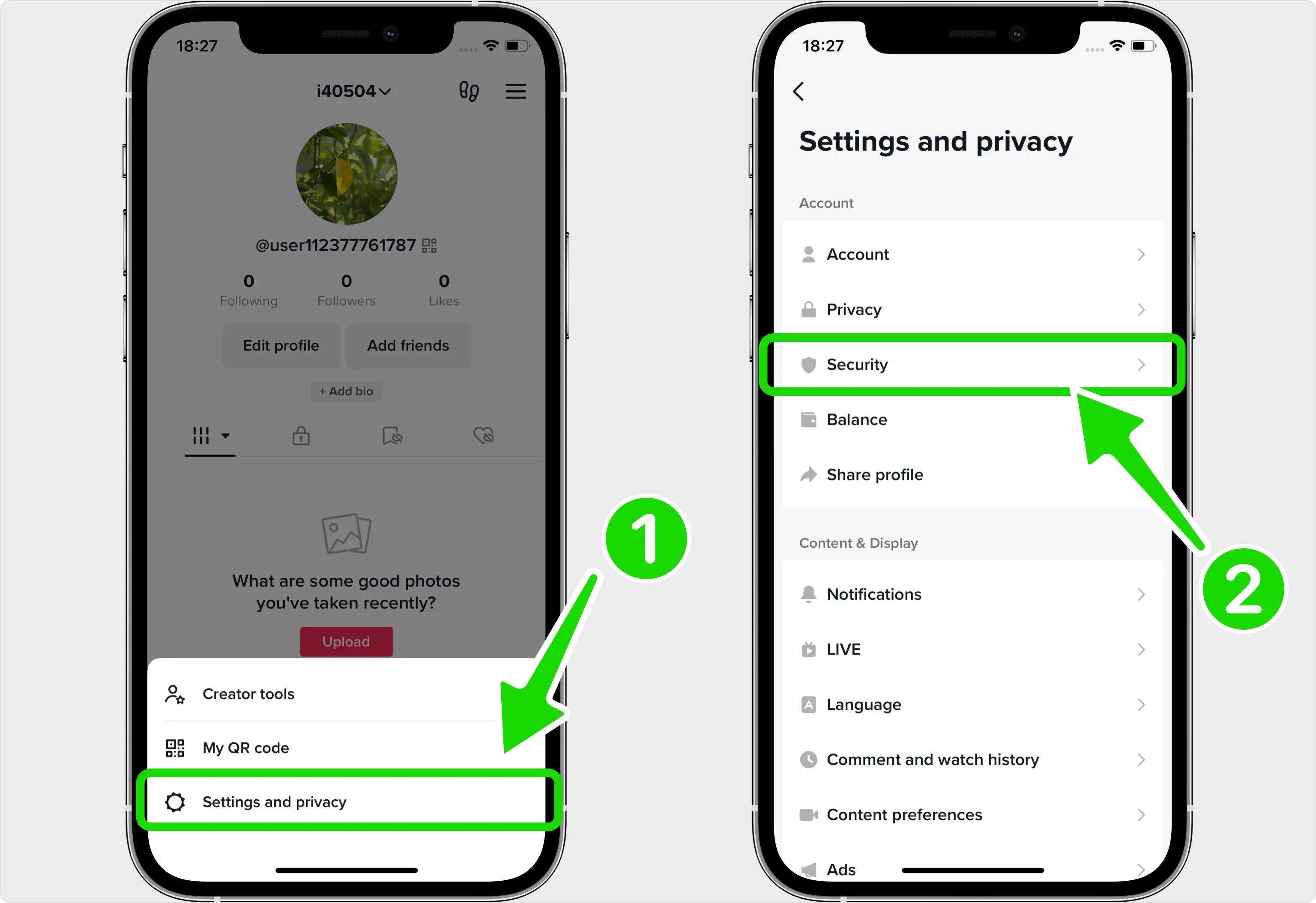
Allez dans Paramètres et confidentialité, puis Sécurité
Appuyez sur l'icône d'engrenage pour ouvrir Paramètres et confidentialité. Sur l'écran suivant, appuyez sur Sécurité (cette section est parfois intitulée Sécurité et autorisations en fonction de la version de votre application).
Choisissez la méthode de l'application Authenticator
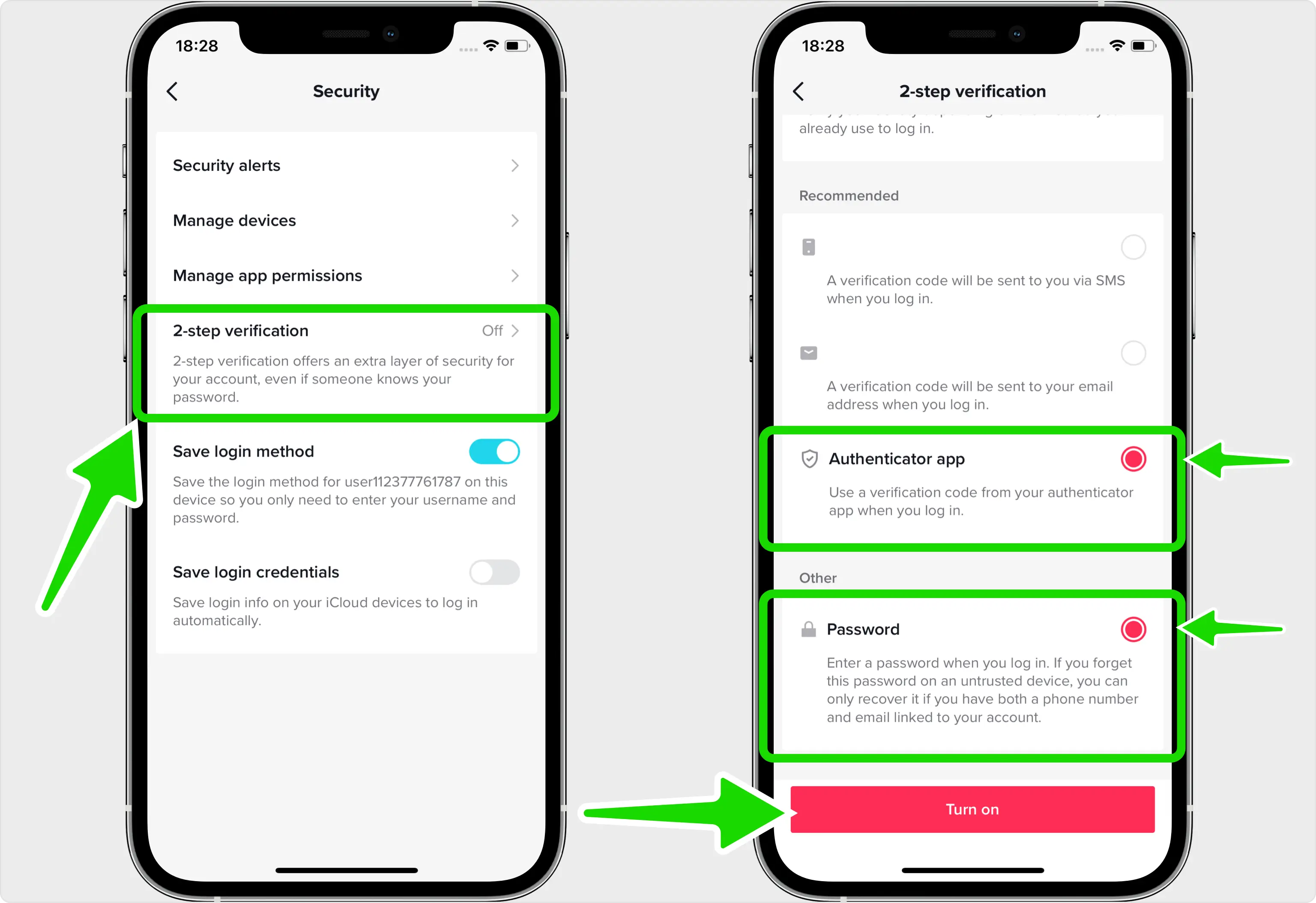
Appuyez sur Vérification en 2 étapes, puis choisissez vos méthodes de vérification. Sélectionnez l'application Authenticator (TikTok nécessite au moins deux méthodes, vous pouvez donc également conserver le mot de passe sélectionné), puis appuyez sur Activer pour commencer la configuration.
Voir le code QR que TikTok montre
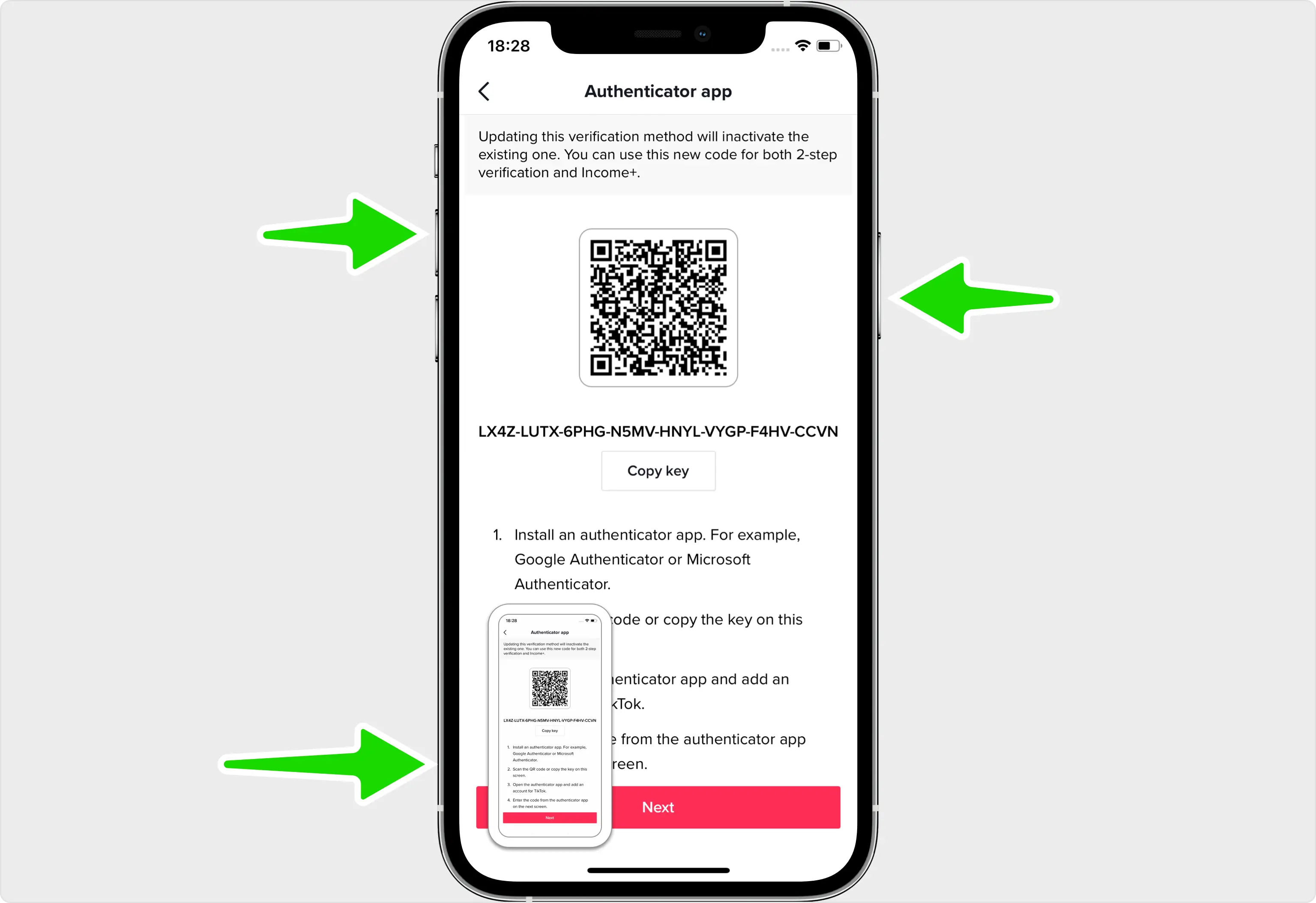
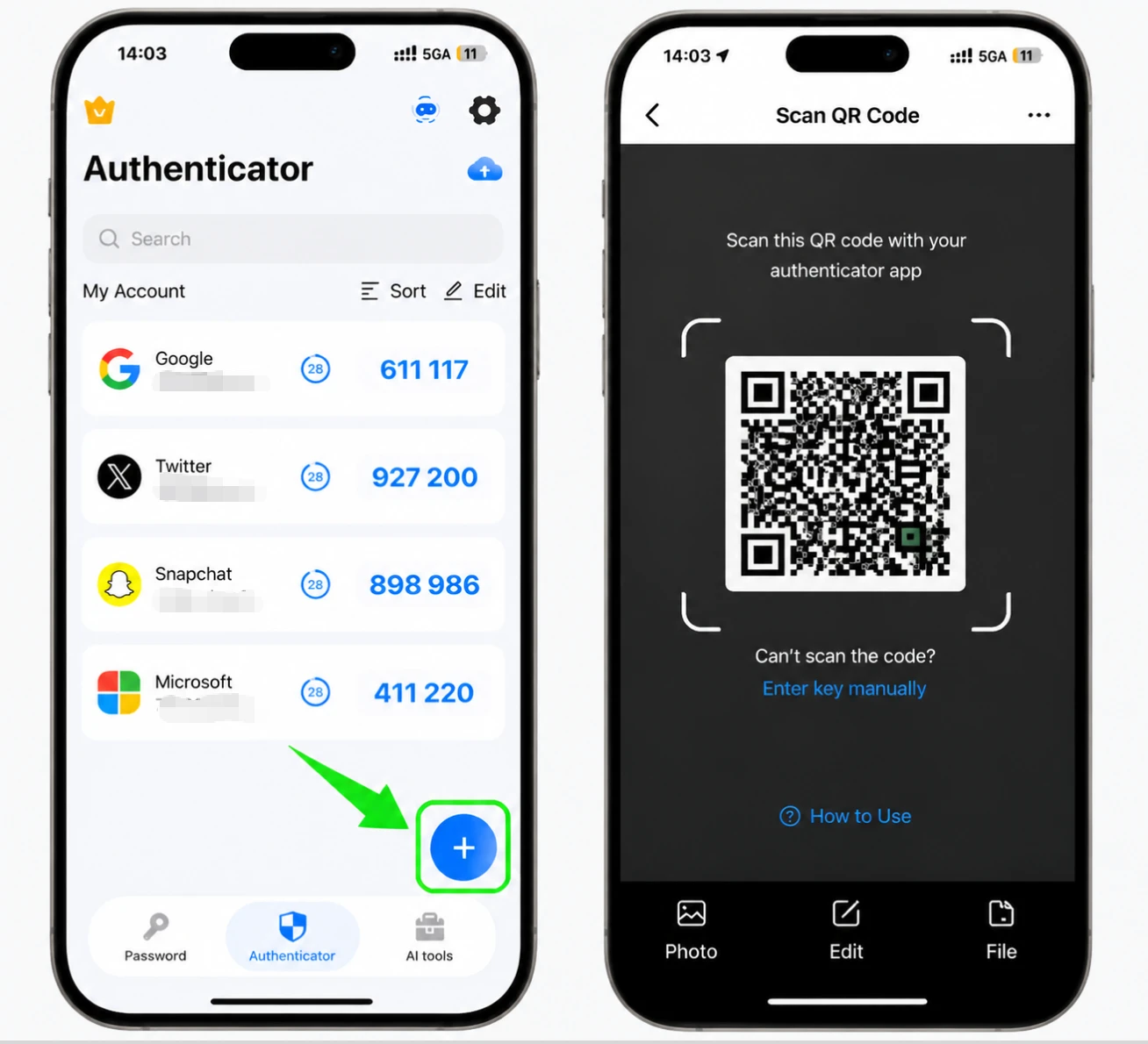
TikTok affiche désormais un code QR contenant votre clé secrète. Étant donné que la configuration s'effectue sur le même téléphone, prenez une capture d'écran de cet écran afin de pouvoir importer le code dans Authenticator App à l'étape suivante.
Importez le code QR dans votre Authenticator App
Ouvrez la capture d'écran que vous venez de prendre, appuyez sur l'icône de partage dans le coin supérieur droit et choisissez Authenticator App dans la liste des applications. Cela transmet le code QR directement à l'application pour qu'il le lise.
Enregistrez le compte TikTok dans votre Authenticator App
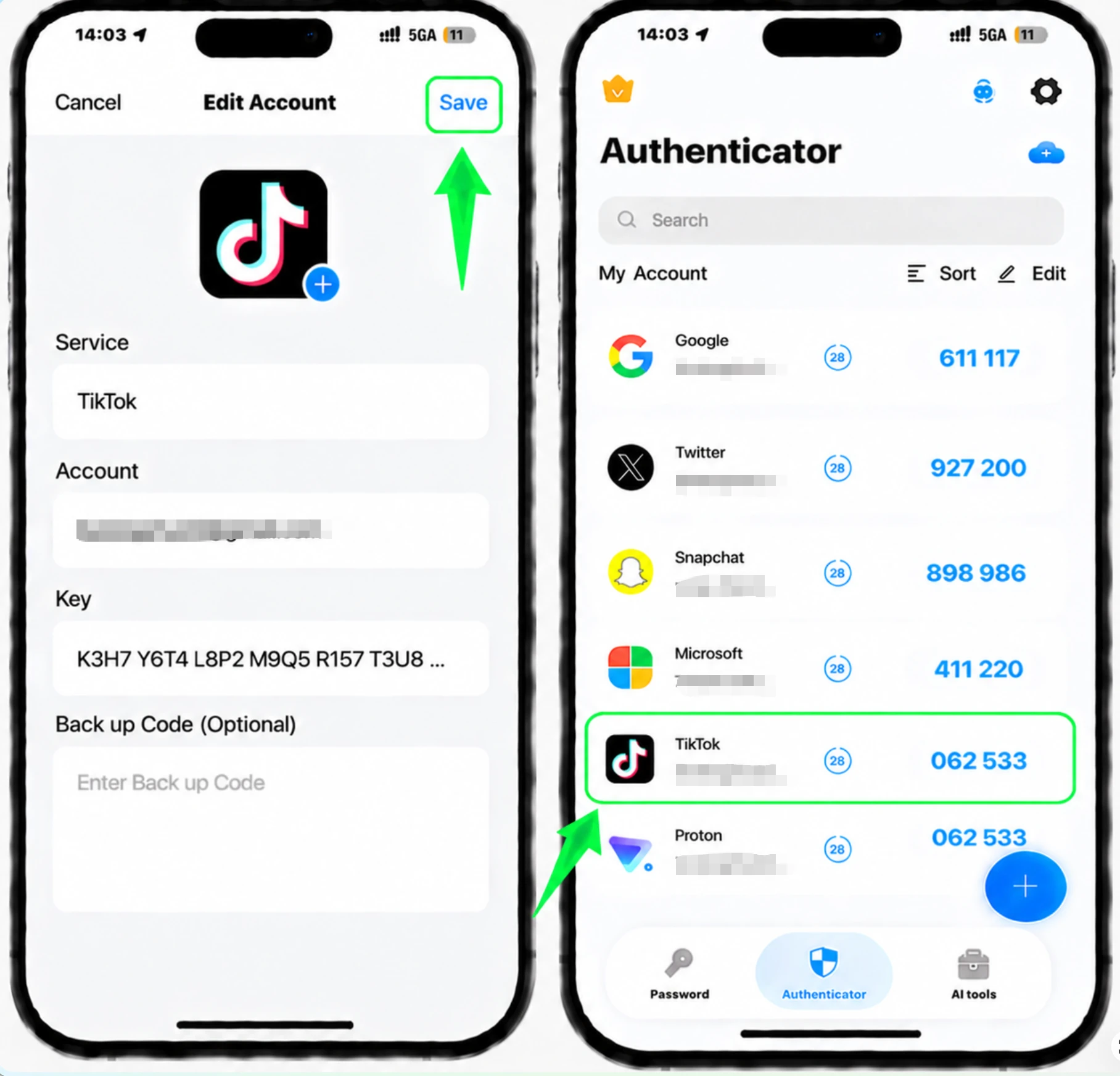
Après avoir lu le code QR, le Authenticator App remplit automatiquement le nom du compte TikTok et la clé secrète. Appuyez sur Enregistrer pour ajouter le compte et commencer à générer des codes.
Entrez le code de vérification pour confirmer
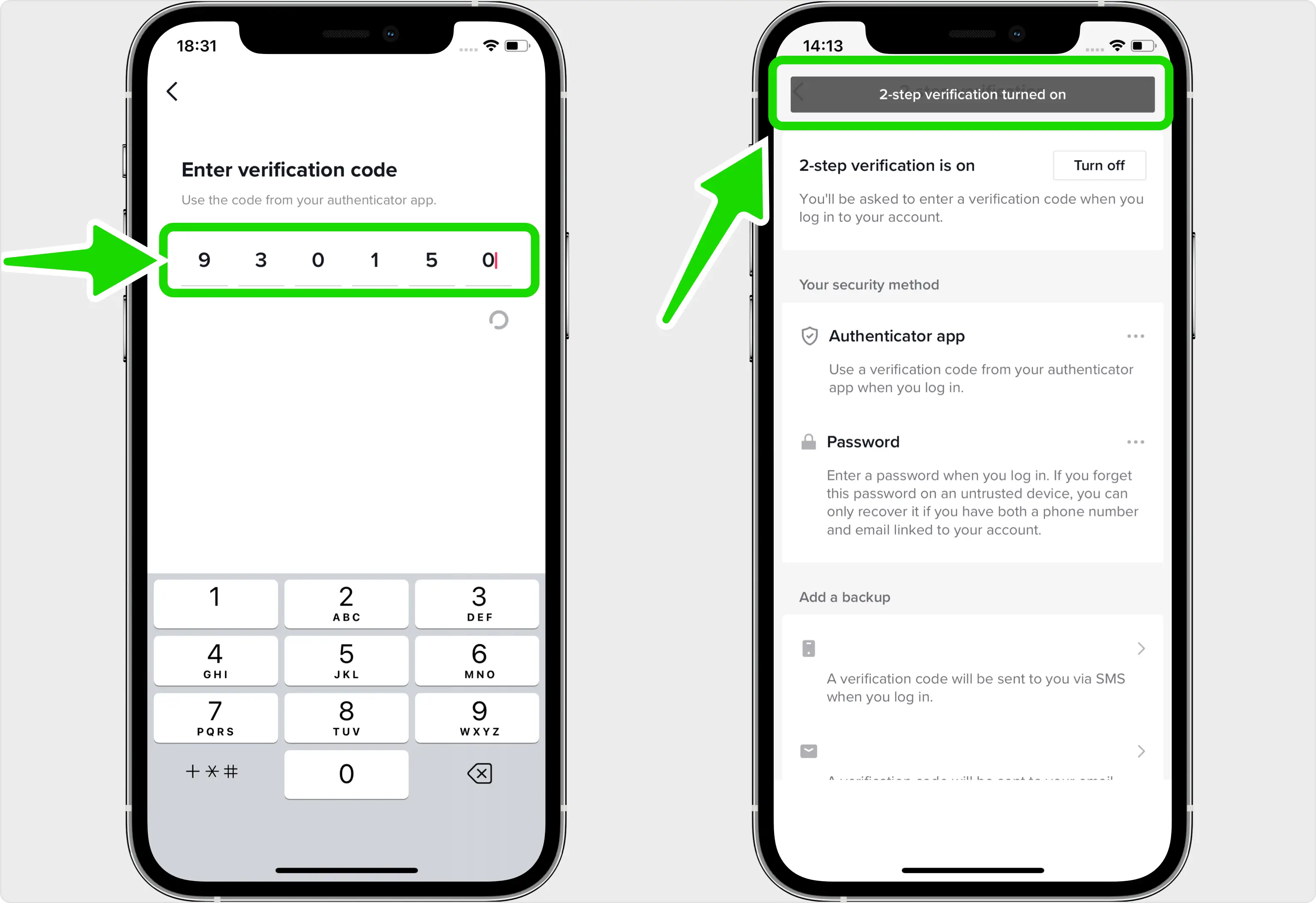
Copiez le code à 6 chiffres maintenant affiché pour TikTok dans votre Authenticator App, revenez sur TikTok, collez-le dans le champ Saisir le code de vérification et confirmez pour terminer l'activation de la vérification en 2 étapes.
Ajouter une deuxième méthode de sauvegarde
TikTok ne vous donne pas de codes de sauvegarde téléchargeables, alors configurez une méthode de vérification supplémentaire telle qu'un message texte ou un e-mail. De cette façon, vous pourrez toujours vous connecter si jamais vous perdez l'accès à votre Authenticator App.



Sauvegarde et récupération
TikTok ne vous donne pas de codes de sauvegarde téléchargeables, alors configurez une méthode de vérification supplémentaire telle qu'un message texte ou un e-mail. De cette façon, vous pourrez toujours vous connecter si jamais vous perdez l'accès à votre Authenticator App.
C’est terminé : votre compte TikTok est maintenant protégé par l’authentification à deux facteurs. Conservez vos informations de récupération en lieu sûr et consultez la documentation officielle du service si son interface évolue.
Voir toutes les méthodes 2FA prises en charge par TikTok →


