

Comment activer 2FA pour votre compte Notion
Mis à jour le 4 août 2026
L’authentification à deux facteurs (2FA) protège votre compte Notion même en cas de fuite de votre mot de passe. Suivez les étapes ci-dessous pour générer des codes de vérification pour Notion avec Authenticator App sur votre iPhone, iPad ou Mac.
Ouvrez vos paramètres Notion
Connectez-vous à Notion sur le Web et ouvrez Paramètres dans la barre latérale gauche, puis sélectionnez votre nom/compte en haut du menu des paramètres.
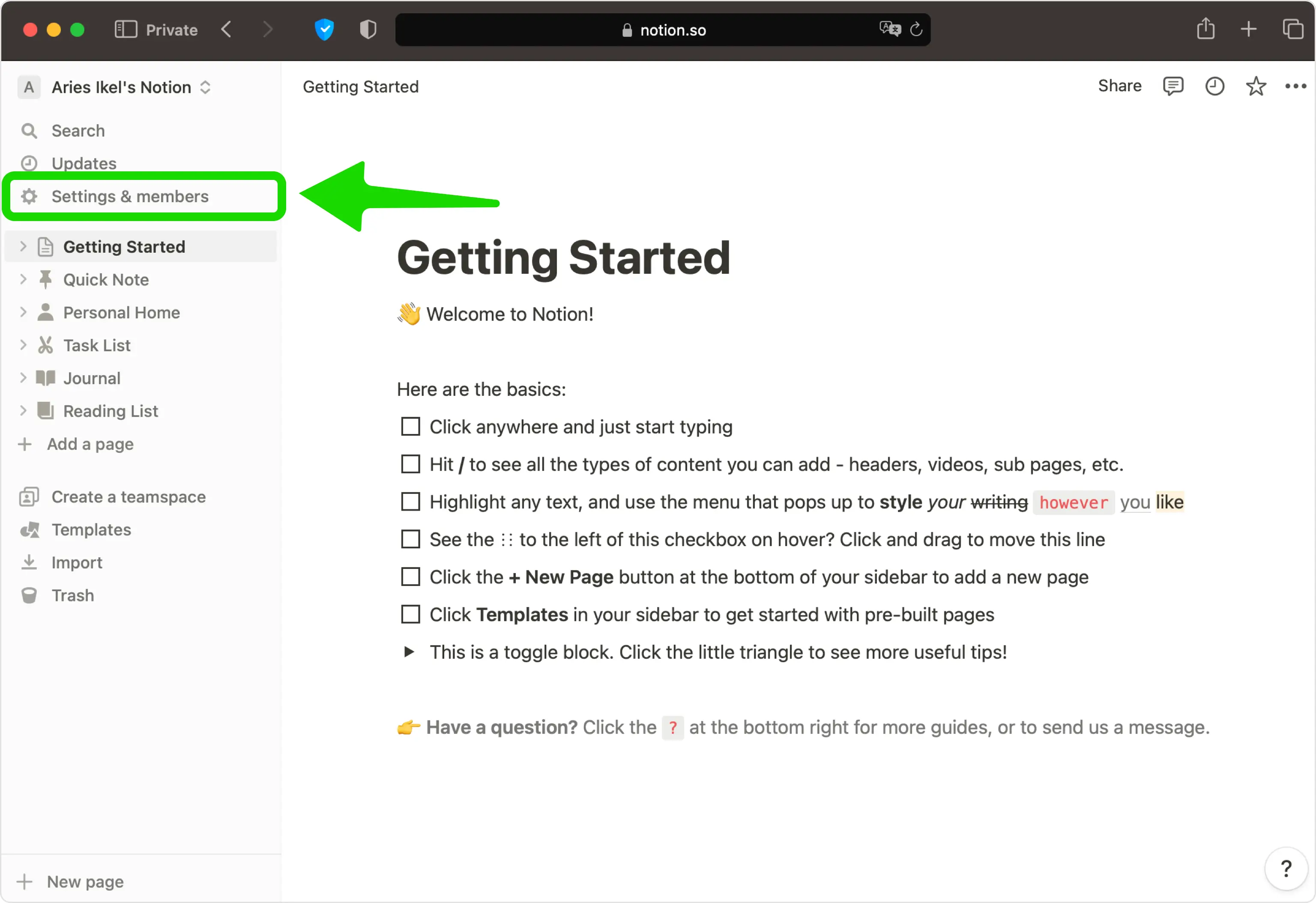
Activer la vérification en deux étapes
Dans la section Sécurité du compte, activez la vérification en 2 étapes (vous pouvez voir cela comme une action Ajouter une méthode de vérification en fonction de votre version).
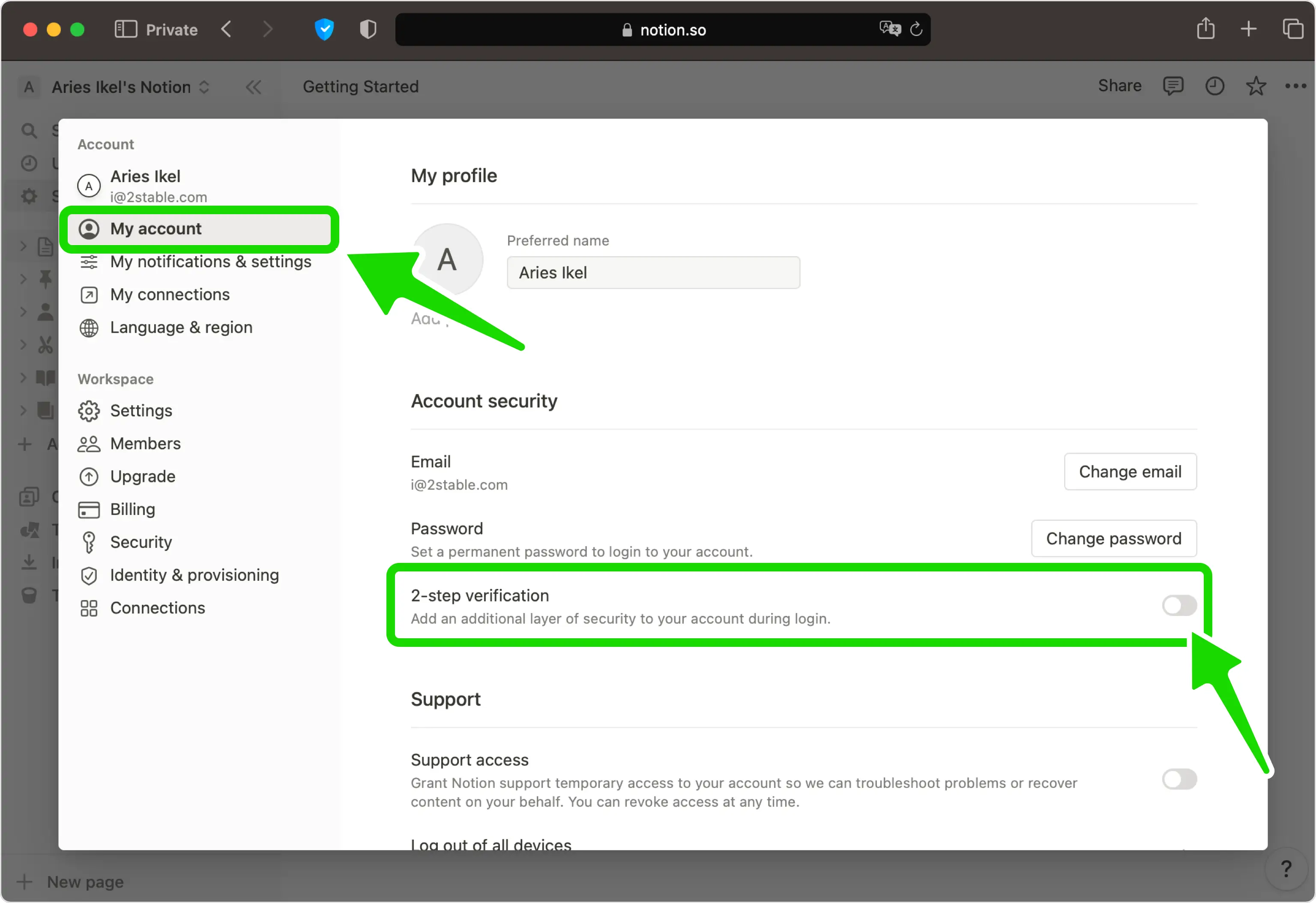
Choisissez l'option d'authentification
Sélectionnez Code de l'authentificateur comme méthode de vérification. Dans certaines régions, c'est la seule option proposée.
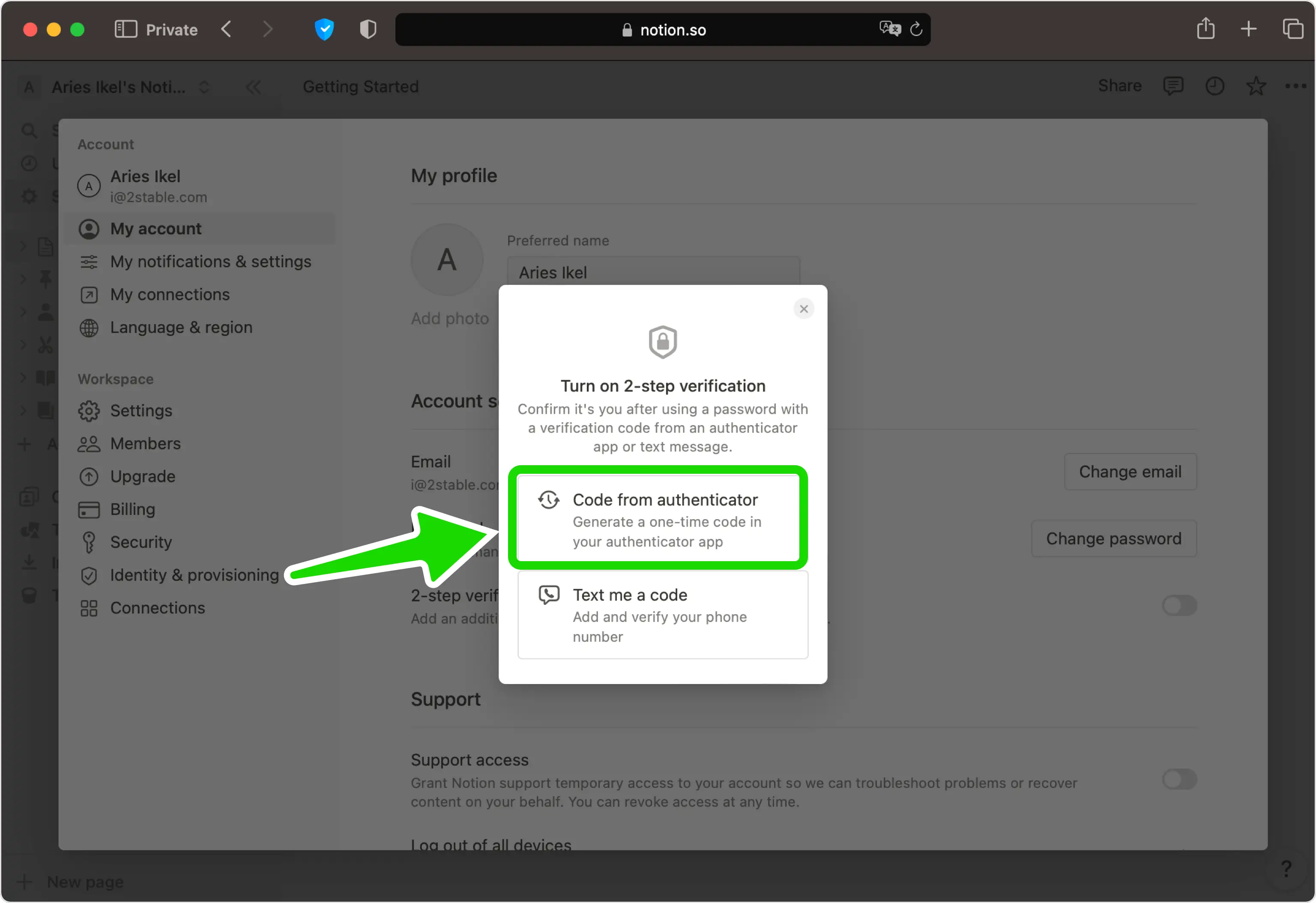
Afficher le code QR
Notion affiche désormais un code QR contenant votre clé secrète. Laissez cette page ouverte à l’écran pendant que vous prenez votre téléphone.
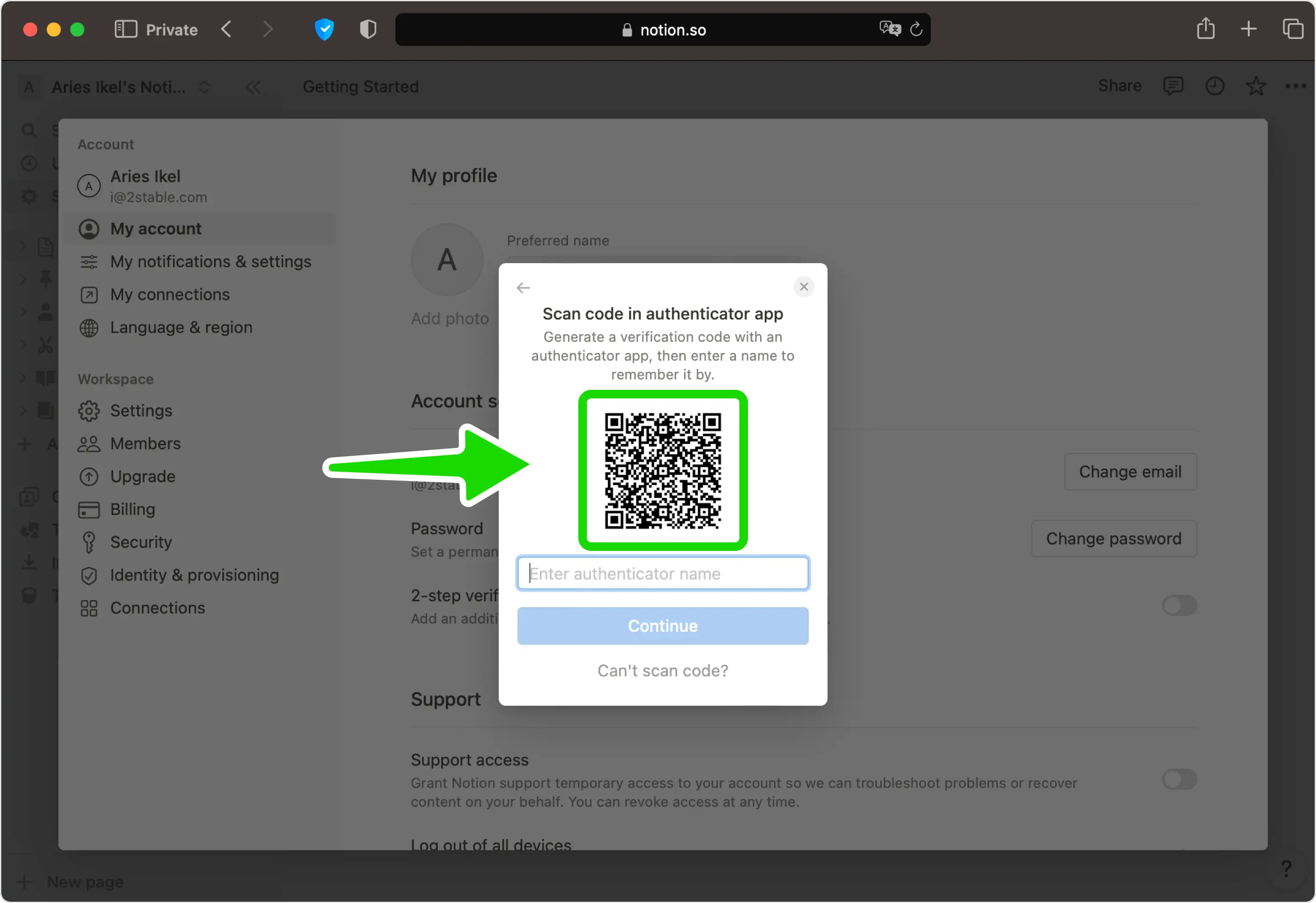
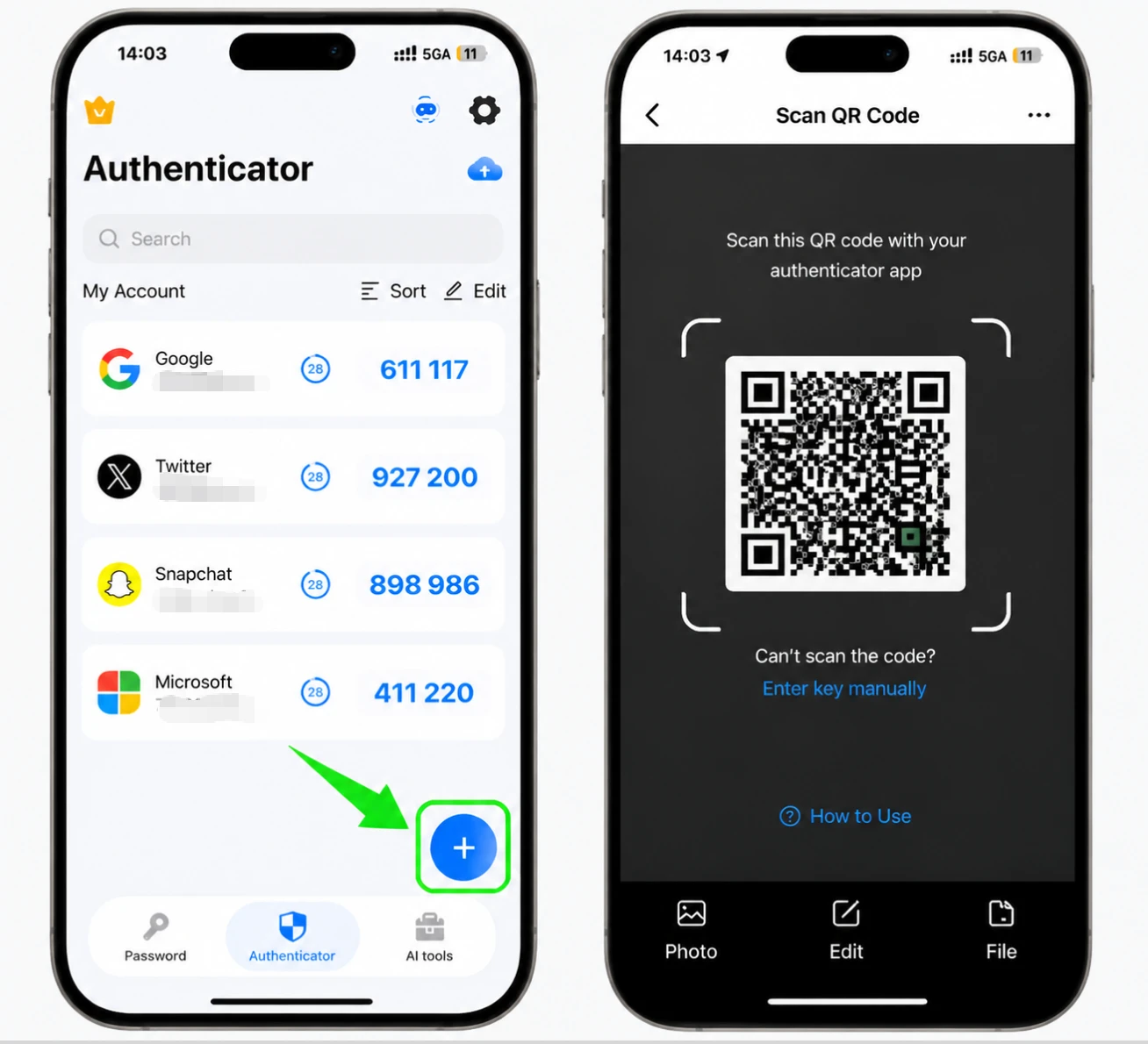
Scannez le code QR avec votre Authenticator App
Ouvrez le Authenticator App sur votre iPhone, appuyez sur le bouton + et maintenez votre téléphone vers le haut pour scanner le code QR affiché par Notion. Si vous ne pouvez pas le scanner, saisissez plutôt la clé secrète manuellement.
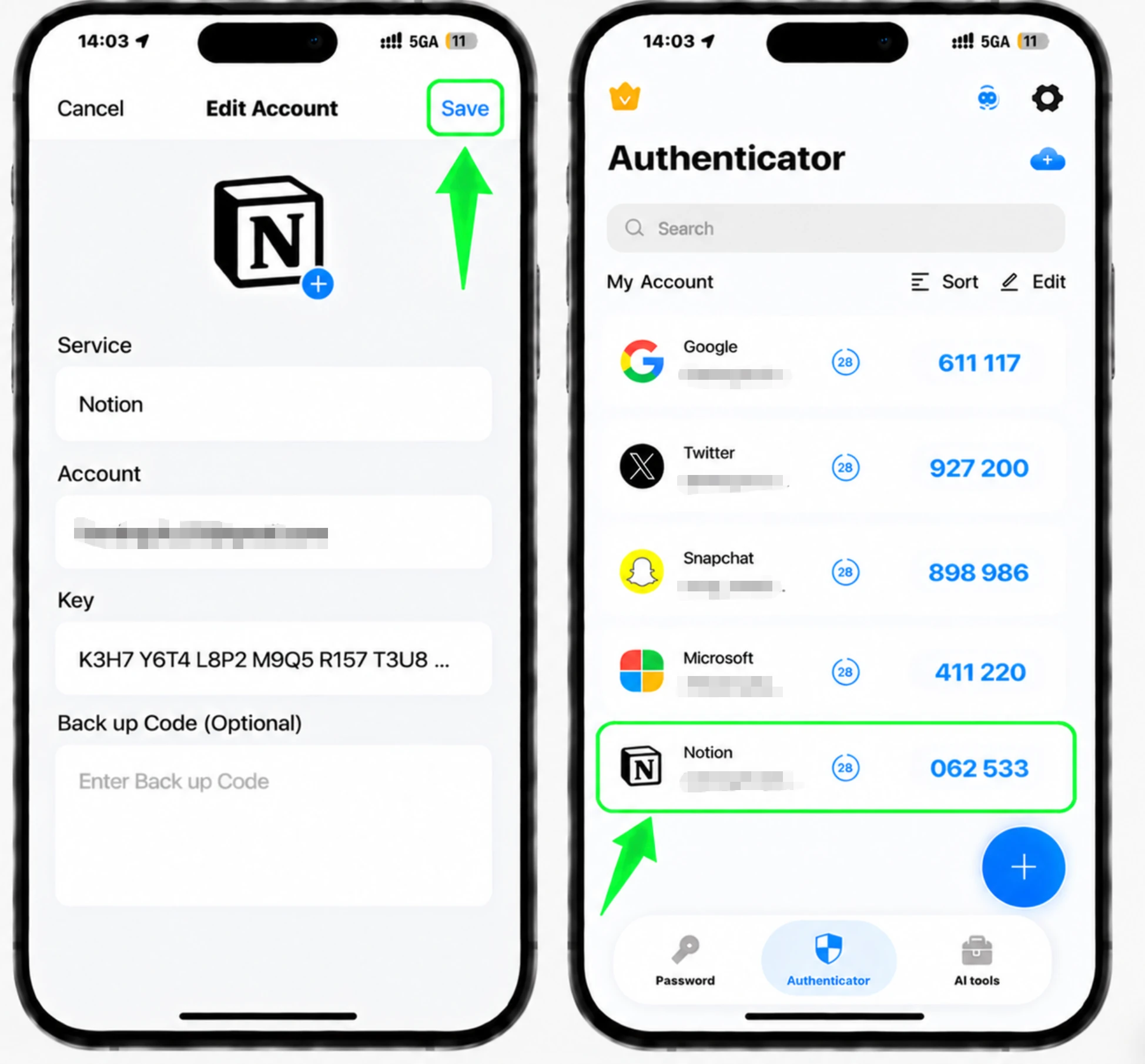
Enregistrez le compte dans l'application
Après l'analyse, le Authenticator App remplit automatiquement le logo Notion, le nom du compte et la clé secrète. Appuyez sur Enregistrer dans l'application pour stocker la nouvelle entrée.
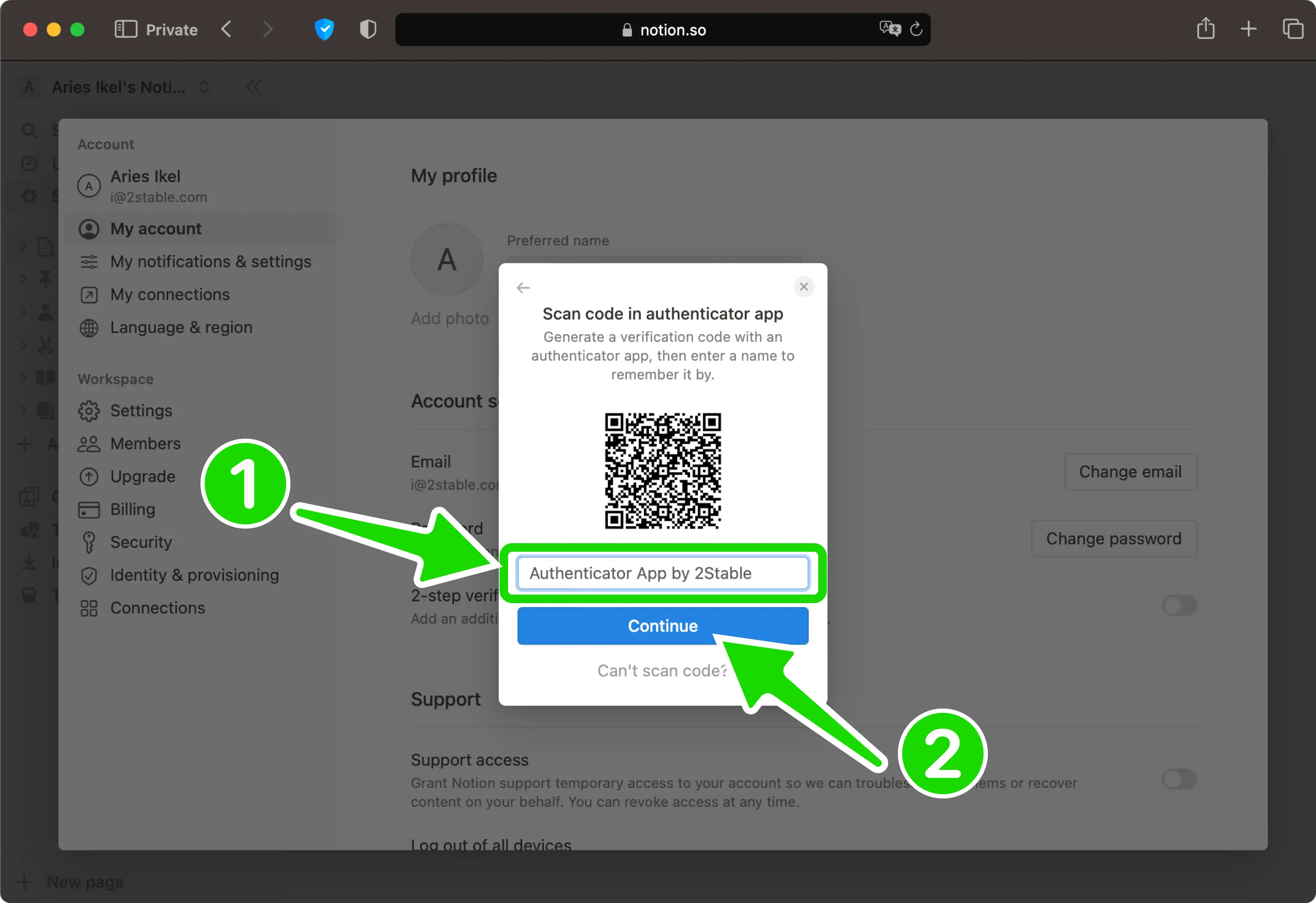
Nommez la méthode
De retour sur la page Web Notion, saisissez un nom pour cette méthode d'authentification afin de pouvoir la reconnaître plus tard, puis cliquez sur Continuer.
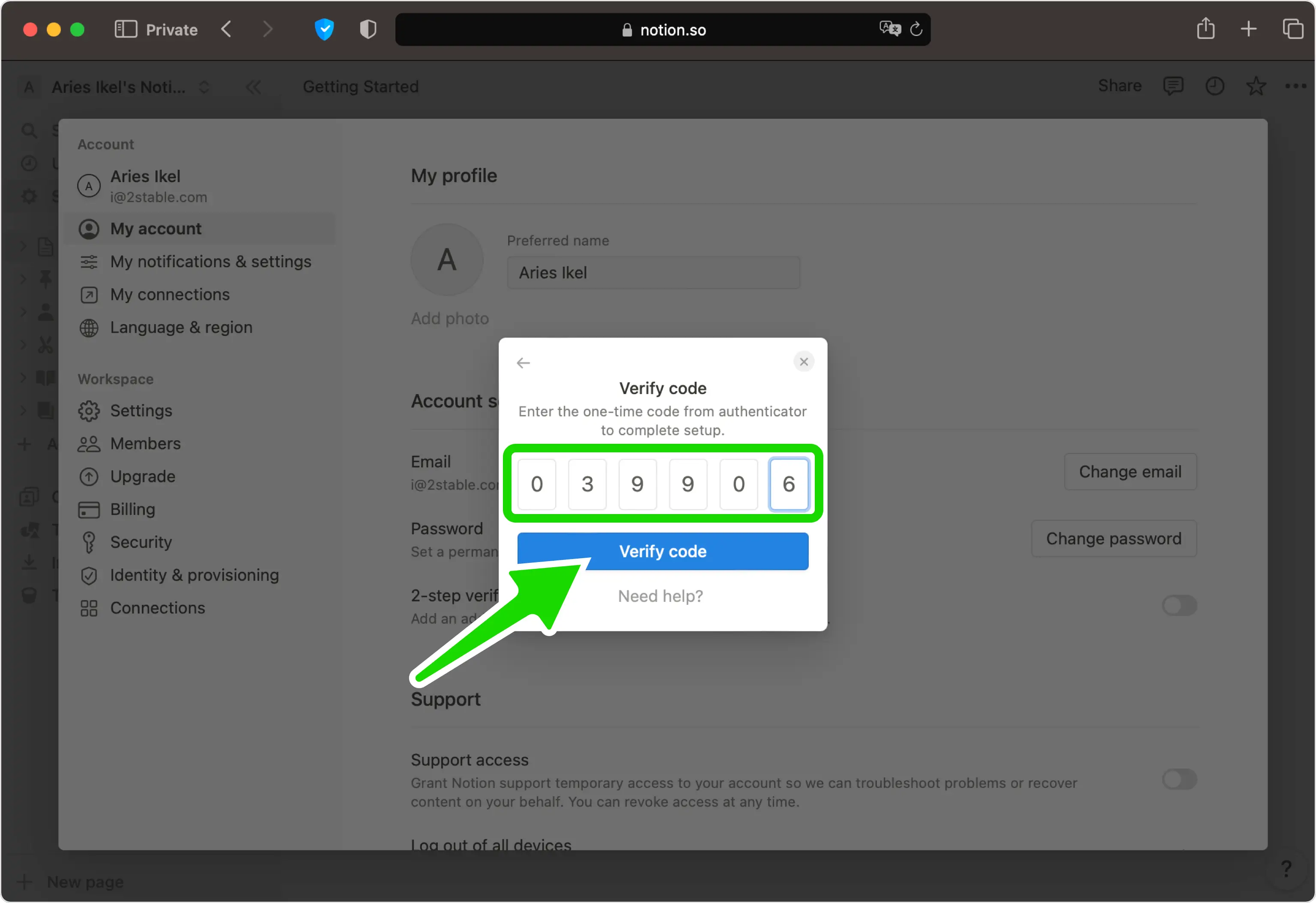
Entrez le code de vérification
Tapez le code à usage unique à 6 chiffres de votre Authenticator App dans le champ de Notion, puis cliquez sur Vérifier le code pour confirmer.
Enregistrez vos codes de sauvegarde
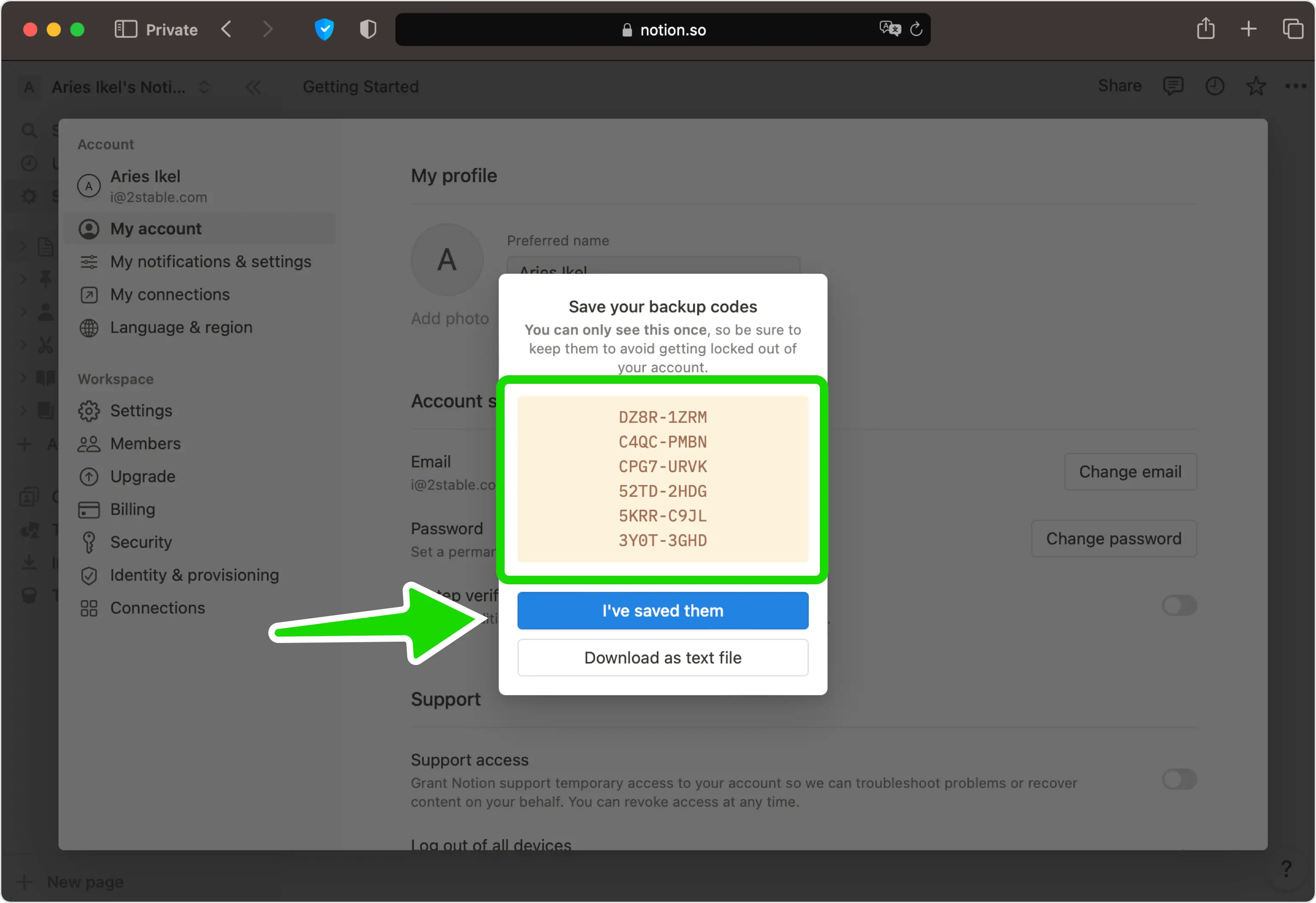
La vérification en deux étapes est désormais activée. S'il s'agit de votre première méthode, Notion affiche un ensemble de codes de sauvegarde. Enregistrez-les dans un endroit sûr (chacun ne fonctionne qu'une seule fois), puis appuyez sur Je les ai enregistrés pour terminer.


Sauvegarde et récupération
La vérification en deux étapes est désormais activée. S'il s'agit de votre première méthode, Notion affiche un ensemble de codes de sauvegarde. Enregistrez-les dans un endroit sûr (chacun ne fonctionne qu'une seule fois), puis appuyez sur Je les ai enregistrés pour terminer.
C’est terminé : votre compte Notion est maintenant protégé par l’authentification à deux facteurs. Conservez vos informations de récupération en lieu sûr et consultez la documentation officielle du service si son interface évolue.
Voir toutes les méthodes 2FA prises en charge par Notion →


