

Comment activer 2FA pour votre compte Instagram
Mis à jour le 4 août 2026
L’authentification à deux facteurs (2FA) protège votre compte Instagram même en cas de fuite de votre mot de passe. Suivez les étapes ci-dessous pour générer des codes de vérification pour Instagram avec Authenticator App sur votre iPhone, iPad ou Mac.
Connectez-vous et ouvrez le Centre des comptes
Connectez-vous à Instagram, puis ouvrez Paramètres et cliquez sur Centre de comptes. Sur le site Web, cliquez d'abord sur Plus dans le menu en bas à gauche ; dans l'application, appuyez sur les trois lignes en haut à droite pour y accéder.
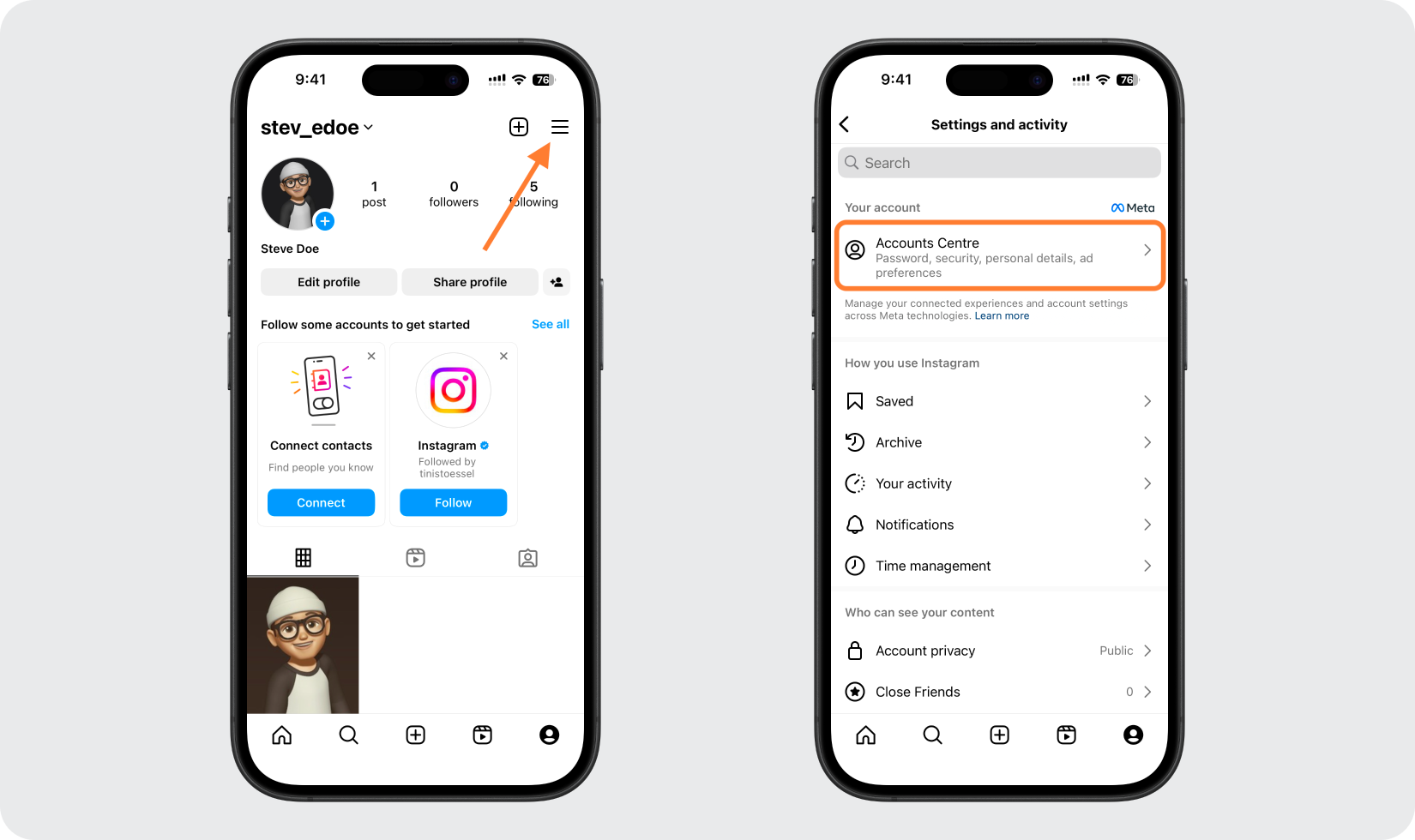
Allez dans Mot de passe et sécurité, puis Authentification à deux facteurs
Dans le Centre de comptes, cliquez sur Mot de passe et sécurité, puis sur Authentification à deux facteurs.
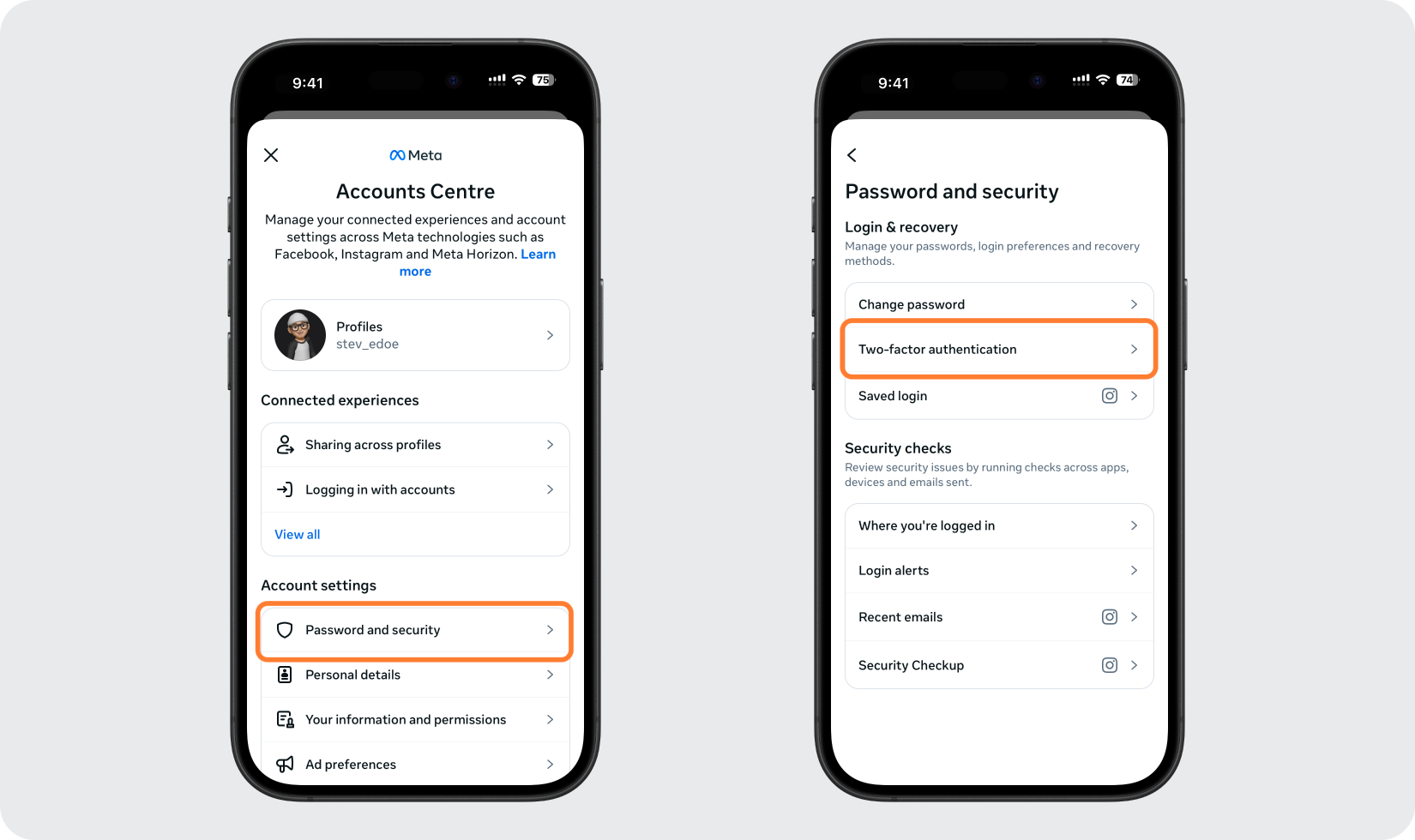
Choisissez votre compte et choisissez l'application d'authentification
Sélectionnez le compte Instagram que vous souhaitez protéger, puis choisissez l'option Application d'authentification et continuez.
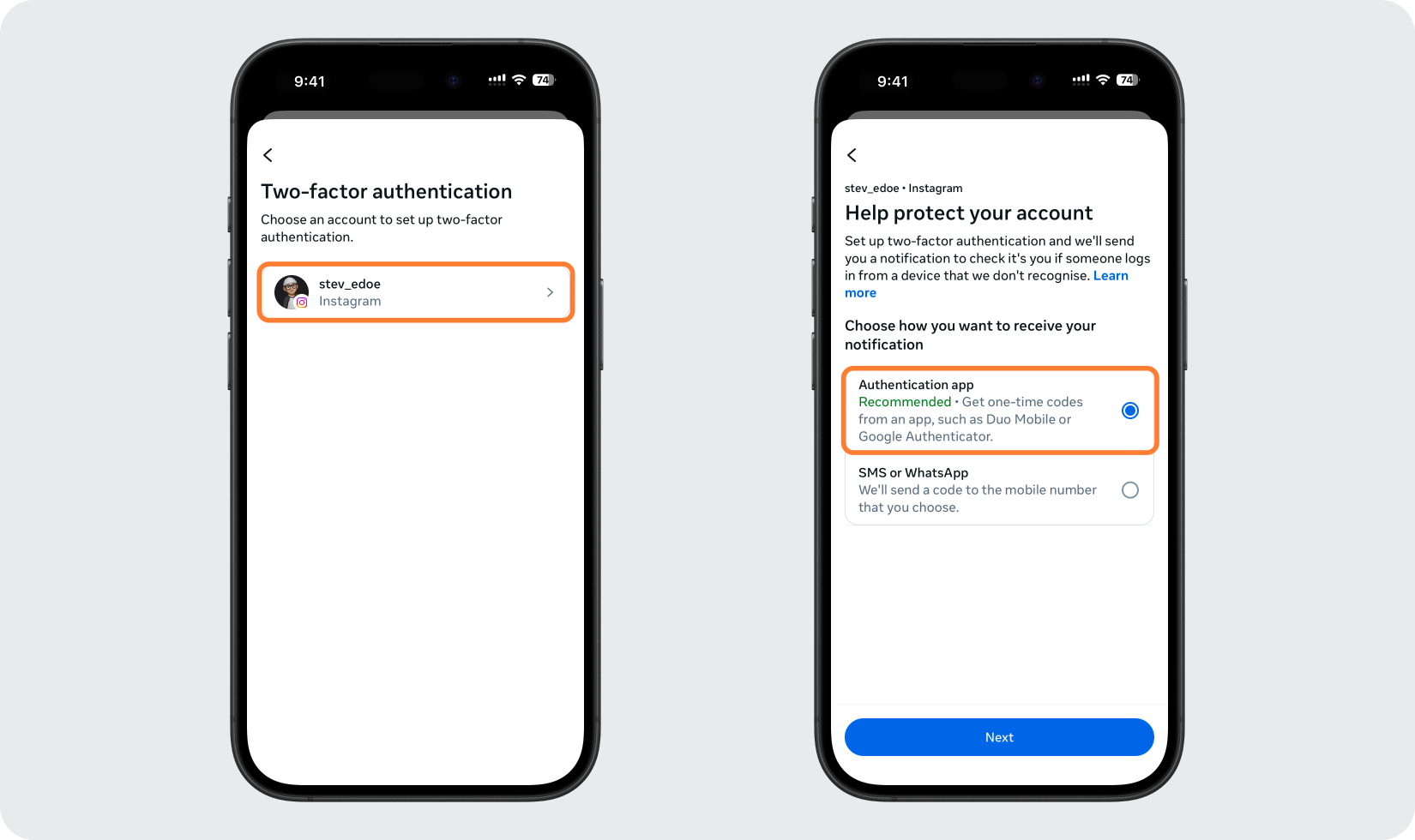
Afficher le code QR ou la clé de configuration
Instagram affiche un code QR ainsi que la possibilité de copier une clé de configuration. Gardez cet écran ouvert pendant que vous ajoutez le compte dans votre Authenticator App.
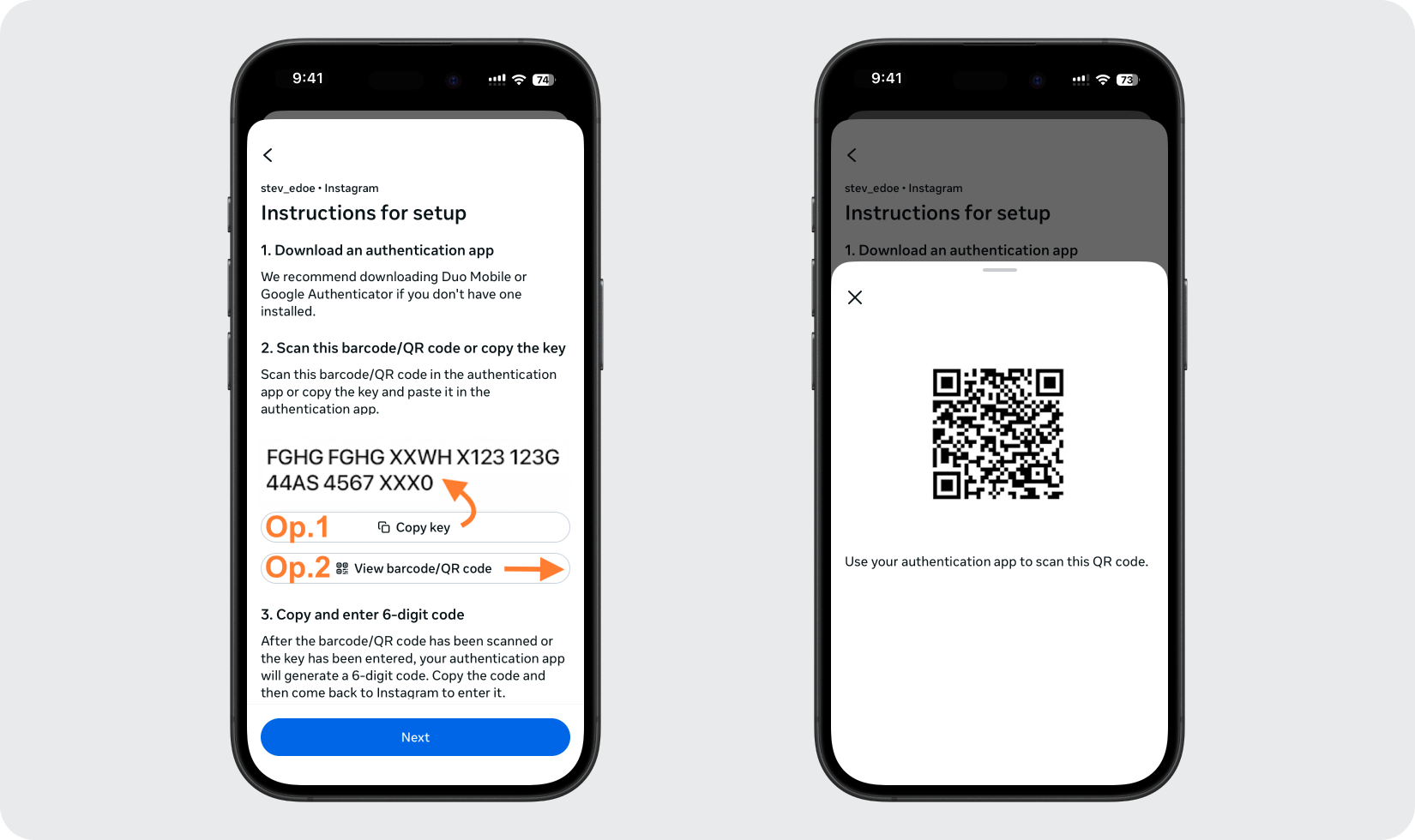
Ajoutez le compte dans votre Authenticator App
Ouvrez le Authenticator App sur votre iPhone et appuyez sur le bouton + pour scanner le code QR affiché par Instagram. Si vous ne pouvez pas le scanner, choisissez plutôt de saisir la clé de configuration manuellement.
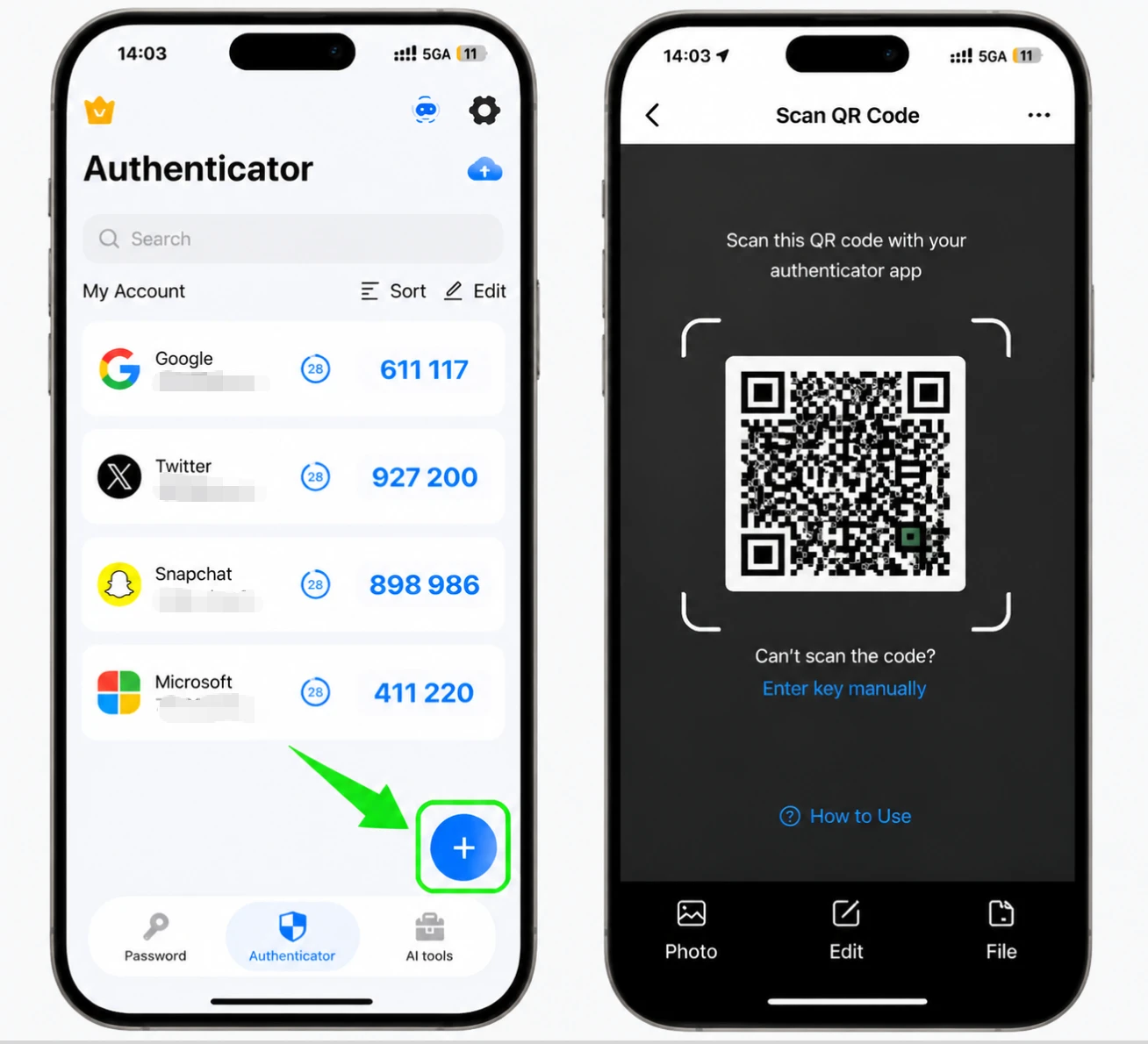
Obtenez votre code à 6 chiffres
Une fois le compte ajouté, le Authenticator App affiche un code à 6 chiffres pour Instagram qui s'actualise périodiquement. Copiez ou notez le code actuel.
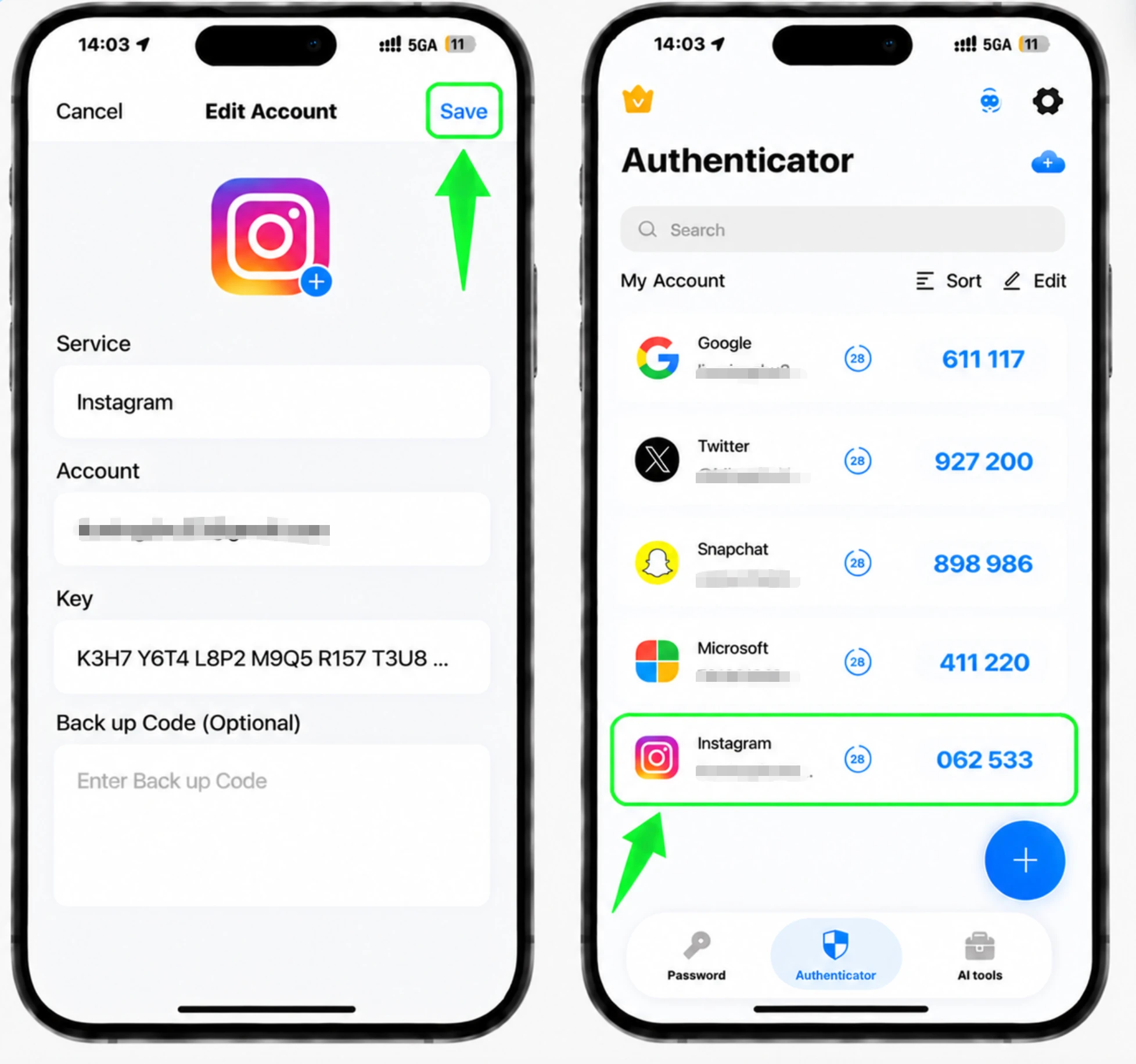
Entrez le code pour confirmer
Revenez sur Instagram, saisissez le code à 6 chiffres de votre Authenticator App et confirmez pour terminer la liaison de l'application.
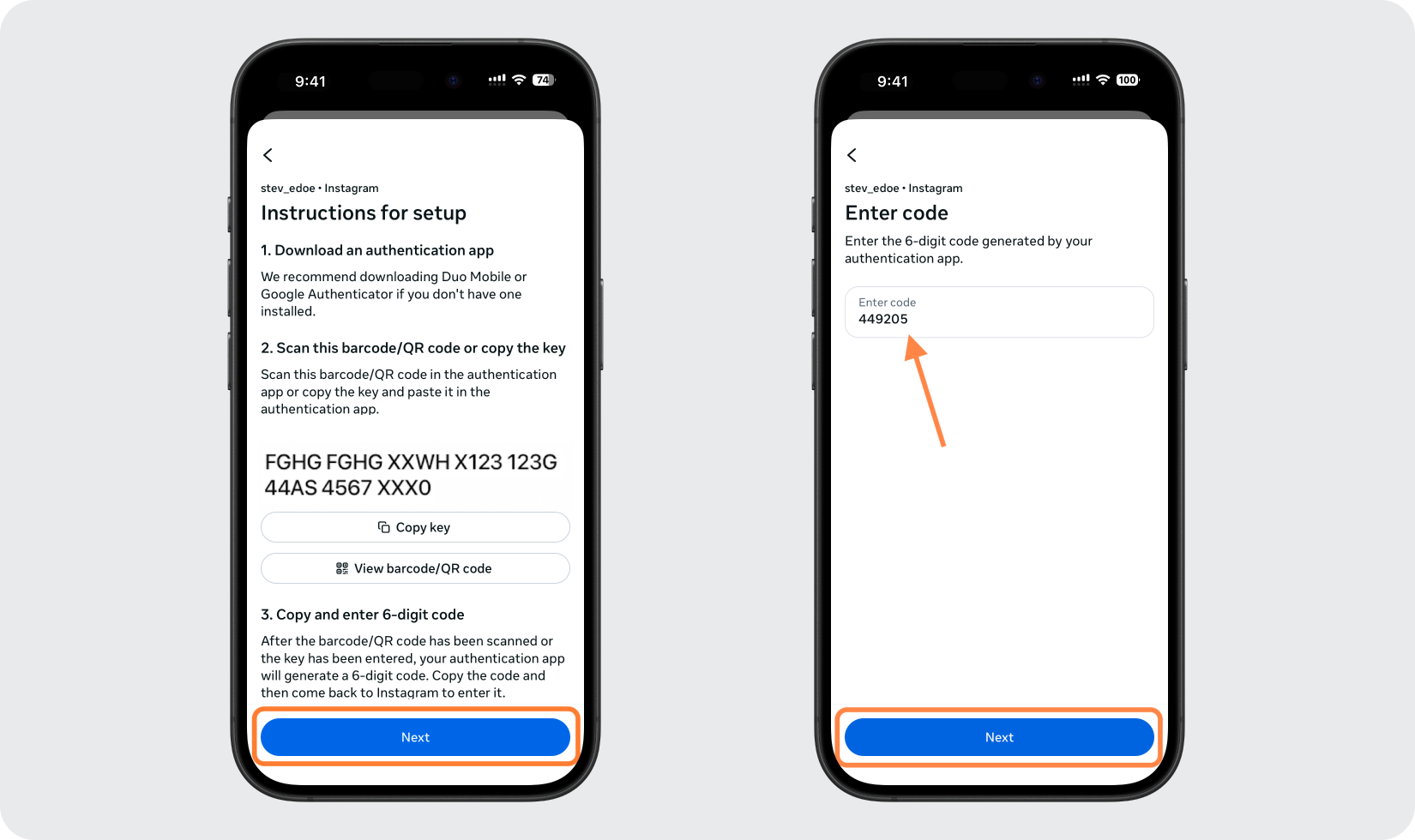
Enregistrez vos codes de sauvegarde
Une fois l'authentification à deux facteurs activée, Instagram fournit des codes de sauvegarde. Enregistrez-les dans un endroit sûr afin de pouvoir toujours vous connecter si jamais vous perdez l'accès à votre application d'authentification.



Sauvegarde et récupération
Une fois l'authentification à deux facteurs activée, Instagram fournit des codes de sauvegarde. Enregistrez-les dans un endroit sûr afin de pouvoir toujours vous connecter si jamais vous perdez l'accès à votre application d'authentification.
C’est terminé : votre compte Instagram est maintenant protégé par l’authentification à deux facteurs. Conservez vos informations de récupération en lieu sûr et consultez la documentation officielle du service si son interface évolue.
Voir toutes les méthodes 2FA prises en charge par Instagram →


