

Twitch 계정에서 2FA를 활성화하는 방법
2026년 8월 4일 업데이트
2단계 인증(2FA)은 비밀번호가 유출되더라도 Twitch 계정을 보호합니다. iPhone, iPad 또는 Mac에서 Authenticator App으로 Twitch 인증 코드를 생성하려면 아래 단계를 따르세요.
Twitch 설정을 엽니다.
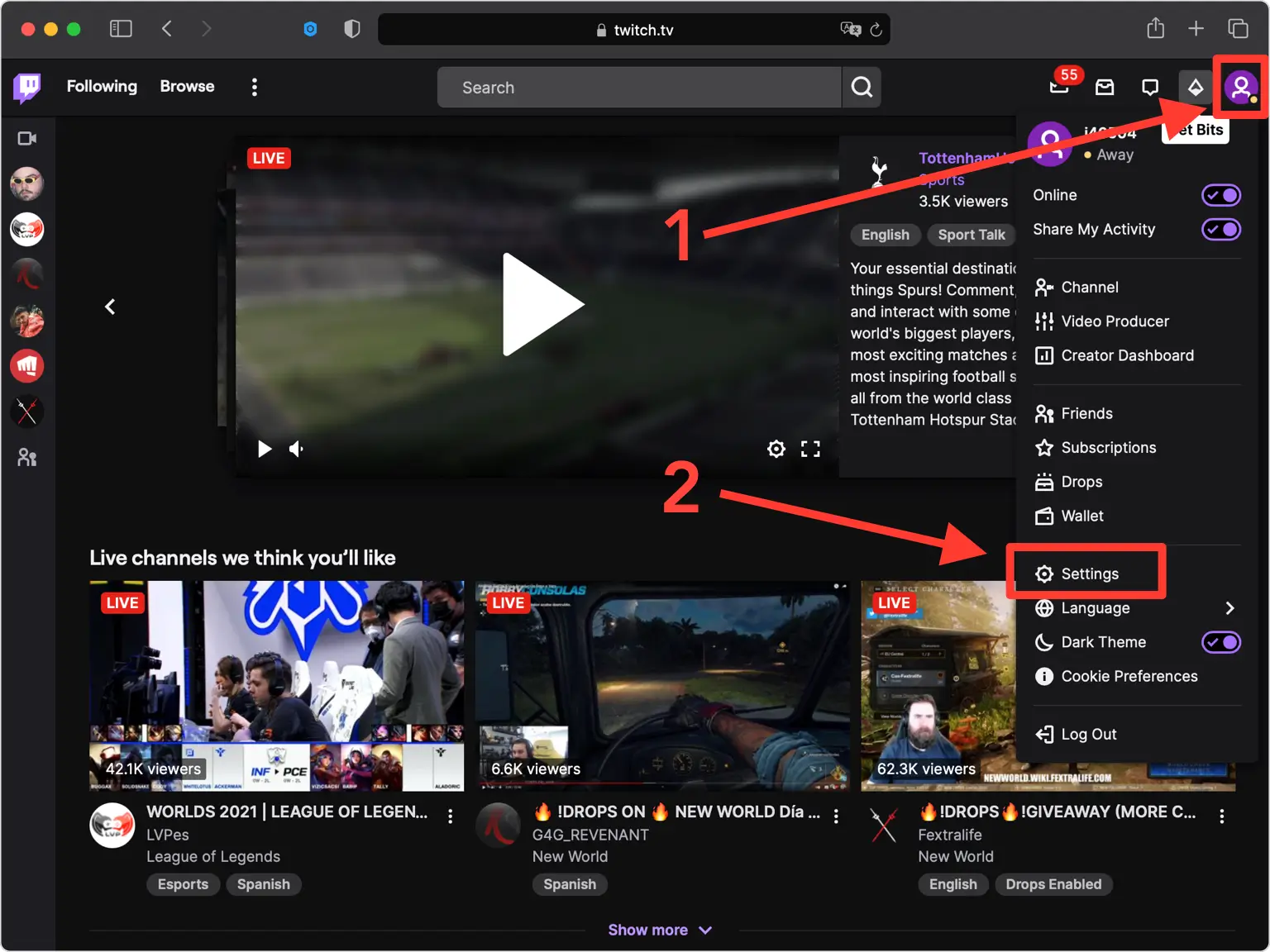
데스크톱 웹 브라우저에서 twitch.tv에 로그인하고 오른쪽 상단에 있는 프로필 사진을 클릭한 후 드롭다운 메뉴에서 설정을 선택하세요.
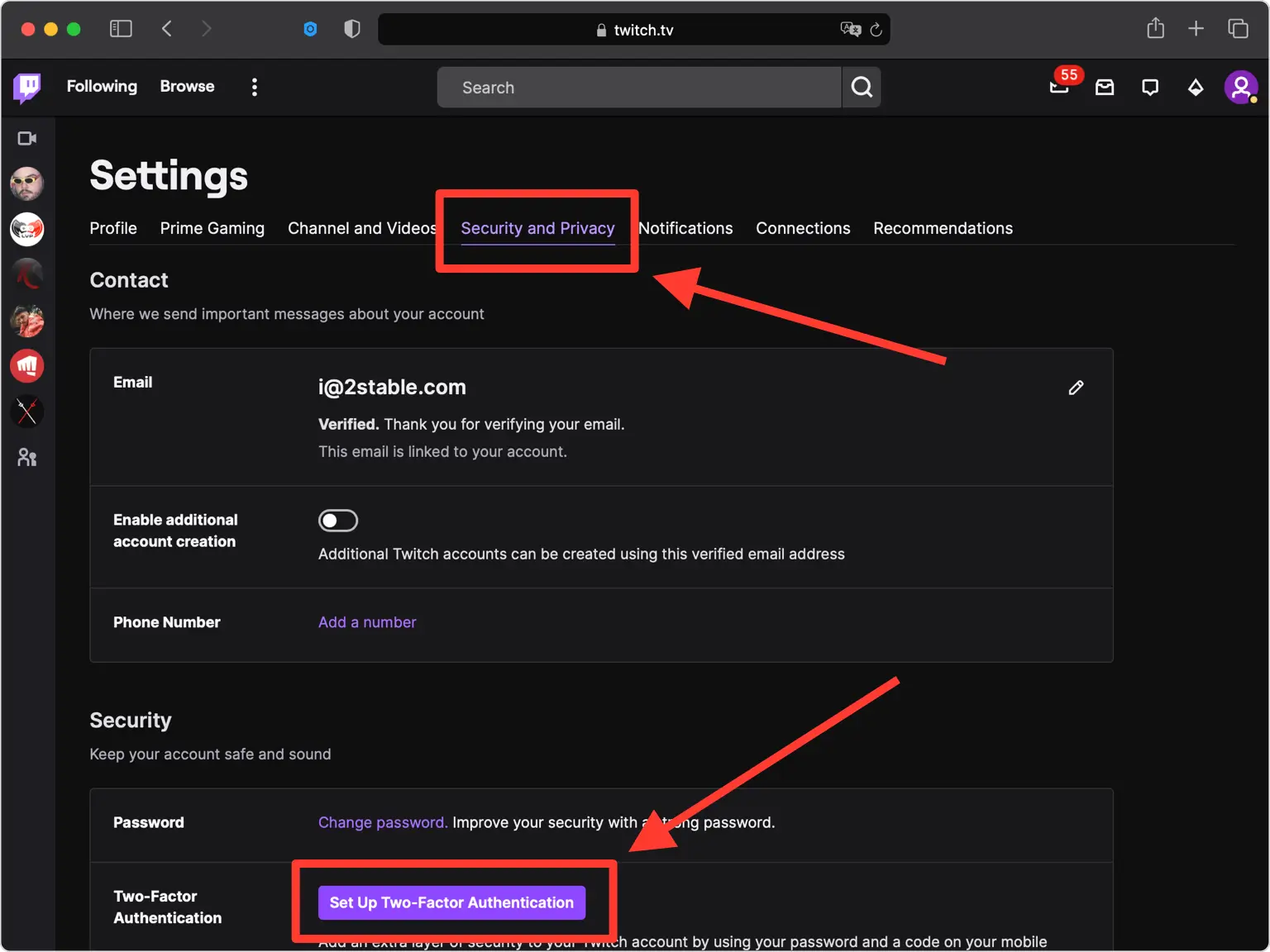
보안 및 개인 정보 탭으로 이동
보안 및 개인 정보 보호 탭을 연 다음 이중 인증 옵션이 있는 보안 섹션까지 아래로 스크롤합니다.
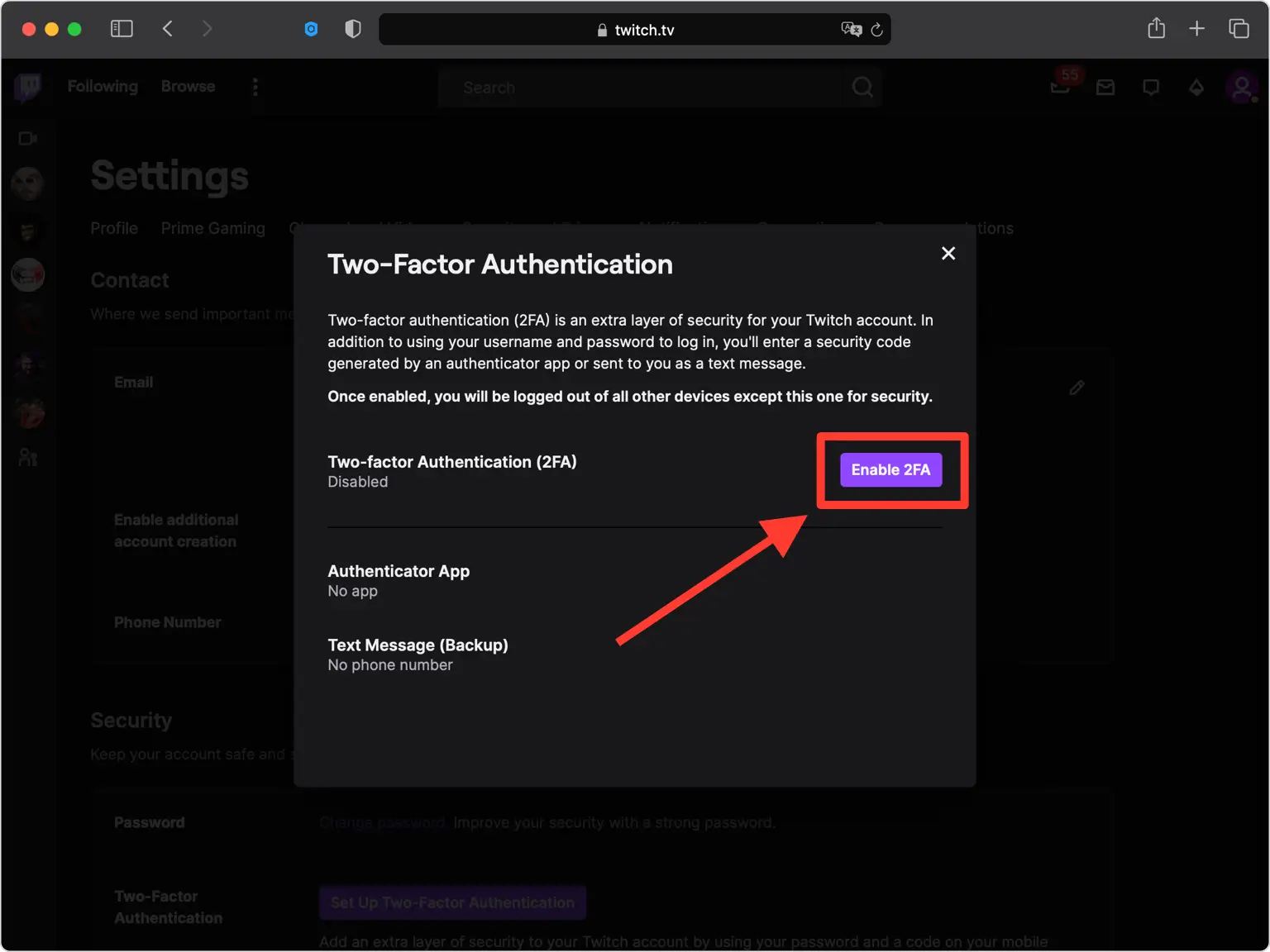
2단계 인증 설정 시작
보안 섹션에서 2단계 인증 설정을 클릭한 다음 2FA 활성화를 클릭하여 시작하세요. 메시지가 나타나면 비밀번호를 입력하세요.
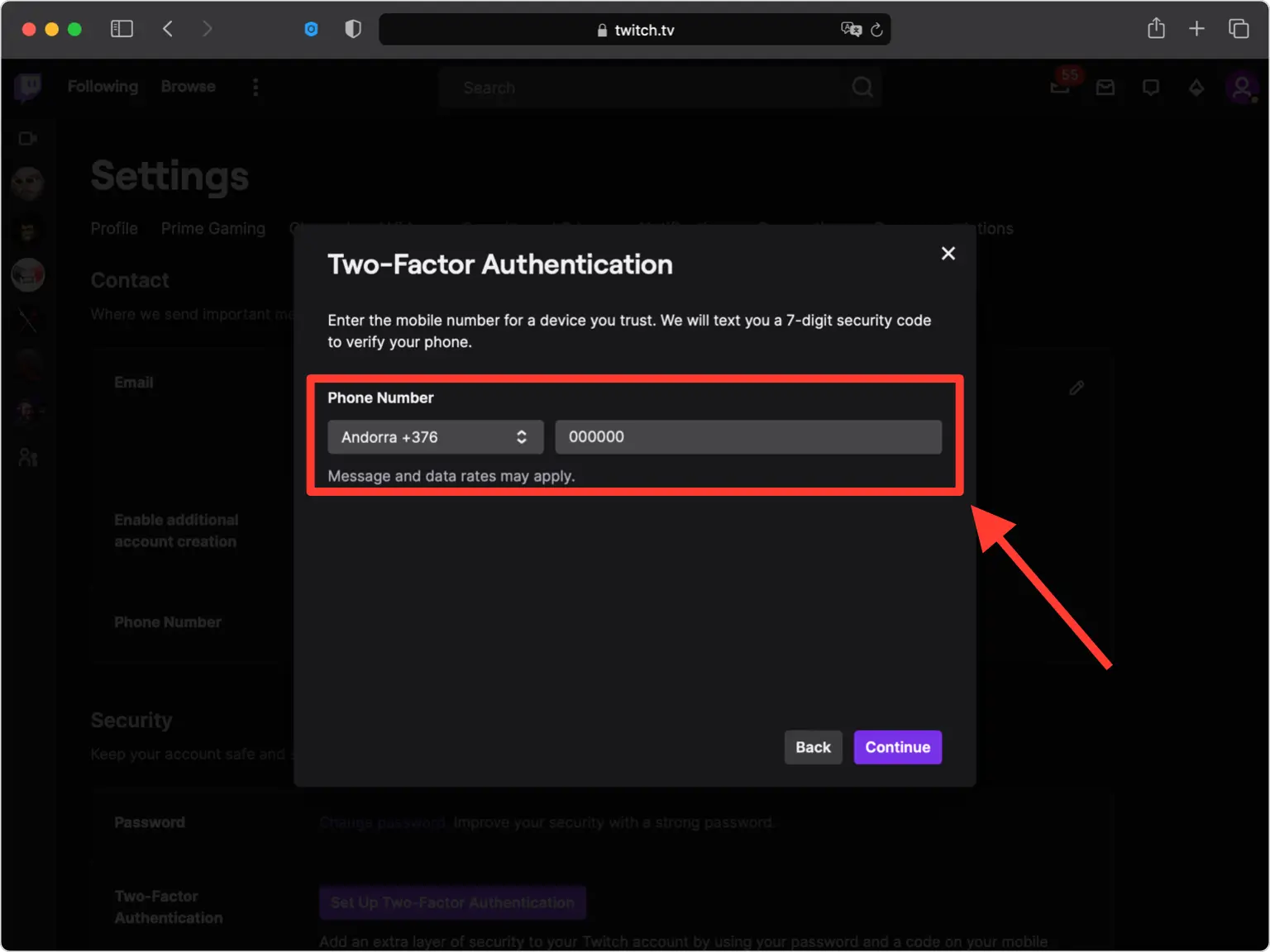
휴대폰 번호를 확인하세요
Twitch는 귀하의 전화번호를 계정 복구 기준으로 사용하므로 휴대폰 번호를 입력하고 계속을 클릭하세요.
휴대폰 번호를 확인하세요
Twitch는 SMS로 7자리 보안 코드를 문자로 보냅니다. 전화번호를 확인하려면 확인 필드에 해당 코드를 입력하세요.
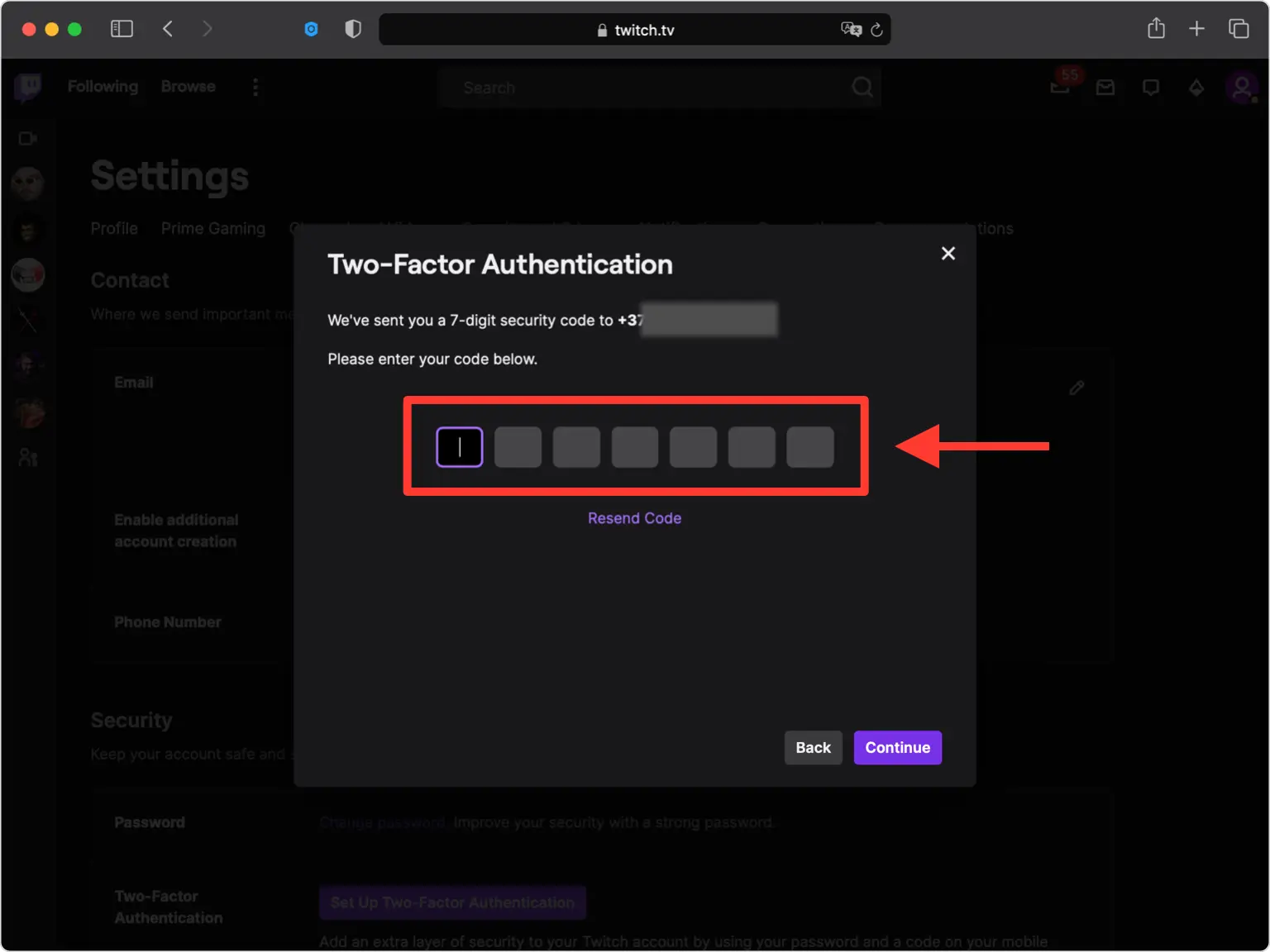
QR 코드 화면 열기
SMS 대신 인증 앱 옵션을 선택하면 QR 코드(및 비밀 키)가 있는 창이 나타납니다. 휴대전화를 찾는 동안 이 창을 열어두세요.
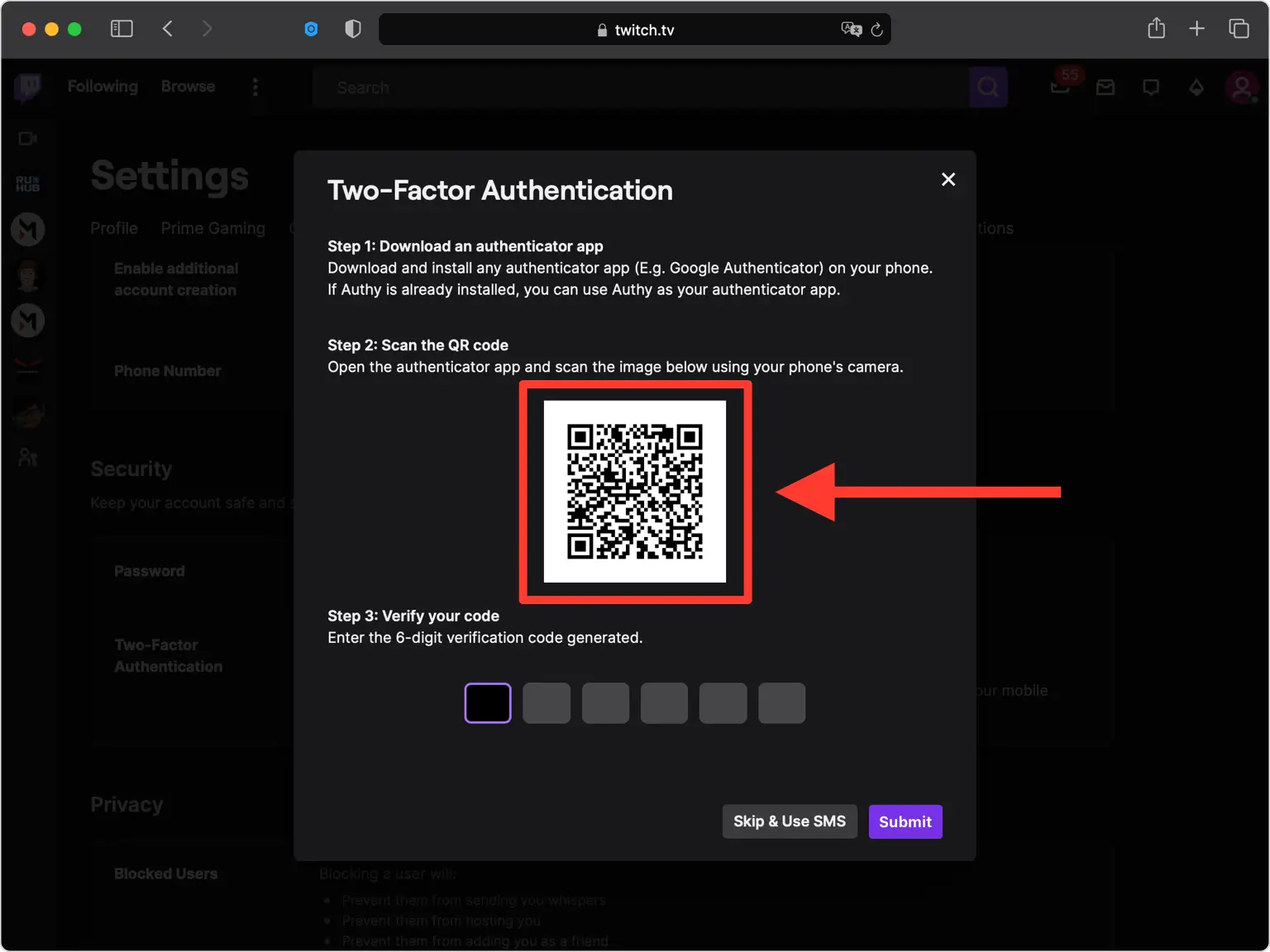
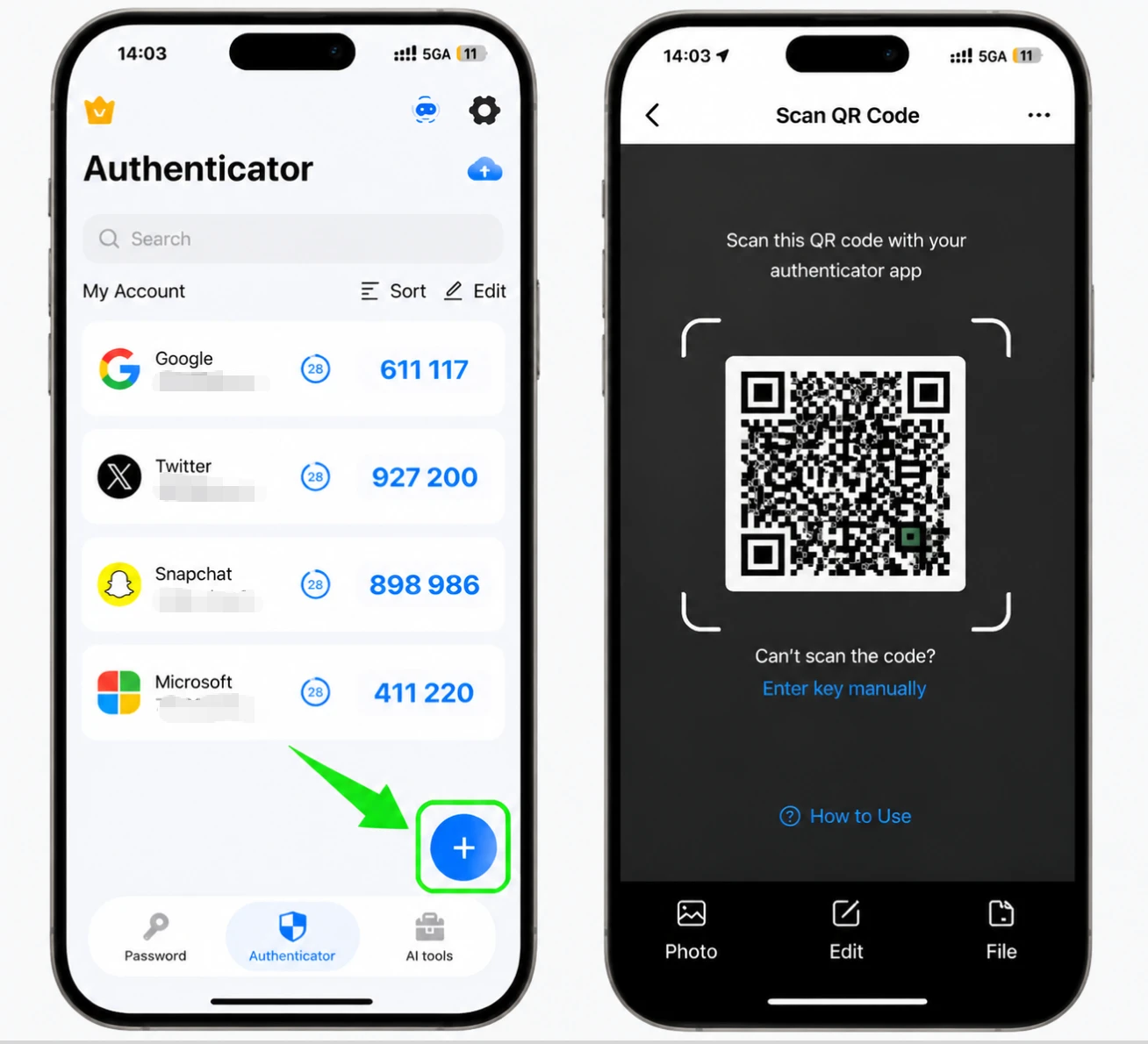
Authenticator App으로 QR 코드를 스캔하세요.
iPhone에서 Authenticator App을 열고 화면 하단의 + 버튼을 탭한 후 휴대폰을 들어 Twitch에 표시된 QR 코드를 스캔하세요. 스캔할 수 없는 경우 수동 입력을 선택하고 대신 비밀 키를 입력하세요.
Authenticator App에 계정을 저장하세요.
스캔 후 Authenticator App은 Twitch 계정 이름과 비밀 키를 자동으로 입력합니다. 세부정보가 올바른지 확인하고 저장을 탭하여 계정을 추가하세요.
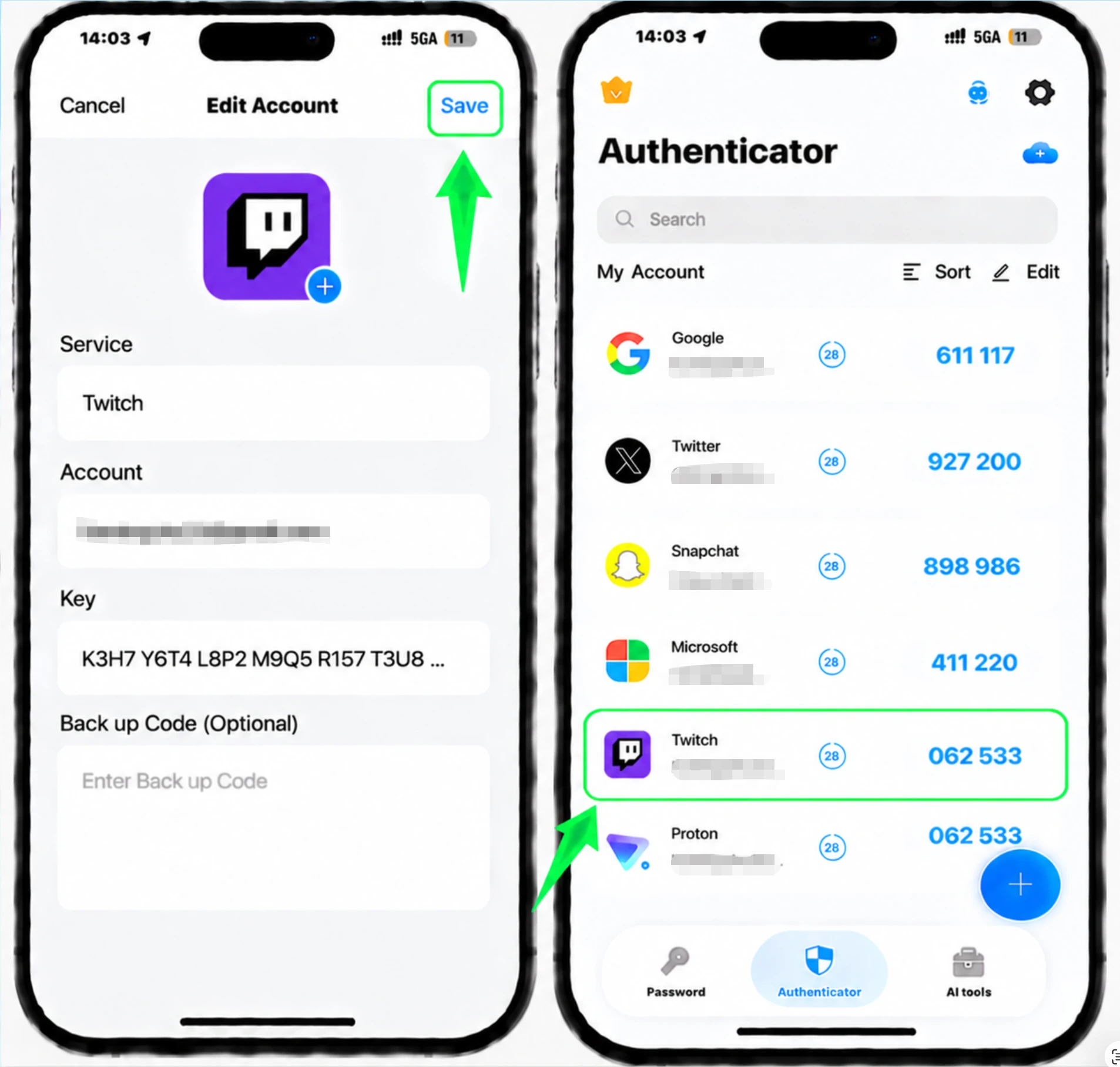
Authenticator App에서 6자리 코드를 복사하세요.
이제 Authenticator App에 30초마다 새로 고쳐지는 Twitch용 6자리 코드가 표시됩니다. Twitch에 다시 입력할 수 있도록 현재 코드를 복사하세요.
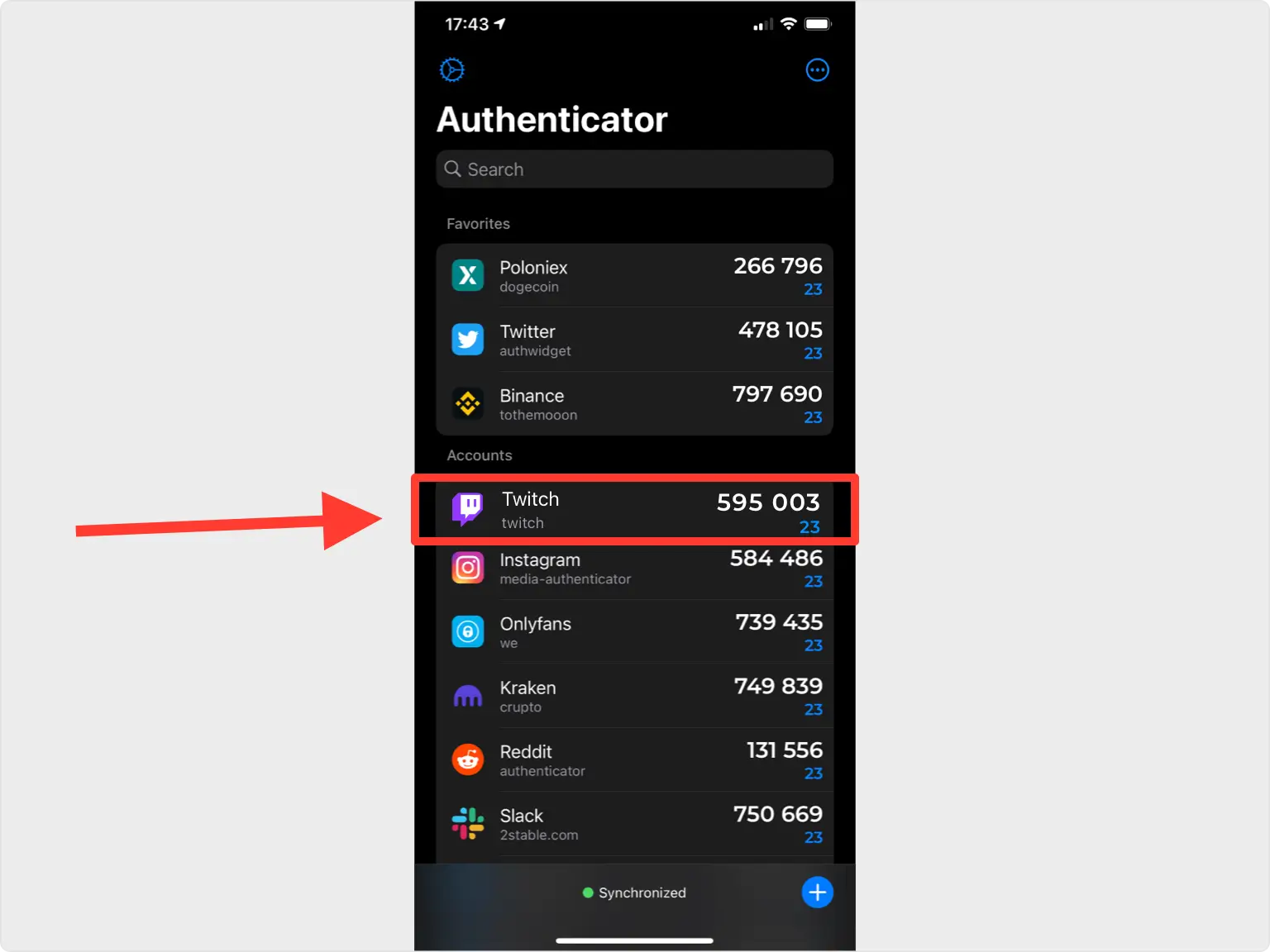
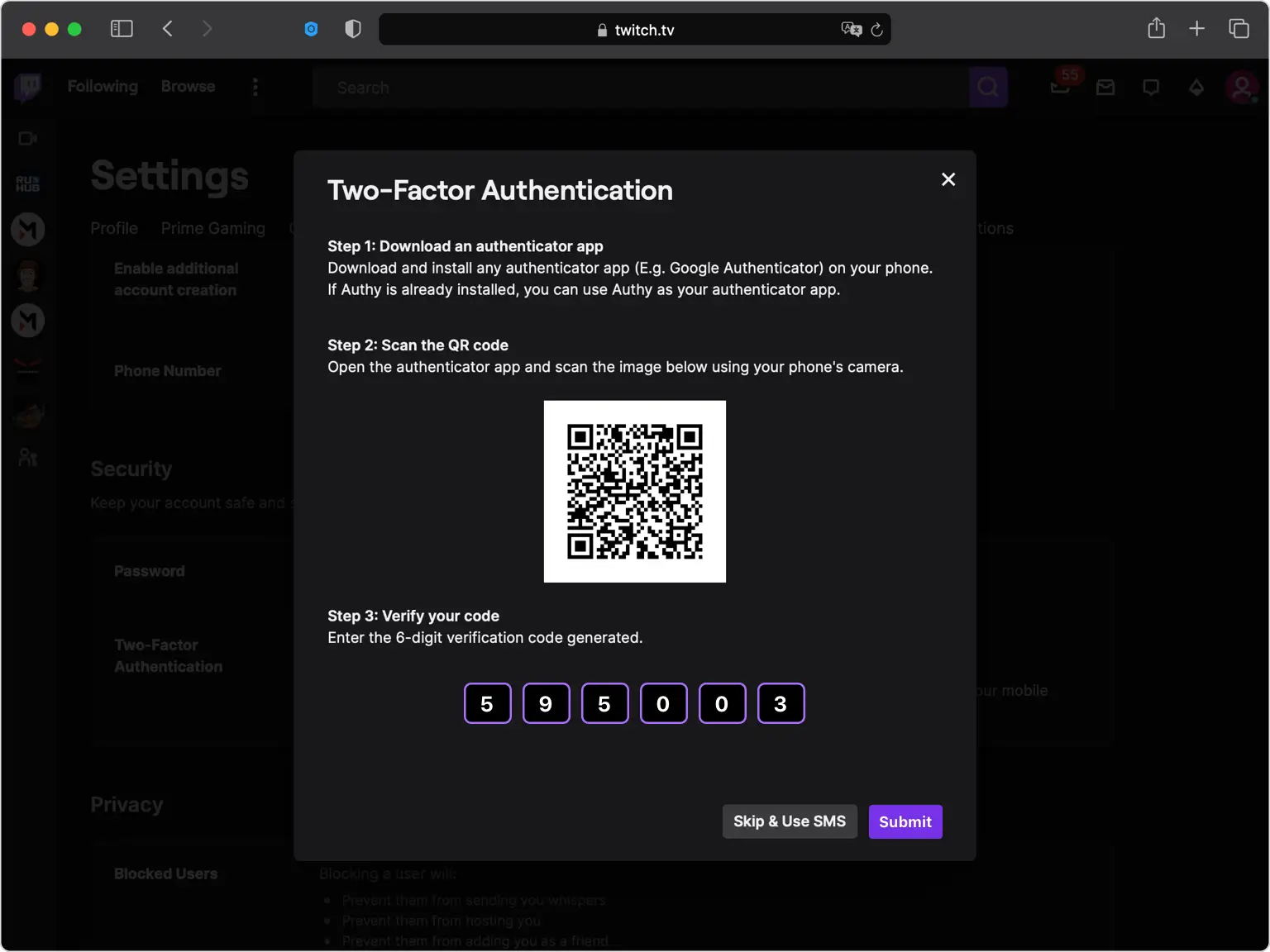
Twitch에서 인증하려면 코드를 입력하세요.
Twitch 웹사이트로 돌아가서 Authenticator App의 6자리 인증 코드를 해당 필드에 입력하고 제출하세요.
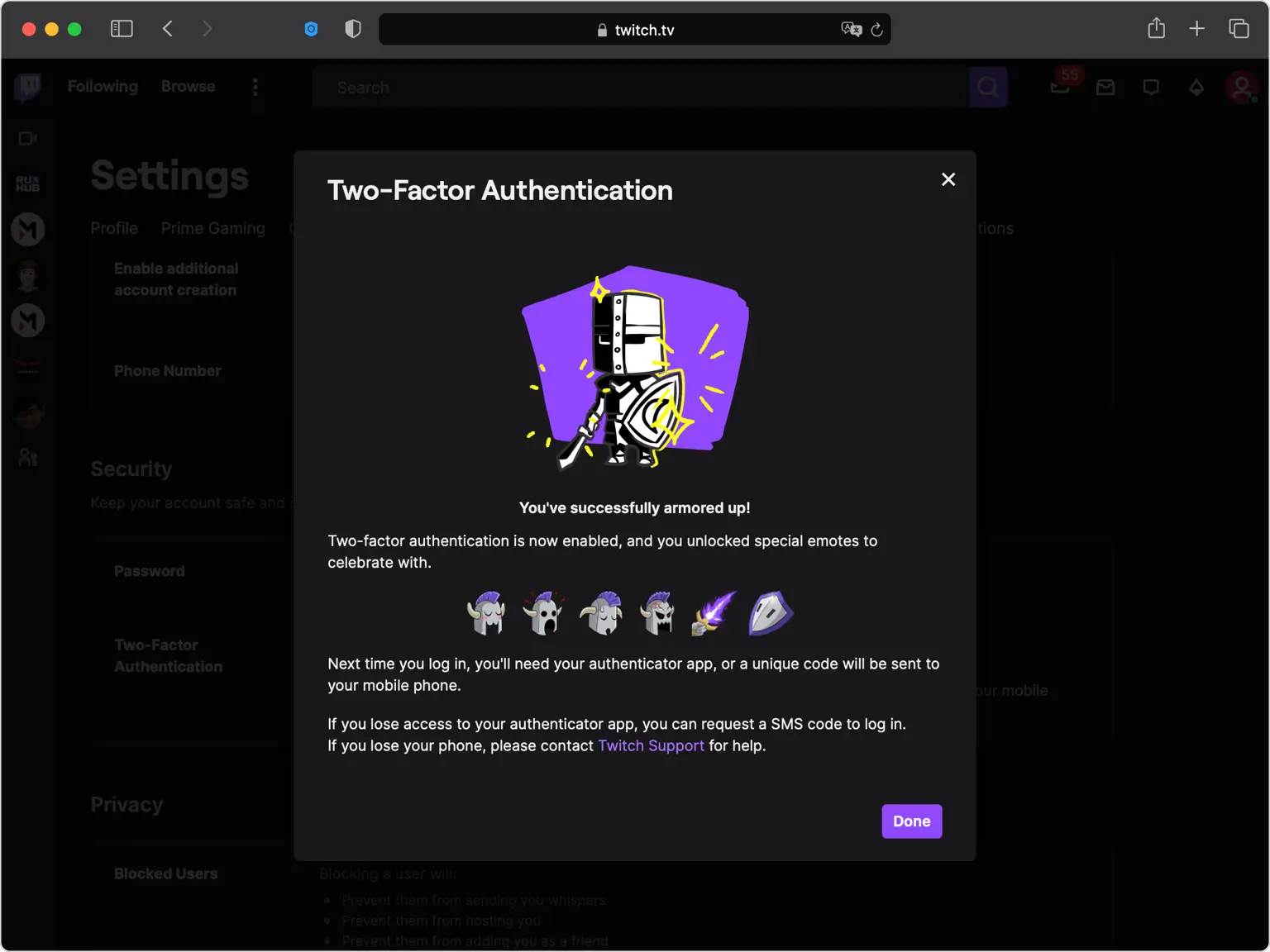
2단계 인증 활성화 완료
Twitch는 이제 이중 인증이 활성화되었음을 확인했습니다. 완료를 클릭하여 설정을 완료합니다. 다음에 로그인할 때 Authenticator App의 코드를 입력하게 됩니다.
복구 옵션을 최신 상태로 유지하세요
Twitch에서 백업 또는 복구 코드가 표시되면 안전한 곳에 저장하세요. Authenticator App을 분실한 경우 액세스 권한을 복구할 수 있는 주요 방법이므로 계정의 전화번호를 최신 상태로 유지하세요.



백업 및 복구
Twitch에서 백업 또는 복구 코드가 표시되면 안전한 곳에 저장하세요. Authenticator App을 분실한 경우 액세스 권한을 복구할 수 있는 주요 방법이므로 계정의 전화번호를 최신 상태로 유지하세요.
완료되었습니다. 이제 Twitch 계정이 2단계 인증으로 보호됩니다. 복구 정보를 안전하게 보관하고 인터페이스가 변경된 경우 해당 서비스의 공식 문서를 따르세요.


