

Comment activer 2FA pour votre compte Epic Games
Mis à jour le 4 août 2026
L’authentification à deux facteurs (2FA) protège votre compte Epic Games même en cas de fuite de votre mot de passe. Suivez les étapes ci-dessous pour générer des codes de vérification pour Epic Games avec Authenticator App sur votre iPhone, iPad ou Mac.
Ouvrez les paramètres de votre compte
Connectez-vous à epicgames.com et ouvrez la page de votre compte. C'est ici que sont gérées toutes vos options de connexion et de sécurité.
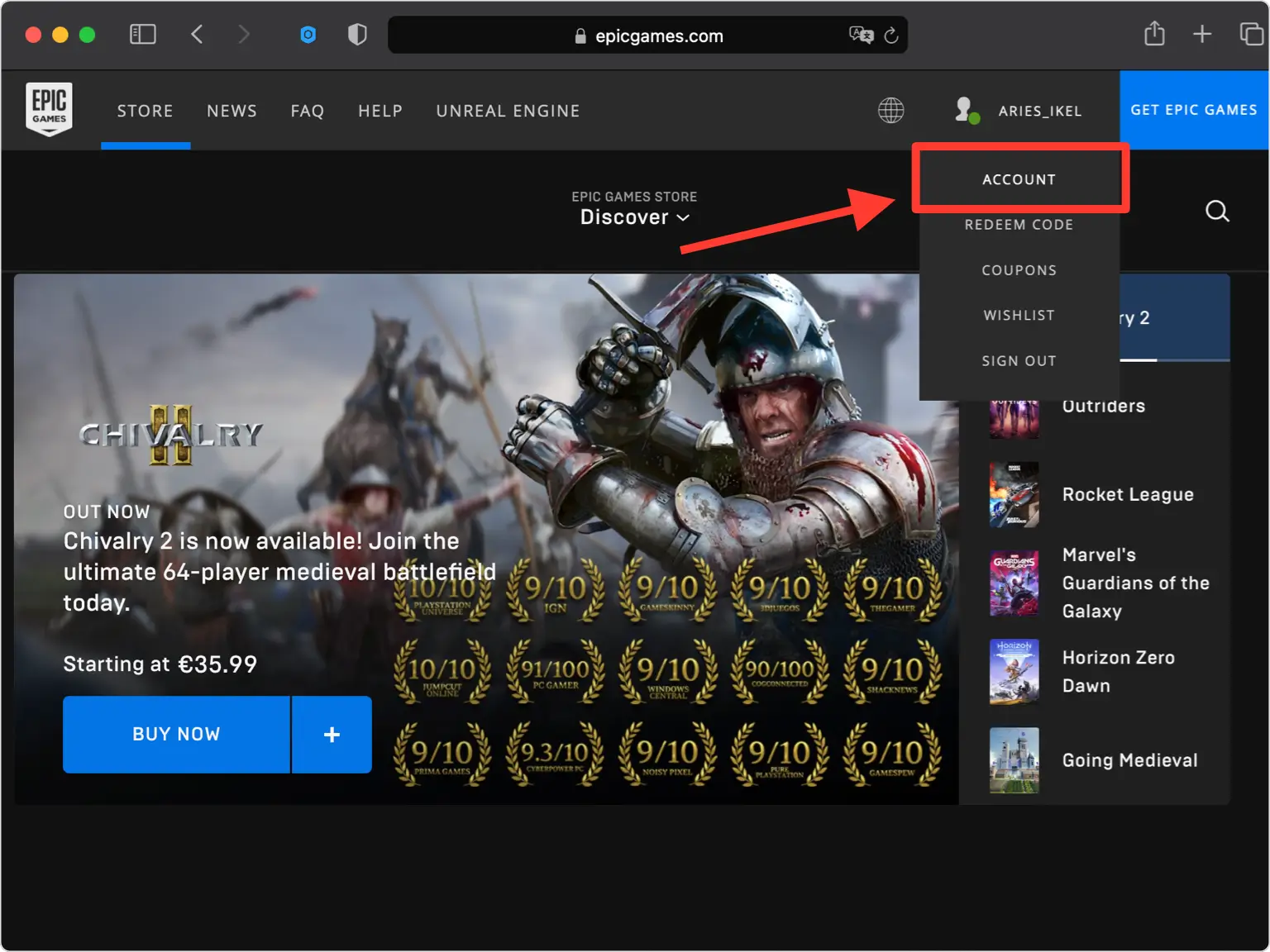
Accédez à Mot de passe et sécurité
Dans le menu de votre compte, ouvrez l'onglet Mot de passe et sécurité. Epic Games regroupe ici ses options d'authentification à deux facteurs.
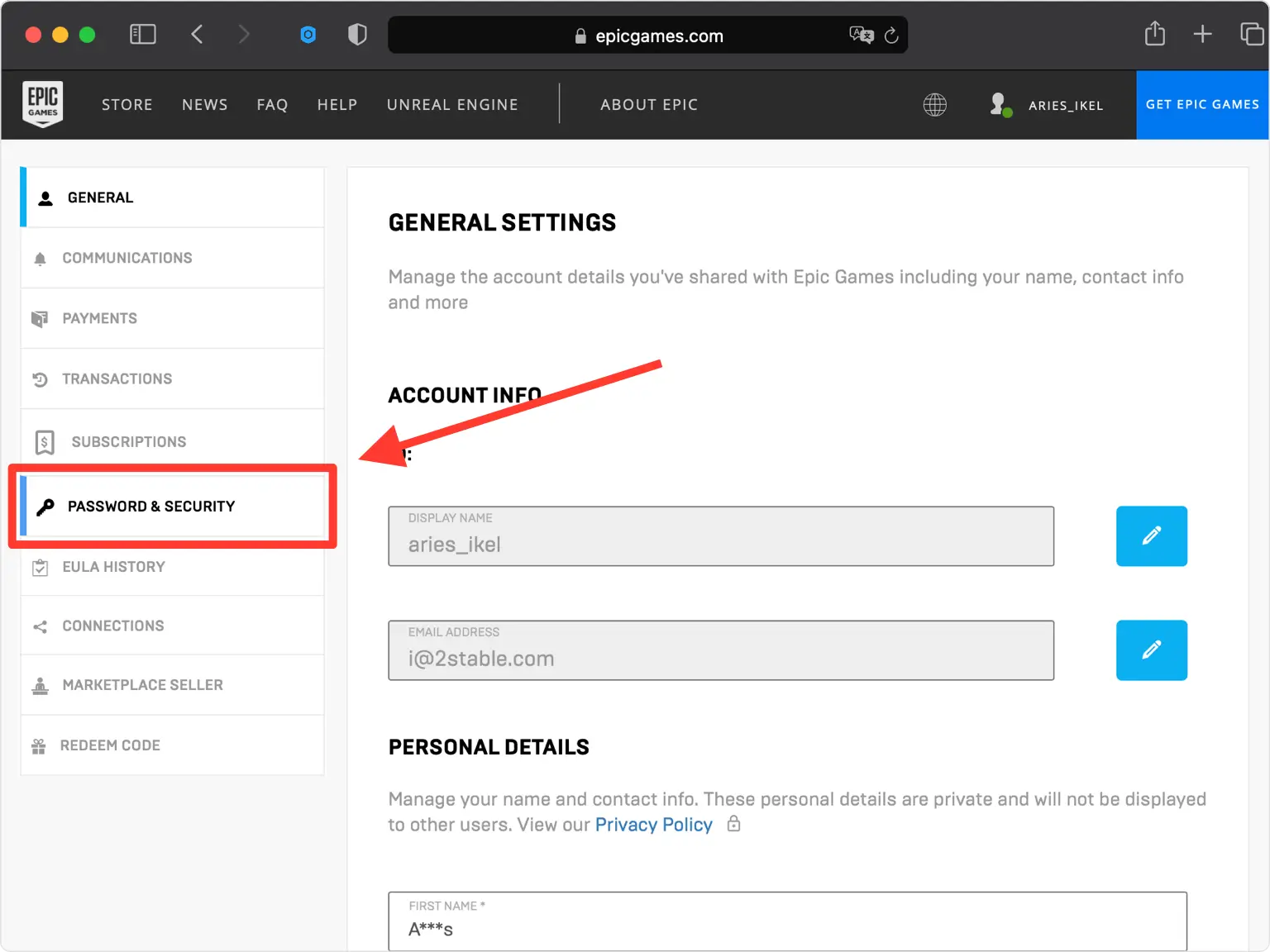
Activer Authenticator App tiers
Faites défiler jusqu'à la section Authentification à deux facteurs et activez l'option Tiers Authenticator App pour démarrer la configuration.
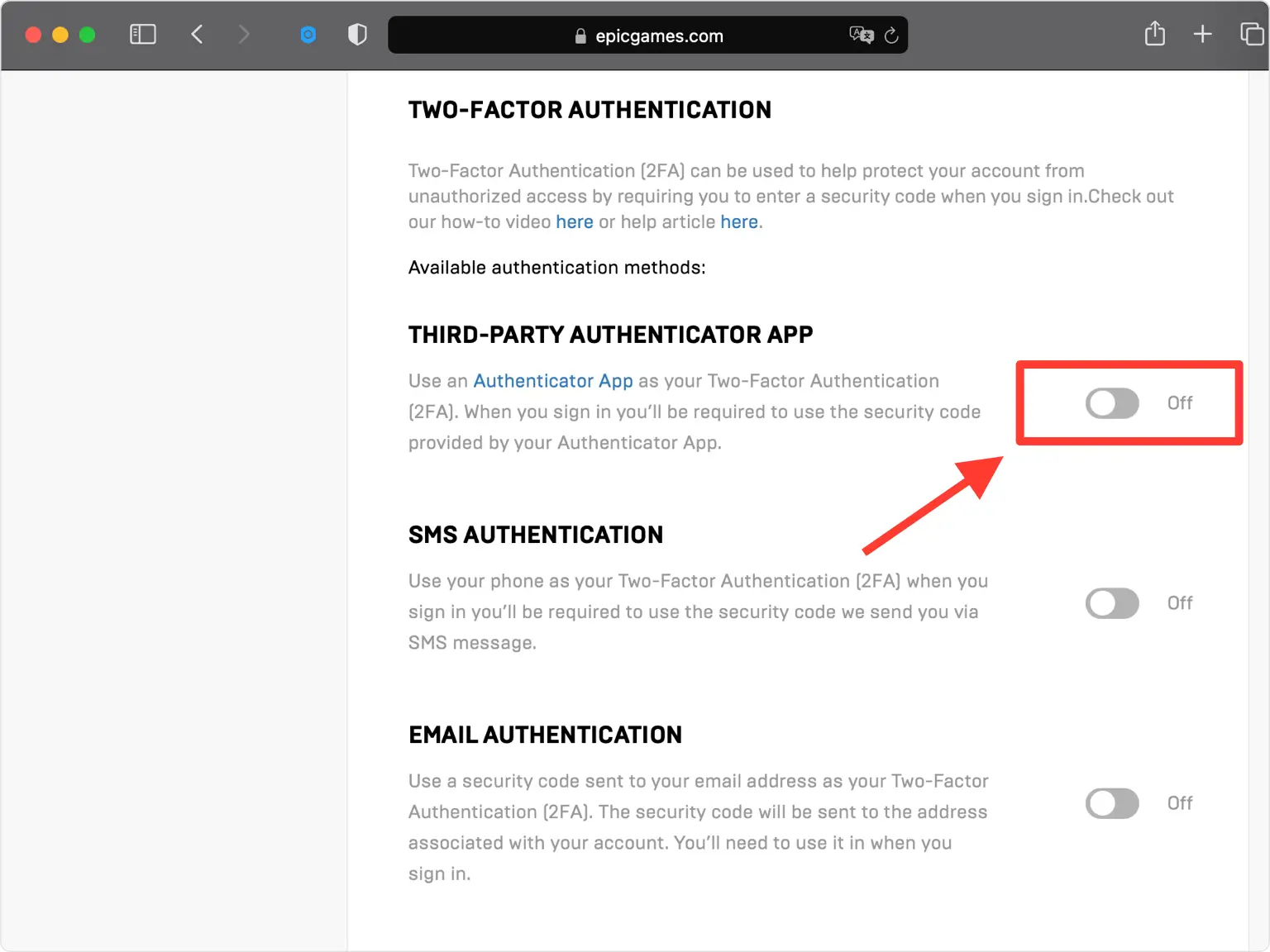
Révéler le code QR
Epic Games ouvre une pop-up affichant un code QR (et une clé secrète). Laissez cette fenêtre ouverte sur votre ordinateur pendant que vous prenez votre téléphone.
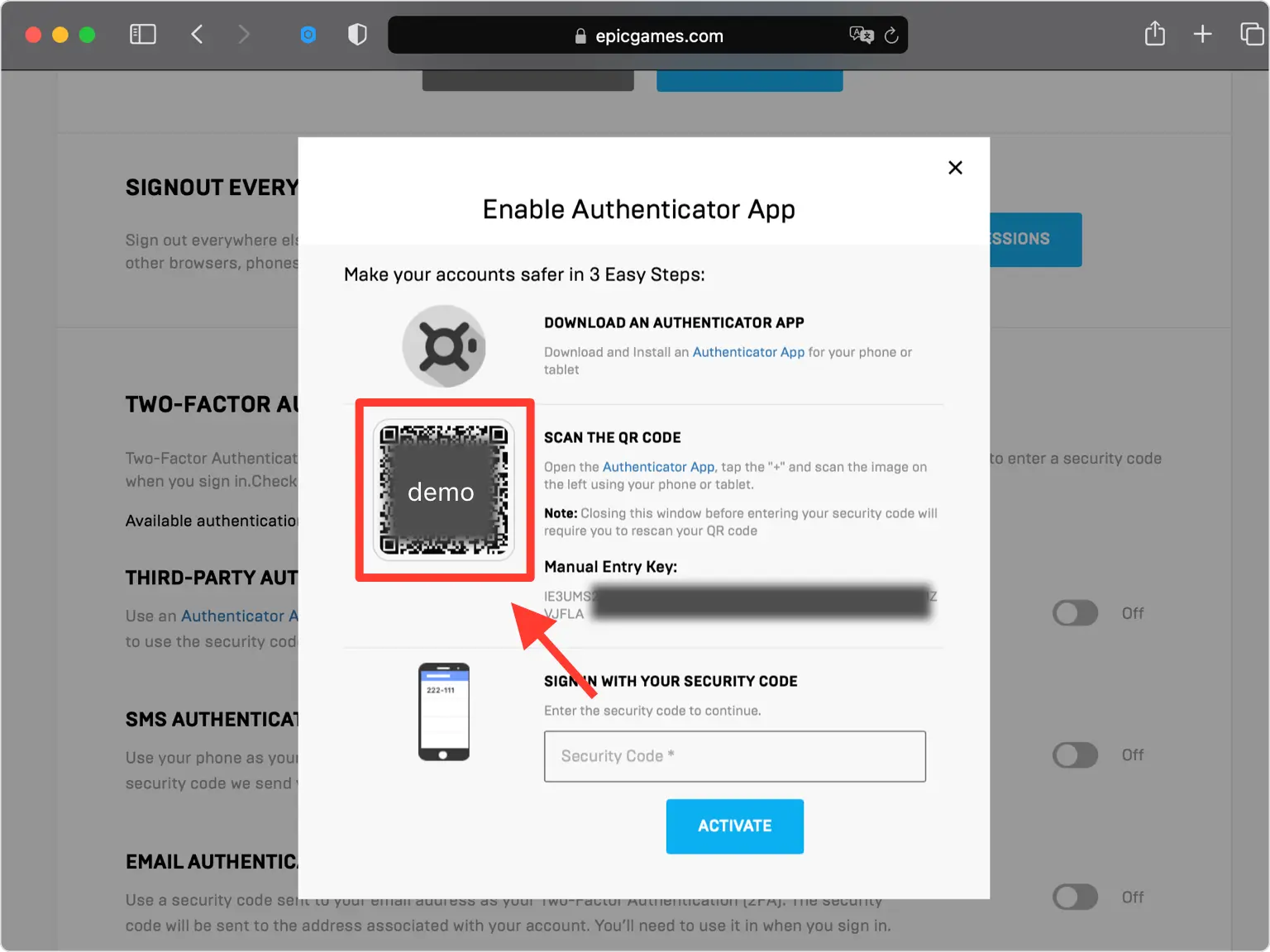
Scannez le code QR avec votre Authenticator App
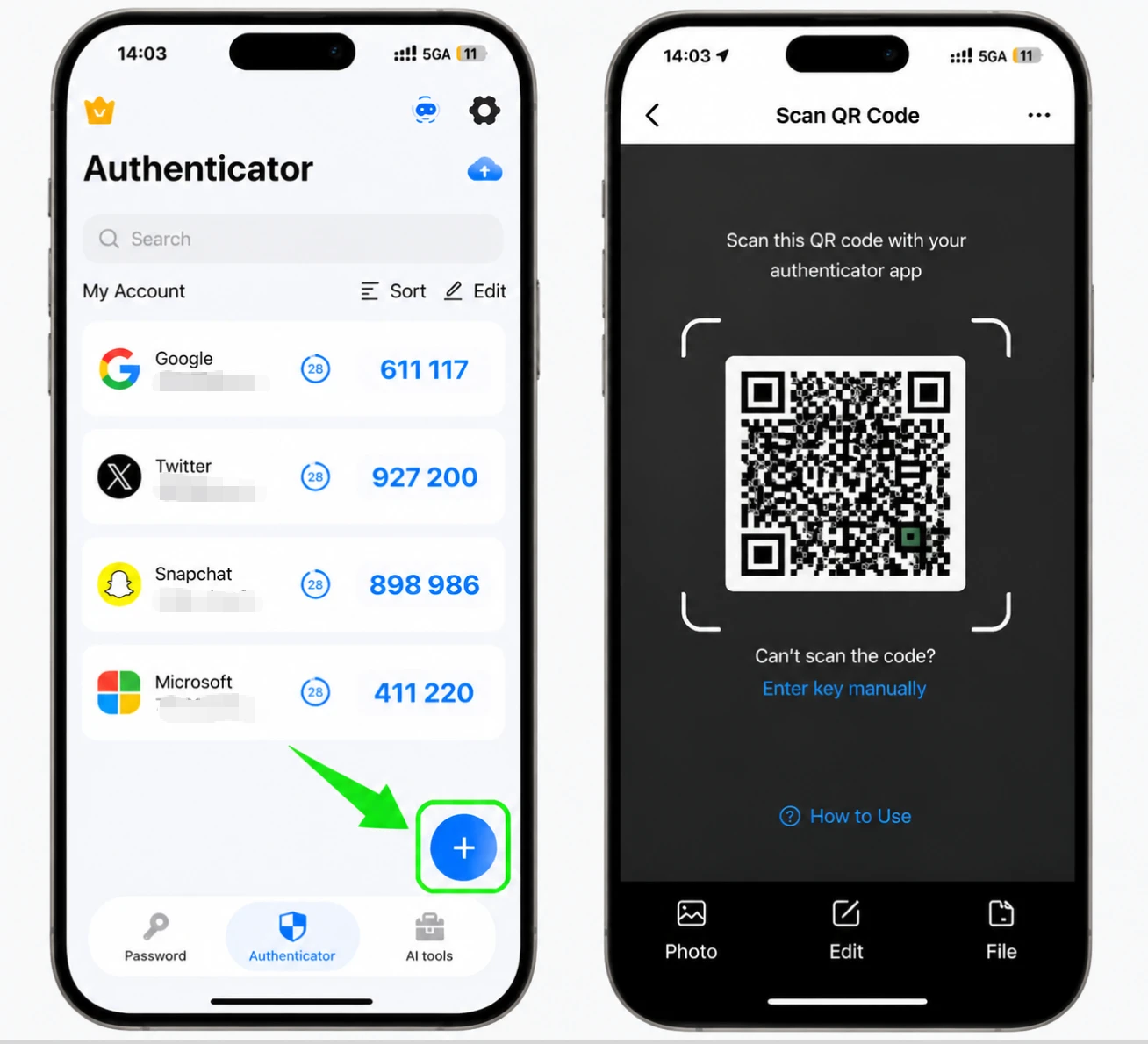
Sur votre iPhone, ouvrez Authenticator App et appuyez sur le bouton + en bas pour ajouter un nouveau compte, puis pointez l'appareil photo vers le code QR à l'écran. Si vous ne pouvez pas le scanner, choisissez la saisie manuelle et saisissez plutôt la clé secrète affichée par Epic Games.
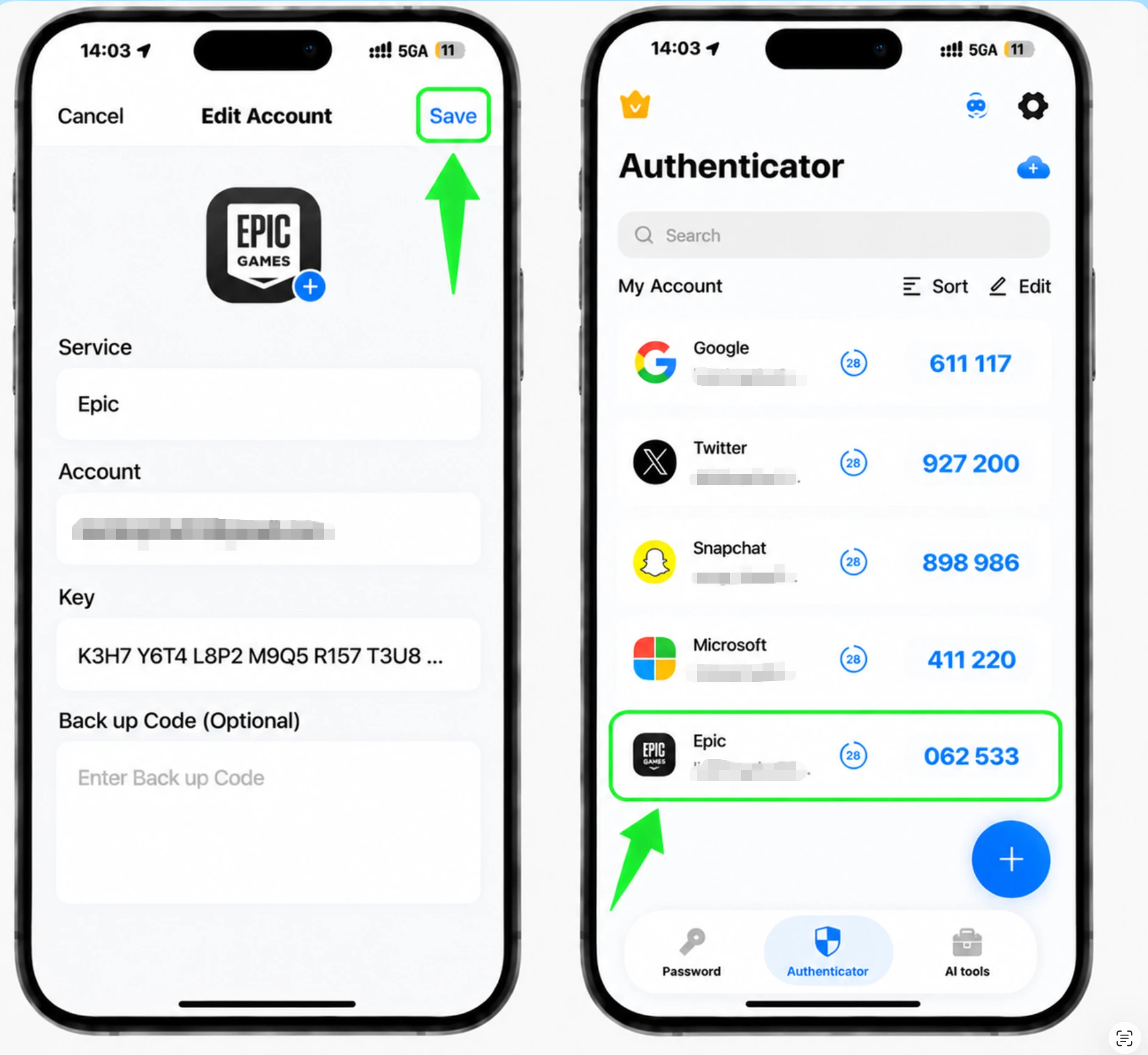
Enregistrez l'entrée Epic Games dans l'application
Après l'analyse, le Authenticator App remplit automatiquement le nom du compte Epic Games et la clé secrète. Confirmez que les détails semblent corrects et appuyez sur Enregistrer pour stocker l'entrée.
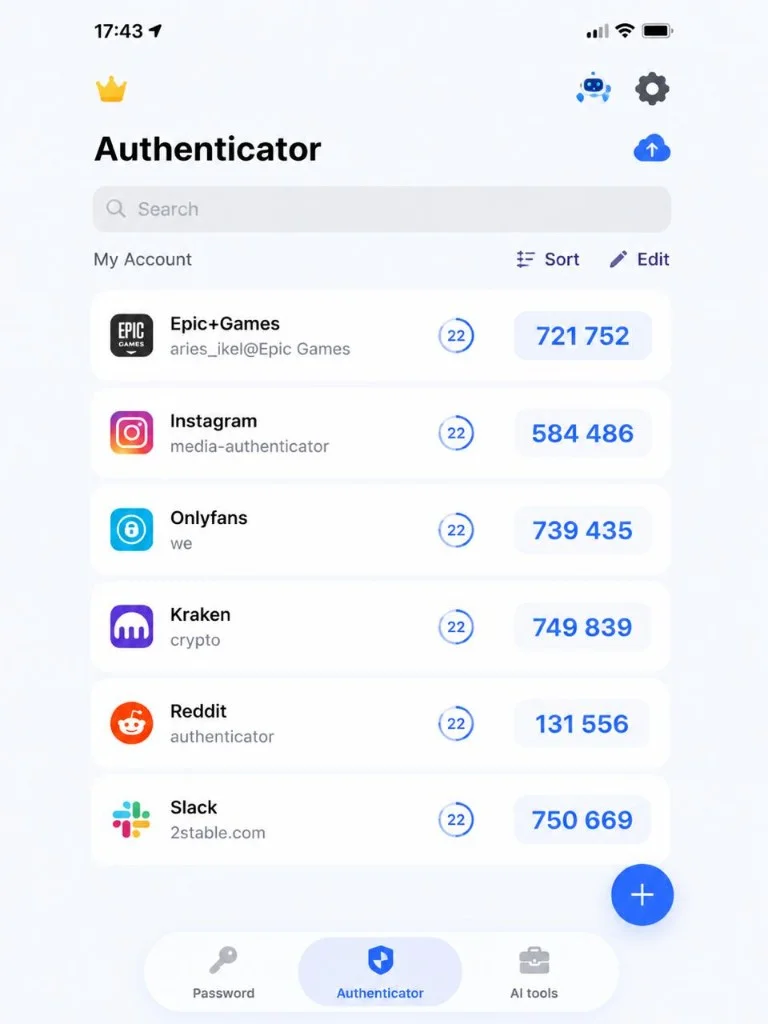
Lire le code à 6 chiffres
Votre Authenticator App affiche désormais un code de vérification à 6 chiffres pour votre compte Epic Games. Le code est actualisé toutes les 30 secondes, alors notez celui actuel.
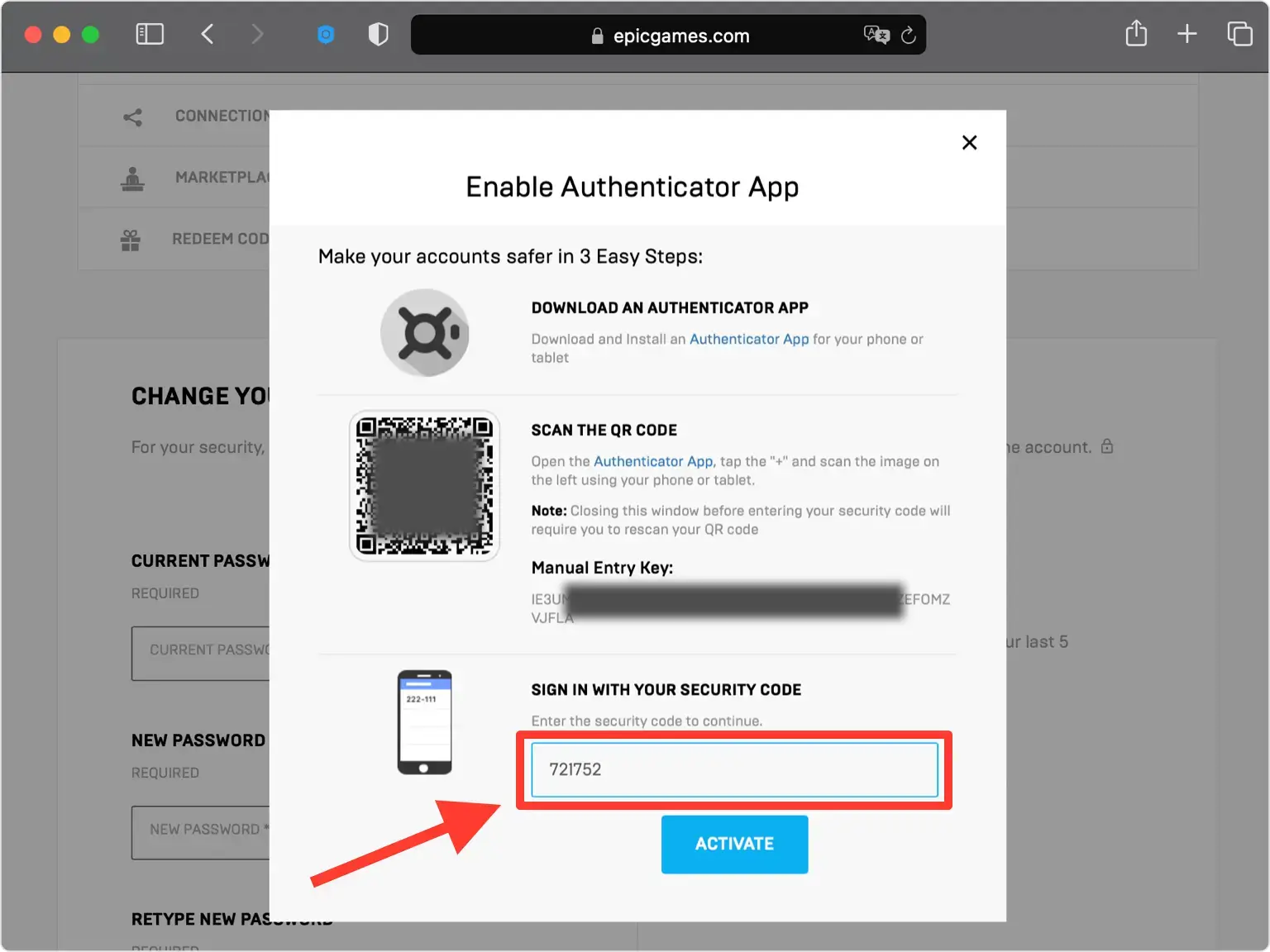
Entrez le code et activez
De retour sur le site Web d'Epic Games, saisissez le code à 6 chiffres de votre Authenticator App dans le champ, puis cliquez sur Activer pour confirmer et activer l'authentification à deux facteurs.
Enregistrez vos codes de sauvegarde
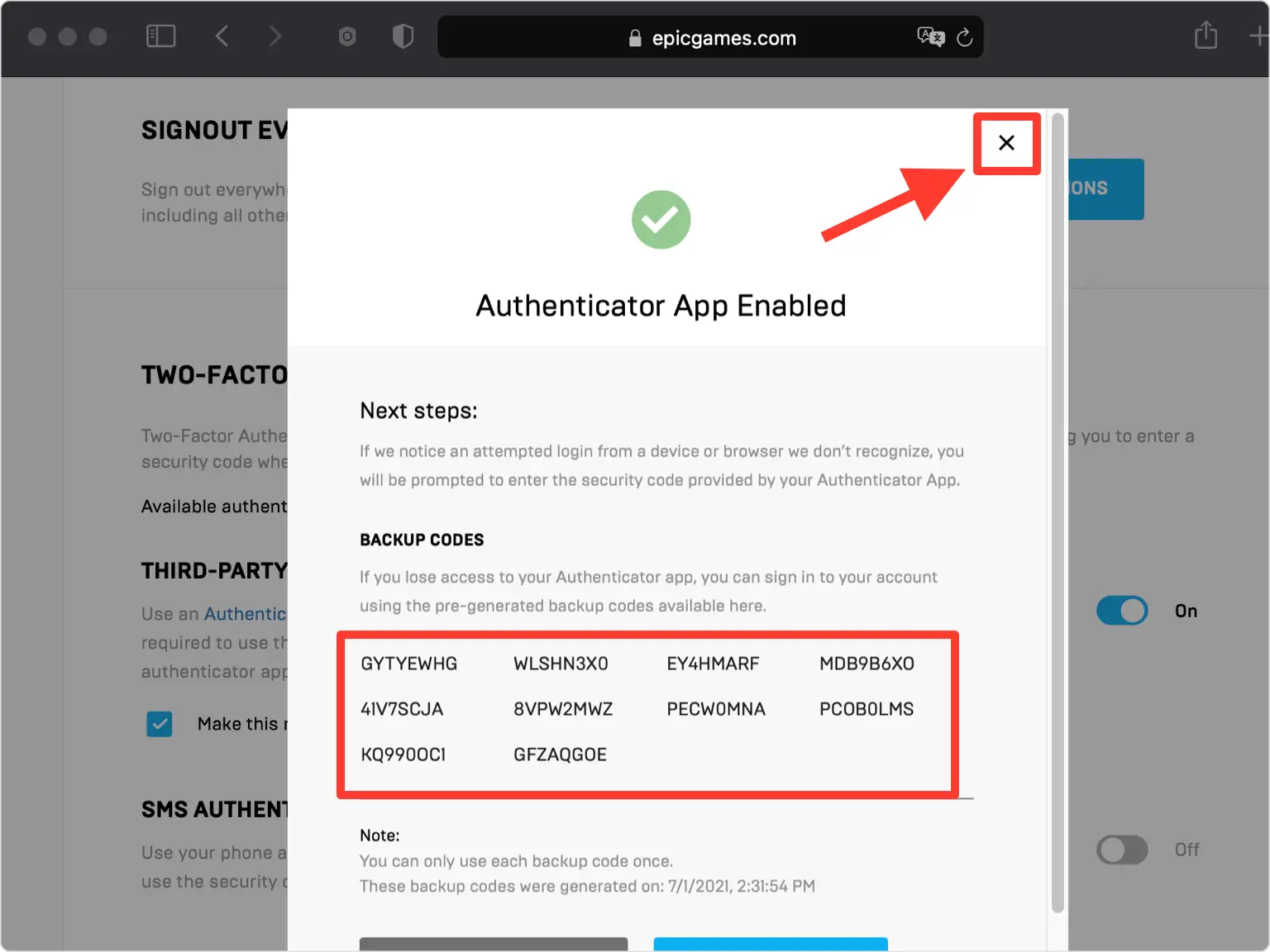
Votre compte Epic Games est désormais protégé. Enregistrez les codes de sauvegarde affichés dans un endroit sûr afin de pouvoir toujours vous connecter si jamais vous perdez l'accès à votre Authenticator App.



Sauvegarde et récupération
Votre compte Epic Games est désormais protégé. Enregistrez les codes de sauvegarde affichés dans un endroit sûr afin de pouvoir toujours vous connecter si jamais vous perdez l'accès à votre Authenticator App.
C’est terminé : votre compte Epic Games est maintenant protégé par l’authentification à deux facteurs. Conservez vos informations de récupération en lieu sûr et consultez la documentation officielle du service si son interface évolue.
Voir toutes les méthodes 2FA prises en charge par Epic Games →


